
1. Introduction and Overview
The EUG UKX88+AB Smart Projector is designed to deliver a high-quality home cinema experience. Featuring integrated Wi-Fi and Bluetooth 4.0, it allows for seamless wireless connectivity to various smart devices and accessories. The built-in Android OS provides access to a wide range of online entertainment and applications, eliminating the need for additional streaming devices. With its WXGA HD resolution, 4600 lumens brightness, and 50,000-hour LED light source, this projector offers clear, vibrant images while protecting your eyes through diffuse reflection imaging technology.
This manual provides detailed instructions for setting up, operating, and maintaining your projector to ensure optimal performance and longevity.


2. Setup
2.1 Unboxing and Initial Inspection
Carefully remove all components from the packaging. Verify that all accessories are present and that the projector is free from any visible damage. Retain the packaging for future transport or storage.
2.2 Placement and Projection
Position the projector on a stable, flat surface or mount it to the ceiling. Ensure adequate ventilation around the unit. The optimal projection distance ranges from 6.5 to 21.8 feet, yielding an image size of 50 to 200 inches. Adjust the projector's position to achieve the desired screen size and focus.
2.3 Keystone Correction
If the projected image appears trapezoidal, use the keystone correction feature to square the image. The projector supports vertical keystone correction of ±15 degrees. Some models may offer 4-point keystone correction for more precise adjustments, especially for off-axis projection.

2.4 Power Connection
Connect the power cable to the projector's power input and then to a standard AC 100-240V / 50-60Hz electrical outlet.
3. Operating Instructions
3.1 Power On/Off
Press the power button on the projector or the remote control to turn the unit on or off. Allow a few moments for the projector to warm up or cool down.
3.2 Source Selection
Use the 'Source' button on the remote or projector panel to select your desired input: HDMI 1, HDMI 2, USB, VGA, AV, or ATV. The projector supports connections to DVD/Blu-Ray players, laptops, gaming consoles (PS4, Xbox, PS3, Wii), smartphones, tablets, cable boxes, Firestick, Roku, and USB storage devices.
3.3 Android OS and Smart Features
The projector features an integrated Android 6.0 operating system. Navigate the interface using the remote control or a connected wireless mouse/keyboard. You can download applications, stream videos, play games, and access various online services directly from the projector.

3.4 Wireless Connectivity (Wi-Fi & Bluetooth)
- Wi-Fi: Connect the projector to your home Wi-Fi network via the settings menu to access online content and enable wireless screen mirroring.
- Bluetooth 4.0: Pair Bluetooth-enabled devices such as external speakers, headphones, mice, keyboards, or gamepads for enhanced audio and control.

3.5 Screen Mirroring / Casting
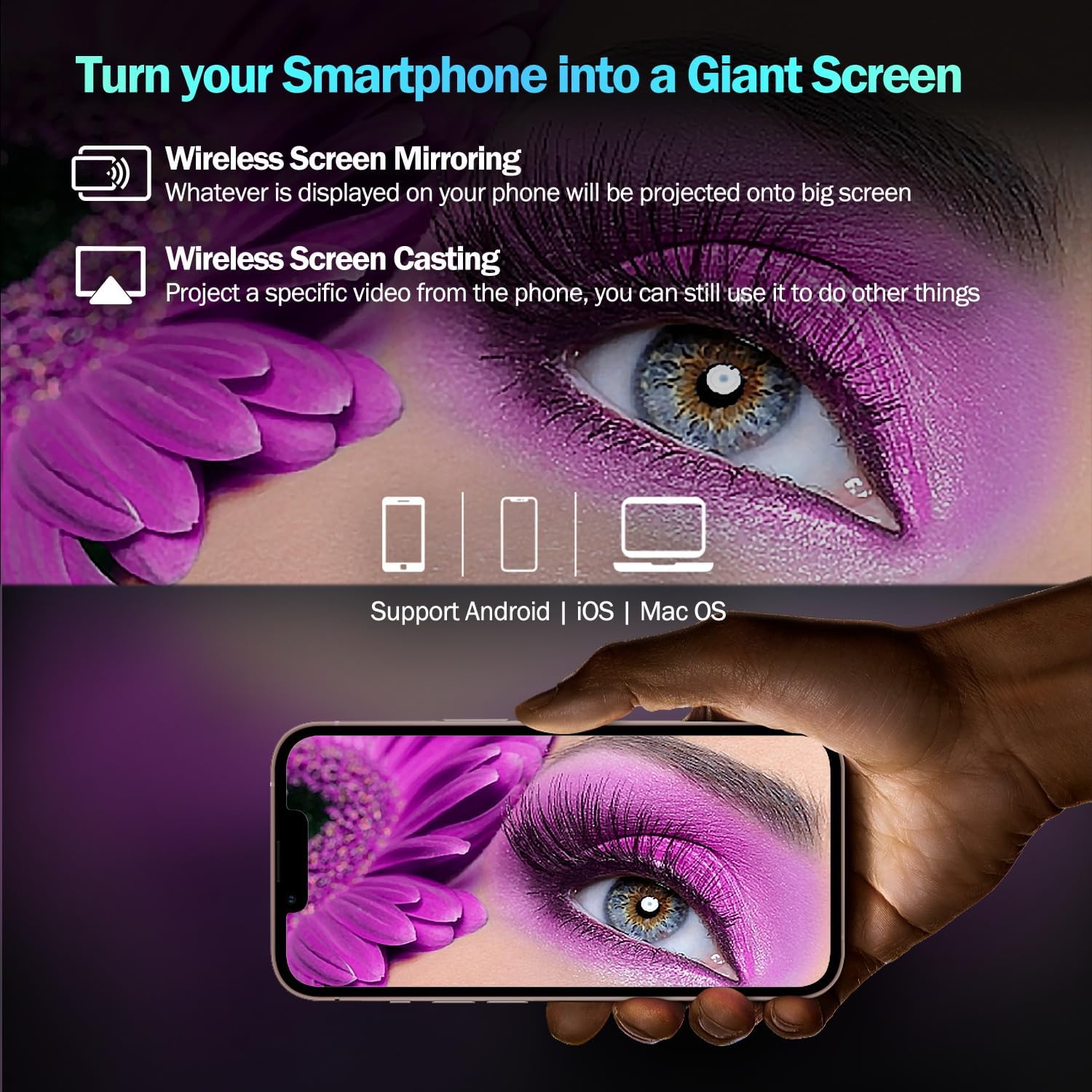
The projector supports wireless screen mirroring from smartphones, tablets, and PCs. This allows you to project your device's screen onto the large display. For specific video casting, you can project content while still using your phone for other tasks. This feature is compatible with Android, iOS, and Mac OS devices.
3.6 Audio Output
The projector includes two built-in 5W stereo speakers with Dolby Digital Audio support, providing clear and balanced sound. For external audio, connect wired speakers via the audio output port or pair Bluetooth speakers/headphones wirelessly.
3.7 Image Adjustments
- Focus: Rotate the focus ring on the lens to achieve a sharp image.
- Aspect Ratio: Adjust between 16:9 and 4:3 aspect ratios in the settings menu.
- Brightness/Contrast: Fine-tune image brightness and contrast settings for optimal viewing conditions.

4. Maintenance
4.1 Lens Cleaning
Gently clean the projector lens with a soft, lint-free cloth specifically designed for optical surfaces. Avoid abrasive materials or harsh chemicals.
4.2 Dust Management
Regularly clean the projector's vents to prevent dust accumulation, which can affect performance and lifespan. Use a soft brush or compressed air to remove dust.
4.3 Lamp Life
The projector utilizes an advanced LED light source with an estimated lifespan of up to 50,000 hours. This extended lamp life significantly reduces maintenance requirements and ensures consistent brightness over time, eliminating the need for frequent lamp replacements.

5. Troubleshooting
5.1 No Image Displayed
- Ensure the projector is powered on and the input source is correctly selected.
- Check all cable connections (HDMI, VGA, etc.) for secure fit.
- Verify that the connected device (laptop, DVD player) is outputting a signal.
5.2 Blurry Image
- Adjust the focus ring on the projector lens.
- Ensure the projection distance is within the recommended range.
- Use keystone correction to square the image if it appears distorted.
5.3 No Sound
- Check the projector's volume settings and ensure it is not muted.
- Verify that external audio devices (Bluetooth speakers, wired speakers) are correctly connected and powered on.
- Ensure the audio output from the source device is active.
5.4 Connectivity Issues (Wi-Fi/Bluetooth)
- Restart the projector and the device you are trying to connect.
- Ensure the Wi-Fi network is active and the password is correct.
- For Bluetooth, ensure the device is in pairing mode and within range.
6. Specifications
| Feature | Specification |
|---|---|
| Brand | EUG |
| Model Number | UKX88+AB |
| Display Technology | LCD |
| Native Resolution | 1280 x 800 WXGA (Supports 1080P/720P) |
| Brightness | 4600 Lumens |
| Contrast Ratio | 7500:1 |
| Lamp Life | Up to 50,000 hours (LED) |
| Connectivity | 2x HDMI, 2x USB, VGA, AV, Wi-Fi, Bluetooth 4.0 |
| Operating System | Android 6.0 (1GB RAM + 8GB ROM) |
| Built-in Speakers | 2x 5W Stereo Speakers (Dolby Audio Support) |
| Projection Size | 50 - 200 inches |
| Projection Distance | 6.5 - 21.8 feet |
| Keystone Correction | Vertical ±15° |
| Power Supply | AC 100-240V / 50-60Hz |
| Item Weight | 4.8 Kilograms |
7. Warranty and Support
The EUG UKX88+AB projector is certified with CE, FCC, and CE standards, ensuring compliance with safety and quality regulations. All products undergo rigorous testing before sale. For any support inquiries or warranty claims, please refer to the contact information provided with your purchase or visit the official EUG support website.