
1. Introduction
This manual provides essential information for the safe operation, maintenance, and troubleshooting of your DEWALT 20V MAX* 18GA Narrow Crown Stapler Kit (DCN681D1). Please read and understand all instructions before using the tool to ensure proper function and user safety.
2. General Safety Information
WARNING: Read all safety warnings, instructions, illustrations, and specifications provided with this power tool. Failure to follow all instructions listed below may result in electric shock, fire, and/or serious injury.
- Always wear eye protection.
- Keep work area clean and well lit.
- Do not operate power tools in explosive atmospheres.
- Keep children and bystanders away while operating a power tool.
- Use the correct power tool for your application.
- Disconnect the battery pack from the power tool before making any adjustments, changing accessories, or storing power tools.
3. Product Overview and Components
The DEWALT DCN681 18 Gauge Narrow Crown Stapler is designed for various fastening applications, including cabinetry, furniture, paneling, and flooring underlayment. It features a brushless motor for extended runtime and durability.
Kit Contents
- DEWALT DCN681 18GA Narrow Crown Stapler
- 20V MAX* 2.0Ah Lithium-Ion Battery (DCB203)
- Charger (DCB112)
- Contractor Bag
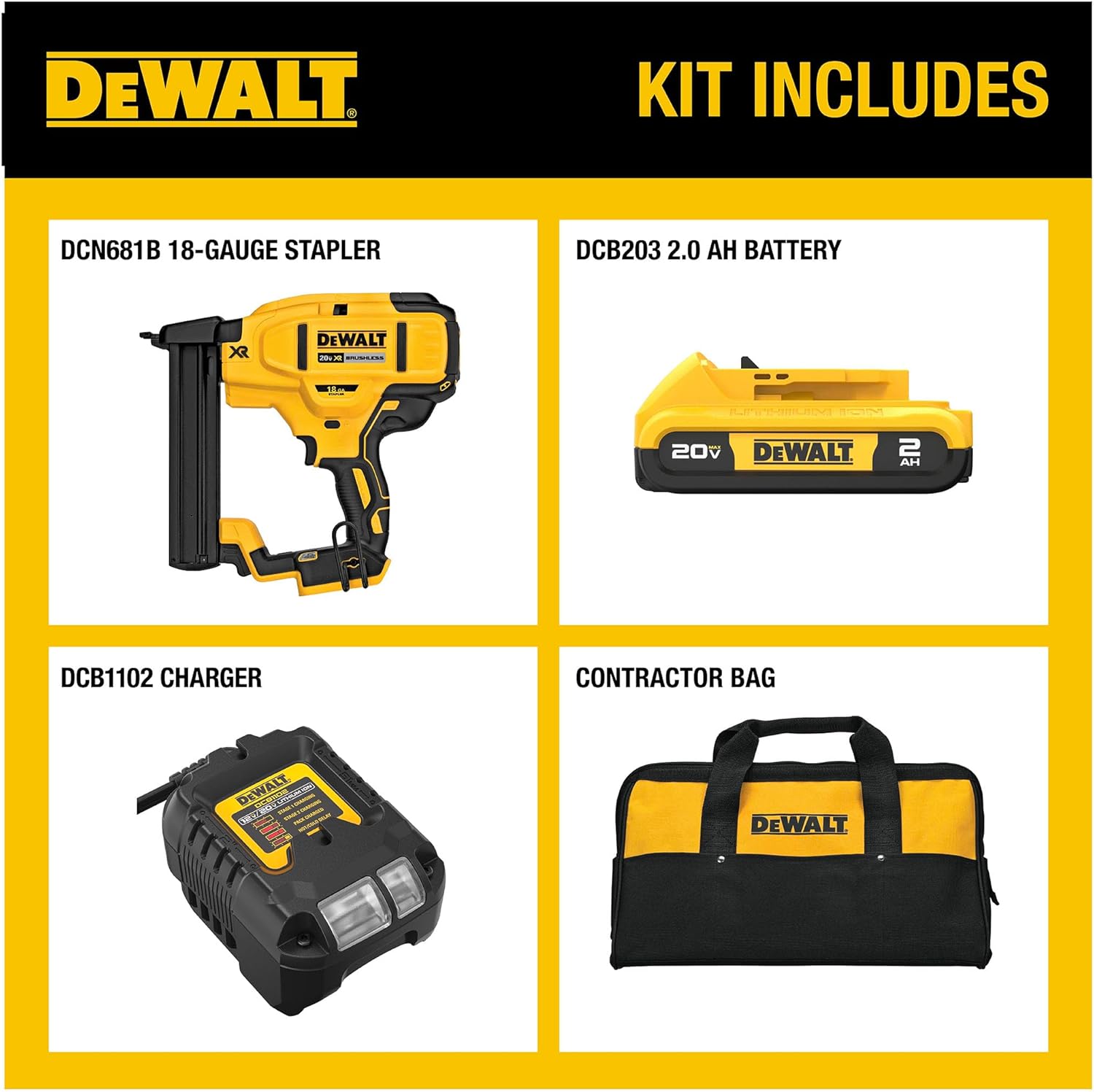
Figure 1: The DEWALT 18GA Narrow Crown Stapler Kit includes the stapler, battery, charger, and contractor bag.
Key Features

Figure 2: The DEWALT 18GA Narrow Crown Stapler highlighting its tool-free depth adjust, tool-free stall release lever, dry fire lockout, brushless motor, and bump/sequential selector switch.
- Brushless Motor: Maximizes runtime and durability.
- Tool-Free Depth Adjustment: Allows for precise countersinking of staples.
- Tool-Free Selectable Trigger: Easily switch between sequential and contact actuation modes.
- Low Nail Lockout: Prevents dry firing and unwanted marks on work material.
- Tool-Free Stall Release Lever: For quick clearing of jams.
- Integrated LED Light: Illuminates the work surface for improved visibility.
- Adjustable Belt Hook: For convenient portability.
4. Setup
4.1 Battery Installation and Charging
- Insert the 20V MAX* battery pack into the tool's battery port until it clicks securely into place.
- To charge the battery, connect the charger (DCB112) to a power outlet and insert the battery pack. The charger's indicator lights will show the charging status.
4.2 Loading Staples
- Ensure the tool is disconnected from the battery for safety.
- Pull the magazine follower back until it locks into place.
- Insert a strip of 18GA narrow crown staples (1/2 in. to 1-1/2 in. long) into the magazine with the crown facing up.
- Release the magazine follower to push the staples forward.
Video 1: This video demonstrates the loading process for staples into the DEWALT 18GA Narrow Crown Stapler, showing how to open the magazine and insert the staple strips.
4.3 Adjusting Depth
- Locate the tool-free depth adjustment dial on the side of the stapler.
- Rotate the dial to increase or decrease the depth of staple penetration. Test on a scrap piece of material to achieve desired depth.

Figure 3: The tool-free depth adjustment dial allows users to control how deep staples are driven into the material.
5. Operating Instructions
5.1 Actuation Modes
The stapler offers two actuation modes:
- Sequential Actuation: For precise placement. Depress the contact trip, then pull the trigger to drive a staple. Release the trigger and lift the tool from the workpiece before the next staple.
- Contact Actuation (Bump Fire): For rapid fastening. Pull and hold the trigger, then depress the contact trip against the workpiece to drive staples.
5.2 Using the LED Light
The integrated LED light illuminates the work surface. It activates when the trigger is pulled or the contact trip is depressed, providing better visibility in dimly lit areas.
5.3 Using the Belt Hook
The adjustable belt hook allows for convenient temporary storage of the tool when not in use. It can be attached to either side of the tool for left or right-handed users.
5.4 Low Nail Lockout
The low nail lockout feature prevents the tool from dry firing when the magazine is nearly empty, protecting both the tool and the workpiece from damage.

Figure 4: The low nail lockout mechanism prevents the stapler from firing when staples are low, indicated by the visible staple track.
6. Maintenance
- Keep the tool clean and free of debris. Use a dry cloth to wipe down the exterior.
- Regularly inspect the contact trip and driver blade for wear or damage.
- Store the tool and batteries in a cool, dry place away from direct sunlight and extreme temperatures.
7. Troubleshooting
7.1 Clearing Jams
If a staple jam occurs, follow these steps:
- Disconnect the battery pack from the tool.
- Locate the tool-free stall release lever (often near the nosepiece).
- Open the nosepiece assembly to access the jammed staple.
- Remove the jammed staple using pliers or a similar tool.
- Close the nosepiece assembly securely.
- Reconnect the battery and test the tool on a scrap piece of material.
7.2 Power Issues
- Ensure the battery is fully charged and properly inserted.
- Check the battery indicator lights on the battery pack.
8. Specifications
| Feature | Detail |
|---|---|
| Brand Name | DEWALT |
| Model Name | DCN681D1 |
| Item Weight | 6 Pounds |
| Item Dimensions LxWxH | 18.72 x 1 x 6.37 inches |
| Staple Gauge | 18GA |
| Staple Length Capacity | 0.5 in. to 1.5 in. |
| Power Source | 20V MAX* Lithium-Ion Battery |
| Number of Fasteners | 100 |
| Material | Blend |
| Included Components | 20V MAX 18GA NARROW CROWN STAPLER KIT |
9. Warranty and Support
For warranty information, technical support, or service inquiries, please refer to the warranty card included with your product or visit the official DEWALT website. You may also contact DEWALT customer service directly.
Online Support: www.dewalt.com


