
1. Introduction
Thank you for purchasing the Remax RB-M15 Bluetooth Speaker. This manual provides detailed instructions for the proper setup, operation, and maintenance of your device. Please read this manual thoroughly before use to ensure optimal performance and longevity of your speaker.
2. Product Overview
The Remax RB-M15 is a compact and portable Bluetooth speaker designed for wireless audio playback. It features a unique square design with a fabric grille and a convenient carrying strap.

Figure 2.1: Front view of the Remax RB-M15 Bluetooth Speaker, showcasing its square design, fabric grille, and integrated carrying strap.

Figure 2.2: Side view of the speaker with labeled controls for volume/track adjustment and play/pause, along with approximate dimensions (Width 3.1 inch, Height 1.4 inch).

Figure 2.3: Close-up view of the speaker's side panel, indicating the Micro USB charging port and the TF Card slot for direct media playback.
Package Contents:
- Remax RB-M15 Bluetooth Speaker
- USB Charging Cable
- User Manual
3. Setup
3.1 Charging the Speaker
- Connect the provided USB charging cable to the Micro USB port on the speaker (refer to Figure 2.3).
- Connect the other end of the USB cable to a USB power adapter (not included) or a computer's USB port.
- The charging indicator light will illuminate. Once fully charged, the light will change or turn off (refer to product specifications for exact behavior).
- A full charge typically takes approximately 2-3 hours.
3.2 Powering On/Off
- To power on: Press and hold the power button (usually marked with a ⑂ symbol) for a few seconds until you hear an audible prompt or see an indicator light.
- To power off: Press and hold the power button again for a few seconds until you hear an audible prompt or the indicator light turns off.
3.3 Bluetooth Pairing
- Ensure the speaker is powered on and in pairing mode. The Bluetooth indicator light will typically flash rapidly.
- On your mobile device (smartphone, tablet, computer), enable Bluetooth.
- Search for available Bluetooth devices. You should see "RB-M15" in the list.
- Select "RB-M15" to connect. Once connected, you will hear an audible confirmation, and the Bluetooth indicator light on the speaker will usually become solid.
- If prompted for a password, enter "0000" (four zeros).

Figure 3.1: Illustration of the Bluetooth pairing process between the RB-M15 speaker and a smartphone, showing the speaker's power button and the phone's Bluetooth settings.
4. Operating Instructions
4.1 Basic Controls
| Button | Function (Short Press) | Function (Long Press) |
|---|---|---|
| + (Plus) | Next Track | Volume Up |
| ▶▶ (Play/Pause) | Play/Pause Music | N/A (Power button is separate) |
| - (Minus) | Previous Track | Volume Down |
4.2 Bluetooth Audio Playback
Once successfully paired with your device, open your preferred music application and begin playback. Audio will be streamed wirelessly to the RB-M15 speaker. Use the speaker's controls or your device's controls to manage playback and volume.
4.3 TF Card Playback
- Insert a TF (MicroSD) card with MP3 audio files into the TF card slot on the speaker (refer to Figure 2.3).
- The speaker should automatically detect the TF card and begin playing music.
- Use the + and - buttons to navigate between tracks and the Play/Pause button to control playback.
5. Maintenance
- Cleaning: Use a soft, dry cloth to clean the speaker's exterior. Do not use harsh chemicals or abrasive cleaners.
- Storage: Store the speaker in a cool, dry place away from direct sunlight and extreme temperatures when not in use for extended periods.
- Battery Care: To prolong battery life, avoid fully discharging the battery frequently. Charge the speaker regularly, even if not in use, to maintain battery health.
- Water Resistance: This speaker is not waterproof. Avoid exposure to water or excessive moisture.
6. Troubleshooting
| Problem | Solution |
|---|---|
| Speaker does not power on. | Ensure the speaker is charged. Connect it to a power source using the USB cable. |
| Cannot pair with Bluetooth device. |
|
| No sound during playback. |
|
| Sound quality is poor or distorted. |
|
7. Specifications
| Feature | Detail |
|---|---|
| Model | RB-M15 |
| Brand | Remax |
| Bluetooth Version | V4.1 |
| Battery Capacity | 500mAh, 3.7V |
| Dimensions (L x W x H) | 80mm x 80mm x 32mm (approx. 2.4 x 2.4 x 1.08 inches) |
| Weight | 125g |
| Audio Output Mode | Stereo |
| Speaker Type | Bluetooth Speakers |
| Mounting Type | Tabletop |
| Connectivity Technology | Wireless (Bluetooth) |
| Special Features | Bluetooth, TF Card Support |
| Color | White |
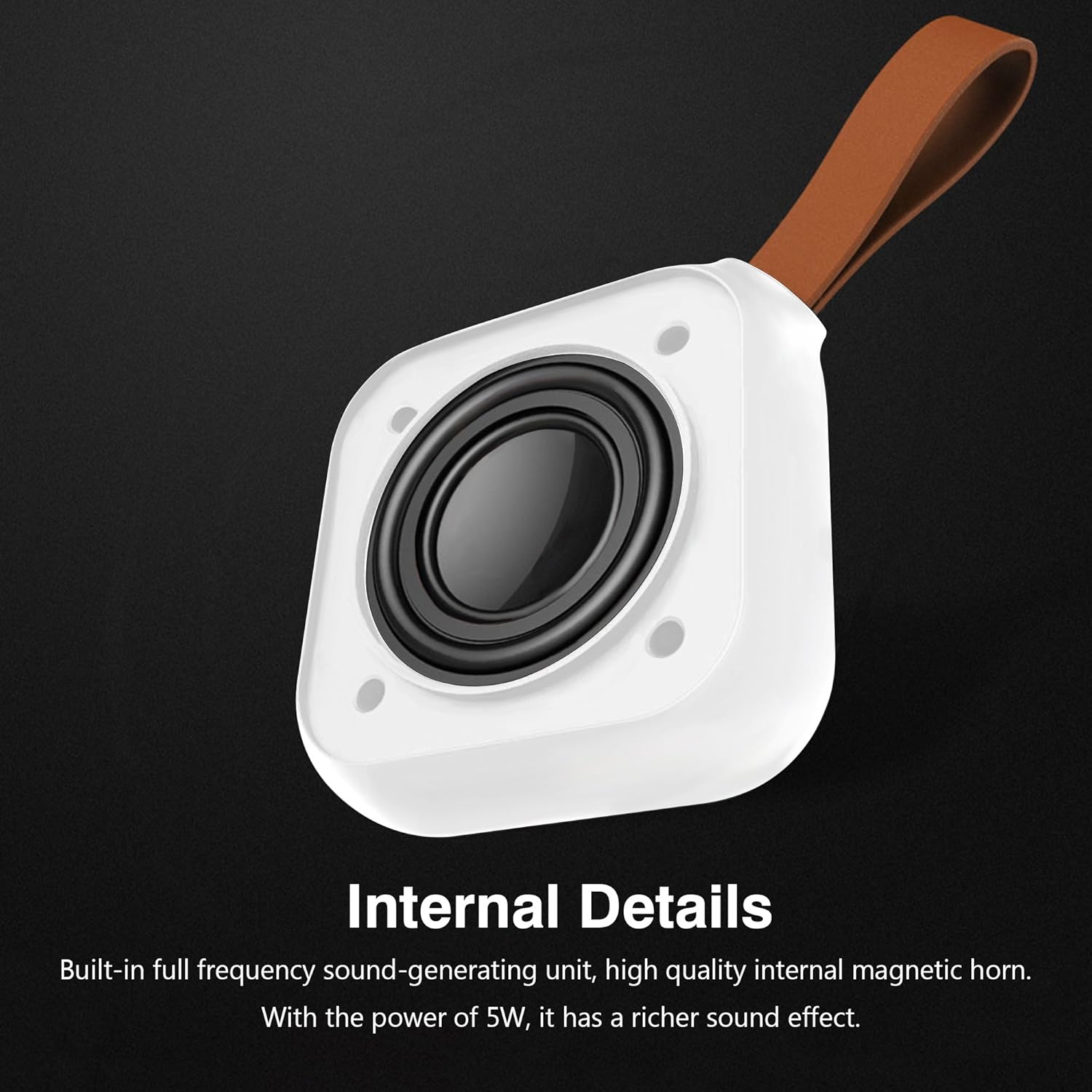
Figure 7.1: Internal view highlighting the full frequency sound-generating unit and high-quality internal magnetic horn, contributing to a richer sound effect with 5W power.
8. Warranty and Support
The Remax RB-M15 Bluetooth Speaker comes with a standard manufacturer's warranty. Please refer to the warranty card included in your product packaging for specific terms and conditions, including warranty period and coverage details.
For technical support, service, or warranty claims, please contact your local Remax distributor or the retailer from whom you purchased the product. Keep your proof of purchase for warranty validation.


