
1. Introduction
This manual provides essential instructions for the safe and effective use of your ABLEGRID AC Adapter. This adapter is designed as a replacement power supply unit for compatible Philips devices, specifically models AD3591, GB4943-2001, and GB8898-2001. Please read this manual thoroughly before use and retain it for future reference.
2. Safety Information
To prevent electric shock, fire, or damage to the product, please observe the following safety precautions:
- Ensure the adapter's voltage and current ratings match your device's requirements.
- Do not expose the adapter to water, moisture, or extreme temperatures.
- Avoid dropping or subjecting the adapter to strong impacts.
- Do not disassemble or attempt to repair the adapter yourself. Refer to qualified service personnel.
- Unplug the adapter from the power outlet when not in use for extended periods.
- Keep out of reach of children.
- Ensure proper ventilation around the adapter during operation.
3. Package Contents
Verify that all items are present in the package:
- 1 x ABLEGRID AC Adapter
- 1 x Power Cord (integrated or detachable, depending on model)
4. Product Overview
The ABLEGRID AC Adapter is a robust power supply designed for reliability and safety. It features built-in protection mechanisms to safeguard your devices.
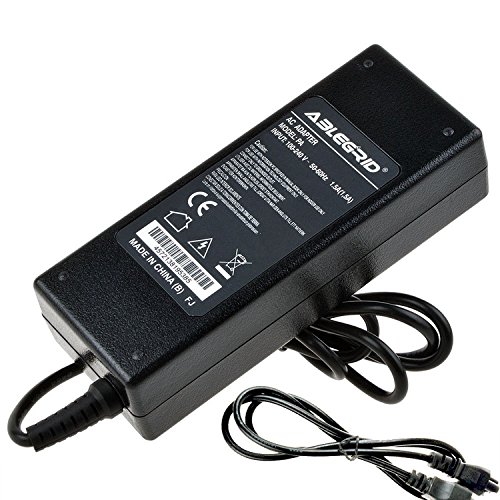
Figure 1: Top-down view of the ABLEGRID AC Adapter, showing the main unit and attached power cord.

Figure 2: Side view of the ABLEGRID AC Adapter, highlighting the input and output ports.
Key features include:
- World Wide Input Voltage: 100-240VAC 50/60Hz compatibility.
- OVP (Over Voltage Output Protection): Protects against excessive output voltage.
- OCP (Over Current Output Protection): Guards against excessive output current.
- SCP (Short Circuit Output Protection): Prevents damage from short circuits.
5. Setup
Follow these steps to connect your ABLEGRID AC Adapter:
- Verify Compatibility: Before connecting, ensure that the adapter's specifications (voltage, current, connector type) match your Philips device's requirements. Refer to your device's original manual or specifications label.
- Connect to Device: Insert the barrel connector of the AC adapter firmly into the power input port of your Philips device.
- Connect to Power Outlet: Plug the AC power cord into a standard wall outlet (100-240V, 50/60Hz).
- Power On: Your device should now receive power. Turn on your device as usual.
6. Operating Instructions
Once connected, the ABLEGRID AC Adapter operates automatically to provide stable power to your compatible Philips device. No further user interaction is typically required for its operation.
- The adapter is designed for continuous operation within its specified limits.
- If your device has a charging indicator, observe it to confirm proper power delivery.
7. Maintenance
Proper care ensures the longevity and performance of your AC adapter:
- Cleaning: Disconnect the adapter from both the power outlet and your device before cleaning. Use a soft, dry cloth to wipe the surface. Do not use liquid cleaners or solvents.
- Storage: When not in use, store the adapter in a cool, dry place, away from direct sunlight and extreme temperatures. Avoid tightly winding the cord to prevent damage.
- Inspection: Periodically inspect the power cord and adapter casing for any signs of damage, such as cuts, fraying, or cracks. If damage is found, discontinue use immediately.
8. Troubleshooting
If you encounter issues with your ABLEGRID AC Adapter, refer to the table below for common problems and solutions:
| Problem | Possible Cause | Solution |
|---|---|---|
| Device not powering on/charging | Adapter not properly connected; Power outlet issue; Device fault; Adapter fault. | Ensure all connections are secure. Test the power outlet with another device. Try the adapter with another compatible device (if available). If the issue persists, the adapter may be faulty. |
| Adapter feels excessively hot | Poor ventilation; Overload; Internal fault. | Ensure the adapter is in a well-ventilated area. Disconnect and allow to cool. If overheating persists or is extreme, discontinue use immediately. |
| Sparking when plugging in | Normal inrush current; Faulty outlet; Damaged plug. | A small spark is normal. If sparking is excessive or continuous, check the outlet and adapter plug for damage. Do not use if damage is present. |
If troubleshooting steps do not resolve the issue, please contact ABLEGRID customer support.
9. Specifications
| Feature | Detail |
|---|---|
| Brand | ABLEGRID |
| Compatible Devices | Philips AD3591, GB4943-2001, GB8898-2001 (and other compatible devices) |
| Input Voltage | 100-240 Volts AC |
| Frequency Range | 50/60 Hz |
| Connector Type | Barrel Connector |
| Protection Features | OVP (Over Voltage Protection), OCP (Over Current Protection), SCP (Short Circuit Protection) |
| Power Source | Corded Electric |
| Mounting Type | Wall Mount (implied by compact design, though it's a power brick) |
10. Warranty and Support
ABLEGRID products are designed for quality and reliability. For warranty information or technical support, please refer to the documentation included with your purchase or visit the official ABLEGRID website. Please have your product model number and purchase details available when contacting support.
Website: ABLEGRID Official Store on Amazon
