
Motorola C4201
Motorola C4201 Corded/Cordless Combo Phone User Manual
Introduction
This manual provides comprehensive instructions for the setup, operation, and maintenance of your Motorola C4201 Corded/Cordless Combo Phone. Please read this manual thoroughly before using your new phone to ensure proper functionality and to take full advantage of its features.
The Motorola C4201 combines the reliability of a corded phone with the flexibility of a cordless handset, offering convenience for both home and office environments. Key features include a hands-free speakerphone, a 50-name and number phonebook, call transfer capabilities, and an emergency mode.
Safety Information
- Use only the provided power adapters and batteries.
- Do not expose the phone to water or moisture.
- Avoid placing the phone near heat sources or direct sunlight.
- Keep out of reach of children.
- Do not attempt to open or repair the unit yourself. Refer all servicing to qualified personnel.
Package Contents
Ensure all items listed below are present in your package:
- 1 x Corded Phone Base Unit
- 1 x Cordless Handset
- 1 x Cordless Handset Charger Base
- 2 x Power Adapters (one for corded base, one for cordless charger)
- 1 x Telephone Line Cord
- Rechargeable Batteries for Cordless Handset
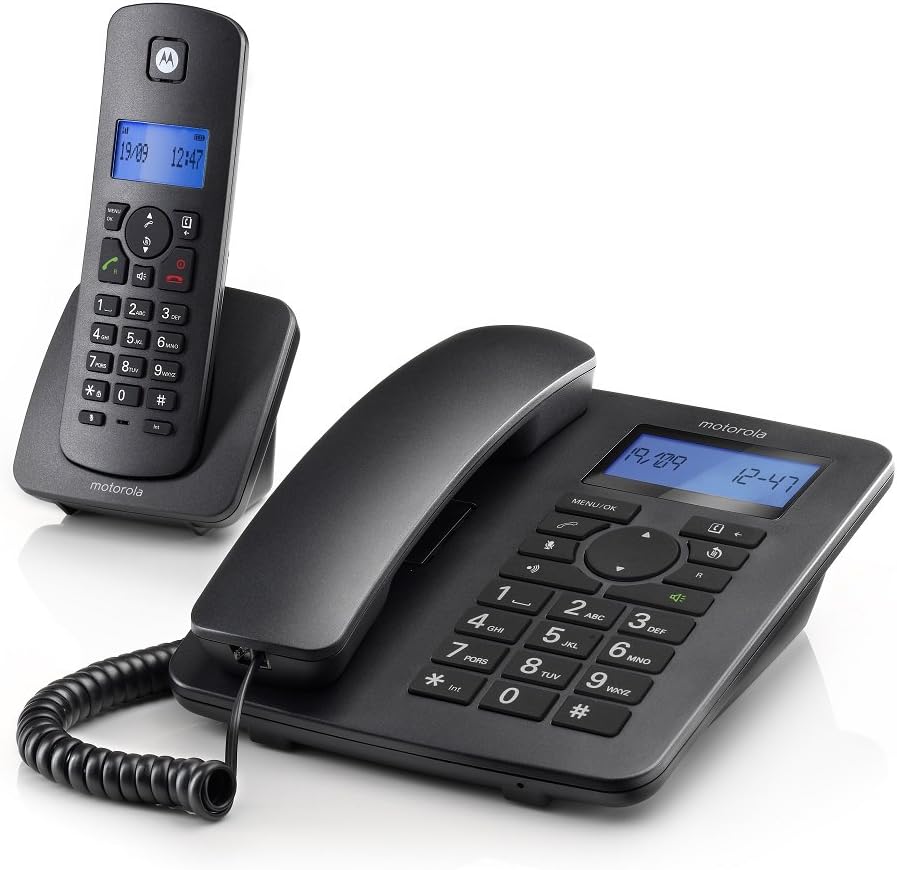
Figure 1: Motorola C4201 Corded and Cordless Phone Combo. This image displays the main corded base unit with its handset and the separate cordless handset on its charging cradle.
Setup
1. Connecting the Corded Base Unit
- Connect one end of the telephone line cord to the LINE socket on the back of the corded base unit.
- Connect the other end of the telephone line cord to your telephone wall socket.
- Connect one power adapter to the POWER socket on the back of the corded base unit.
- Plug the power adapter into a mains power outlet.

Figure 2: Motorola C4201 Corded Phone Base Unit. This image shows a top-down view of the corded base unit, highlighting the keypad and display, which is where the line and power connections are typically made on the rear.
2. Installing Batteries in the Cordless Handset
- Open the battery compartment cover on the back of the cordless handset.
- Insert the supplied rechargeable batteries, observing the correct polarity (+ and -).
- Close the battery compartment cover.
3. Charging the Cordless Handset
- Connect the second power adapter to the cordless handset charger base.
- Plug the power adapter into a mains power outlet.
- Place the cordless handset on its charger cradle. The display will indicate charging.
- Allow the handset to charge for at least 16 hours before initial use to ensure full battery capacity.

Figure 3: Motorola C4201 Cordless Handset on Charger. This image shows the cordless handset resting in its charging cradle, ready for use or charging.
4. Initial Setup (Date and Time)
After the phone is powered on, you may be prompted to set the date and time. Follow the on-screen instructions using the navigation keys and the MENU/OK button.
Operating Instructions
Making and Receiving Calls
To Make a Call:
- Corded Handset: Lift the corded handset, dial the number, and press the Call button (usually a green phone icon).
- Cordless Handset: Press the Call button (green phone icon), then dial the number.
To Receive a Call:
- Corded Handset: Lift the corded handset.
- Cordless Handset: Press the Call button (green phone icon).
Hands-free Speakerphone
To activate the speakerphone during a call, press the Speaker button (speaker icon) on either the corded base or the cordless handset. Press it again to switch back to the handset.
Phonebook (50 Name and Number)
The phonebook allows you to store frequently called numbers. Access the phonebook via the MENU/OK button and navigate to the 'Phonebook' option. Follow the on-screen prompts to add, edit, or delete entries.
Call Transfer Between Handsets
During an active call on one handset, you can transfer the call to the other handset. Press the INT (Intercom) button, select the desired handset (if applicable), and then press the Transfer or Call button to complete the transfer.
Emergency Mode
The phone features an emergency mode for making calls from both the corded base and cordless handsets. Consult the on-screen menu for specific instructions on setting up and activating emergency numbers.
Bright Blue Backlit Display
Both the corded base and cordless handset feature a bright blue backlit display for improved visibility in various lighting conditions. The display shows caller ID, date, time, and menu options.
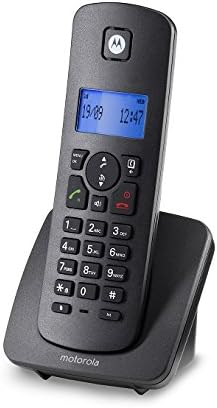
Figure 4: Motorola C4201 Cordless Handset Display. This image provides a close-up view of the cordless handset's backlit display and keypad, showing the date and time.
Maintenance
- Cleaning: Wipe the phone surfaces with a soft, damp cloth. Do not use abrasive cleaners or solvents.
- Battery Care: For optimal battery life, fully charge the cordless handset batteries for 16 hours before first use. If the handset will not be used for an extended period, remove the batteries.
- Storage: Store the phone in a cool, dry place away from direct sunlight and extreme temperatures.
Troubleshooting
| Problem | Possible Cause | Solution |
|---|---|---|
| No dial tone | Telephone line cord not connected or faulty. | Ensure the telephone line cord is securely connected to both the base unit and the wall socket. Test with another phone if possible. |
| Cordless handset not charging | Handset not correctly placed on charger; charger not powered; faulty batteries. | Ensure the handset is correctly seated. Check the charger's power connection. Replace batteries if old. |
| Poor call quality / Static | Interference from other electronic devices; handset too far from base. | Move the phone away from other electronics. Ensure the cordless handset is within range of the base unit. |
| Display blank | No power to base unit; cordless handset batteries depleted. | Check power adapter connections. Charge cordless handset. |
| Cannot make/receive calls | Line not active; phone line issue; incorrect dialing. | Verify your telephone line service. Ensure correct numbers are dialed. |
| Cordless handset battery life is short | Batteries are old or not fully charged. | Consider replacing the rechargeable batteries. Ensure full charge cycles are completed, especially the initial 16-hour charge. |
| Caller's voice is unclear | Poor line connection or phone settings. | Ensure all line connections are secure. Adjust volume settings on the handset. |
Specifications
- Model: Motorola C4201
- Color: Black
- Telephone Type: Corded/Cordless Combo (DECT)
- Power Source: Corded Electric (2 x AC Adapters)
- Dialler Type: Keypad
- Answering System: Digital
- Phonebook Capacity: 50 Names and Numbers
- Display: Bright Blue Backlit LCD on both handsets
- Hands-free: Speakerphone on both handsets
- Special Features: Emergency Mode, Call Transfer, Multi-Line Operation
- Item Dimensions (L x W x H): 21 x 12.7 x 17 cm (approximate for base unit)
- Item Weight: 1.09 Kilograms
- ASIN: B0719DP9KZ
- First Available: 1 March 2019
Warranty and Support
The Motorola C4201 comes with a 1 Year Local (Singapore) Warranty as stated in the product features. Please retain your proof of purchase for any warranty claims. While product specifications may indicate a 3-year guarantee, the local warranty period for this specific product in Singapore is 1 year.
For technical support or warranty service, please contact your local Motorola service center or the retailer from whom you purchased the product.
Related documentsC4201


Ask a question about this manual
Ask about setup, troubleshooting, compatibility, parts, safety, or missing instructions. Manuals+ will review the question and use this page’s manual context to help answer it.