
Vive LVA1066
Vive 8-Inch Alternating Pressure Mattress System User Manual
Model: LVA1066
Introduction
This manual provides comprehensive instructions for the setup, operation, and maintenance of your Vive 8-Inch Alternating Pressure Mattress System. This system is designed to assist in the prevention, treatment, and management of pressure ulcers and bed sores by continuously redistributing pressure points.
Safety Information
- Always consult a healthcare professional for proper patient care and positioning.
- Ensure the mattress is correctly installed and secured to prevent shifting.
- Do not use near open flames or sources of ignition.
- Keep the pump unit away from water or excessive moisture.
- In case of power failure, the mattress will deflate. Consider backup power options if continuous inflation is critical.
- For emergency situations requiring immediate patient access or CPR, utilize the CPR pull straps to rapidly deflate the mattress.
Package Contents
- Vive 8-Inch Alternating Pressure Mattress
- Variable Pressure Pump Unit
- Waterproof Vinyl Cover
- Air Hoses
- Instruction Manual

Figure 1: Included components of the Vive Alternating Pressure Mattress System, showing the mattress, air pump, CPR strap, and waterproof cover with a 5ft long hose.
Setup Instructions
- Prepare the Bed Frame: Ensure the bed frame is clean and free of any sharp objects that could damage the mattress. If replacing an existing mattress, remove it.
- Position the Mattress: Unroll the Vive Alternating Pressure Mattress onto the bed frame. Ensure the foot-end of the mattress, indicated by the footprint graphic, is at the foot of the bed.
- Secure the Mattress: Utilize the integrated straps to secure the mattress to the bed frame. Wrap the straps around the bed frame and fasten them to prevent the mattress from shifting.
- Attach the Pump Unit: The variable pressure pump unit features two non-marking hooks. Attach the pump securely to the footboard or headboard of the bed.
- Connect Air Hoses: Connect the air hoses from the mattress to the corresponding ports on the pump unit. Ensure connections are secure to prevent air leaks.
- Plug in the Pump: Plug the pump unit's power cord into a standard electrical outlet.
- Initial Inflation: Press the power button on the pump unit. The mattress will begin to inflate. Allow approximately 20-30 minutes for the mattress to fully inflate and stabilize before patient use.

Figure 2: The Vive Alternating Pressure Mattress System fully set up on a bed frame.

Figure 3: The pump unit with its control panel and hooks for bed attachment.
Operating Instructions
The control panel on the pump unit allows for customization of pressure settings and modes.

Figure 4: Detailed view of the pump control panel.
Control Panel Functions:
- Power Button: Turns the pump unit on or off.
- Pressure Indicators: Lights indicate "Low Pressure" (red) or "Normal Pressure" (green).
- Pressure Adjustment Buttons (+/-): Adjust the firmness of the mattress. The digital display shows the current pressure setting (in mmHg).
- Sitting Mode: Adjusts pressure distribution for patients in a sitting position, typically when the bed is reclined.
- Static Mode: Maintains a constant, even pressure across all air cells, suitable for nursing treatments or when a stable surface is preferred. This mode automatically reverts to alternating pressure after 30 minutes.
- Alarm: Indicates accidental power loss or low pressure.
- Lock Button: Locks the control panel settings to prevent accidental changes. Hold for 2 seconds to activate/deactivate.
Alternating Pressure Function:
The mattress features 16 air chambers that alternately inflate and deflate to continuously shift pressure points. This cycle helps to promote circulation and prevent skin breakdown. The three air cells at the head of the bed remain static to provide stable head support.

Figure 5: The static head section of the mattress provides stable support.

Figure 6: Illustration of the alternating inflation and deflation cycle of the air chambers.
Emergency CPR Function:
In an emergency requiring immediate CPR, pull the red "CPR" straps located at the head of the mattress. This action rapidly deflates the air cells, providing a firm surface for resuscitation.

Figure 7: Emergency CPR strap for rapid mattress deflation.
Maintenance
- Cleaning the Cover: The waterproof vinyl cover can be wiped clean with a damp cloth and mild detergent. Ensure the cover is completely dry before zipping it back onto the mattress.
- Inspecting Hoses: Periodically check air hoses for kinks, tears, or loose connections.
- Pump Unit Care: Keep the pump unit clean and free from dust. Do not immerse the pump in water.
- Storage: If storing the mattress, ensure it is fully deflated, clean, and dry. Fold or roll neatly and store in a cool, dry place away from direct sunlight.
Troubleshooting
| Problem | Possible Cause | Solution |
|---|---|---|
| Mattress not inflating or losing air | Loose hose connection, power not connected, pump malfunction, leak in mattress/hoses. | Check all hose connections. Ensure pump is plugged in and powered on. Inspect mattress and hoses for punctures or tears. Contact customer support if pump is faulty. |
| Low Pressure Indicator (red light) is on | Insufficient air pressure in the mattress. | Verify all connections. Check for leaks. Ensure the patient's weight does not exceed the mattress capacity. |
| Pump is noisy | Normal operation, or pump not securely placed. | Ensure the pump is placed on a stable surface or securely hooked to the bed frame. Some operational noise is normal. |
| Mattress deflates during power outage | Lack of continuous power supply. | This is expected behavior. Consider a backup power supply if continuous inflation is critical for patient care. |
Specifications
- Model Number: LVA1066
- Dimensions: 80 x 34 x 8 inches
- Weight: 24.2 Pounds
- Material: Vinyl (cover)
- Weight Capacity: Up to 350 pounds
- Air Chambers: 16 alternating air chambers, 3 static head cells
- Pump Noise Level: Ultra-quiet
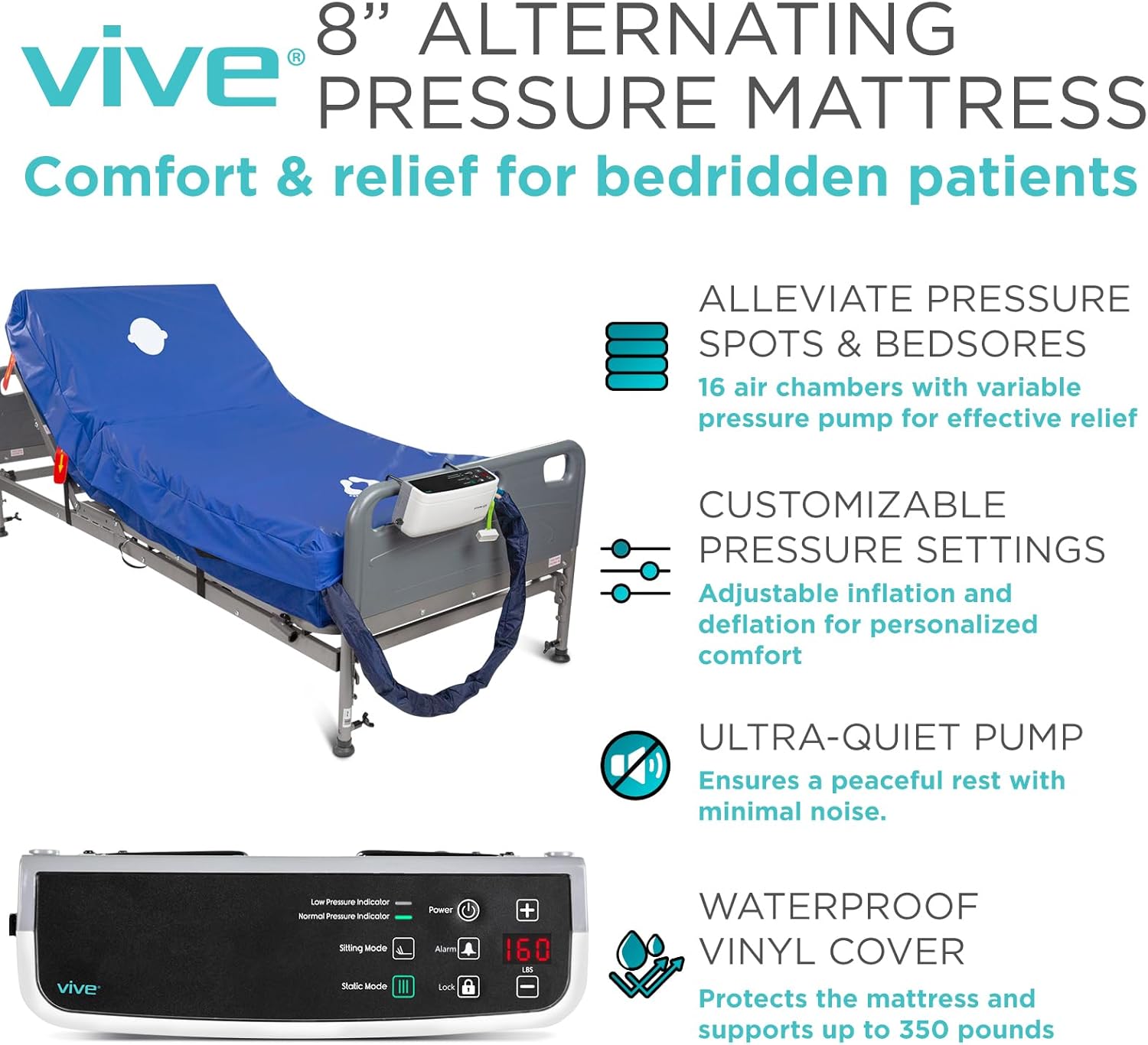
Figure 8: Dimensions and weight capacity of the mattress.
Warranty and Support
The Vive Alternating Pressure Mattress System comes with the following warranty:
- Pump: 1 year warranty
- Mattress Pad: 60 days warranty
For support or warranty claims, please contact Vive Health Direct customer service.
Official Product Video
Video 1: An official product video from Vive Health Direct demonstrating the features and setup of the Alternating Pressure Mattress and Pump. This video provides a visual guide to the product's functionality and ease of use.
Related documentsLVA1066


Ask a question about this manual
Ask about setup, troubleshooting, compatibility, parts, safety, or missing instructions. Manuals+ will review the question and use this page’s manual context to help answer it.