
Introduction
The Helect 5-in-1 Nano & Micro SIM Card Converter Kit is designed to provide flexibility in using various SIM card sizes across different mobile devices. This kit allows you to convert Nano SIM cards to Micro SIM or Standard SIM, and Micro SIM cards to Standard SIM, ensuring compatibility with older or different phone models. It includes essential tools for easy and safe SIM card management.
Package Contents
The Helect 5-in-1 SIM Card Converter Kit includes the following items:
- 1 x Nano to Micro SIM Adapter
- 1 x Nano to Standard SIM Adapter
- 1 x Micro to Standard SIM Adapter
- 1 x SIM Ejector Tool
- 1 x SIM Card Polishing Tool
- SIM Card Adhesive Stickers (for securing SIM in adapter)

Setup and Operation
1. Selecting the Correct Adapter
Identify the size of your current SIM card and the required size for your target device. Choose the appropriate adapter from the kit.
- Nano to Micro SIM: For converting a Nano SIM to fit a Micro SIM slot.
- Nano to Standard SIM: For converting a Nano SIM to fit a Standard SIM slot.
- Micro to Standard SIM: For converting a Micro SIM to fit a Standard SIM slot.

2. Inserting the SIM Card into the Adapter
Carefully place your smaller SIM card into the corresponding adapter. Ensure it sits flush and securely within the adapter frame. If the SIM card feels loose, use one of the provided adhesive stickers to secure it to the adapter. This prevents the SIM from dislodging inside your device.

3. Polishing SIM Card Edges (If Necessary)
In some cases, the edges of a cut SIM card may be slightly uneven, preventing a smooth fit into the adapter or device slot. Use the included polishing tool to gently smooth any rough edges of your SIM card. Apply minimal pressure and check frequently to avoid over-polishing.

4. Inserting the Adapter into Your Device
Once the SIM card is securely in the adapter, carefully insert the adapter into your device's SIM card slot. Ensure correct orientation as indicated by your device's manual or the adapter's design. Do not force the adapter into the slot.
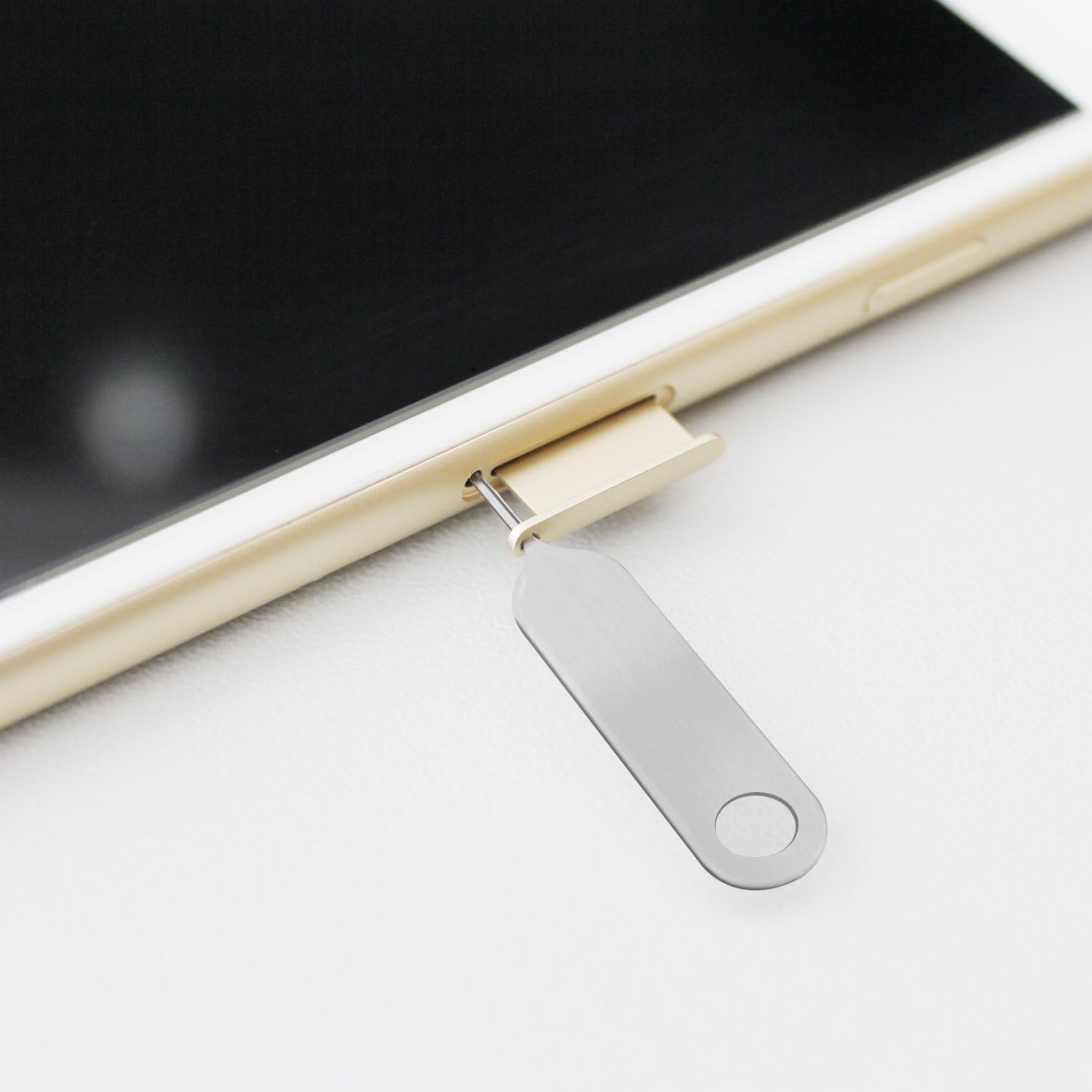
5. Using the SIM Ejector Tool
To remove a SIM tray from your device, insert the pointed end of the SIM ejector tool into the small hole next to the SIM tray. Apply gentle pressure until the tray pops out. To remove a SIM card from an adapter, gently push it out from the back or use the ejector tool if there's a designated slot.
Maintenance
To ensure the longevity and proper function of your Helect SIM Card Converter Kit, follow these maintenance guidelines:
- Keep the adapters and tools clean and free from dust or debris. Use a soft, dry cloth for cleaning.
- Store the kit in a dry place, away from extreme temperatures and direct sunlight.
- Avoid bending or applying excessive force to the adapters, as this can damage them and potentially harm your SIM card or device.
- Ensure SIM cards are properly aligned and secured within the adapters before insertion into a device.
Troubleshooting
If you encounter issues while using the SIM card converter kit, consider the following common solutions:
- SIM card not recognized: Ensure the SIM card is correctly seated in the adapter and the adapter is fully inserted into the device's SIM slot. Check for any debris in the SIM slot.
- Adapter does not fit: Verify that you are using the correct adapter for your SIM card and device. If the SIM card edges are rough (especially if it was manually cut), use the polishing tool to smooth them gently.
- SIM card is loose in the adapter: Use the provided adhesive stickers to secure the SIM card firmly within the adapter.
- Difficulty ejecting SIM tray: Ensure the SIM ejector tool is inserted straight into the eject hole and apply steady, gentle pressure. Do not use excessive force.
Specifications
| Feature | Detail |
|---|---|
| Brand | Helect |
| Item Model Number | H-1050- |
| ASIN | B071942Q2N |
| Number of Items | 5 (adapters + tools) |
| Product Dimensions | 25L x 19W millimeters |
| Rechargeable Battery | No |
| Service Provider | Global |
| Cellular Technology | LTE |
| UPC | 815000022835 |
Product Videos
SIM Adapter Unboxing
Video: This video provides an unboxing experience for the SIM adapter kit, showcasing its components and initial presentation.
