
Antec NE650M
Antec NeoECO Modular NE650M Power Supply User Manual
Model: NE650M
1. Introduction
This user manual provides detailed instructions for the installation, operation, and maintenance of your Antec NeoECO Modular NE650M Power Supply. The NE650M is a high-efficiency power supply solution designed to provide stable and reliable power to your computer system. It features advanced hybrid cable management, 80 PLUS BRONZE certification, and a quiet 120 mm fan for optimal performance.

Figure 1.1: Antec NeoECO Modular NE650M Power Supply and its retail packaging.
2. Safety Information
Please read and understand all safety precautions before installing or operating the power supply. Failure to do so may result in personal injury or damage to the product or other components.
- Ensure the power supply is disconnected from the AC outlet before installation or maintenance.
- Do not open the power supply casing. High voltages are present inside, and there are no user-serviceable parts. Opening the casing will void the warranty.
- Install the power supply in a well-ventilated area.
- Do not expose the power supply to water or excessive humidity.
- Use only the cables provided with the power supply.
- Ensure proper grounding of your computer system.
3. Features
The Antec NeoECO Modular NE650M Power Supply offers a range of features designed for performance and reliability:
- 650W Continuous Power: Guaranteed 650W of Continuous Power from Antec.
- 80 PLUS BRONZE certified: Up to 88% efficient to reduce your electricity bill.
- AQ3: Antec Quality.
- 120 mm DBB Silence: Whisper-quiet high-quality double ball bearing fan with long lifetime.
- Thermal Manager: An advanced low voltage fan control for optimal heat and noise management.
- Hybrid Cable Management: Allows for a cleaner build and improved airflow by using only necessary cables.
- Japanese Heavy-Duty Capacitors: Ensures stable power output and long-term reliability.
- Universal Input with Active Power Factor Correction (PFC): Provides stable power across a wide range of input voltages.
4. Package Contents
Verify that all items are present in the package:
- Antec NeoECO Modular NE650M Power Supply Unit
- Modular Cable Set (PCIe, SATA, Peripheral)
- AC Power Cord
- Mounting Screws
- User Manual / Product Overview Document
- Warranty Information

Figure 4.1: Contents included with the Antec NeoECO Modular NE650M Power Supply.
5. Setup and Installation
Follow these steps to properly install your Antec NeoECO Modular NE650M Power Supply into your computer system:
- Prepare Your System:
- Turn off your computer and disconnect the AC power cord from the wall outlet.
- Open your computer case.
- If replacing an existing power supply, disconnect all cables from the old PSU and remove it from the case.
- Mount the Power Supply:
- Carefully slide the NE650M power supply into the PSU bay of your computer case. Ensure the fan is oriented correctly (typically facing down if your case has a bottom vent, or up if it's a top-mounted PSU).
- Secure the power supply to the case using the provided mounting screws.

Figure 5.1: Top view of the power supply, showing the 120mm fan.
- Connect Essential Cables:
- Connect the 24-pin ATX motherboard power cable to your motherboard.
- Connect the 4+4 pin (8-pin) EPS/CPU power cable to your motherboard's CPU power connector.
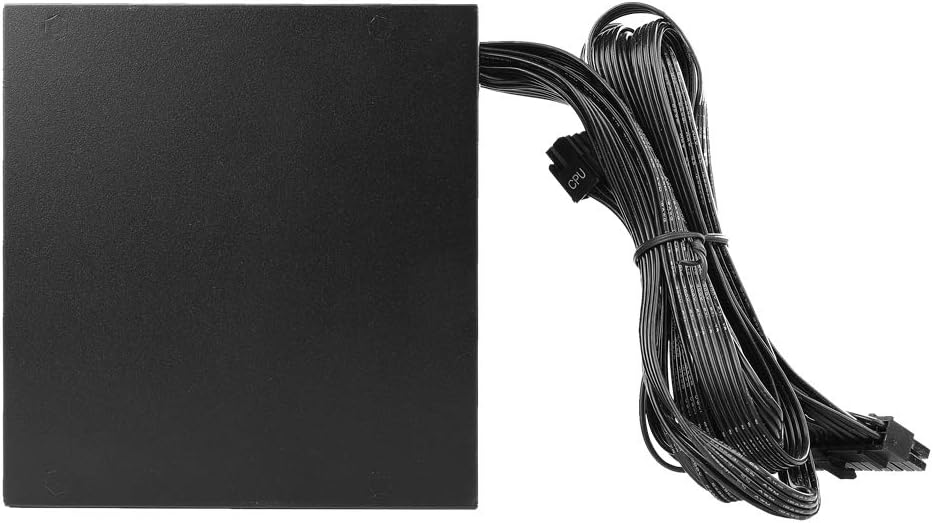
Figure 5.2: The power supply with its permanently attached 24-pin ATX and 8-pin EPS/CPU cables.
- Connect Modular Cables:
- Identify the necessary modular cables for your components (e.g., PCIe for graphics cards, SATA for SSDs/HDDs, Peripheral for fans/accessories).
- Plug the required modular cables into the corresponding ports on the power supply. The ports are labeled for clarity (e.g., "PCI-E", "SATA/PATA").
- Connect the other end of these cables to your components.
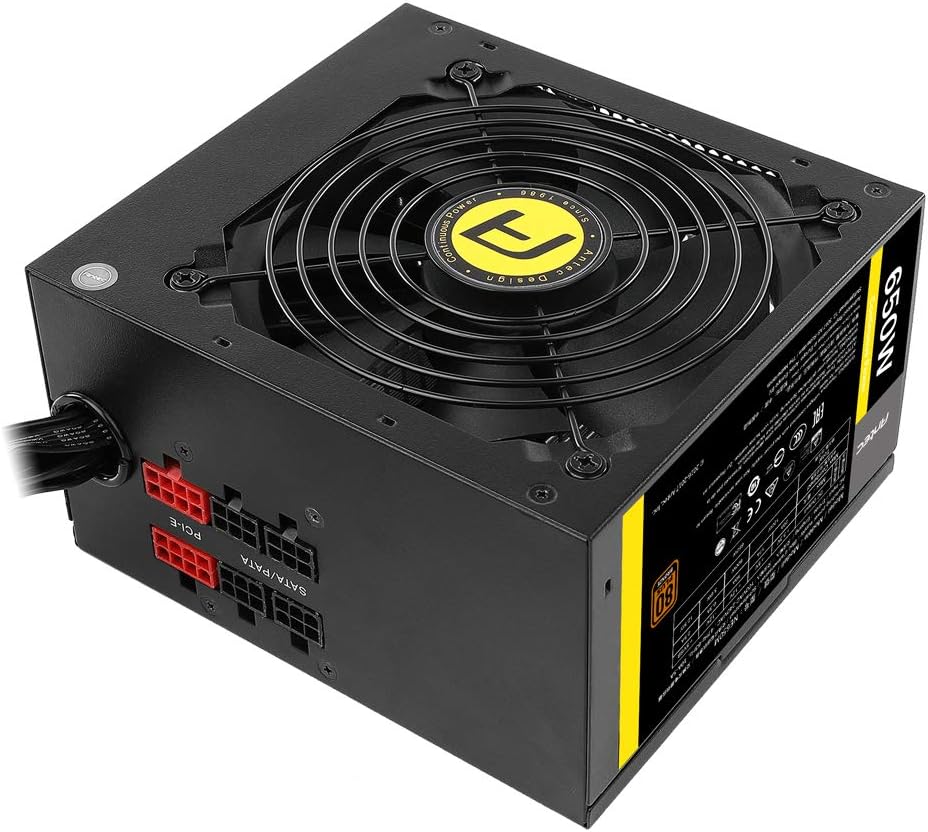
Figure 5.3: Modular cable connections on the power supply unit.
- Cable Management:
Route cables neatly to improve airflow and aesthetics within your case.
- Close Case and Connect AC Power:
- Close your computer case.
- Connect the AC power cord to the power supply's inlet and then to a wall outlet.

Figure 5.4: Rear panel of the power supply with power switch and AC input.
6. Operating Instructions
Once installed, operating the Antec NeoECO Modular NE650M Power Supply is straightforward:
- Power On: Ensure the power switch on the back of the PSU is in the "I" (On) position.
- System Startup: Press the power button on your computer case to start your system. The power supply will automatically provide the necessary power to your components.
- Fan Operation: The 120mm Double Ball Bearing fan will operate automatically based on the power supply's thermal load, ensuring optimal cooling and quiet operation.
- Power Off: To shut down your system, use the operating system's shutdown function. For complete power disconnection, switch the PSU's power switch to the "O" (Off) position and unplug the AC cord.
7. Maintenance
The Antec NeoECO Modular NE650M Power Supply is designed for reliable, long-term operation with minimal maintenance. However, following these guidelines can help ensure its longevity:
- Keep Clean: Periodically clean the exterior of the power supply and the fan grille to prevent dust buildup, which can impede airflow and cooling. Use compressed air to gently clear dust from the fan and vents.
- Ensure Proper Ventilation: Make sure your computer case has adequate airflow and that the power supply's intake and exhaust vents are not obstructed.
- Avoid Overloading: Do not exceed the rated wattage of the power supply. Ensure your system's power requirements are within the NE650M's 650W capacity.
- Environmental Conditions: Operate the power supply within recommended temperature and humidity ranges.
8. Troubleshooting
If you encounter issues with your Antec NeoECO Modular NE650M Power Supply, refer to the following common troubleshooting steps:
| Problem | Possible Cause | Solution |
|---|---|---|
| System does not power on. |
|
|
| System powers on but shuts down immediately. |
|
|
| Fan is not spinning or is excessively loud. |
|
|
If the problem persists after trying these steps, please contact Antec customer support for further assistance.
9. Specifications
Detailed specifications for the Antec NeoECO Modular NE650M Power Supply:
| Model Name | NE650M |
| Brand | Antec |
| Output Wattage | 650 Watts |
| 80 PLUS Certification | Bronze |
| Form Factor | ATX12V |
| Cooling Method | Air (120mm DBB Fan) |
| Dimensions (L x W x H) | 14 x 15 x 8.6 Centimetres (approx. 13.97 x 14.99 x 8.64 cm) |
| Item Weight | 1.45 kg (3.2 Pounds) |
| Input Voltage | 230 Volts (Universal Input) |
| Connectors | PCI Express, SATA, ATX 24-pin, EPS 4+4 pin |
| Date First Available | February 24, 2017 |

Figure 9.1: Product label with detailed electrical specifications and certifications.
10. Warranty and Support
Antec provides a warranty for the NeoECO Modular NE650M Power Supply. Please refer to the warranty card included in your package for specific terms and conditions, including warranty duration and coverage.
For technical support, troubleshooting assistance, or warranty claims, please contact Antec customer service through their official website or the contact information provided in your product documentation.
Antec Official Website: www.antec.com
Note: Keep your purchase receipt as proof of purchase for warranty purposes.
Related documentsNE650M


Ask a question about this manual
Ask about setup, troubleshooting, compatibility, parts, safety, or missing instructions. Manuals+ will review the question and use this page’s manual context to help answer it.