
Brifit DE-KA8B
Brifit 500g/0.01g Precision Digital Scale User Manual
Model: DE-KA8B
1. Introduction
Thank you for choosing the Brifit 500g/0.01g Precision Digital Scale. This manual provides detailed instructions for the proper setup, operation, and maintenance of your new scale. Please read this manual thoroughly before use to ensure optimal performance and longevity of the device.
This precision scale is designed for accurate measurements of various small items, including food ingredients, jewelry, medications, and other delicate materials, with a maximum capacity of 500 grams and an accuracy of 0.01 grams.
2. Safety Information
To ensure safe and correct operation, please observe the following precautions:
- Do not overload the scale beyond its maximum capacity of 500g, as this may cause permanent damage.
- Place the scale on a stable, flat, and level surface to ensure accurate readings. Uneven surfaces can affect precision.
- Avoid exposing the scale to extreme temperatures, humidity, or direct sunlight.
- Keep the scale away from strong electromagnetic fields, such as those produced by mobile phones or microwaves, as they can interfere with readings.
- Do not immerse the scale in water or use abrasive cleaners. Clean with a soft, damp cloth.
- Keep out of reach of children.
3. Package Contents
Please check the package for the following items:
- Brifit 500g/0.01g Precision Digital Scale
- Two weighing trays (one large, one small)
- AAA Batteries (quantity as supplied)
- User Manual (this document)
4. Product Overview
Familiarize yourself with the components of your Brifit Digital Scale:

Image 1: Brifit 500g/0.01g Precision Digital Scale. The scale features a stainless steel weighing platform, an LCD display, and control buttons.
Key Features:
- High Precision: Equipped with a high-precision sensor system, providing instant and accurate readings from 0.01g up to 500g.
- Durable Construction: Features a high-quality stainless steel platform and ABS plastic housing for durability and easy cleaning.
- Multi-functional Buttons: Includes Tare (T), Mode (M), and Counting (PCS) functions for versatile use.
- Clear LCD Display: Backlit LCD screen for easy readability in various lighting conditions.
- Multiple Units: Supports unit conversion between grams (g), ounces (oz), carats (ct), pennyweights (dwt), troy ounces (ozt), and grains (gn).
- Compact Design: Portable and space-saving, ideal for various applications.

Image 2: Infographic detailing the key features of the Brifit Digital Scale, including its capacity, accuracy, included trays, tare function, battery type, and unit conversion capabilities.
5. Setup
5.1. Battery Installation
- Open the battery compartment cover located on the underside of the scale.
- Insert the two AAA batteries, ensuring correct polarity (+/-).
- Close the battery compartment cover securely.
5.2. Initial Placement
Place the scale on a hard, flat, and stable surface. Avoid soft surfaces like carpets or uneven tables, as this can affect measurement accuracy.
6. Operating Instructions
6.1. Power On/Off
- Press the [⑂] button to turn the scale on. The LCD will display "88888" then "0.00g" (or the last used unit) when ready.
- Press and hold the [⑂] button to turn the scale off. The scale also features an auto-off function to conserve battery power, which can be adjusted.
6.2. Weighing Items
- Ensure the scale is on and displays "0.00g".
- Gently place the item(s) to be weighed onto the center of the weighing platform.
- Read the weight displayed on the LCD screen.

Image 3: The Brifit scale accurately weighing coffee beans, demonstrating its use for kitchen ingredients.
6.3. Tare Function (Zeroing)
The Tare function allows you to subtract the weight of a container or other items to get the net weight of your desired item.
- Place an empty container (e.g., a tray or bowl) onto the weighing platform. The display will show its weight.
- Press the [T] button. The display will reset to "0.00g".
- Place the item(s) you wish to weigh into the container. The display will now show only the net weight of the item(s).

Image 4: Step-by-step guide on how to use the tare function, showing how to zero out the weight of a container before weighing contents.
6.4. Unit Conversion
To change the weighing unit:
- Press the [M] button repeatedly to cycle through the available units: grams (g), ounces (oz), carats (ct), pennyweights (dwt), troy ounces (ozt), and grains (gn).
- The selected unit will be displayed on the LCD screen.

Image 5: A close-up view of the LCD display, highlighting the different measurement units available for selection.
6.5. Counting Function (PCS)
The counting function allows you to count a large number of small, uniform items.
- Turn on the scale and ensure it displays "0.00g".
- Place a sample quantity of items (e.g., 25, 50, 75, or 100 pieces) onto the platform.
- Press and hold the [PCS] button until "PCS" appears on the display.
- Press the [M] button to select the sample quantity (e.g., P25, P50, P75, P100) that matches the number of items you placed.
- Press [PCS] again to confirm. The display will show the number of items in your sample.
- You can now add more items, and the scale will display the total count.
6.6. Applications
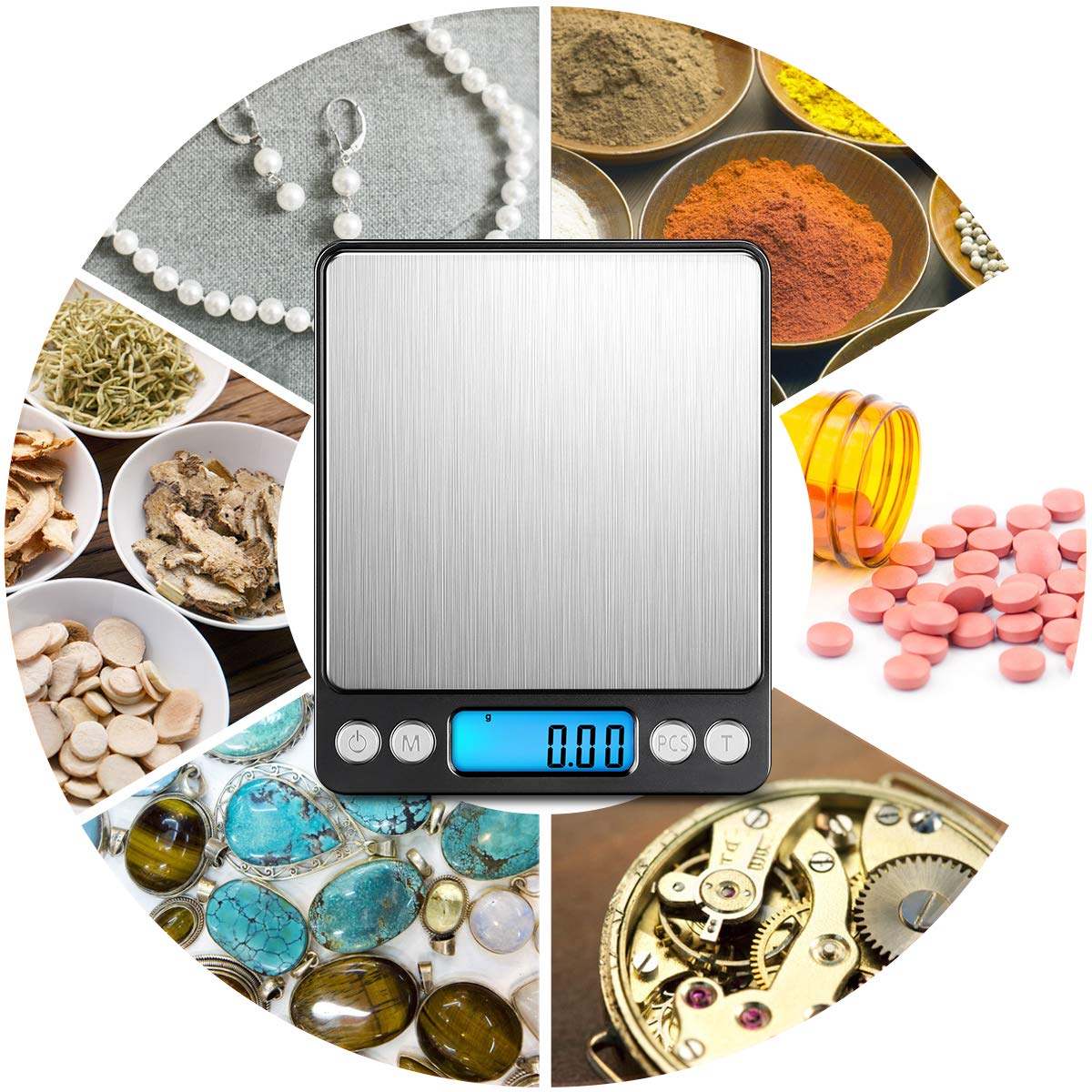
Image 6: Demonstrates the scale's versatility for weighing small, precise items such as jewelry and medicinal capsules.

Image 7: A collage illustrating diverse applications of the scale, including weighing jewelry, spices, pills, and small mechanical components.
7. Maintenance
7.1. Cleaning
- Wipe the scale with a soft, slightly damp cloth. Do not use harsh chemicals or abrasive cleaners.
- Ensure no liquid enters the interior of the scale.
- The stainless steel platform can be wiped clean with a mild detergent solution if necessary, then dried thoroughly.
7.2. Storage
- Store the scale in a cool, dry place, away from dust and direct sunlight.
- If the scale will not be used for an extended period, remove the batteries to prevent leakage and potential damage.
- Use the provided trays as protective covers when storing or transporting the scale.
8. Troubleshooting
If you encounter issues with your scale, refer to the following common problems and solutions:
| Problem | Possible Cause | Solution |
|---|---|---|
| "Lo" displayed | Low battery power. | Replace the AAA batteries. |
| "O-Ld" displayed | Scale is overloaded. | Remove items immediately. Do not exceed 500g. |
| Inaccurate readings | Uneven surface, strong electromagnetic interference, or scale not zeroed. | Place on a flat, stable surface. Move away from electronic devices. Press the [T] button to zero the scale before weighing. |
| Scale does not turn on | Batteries incorrectly installed or depleted. | Check battery polarity or replace batteries. |
9. Specifications
- Model: DE-KA8B
- Capacity: 500g
- Accuracy: 0.01g
- Units: g, oz, ct, dwt, ozt, gn
- Display: Backlit LCD
- Power: 2 x AAA Batteries
- Platform Material: Stainless Steel
- Body Material: ABS Plastic
- Product Dimensions: Approximately 10.2 cm x 12.7 cm x 3 cm
- Platform Dimensions: Approximately 10.2 cm x 10.2 cm
- Auto-Off: Adjustable auto-off function to save battery life.
- Manufacturer: AMIR
10. Warranty and Support
For warranty information or technical support, please refer to the retailer or manufacturer's official website where you purchased the product. Keep your purchase receipt as proof of purchase.
Related documentsDE-KA8B

Ask a question about this manual
Ask about setup, troubleshooting, compatibility, parts, safety, or missing instructions. Manuals+ will review the question and use this page’s manual context to help answer it.