
Introduction
The iPower Variable Fan Speed Controller is designed to precisely adjust the speed of your duct and inline fans. This compact unit plugs directly into a standard outlet, offering a simple and effective solution for managing airflow in various environments, including HVAC systems and grow tents. It features a knob control with multiple settings for ease of use.

Figure 1: iPower Variable Fan Speed Controller, showing its compact design and control knob.
Key Features
- Variable Speed Adjustment: Accurately controls the speed of duct and inline fans.
- Compact Design: Ultra-compact unit plugs directly into an outlet, minimizing clutter.
- Knob Control: Features a single knob with four settings: Off, Low, Medium, and High.
- Built-in Grounded Control Outlet: Ensures safe operation.
- Easy Installation: Plug-and-play functionality for quick setup.
- Mounting Tab: Includes one mounting tab for wall installation.
- Power Specifications: 3 Amps current capacity, 120 AC Volts, 350W maximum wattage.
- Adjustable Range: Controller adjusts fan speed from 50% to 100% to prevent motor burnout.
- Compatibility: Suitable for most duct and inline fans. Note: Not suitable for shaded pole motors and brushless motor fans.

Figure 2: Close-up of the control knob with Off, Low, Medium, and High settings.
Technical Specifications
| Specification | Value |
|---|---|
| Brand | iPower |
| Model Name | Adjuster Cordless for Duct |
| Model Number | Variable Fan Speed Controller |
| Power Source | Corded Electric |
| Voltage | 120 AC |
| Current Capacity | 3 Amps |
| Max Wattage | 350W |
| Dimensions (L x W x H) | 3.625in x 2.215in x 2in (approx. 3"D x 4"W x 3"H) |
| Item Weight | 0.1 Kilograms |
| Material | Plastic |
| Control Method | Rotary Knob (Touch) |
| Number of Speeds | 3 (Low, Medium, High) + Off |
| Main Power Connector Type | NEMA 5-15 |
| Certification | UL (Specification Met) |

Figure 3: Visual representation of the controller's electrical specifications.
Setup Instructions
- Unpack: Carefully remove the iPower Variable Fan Speed Controller from its packaging.
- Inspect: Check the unit for any signs of damage. Do not use if damaged.
- Placement: Choose a suitable location near your fan and a standard 120V AC grounded electrical outlet. The unit includes a mounting tab for wall installation if desired.
- Connect Fan: Ensure your fan is turned off. Plug your duct or inline fan directly into the grounded control outlet on the iPower speed controller.
- Connect Controller: Plug the iPower speed controller into a standard 120V AC grounded electrical outlet.
- Compatibility Check: Confirm that your fan is compatible with this type of speed controller. This controller is not suitable for shaded pole motors or brushless motor fans.
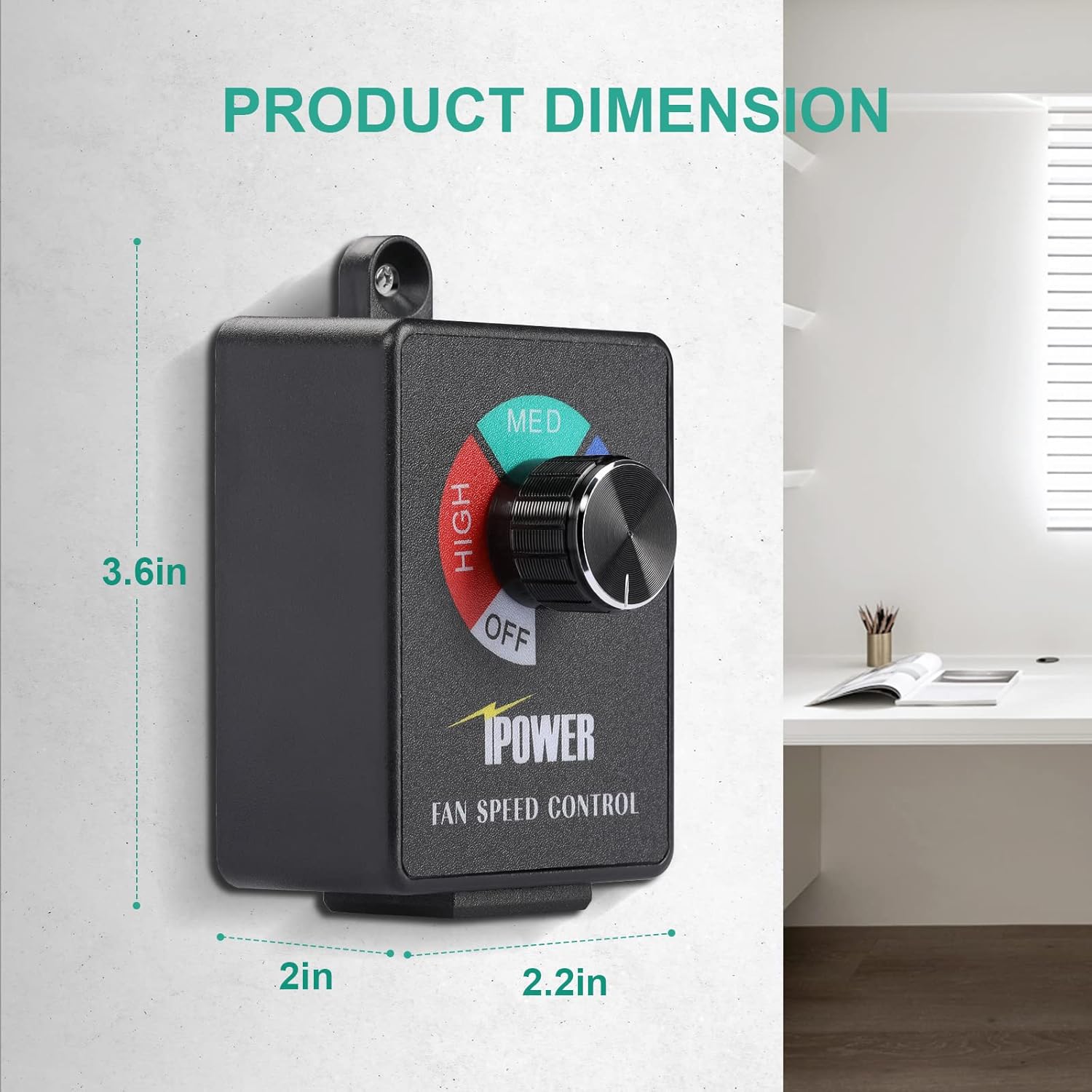
Figure 4: The iPower Fan Speed Controller connected to a fan and plugged into a wall outlet.
Operating Instructions
The iPower Variable Fan Speed Controller features a simple rotary knob for adjusting fan speed. Follow these steps to operate your fan:
- Power On: Rotate the knob clockwise from the "OFF" position. The fan will start at its lowest adjustable speed (approximately 50% of full power).
- Adjust Speed: Continue rotating the knob clockwise to increase the fan speed. The settings are marked as "LOW", "MED" (Medium), and "HIGH".
- Decrease Speed: Rotate the knob counter-clockwise to decrease the fan speed.
- Power Off: To turn off the fan, rotate the knob fully counter-clockwise until it clicks into the "OFF" position.
Important Note: To prevent damage to the fan motor, this controller is designed not to adjust below 50% of the fan's full speed. This ensures the motor receives sufficient power to operate safely and efficiently.
Video 1: iPower Fan Speed Adjuster Instruction. This video demonstrates how to connect and operate the fan speed controller, showing the adjustment of fan speed using the rotary knob.
Maintenance
The iPower Variable Fan Speed Controller requires minimal maintenance. To ensure optimal performance and longevity:
- Cleaning: Periodically wipe the exterior of the controller with a dry, soft cloth to remove dust and debris. Do not use liquid cleaners or immerse the unit in water.
- Storage: If storing the controller for an extended period, disconnect it from the power outlet and store it in a cool, dry place away from direct sunlight and extreme temperatures.
- Inspection: Regularly check the power cord and plug for any signs of damage. If any damage is observed, discontinue use and contact customer support.
Troubleshooting
If you encounter issues with your iPower Variable Fan Speed Controller, refer to the following common problems and solutions:
- Fan Does Not Turn On:
- Ensure the controller is securely plugged into a working electrical outlet.
- Verify that the fan is properly plugged into the controller's outlet.
- Check if the controller knob is turned past the "OFF" position.
- Confirm that the fan itself is operational when plugged directly into a wall outlet (bypassing the controller).
- Fan Speed Does Not Adjust:
- Ensure the fan is compatible with a variable speed controller. Some fans (shaded pole or brushless motors) are not compatible.
- The controller adjusts speed between 50% and 100%. If you expect a lower speed, it might be operating as designed.
- Humming Noise from Fan:
- Some fans may produce a slight humming noise at lower speeds when used with a variable controller. This is often normal for certain motor types.
- If the humming is excessive or accompanied by unusual smells or flashes, immediately disconnect power and discontinue use. This could indicate an overload or incompatibility issue.
- Controller Overheats or Emits Smoke/Smell:
- Immediately unplug the controller from the power source.
- This indicates a serious malfunction or overload. Do not attempt to repair the unit. Contact customer support for assistance.
Safety Information
Please read and understand all safety instructions before using the iPower Variable Fan Speed Controller. Failure to follow these instructions may result in electric shock, fire, or serious injury.
- Electrical Safety:
- Use only with grounded 120V AC outlets.
- Do not exceed the maximum wattage of 350W.
- Do not use in wet or damp conditions. Keep away from water.
- Never attempt to open or modify the controller. There are no user-serviceable parts inside.
- Unplug the controller from the outlet before connecting or disconnecting a fan.
- Compatibility:
- This controller is designed for universal AC/DC brush motors. It is not compatible with shaded pole motors or brushless motor fans. Using it with incompatible motors may cause damage to the fan or controller.
- Usage Environment:
- For indoor use only.
- Keep out of reach of children.
Warranty and Support
iPower products are designed for reliability and performance. For specific warranty details, please refer to the documentation included with your purchase or visit the official iPower website. If you experience any issues or have questions regarding your iPower Variable Fan Speed Controller, please contact iPower customer support for assistance.
Manufacturer: iPower
Brand Store: Visit the iPower Store on Amazon


