
1. Introduction
Thank you for choosing the powkey 200W Portable Power Bank. This device is designed to provide reliable and versatile power for your electronic devices, whether you are outdoors, traveling, or facing a power emergency at home. With its multiple output options and pure sine wave AC output, it ensures stable and safe power delivery for a wide range of electronics.
This manual provides essential information on how to set up, operate, maintain, and troubleshoot your power bank. Please read it thoroughly before use to ensure safe and efficient operation.
Video Description: This video demonstrates the powkey 200W Portable Power Bank in various outdoor settings, highlighting its utility as a backup battery for camping and other activities. It shows the compact size and ease of use for portable power needs.
2. Important Safety Instructions
WARNING: Failure to follow these safety instructions may result in fire, electric shock, or other injury or damage.
- Do not disassemble, repair, or modify the unit.
- Do not expose the unit to fire or extreme temperatures (above 40°C/104°F).
- Do not use or store the unit in a bathroom or in an area exposed to water or moisture.
- Do not use the unit if it is damaged or has been modified. Damaged batteries may exhibit unpredictable behavior resulting in fire, explosion, or risk of injury.
- Keep out of reach of children.
- Ensure the total power consumption of connected devices does not exceed 200W. For heating products, ensure power consumption is less than 100W.
- Use only the provided or approved charging accessories.
- Dispose of the unit according to local regulations. Do not dispose of with household waste.
3. Package Contents
Please check to ensure all items are included in your package:
- powkey 200W Portable Power Bank
- AC Power Adapter
- Car Charger Cable
- User Manual
4. Product Overview
Familiarize yourself with the various ports and indicators on your powkey Portable Power Bank:

Image Description: Front view of the powkey 200W Portable Power Bank, showing the power button, battery indicator lights, AC output ports, USB ports, and DC input/output ports.

Image Description: A detailed diagram illustrating the 7 multiple outlet options of the powkey power bank, including 2 AC outlets (110V/200W max), 1 DC outlet (12V/10A max), 1 DC input (15V/2A), and 4 USB outlets (5V/3.1A max).
- Power Button: Press to check battery level, press and hold to turn on/off.
- Battery Level Indicators: Four blue LED lights indicating 25%, 50%, 75%, and 100% charge.
- AC Output Indicator: Green LED light indicates AC output is active.
- Warning Indicator: Red LED light for error or overload.
- AC Output Ports: Two 110V Pure Sine Wave AC outlets (200W total max).
- USB Ports: Four USB ports (5V/3.1A max total).
- 12V DC Output: One 12V DC port.
- 15V Input / Solar Input: One 15V/2A DC input port for charging the power bank, compatible with solar panels.
5. Setup
Before first use, it is recommended to fully charge your powkey Portable Power Bank.
5.1 Initial Charging
- Connect the provided AC power adapter to the 15V Input / Solar Input port on the power bank.
- Plug the AC power adapter into a wall outlet.
- The blue battery indicator lights will blink, indicating charging is in progress. All four lights will be solid when fully charged.
- A full charge typically takes 5-6 hours.
5.2 Alternative Charging Methods
Your power bank can also be charged using a car charger or compatible solar panels (sold separately).

Image Description: A visual guide illustrating three methods to recharge the powkey power bank: via wall charge, 12V car charge, and solar charge, all completing in 5-6 hours.
Video Description: This video demonstrates the process of connecting a solar panel to the powkey Portable Power Bank for recharging, showcasing the ease of setup for off-grid power solutions.
6. Operating Instructions
6.1 Turning On/Off
- To turn on the power bank and check the battery level, press the red power button once.
- To turn off the power bank, press and hold the red power button for 3 seconds until the lights turn off.
6.2 Using AC Outlets
The powkey power bank features two 110V Pure Sine Wave AC outlets, providing clean and stable power suitable for sensitive electronics.

Image Description: A diagram comparing Pure Sine Wave output (smooth curve) with Modified Sine Wave output (stepped curve), emphasizing the cleaner current provided by the powkey power bank for protecting electronics.
- Ensure the power bank is turned on (blue battery indicators are lit).
- Press and hold the 'AC' button (circular button next to the warning light) for 3 seconds until the green AC indicator light illuminates.
- Plug your 110V AC device into one of the AC output ports.
- Ensure the device's power consumption is within the 200W total maximum. For heating products, ensure power is less than 100W.
- To turn off AC output, press and hold the 'AC' button again until the green light turns off.
6.3 Using USB Ports
The four USB ports are ideal for charging smartphones, tablets, and other USB-powered devices.
- Ensure the power bank is turned on.
- Connect your USB device to any of the four USB ports.
- The device will begin charging automatically.
6.4 Using DC Output
The 12V DC output port is suitable for devices that require a 12V DC input, such as some car accessories.
- Ensure the power bank is turned on.
- Connect your 12V DC device to the 12V OUTPUT port.
- The device will begin receiving power.
6.5 Powering Various Devices
The powkey 200W Portable Power Bank can power a variety of devices, making it a versatile solution for many situations.

Image Description: An infographic titled 'BIG CAPACITY, LONG ENDURANCE' showing the power bank charging various devices like cell phones (24X), cameras (12X), iPads (10X), laptops (2.5X), mini fridges (2.5X), and drones (2X), with a 146Wh & 200W capacity.

Image Description: A collage of four images depicting different scenarios where the power bank provides power: during a power outage at home, tent camping, outdoor sports (using a drone), and outdoor work (using a laptop).
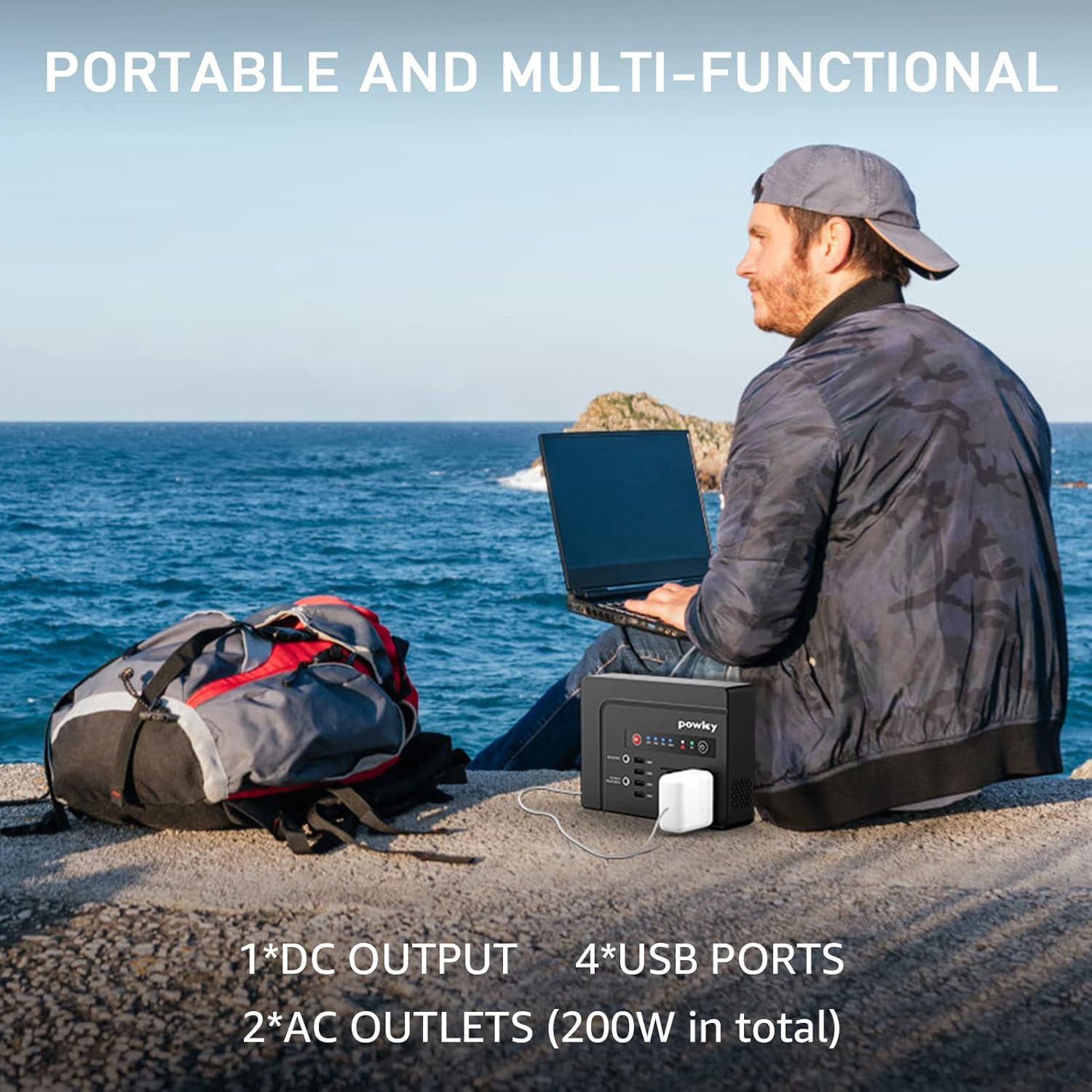
Image Description: A person sitting by the sea, using a laptop powered by the powkey power bank, demonstrating its portability and utility for outdoor work or leisure.
Examples of devices you can power:
- Lamps, phones, laptops, TVs, printers, fans, car pumps, toast makers, coffee machines, and mini fridges (ensure total power is less than 200 Watts, heating products less than 100W).
7. Maintenance
- Cleaning: Use a dry, soft cloth to clean the exterior of the power bank. Do not use liquid cleaners.
- Storage: Store the power bank in a cool, dry place away from direct sunlight and extreme temperatures. If storing for a long period, charge it to about 50% every 3 months to maintain battery health.
- Avoid Overload: Do not connect devices that exceed the power bank's maximum output capacity. This can trigger the overload protection and potentially damage the unit.
8. Troubleshooting
If you encounter issues with your powkey Portable Power Bank, refer to the following common problems and solutions:
- Unit Not Turning On: Ensure the power button is pressed and held for 3 seconds. If the battery is completely depleted, connect it to a charger.
- No Output from AC/USB/DC Ports:
- Check if the power bank is turned on and has sufficient charge.
- For AC output, ensure the AC button is pressed and held until the green AC indicator light is on.
- Verify that the connected device is working correctly and its power consumption is within the power bank's limits.
- If the red warning indicator is lit, it may indicate an overload. Disconnect devices and restart the power bank.
- Slow Charging: Ensure you are using the original or a compatible high-speed charger. Check the charging cable for damage.
- Power Bank Not Charging:
- Verify the charging cable and adapter are securely connected and undamaged.
- Ensure the wall outlet or car charger is functioning.
- Check the 15V Input / Solar Input port for any obstructions.
9. Specifications
| Feature | Detail |
|---|---|
| Model Number | HP200 |
| Product Dimensions | 7.87 x 1.81 x 5.71 inches |
| Item Weight | 3.3 pounds |
| Battery Type | Grade A Lithium Polymer Battery |
| Battery Capacity | 146Wh (39600 Milliamp Hours) |
| AC Output | 2 x 110V Pure Sine Wave AC Sockets (200W total max) |
| USB Output | 4 x USB Ports (5V/3.1A max total) |
| DC Output | 1 x 12V DC Port (12V/10A max) |
| DC Input (Charging) | 15V/2A (approx. 5-6 hours for full charge) |
| Certifications | CE, FCC, ROHS, UL, MSDS, UN38.3, ISO9001 |
| Safety Features | OCP/OVP/Short Circuit Protection/Auto Power Off Protection |
10. Warranty & Support
powkey stands behind the quality of its products. Your power bank comes with a 30-day product return with a money-back guarantee.
For any questions, technical support, or warranty claims, please contact powkey customer service through the retailer's platform or visit the official powkey website for contact information. Please have your product model and purchase details ready when contacting support.
