
1. Introduction
The EASYGUARD ES002-P4 is a smart push engine start stop module designed to upgrade key-start automatic transmission vehicles with a push-button start feature. This system can also provide an optional remote engine start function when integrated with an existing car alarm or keyless entry system. This manual provides essential information for the proper installation, operation, and maintenance of your ES002-P4 module.

Figure 1.1: EASYGUARD ES002-P4 Push Engine Start Stop Module. This image shows the main control unit and the red push-button start/stop button, illustrating the primary components of the system.
2. Important Safety Information and Precautions
- Professional Installation Required: Installation of this system requires specialized knowledge of automotive electrical systems. It is strongly recommended that installation be performed by a qualified professional car alarm installer. Improper installation can lead to vehicle damage or malfunction.
- Automatic Transmission Only: This product is designed exclusively for vehicles with automatic transmissions. Do not attempt to install it in manual transmission vehicles.
- Existing System Integration: The ES002-P4 module must be used in conjunction with an existing car alarm system or keyless entry system. It does not include a remote key fob.
- Steering Lock Release: If your vehicle has a steering lock, it must be released during the installation process. Consult your vehicle's service manual for instructions on how to properly release the steering lock.
- Immobilizer Bypass: If your original car remote control (key) contains a chip immobilizer, an additional bypass module (e.g., ASIN: B00MEHBVIC or B07NSLPBG7) is required for the system to function correctly.
- Vehicle Compatibility: Ensure your vehicle is compatible with aftermarket push-button start systems before purchase and installation.
3. Product Components and Dimensions
The ES002-P4 system includes the main control module, a push-button start/stop button, wiring harnesses, an ignition lock cover, and a hole driller for installation.
3.1 Push Button Start/Stop

Figure 3.1: P4 Style Engine Start Button Dimensions. This image details the dimensions of the push-button (27.5mm diameter, 38mm total length) and indicates that the outer ring is detachable. It also notes the button illuminates red when disarmed, or when ACC, ON, or start functions are active.

Figure 3.2: Disassembled Push Button. This image shows the push-button separated into its main components: the button itself, the threaded mounting ring, and the retaining nut, illustrating its modular design.
The engine start button features a red LED illumination when the system is disarmed, or when ACC, ON, or start functions are active. The outer ring of the button is detachable for installation flexibility.
3.2 Main Control Module
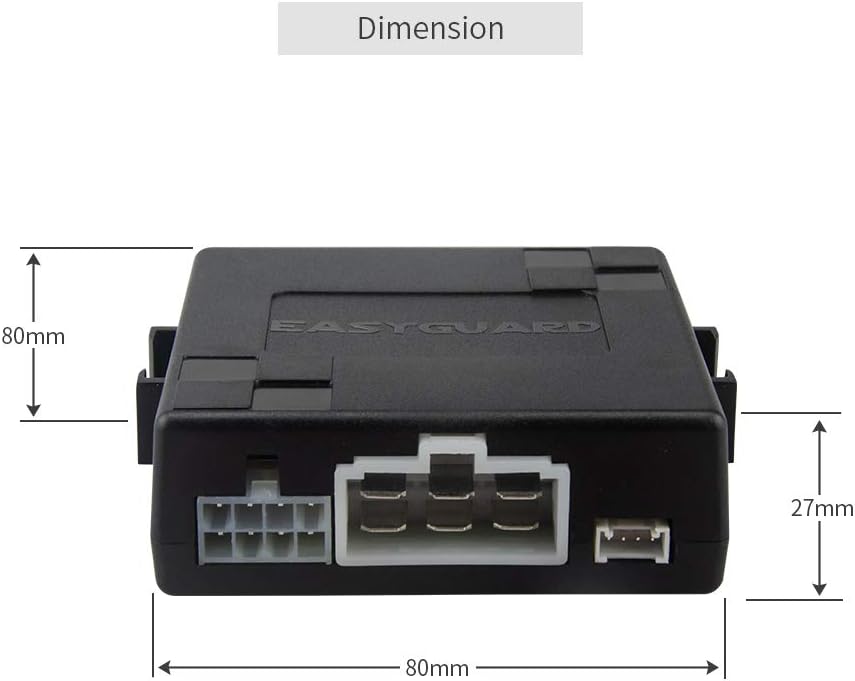
Figure 3.3: Control Module Dimensions. This image displays the dimensions of the main control module, measuring approximately 80mm in length, 80mm in width, and 27mm in height.

Figure 3.4: Control Module Top View. This image shows the top of the EASYGUARD control module, featuring the brand logo and the overall compact design of the unit.

Figure 3.5: Control Module Angled View. This image provides an angled view of the control module, highlighting the various wiring connectors and a DIP switch for configuration, essential for installation.
3.3 Included Accessories

Figure 3.6: Ignition Cover and Hole Driller. This image shows the included ignition lock cover (approximately 37.5mm diameter) and the hole driller (approximately 31mm diameter, 41mm total length) for modifying the dashboard for the push-button installation.
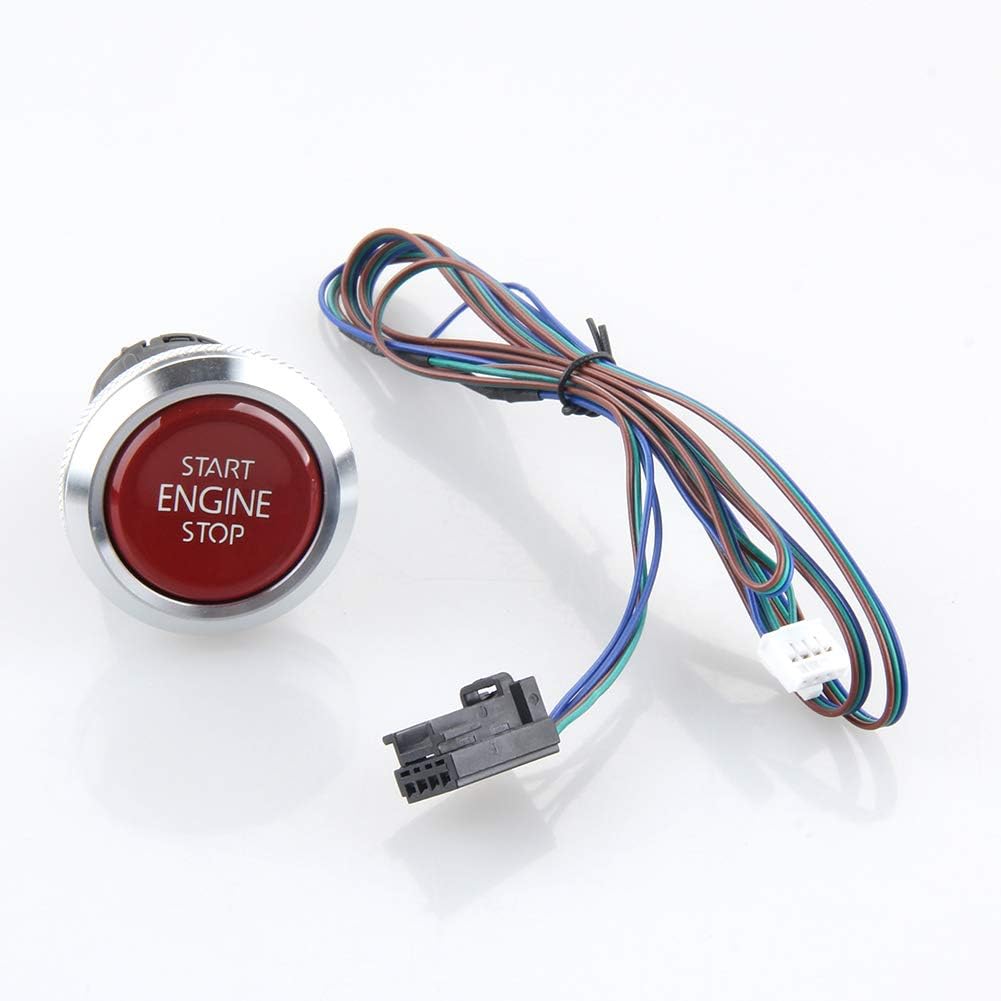
Figure 3.7: Push Button with Wiring. This image displays the push-button connected to its multi-colored wiring harness, indicating the connections required for integration into the vehicle's electrical system.
4. Installation Guidelines
As previously stated, professional installation is highly recommended. The following points are critical for a successful installation:
- Steering Lock: Ensure the steering lock is properly released. This often involves removing the original ignition cylinder or modifying it.
- Immobilizer System: If your vehicle has a factory immobilizer (transponder chip in the key), a bypass module is essential. This module allows the ES002-P4 to recognize the vehicle's immobilizer signal without the physical key.
- Wiring Connections: All wiring connections must be secure and properly insulated. Refer to the detailed wiring diagram provided with the product for specific connections to your vehicle's ignition, power, ground, and accessory circuits.
- Remote Start Integration: For the remote engine start function, the system requires a 3-time lock signal from your existing remote key fob. Verify that your existing remote provides this signal.
- Button Placement: Use the provided hole driller and ignition cover to install the push-button in a convenient and secure location, typically replacing the original ignition cylinder.
5. Operating Instructions
5.1 Starting the Engine
There are two primary methods to start the engine using the push-button:
- Method 1 (Short Press): While the system is disarmed, step on the foot brake pedal and briefly press the push-button once. The engine will start.
- Method 2 (Long Press): While the system is disarmed, keep your foot on the brake pedal and press and hold the push-button for approximately 3 seconds. The engine will start.

Figure 5.1: Engine Start Methods. This diagram illustrates both methods for starting the engine: a short press of the button while pressing the brake, or a 3-second long press of the button while pressing the brake.
5.2 Shutting Off the Engine
To turn off the engine:
- Once the car is started, step on the foot brake pedal and briefly press the push-button once. The engine will shut off.
5.3 Switching ACC-ON-OFF Modes
Without pressing the foot brake:
- Press the button once: ACC mode (Accessory power).
- Press the button a second time: ON mode (Ignition on, engine off).
- Press the button a third time: OFF mode (System off).
5.4 Remote Engine Start (Optional)
If configured and compatible with your existing car alarm/keyless entry system:
- To activate remote engine start, press the lock button on your existing remote key fob three times consecutively.
- This function is only available for automatic transmission vehicles.
- Ensure your existing remote provides the necessary 3-time lock signal for this feature to work.
6. Troubleshooting
| Problem | Possible Cause | Solution |
|---|---|---|
| Engine does not start when button is pressed. |
|
|
| Remote engine start does not work. |
|
|
| Steering wheel remains locked. |
|
|
7. Specifications
| Feature | Detail |
|---|---|
| Model Number | ES002-P4 |
| Brand | EASYGUARD |
| Compatible Devices | Automatic transmission cars only |
| Remote Control Included | No (uses existing car remote) |
| Manufacturer | Zhongshan easyguard electronics co.,ltd |
| UPC | 716294407707 |
| Item Weight | 0.35 Kilograms |
8. Warranty and Support
EASYGUARD provides technical support for its products. For installation guidance or troubleshooting assistance, please contact EASYGUARD customer service. While installation service is not provided, technical support can help address specific queries related to the product's functionality and wiring.
Please refer to your purchase documentation for specific warranty terms and conditions.