
1. Product Overview
The Meike MK-5DIV Battery Grip is an accessory designed to enhance the functionality and handling of the Canon 5D Mark IV camera. It provides extended battery life, improved ergonomics for vertical shooting, and additional control buttons for convenience.
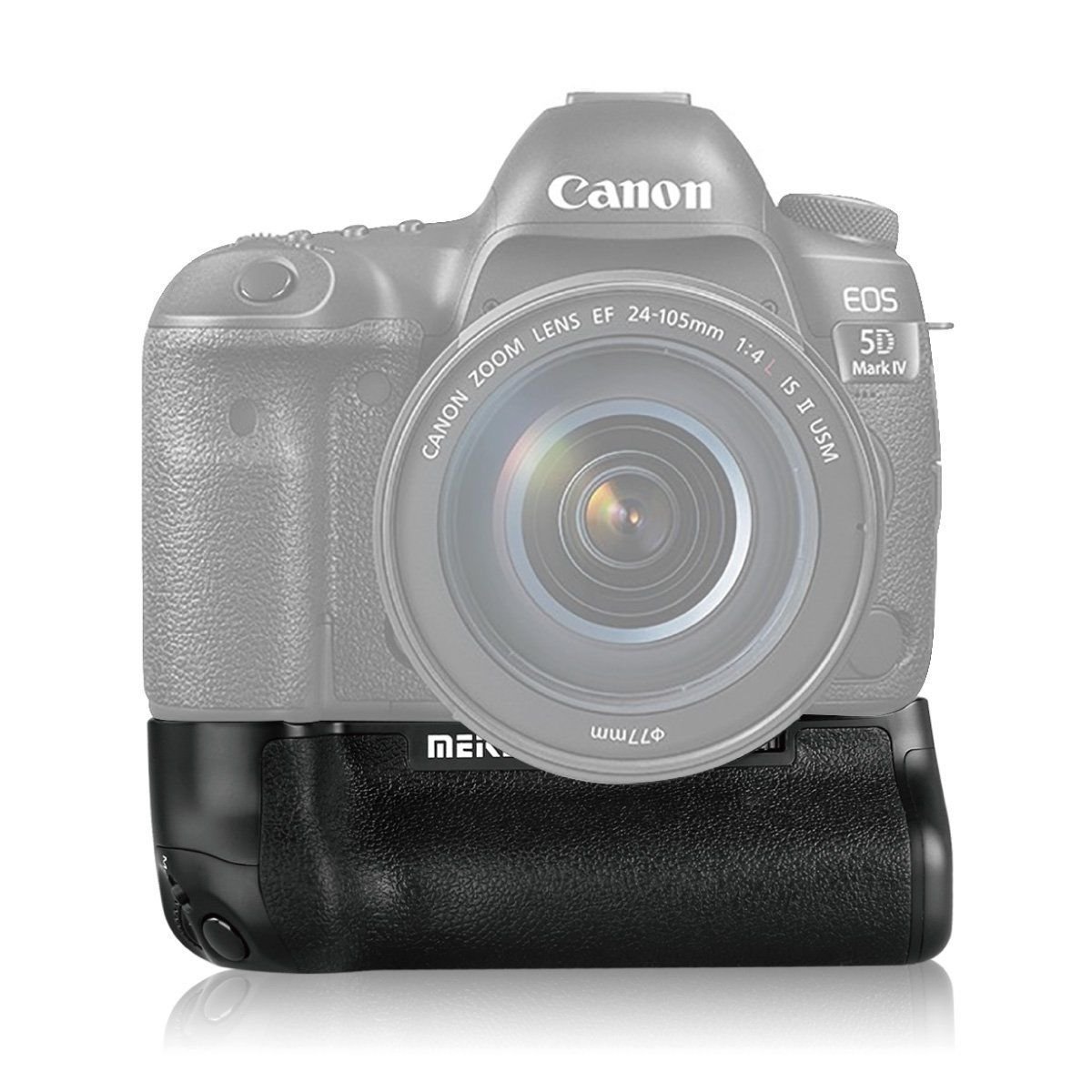
Image 1.1: Side view of the Meike MK-5DIV Battery Grip.
Key Features:
- Extended Shooting Time: The dual-battery mode allows for prolonged shooting sessions, making it suitable for professional use.
- Improved Balance: Helps to balance the camera when using telephoto lenses, contributing to reduced camera shake.
- Enhanced Ergonomics: Features a design that provides a comfortable and secure grip for both horizontal and vertical shooting.
- Integrated Controls: Equipped with a shutter button, rotating wheel, and other controls for convenient operation in vertical orientation.
- Durable Construction: Manufactured with advanced flame retardant material and seamless technology for safety and longevity.
2. Setup and Installation
2.1. Battery Installation
- Ensure the camera is powered off before proceeding.
- Locate the battery tray on the Meike MK-5DIV Battery Grip.
- Insert up to two LP-E6N or LP-E6 Lithium batteries into the battery tray, ensuring correct polarity as indicated inside the tray.
- Slide the loaded battery tray securely into the battery grip until it clicks into place.

Image 2.1: Battery tray for LP-E6N/LP-E6 Lithium batteries shown with the grip.
2.2. Attaching the Battery Grip to the Camera
- Turn off your Canon 5D Mark IV camera.
- Open the camera's battery compartment door.
- Remove the camera's battery.
- Insert the battery grip's contact terminal into the camera's battery compartment.
- Align the mounting screw of the battery grip with the tripod socket on the bottom of the camera.
- Tighten the mounting screw by rotating the wheel on the grip until it is firmly secured to the camera. Ensure there is no play between the grip and the camera body to maintain a stable connection.

Image 2.2: Meike MK-5DIV Battery Grip with battery tray inserted, ready for camera attachment.
3. Operating Instructions
Once the battery grip is securely attached and batteries are installed, the camera will draw power from the grip's batteries. The grip also provides duplicate controls for comfortable vertical shooting.
3.1. Vertical Shooting Controls
- Shutter Button: The grip features a vertical shutter button that functions identically to the camera's main shutter button, allowing for comfortable portrait orientation photography.
- Rotating Wheel: Use the rotating wheel on the grip to adjust camera settings such as aperture or shutter speed, mirroring the functionality of the camera's main dial.
- Other Buttons: Additional buttons on the grip replicate essential camera controls, providing full functionality when shooting vertically.
3.2. Power Management
The battery grip utilizes the installed LP-E6N/LP-E6 batteries to power the camera. The camera's battery indicator will display the combined power level of the batteries in the grip. The dual-battery configuration ensures extended operational time, reducing the need for frequent battery changes during long shoots.
4. Maintenance and Care
- Cleaning: Use a soft, dry cloth to clean the exterior of the battery grip. Avoid using harsh chemicals or abrasive materials.
- Storage: When not in use for extended periods, remove batteries from the grip and store the grip in a cool, dry place away from direct sunlight and extreme temperatures.
- Contact Pins: Periodically inspect the electrical contact pins on both the grip and the camera for dust or debris. Clean gently with a dry, lint-free cloth if necessary to ensure proper connection.
5. Troubleshooting
- Grip Does Not Power Camera:
- Ensure batteries are correctly inserted with proper polarity.
- Verify that the batteries are charged.
- Check that the battery grip is securely attached to the camera and the contact pins are clean and making proper connection.
- Confirm the camera's battery compartment door is fully closed.
- Loose Fit or Play Between Grip and Camera:
- Ensure the mounting screw is tightened to its maximum extent.
- Verify that the battery grip's contact terminal is fully seated in the camera's battery compartment.
- Check for any obstructions preventing a flush fit.
- Vertical Controls Not Responding:
- Ensure the battery grip is properly connected and powered.
- Check camera settings to ensure external controls are enabled if applicable.
6. Specifications
| Brand: | Meike |
| Model Name: | MK-5DIV |
| Model Number: | MK-5DIV |
| Compatible Camera: | Canon 5D Mark IV |
| Applicable Battery: | 2 x LP-E6N/LP-E6 Lithium batteries |
| Special Feature: | Anti-Shake (contributes to stability) |
| Color: | Black |
Note: Specifications are subject to change without prior notice.
7. What's in the Box
- 1 x Meike Battery Grip
- 1 x Instruction Manual
Note: Batteries are not included with the battery grip unless specified by the retailer.
8. Warranty and Support
For warranty information and technical support, please refer to the documentation provided with your purchase or contact Meike customer service directly. Keep your proof of purchase for any warranty claims.
For further assistance, visit the official Meike website or contact your local distributor.