
Fujifilm Instax Mini 8
Fujifilm Instax Mini 8 Instant Camera User Manual
Model: Instax Mini 8
1. Introduction
Thank you for purchasing the Fujifilm Instax Mini 8 Instant Camera. This manual provides essential information for the safe and correct operation of your camera. Please read it thoroughly before use and keep it in a safe place for future reference.
The Instax Mini 8 is designed for instant photo printing, offering a simple and fun way to capture and share memories. It features automatic exposure measurement and a High Key mode for brighter pictures.
2. Setup
2.1 Installing Batteries
The Instax Mini 8 requires two AA-size 1.5V alkaline batteries. Ensure correct polarity when inserting the batteries.

Image: Side view of the camera, highlighting the battery compartment. Open this compartment to insert two AA batteries, ensuring they are oriented correctly according to the markings.
- Open the battery compartment cover located on the side of the camera.
- Insert two AA-size alkaline batteries, matching the + and - marks in the compartment.
- Close the battery compartment cover securely.
2.2 Loading Film Pack
Use only Fujifilm Instax Mini Instant Film. Do not open the film pack until you are ready to load it into the camera.

Image: Rear view of the camera, showing the film compartment door. This is where the Instax Mini film pack is inserted.
- Open the film compartment cover on the back of the camera.
- Align the yellow mark on the film pack with the yellow mark on the camera.
- Insert the film pack straight into the compartment. Do not press down on the film pack.
- Close the film compartment cover. The film counter will display 'S' (Start).
- Press the shutter button once to eject the black film cover. The film counter will then display '10', indicating 10 exposures remaining.
3. Operating the Camera
3.1 Turning On/Off
To turn on the camera, press the button next to the lens. The lens will extend, and the flash charging lamp will light up. To turn off, gently push the lens back into the camera body.
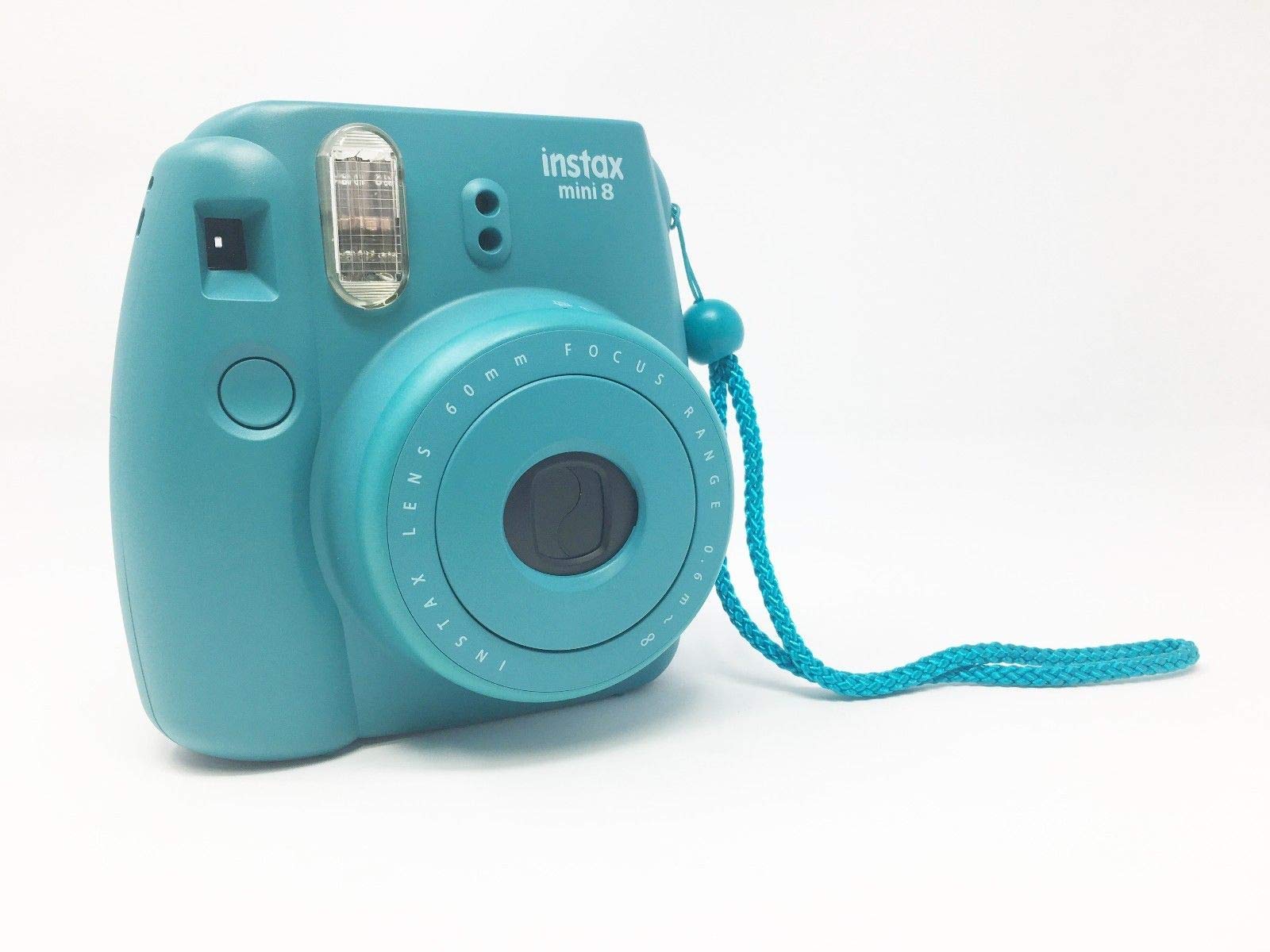
Image: Front view of the camera with the lens extended. The power button is located next to the lens. The exposure dial is visible around the lens.
3.2 Taking a Picture
The Instax Mini 8 features automatic exposure measurement to help you capture optimal photos.
- Turn on the camera. The flash charging lamp will blink and then light up steadily when charging is complete.
- Look through the viewfinder to frame your shot.
- The camera will automatically detect the brightness of the environment and illuminate the recommended exposure setting on the lens dial.
- Rotate the brightness adjustment dial to the recommended setting (e.g., Indoors, Cloudy, Sunny, Very Sunny).
- For brighter pictures with a soft look, suitable for portraits, select the High Key mode.
- Press the shutter button. The photo will eject from the top of the camera.
3.3 Holding the Camera
Hold the camera horizontally with both hands. Ensure your fingers do not cover the flash, light sensor, or film ejection slot.

Image: Angled front view of the camera, illustrating how to hold it comfortably while ensuring no parts are obstructed.
4. Maintenance
4.1 Cleaning the Camera
- Use a soft, dry cloth to clean the camera body.
- For the lens and viewfinder, use a soft cloth specifically designed for optical lenses. Do not use abrasive cleaners or solvents.
- Never use alcohol, thinner, or other solvents to clean the camera.
4.2 Storage
- Store the camera in a cool, dry place away from direct sunlight and high temperatures.
- Remove batteries if the camera will not be used for an extended period.
- Avoid storing the camera in dusty or humid environments.
5. Troubleshooting
| Problem | Possible Cause | Solution |
|---|---|---|
| Camera does not turn on. | Batteries are dead or incorrectly inserted. | Replace with new AA batteries, ensuring correct polarity. |
| Film does not eject. | Film pack is empty or incorrectly loaded. | Check film counter. If 'S' is displayed, load a new film pack. Ensure film pack is inserted correctly. |
| Photos are too dark/light. | Incorrect brightness adjustment dial setting. | Ensure the dial is set to the illuminated recommended setting or 'High Key' for brighter results. |
| Flash does not fire. | Flash charging incomplete or batteries low. | Wait for the flash charging lamp to light up steadily. Replace batteries if necessary. |
| Film counter shows 'S' after loading film. | Black film cover not ejected. | Press the shutter button once to eject the black film cover. |
6. Specifications
- Model Name:
- Fujifilm Instax Mini 8
- Film Format Type:
- Instant
- Film Color:
- Color
- Special Feature:
- Automatic Exposure
- Shutter Type:
- Focal Plane Shutter
- Compatible Devices:
- Camera
- Batteries:
- 2 AA batteries required
- Item Weight:
- 13.6 ounces
- Package Dimensions:
- 6.81 x 5.51 x 3.39 inches
- Included Components:
- Strap
- ASIN:
- B06ZY9WNQF
- UPC:
- 074101030952
7. Warranty and Support
This product is a renewed item. Renewed products are professionally inspected and tested to work and look like new. They are eligible for replacement or refund under the Amazon Renewed Guarantee if you are not satisfied with your purchase.
For any issues or support inquiries regarding your renewed Fujifilm Instax Mini 8 camera, please contact the seller (TEKlinq) or Amazon Renewed customer service directly.
For general product information or technical support not covered by the renewed guarantee, you may visit the official Fujifilm support website.
Related documentsInstax Mini 8


Ask a question about this manual
Ask about setup, troubleshooting, compatibility, parts, safety, or missing instructions. Manuals+ will review the question and use this page’s manual context to help answer it.