
1. Important Safety Instructions
Read all instructions carefully before using the appliance. Keep this manual for future reference.
- Electrical Safety: Ensure the oven is properly grounded. Do not use adapters or extension cords. Disconnect power before servicing.
- Hot Surfaces: The oven and its components become very hot during use. Use oven mitts when handling hot items. Keep children and pets away from the appliance.
- Child Safety: This appliance is not intended for use by persons (including children) with reduced physical, sensory or mental capabilities, or lack of experience and knowledge, unless they have been given supervision or instruction concerning use of the appliance by a person responsible for their safety. Children should be supervised to ensure that they do not play with the appliance.
- Pyrolytic Cleaning: During pyrolytic self-cleaning, the oven reaches very high temperatures. Ensure the kitchen is well-ventilated. Remove all accessories and large food residues before starting the cycle.
- Proper Use: Use the oven only for its intended purpose of cooking food. Do not use it for heating the room or drying clothes.
2. Product Overview
The Whirlpool AKZM 8480 NB is an electric built-in oven designed for modern kitchens. It features advanced technologies for efficient and convenient cooking.
- Self-Cleaning (Pyrolytic): Utilizes a high-temperature cycle to burn off food residue, simplifying cleaning.
- 6-Sense Technology: Automatically adjusts cooking, temperature, and time settings for optimal results based on selected pre-programmed options.
- Cook3 Function: Allows simultaneous cooking of up to three different dishes without flavor transfer.
- Capacity: Generous 73-liter capacity.
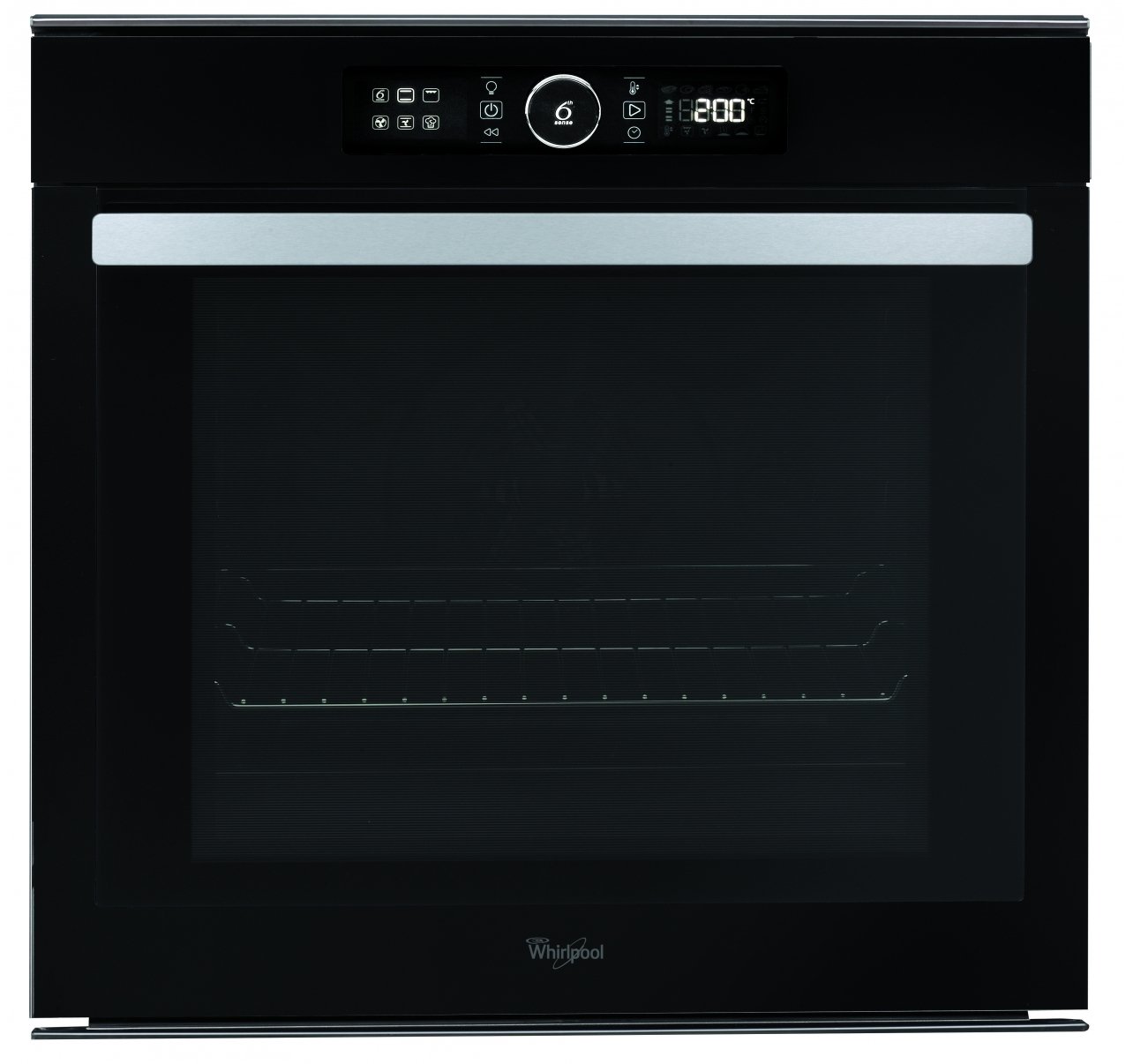
Figure 2.1: Front view of the Whirlpool AKZM 8480 NB Electric Built-in Oven. This image displays the oven door, control panel, and handle.
3. Installation and Setup
Proper installation is crucial for the safe and efficient operation of your oven. It is highly recommended that installation be performed by a qualified technician.
- Location: Install the oven in a suitable cabinet opening according to the provided installation template and dimensions. Ensure adequate ventilation.
- Electrical Connection: Connect the oven to a dedicated electrical circuit with the correct voltage (230 Volts) and wattage (3650 watts) as specified in the technical data. Ensure the connection is made by a licensed electrician.
- First Use: Before first use, clean the oven interior with a damp cloth. Run the oven empty at a high temperature (e.g., 200°C for 30 minutes) to burn off any manufacturing residues and odors. Ensure the kitchen is well-ventilated during this process.
4. Operating Instructions
4.1 Basic Operation
- Turning On/Off: Use the main power button or selector dial to turn the oven on or off.
- Setting Temperature: Rotate the temperature control knob or use the digital interface to select the desired cooking temperature.
- Setting Time: Use the timer function to set the cooking duration. The oven will typically switch off automatically or alert you when the time expires.
4.2 Using 6-Sense Technology
The 6-Sense technology simplifies cooking by automatically adjusting settings. To use:
- Select the 6-Sense function from the control panel.
- Choose the desired food category or recipe from the pre-programmed options.
- The oven will automatically set the optimal temperature, cooking mode, and time. Monitor the cooking process as needed.
4.3 Using Cook3 Function
The Cook3 function allows you to cook up to three different dishes simultaneously without flavor transfer.
- Place dishes on different oven racks. Ensure dishes are compatible in terms of cooking temperature and time.
- Select the Cook3 function from the control panel.
- Set the temperature and cooking time appropriate for the dish requiring the longest cooking time or highest temperature, ensuring all dishes can cook effectively.
4.4 Pyrolytic Self-Cleaning
The pyrolytic cleaning system burns off food residues at high temperatures.
- Remove all accessories (racks, trays, side rails) from the oven cavity.
- Wipe away any large food spills or loose debris.
- Close the oven door. The door will automatically lock during the cycle.
- Select the pyrolytic cleaning function from the control panel. Choose the desired cleaning intensity (if available).
- Start the cycle. The oven will heat to very high temperatures. Ensure good ventilation in the kitchen.
- Once the cycle is complete and the oven has cooled down, wipe away the remaining ash with a damp cloth.
5. Maintenance and Cleaning
Regular maintenance ensures the longevity and optimal performance of your oven.
- Exterior Cleaning: Clean the exterior surfaces with a soft cloth and mild detergent. Avoid abrasive cleaners or scouring pads.
- Interior Cleaning: For routine cleaning, use a damp cloth and mild detergent after the oven has cooled. For heavy soiling, utilize the pyrolytic self-cleaning function as described in Section 4.4.
- Door Glass: Clean the inner and outer glass panels with a soft cloth and glass cleaner.
- Lamp Replacement: Disconnect the oven from the power supply before attempting to replace the oven lamp. Refer to the specific instructions in the full manual for your model for lamp type and replacement procedure.
6. Troubleshooting
Before contacting customer service, refer to the following common issues and solutions:
| Problem | Possible Cause | Solution |
|---|---|---|
| Oven does not heat up. | No power supply; incorrect settings; door not closed properly. | Check circuit breaker; ensure oven is plugged in; verify settings; close door firmly. |
| Display shows an error code. | Malfunction or sensor issue. | Note the error code and consult the full manual or contact customer support. Try resetting the oven by turning off power for a few minutes. |
| Pyrolytic cleaning not starting. | Oven door not fully closed; accessories still inside; oven too hot. | Ensure door is latched; remove all accessories; allow oven to cool if recently used. |
| Uneven cooking. | Incorrect rack position; overloaded oven; faulty heating element. | Use recommended rack positions; avoid overcrowding; if problem persists, contact service. |
7. Specifications
- Model: AKZM 8480 NB
- Brand: Whirlpool
- Capacity: 73 Liters
- Cleaning System: Pyrolytic
- Fuel Type: Electric
- Heating Method: Radiant
- Wattage: 3650 watts
- Voltage: 230 Volts
- Item Weight: 40000 Grams (40 kg)
- Material Type: Glass
- Lock Type: Door Lock Available
- Defrost System Type: Auto Defrost
- Global Trade Identification Number (GTIN): 08003437832987
8. Warranty and Support
Your Whirlpool AKZM 8480 NB oven comes with a manufacturer's warranty. Please refer to the warranty card included with your purchase for specific terms and conditions.
For technical assistance, spare parts, or to schedule a service appointment, please contact Whirlpool Customer Support. You can find contact information on the official Whirlpool website or in the documentation provided with your appliance.
When contacting support, please have your model number (AKZM 8480 NB) and serial number ready.


