
Introduction
Thank you for choosing the Wicked Audio Omen Wireless Bluetooth Earbuds. These earbuds are designed to provide a high-fidelity audio experience with the convenience of wireless connectivity. This manual will guide you through the setup, operation, and maintenance of your new earbuds to ensure optimal performance and longevity.
Safety Information
- Do not expose the earbuds to extreme temperatures, moisture, or corrosive materials.
- Avoid dropping or subjecting the earbuds to strong impacts.
- Do not attempt to disassemble or modify the earbuds, as this will void the warranty and may cause damage.
- Clean the earbuds with a soft, dry cloth. Do not use harsh chemicals or abrasive cleaners.
- Prolonged listening at high volumes may cause hearing damage. Adjust volume to a safe level.
What's in the Box
Please check the package contents to ensure all items are present:
- Wicked Audio Omen Wireless Earbuds
- Three (3) sizes of ear cushions (Small, Medium, Large)
- Micro USB Charging Cable
- Clothing Clip
- Instruction Booklet (this manual)

Image: Front view of the Wicked Audio Omen Wireless Earbuds retail packaging, showing the earbuds, control module, and branding.
Setup
1. Charging the Earbuds
Before first use, fully charge your Omen earbuds. A full charge takes approximately 2 hours and provides up to 3.5 hours of playback time.
- Locate the Micro USB charging port on the control module of the earbuds.
- Connect the Micro USB charging cable to the port.
- Plug the other end of the USB cable into a compatible USB power source (e.g., computer USB port, USB wall adapter).
- The LED indicator light will illuminate during charging and turn off when charging is complete.
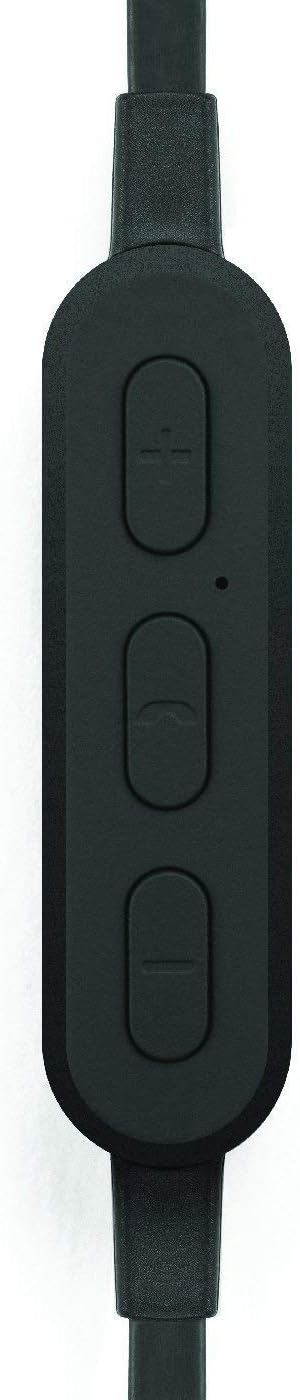
Image: A close-up view of the earbud's inline control module, showing the volume buttons, multi-function button, and microphone opening.
2. Pairing with a Bluetooth Device
The Omen earbuds can be paired with any Bluetooth-enabled device.
- Ensure the earbuds are charged and turned off.
- Press and hold the multi-function button (center button on the control module) for approximately 5-7 seconds until the LED indicator light flashes red and blue, indicating pairing mode.
- On your Bluetooth device (smartphone, tablet, computer), go to the Bluetooth settings and enable Bluetooth.
- Search for available devices. You should see "Wicked Audio Omen" or a similar name appear in the list.
- Select "Wicked Audio Omen" to connect. Once successfully paired, the LED indicator will flash blue slowly, and you may hear an audible confirmation.
- If prompted for a passcode, enter "0000".
The earbuds will automatically attempt to reconnect to the last paired device when powered on.
Operating Instructions
Power On/Off
- Power On: Press and hold the multi-function button for 3 seconds. The LED will flash blue.
- Power Off: Press and hold the multi-function button for 3 seconds. The LED will flash red and then turn off.
Music Playback
- Play/Pause: Press the multi-function button once.
- Next Track: Press and hold the '+' (volume up) button for 2 seconds.
- Previous Track: Press and hold the '-' (volume down) button for 2 seconds.
- Volume Up: Short press the '+' button.
- Volume Down: Short press the '-' button.
Call Management
- Answer/End Call: Press the multi-function button once.
- Reject Call: Press and hold the multi-function button for 2 seconds.
- Redial Last Number: Double-press the multi-function button.

Image: A person wearing the Wicked Audio Omen Earbuds, demonstrating their in-ear fit and flat cord design.
Maintenance
Proper care will extend the life of your earbuds.
- Cleaning: Regularly clean the ear tips and earbud surfaces with a soft, dry, lint-free cloth. Do not use liquids or sprays directly on the earbuds.
- Storage: When not in use, store the earbuds in a cool, dry place, away from direct sunlight and extreme temperatures.
- Ear Tips: The ear tips can be removed and gently washed with mild soap and water. Ensure they are completely dry before reattaching them to the earbuds.
Troubleshooting
| Problem | Possible Cause | Solution |
|---|---|---|
| Earbuds won't turn on. | Low battery. | Charge the earbuds fully. |
| Cannot pair with device. | Earbuds not in pairing mode; Bluetooth off on device; device too far. | Ensure earbuds are in pairing mode (flashing red/blue). Turn on Bluetooth on your device. Move device closer to earbuds (within 32ft/10m). |
| No sound or low volume. | Volume too low; earbuds not connected; incorrect audio output. | Increase volume on both earbuds and connected device. Reconnect earbuds. Check audio output settings on your device. |
| Sound cuts in and out. | Interference; device too far; obstacles. | Move closer to the connected device. Avoid physical obstructions between earbuds and device. Reduce other wireless interference. |
Specifications
| Feature | Detail |
|---|---|
| Model Name | WI-BT1751 |
| Driver | 10mm Neodymium |
| Sensitivity | 99 dB |
| Frequency Response | 20-20,000 Hz |
| Impedance | 16 Ohms |
| Battery Life | Up to 3.5 hours |
| Charge Time | Approx. 2 hours |
| Bluetooth Range | Up to 32 feet (10 meters) |
| Connectivity | Bluetooth |
| Charging Port | Micro USB |
| Item Weight | 1.6 ounces |
| UPC | 712949011138 |
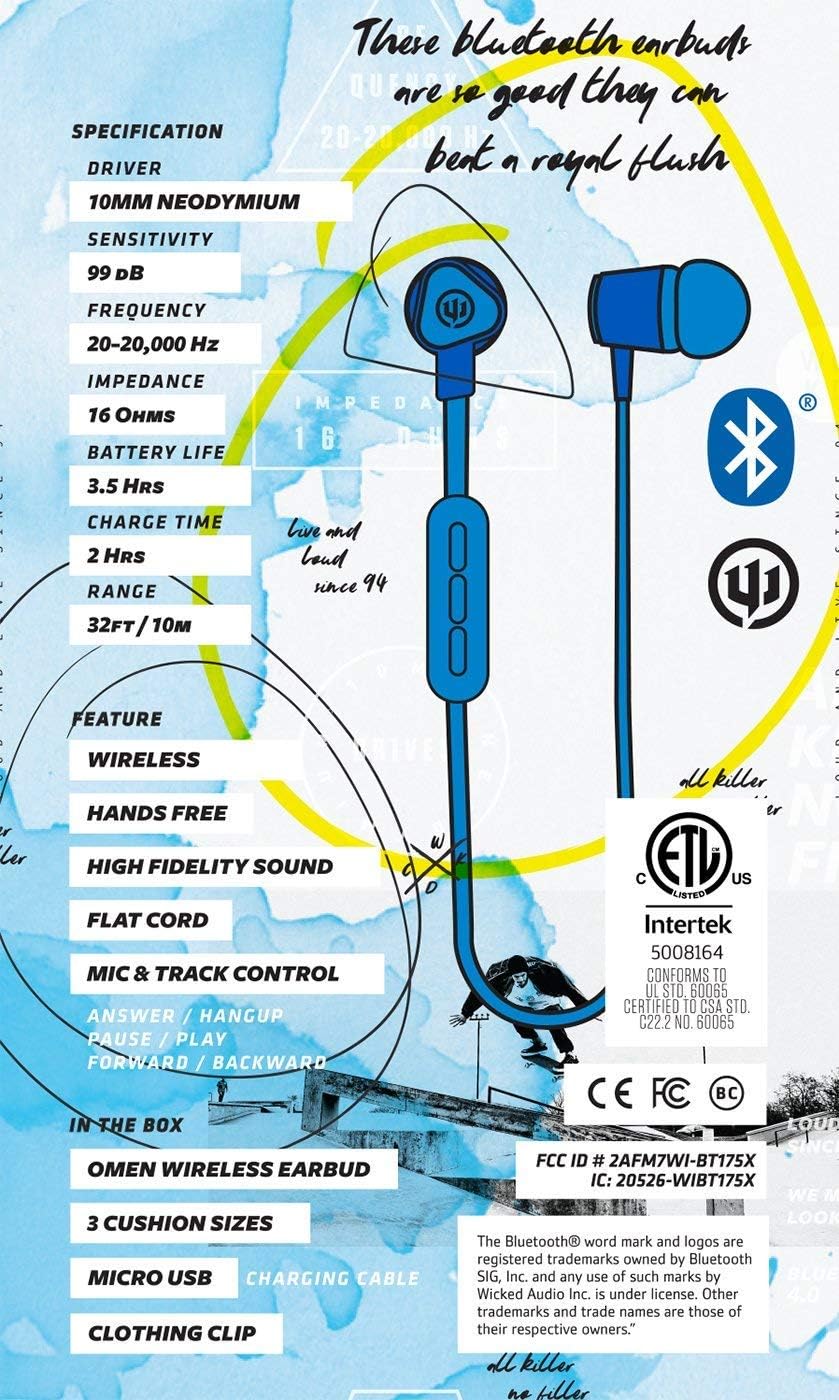
Image: A graphic detailing the specifications and features of the Wicked Audio Omen Earbuds, including driver size, sensitivity, frequency, impedance, battery life, charge time, and range.
Warranty and Support
Your Wicked Audio Omen Wireless Bluetooth Earbuds come with a Limited One Year Warranty.
To obtain warranty service, please retain your purchase receipt. For more detailed information regarding warranty terms and conditions, or for technical support, please visit the official Wicked Audio website:
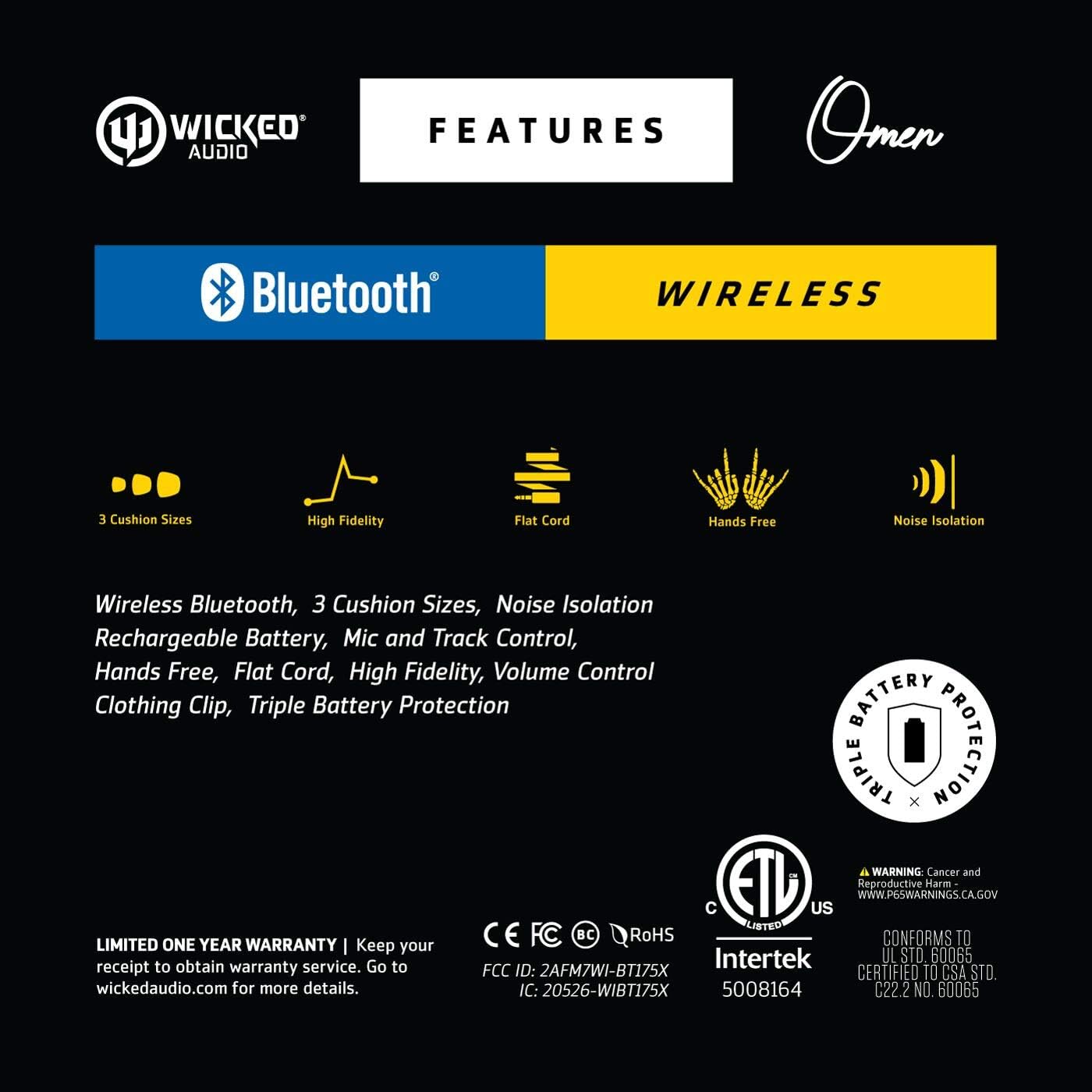
Image: A graphic highlighting key features such as 3 cushion sizes, high fidelity, flat cord, hands-free, and noise isolation, along with warranty information.

Image: A graphic explaining Wicked Audio's Triple Battery Protection, detailing built-in battery management, integrated circuit protection against over-voltage/charge, and heat testing.