
Superer ADP190342L
Superer UL Listed AC Charger Instruction Manual
For Acer Aspire ES1 Series Laptops (Model ADP190342L)
Brand: Superer
1. Introduction
This manual provides essential instructions for the safe and effective use of your Superer UL Listed AC Charger. Please read this manual thoroughly before using the product and retain it for future reference.
2. Setup and Connection
Follow these steps to properly connect your AC charger to your laptop and power source.
- Unpack the Charger: Carefully remove the AC adapter and power cord from the packaging.
- Connect Power Cord to Adapter: Insert the end of the power cord (the one with the two-prong or three-prong connector) firmly into the input port on the AC adapter unit.
- Connect Adapter to Laptop: Insert the round tip connector of the AC adapter cable into the charging port of your Acer Aspire ES1 series laptop. Ensure the connection is secure.
- Connect to Power Outlet: Plug the other end of the power cord into a standard wall outlet or surge protector.
- Verify Connection: A small indicator light on the AC adapter may illuminate, indicating that power is being supplied. Your laptop should also show a charging status.

Image: The Superer AC Charger components, including the adapter unit, detachable power cord, and the laptop connector.
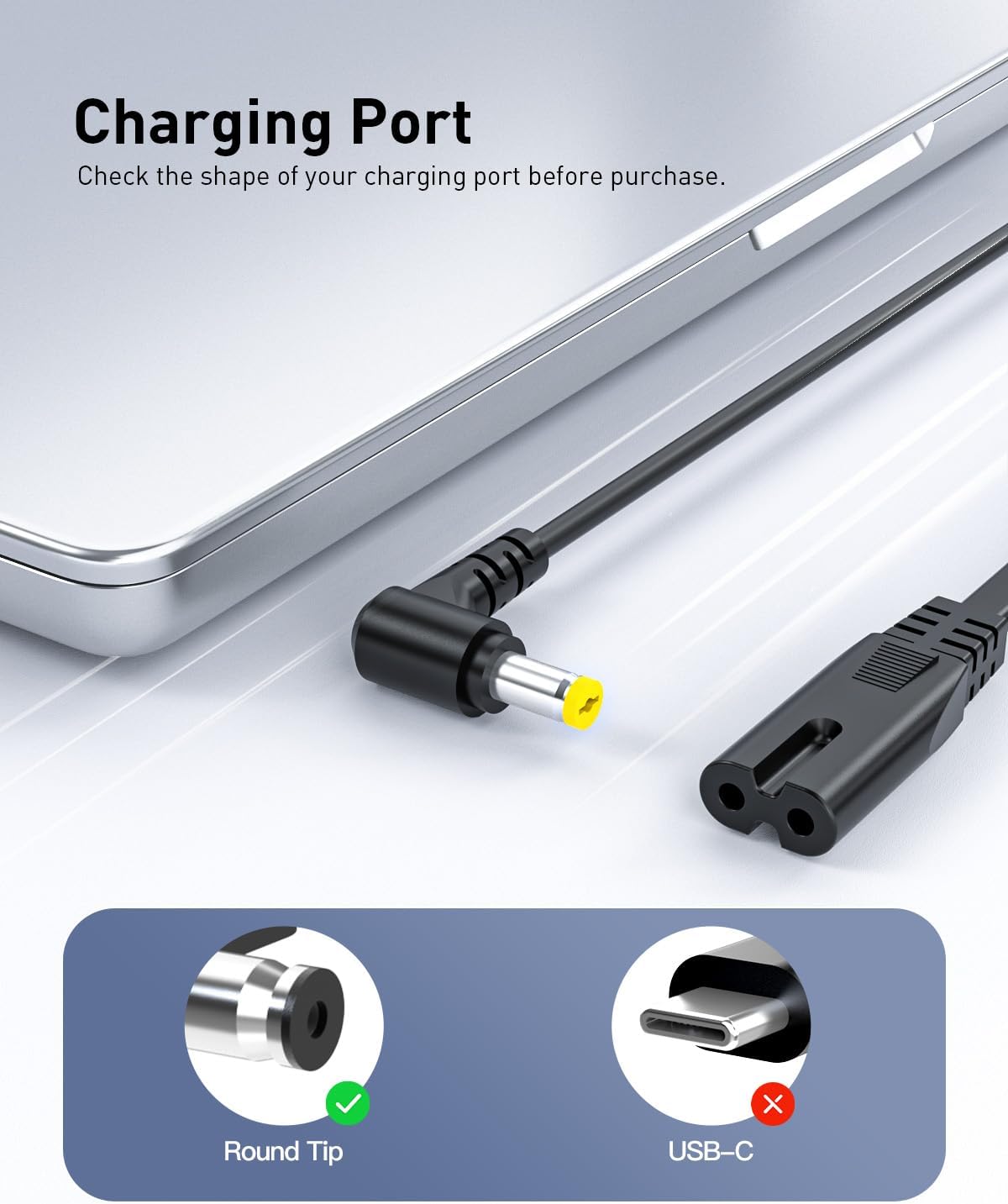
Image: Illustration of the correct round tip charging port for compatible Acer Aspire ES1 series laptops.
3. Operation
The Superer AC Charger is designed to provide consistent and stable power to your compatible Acer Aspire ES1 series laptop.
3.1 Compatibility
This charger is compatible with Acer Aspire ES1 series laptops requiring 19V power, specifically supporting 3.42A (65W) and also compatible with devices requiring 2.37A (45W) or 2.15A (40W). The connector size is 5.5*1.7mm.
- Output: 19V 3.42A 65W (Compatible with 19V 2.15A/2.37A 40W/45W)
- Input: 100-240V 50-60Hz
- Connector Size: 5.5*1.7mm

Image: Visual representation of charger compatibility with different wattage requirements.
3.2 Safety Certifications
The Superer AC Charger is designed and manufactured to meet high safety standards.
- UL Listed: Passed UL safety tests for high-level electronic safety.
- FCC Approved: Meets regulated limits for ionizing radiation.
- CE Marking: Meets EU safety, health, and environmental protection requirements.

Image: Display of UL, FCC, and CE certification marks.
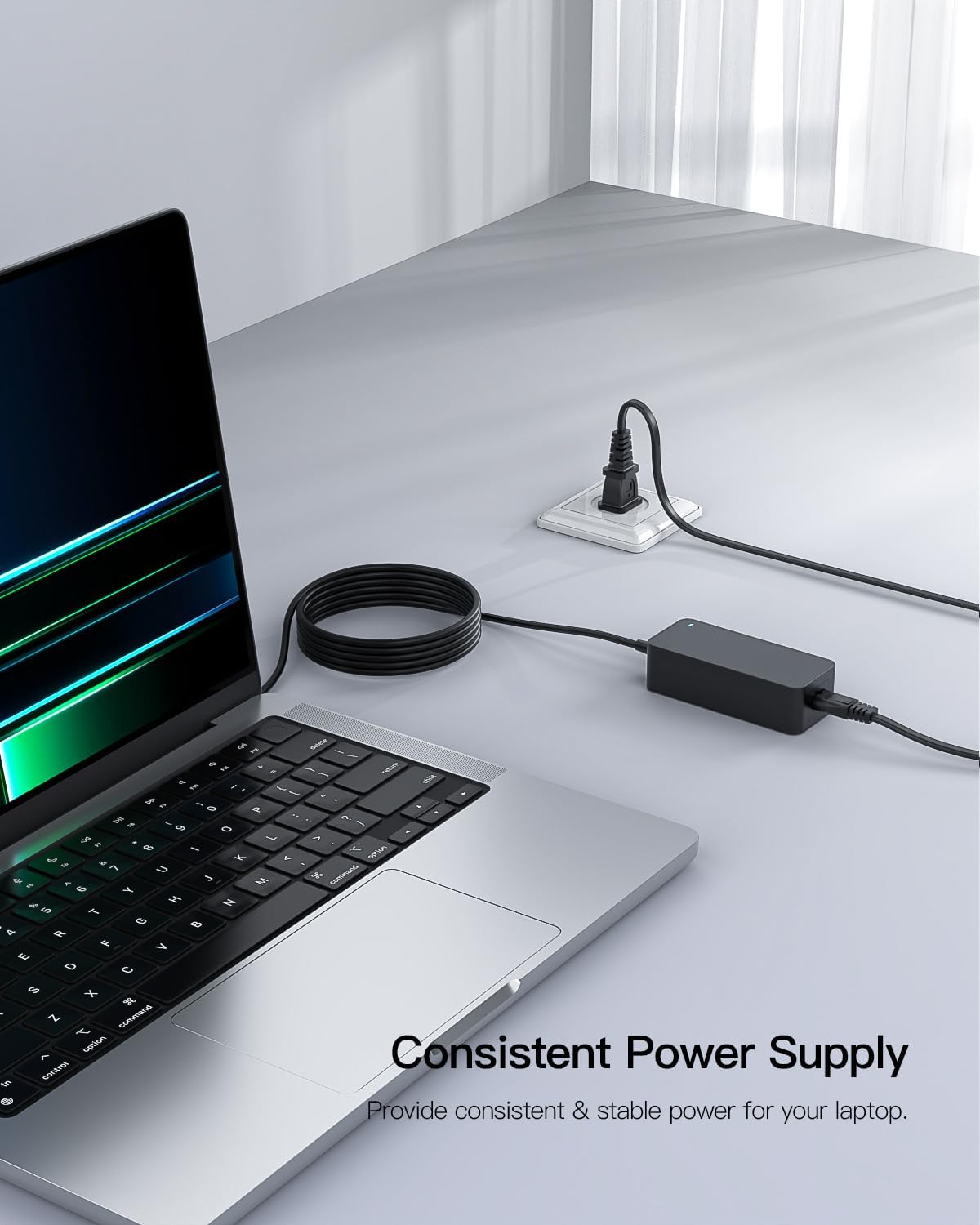
Image: The charger connected and actively supplying power to a laptop.
4. Maintenance
Proper care and maintenance can extend the lifespan of your AC charger.
- Keep Dry: Avoid exposing the charger to moisture or liquids.
- Avoid Extreme Temperatures: Do not use or store the charger in excessively hot or cold environments.
- Handle Cables Carefully: Do not bend, twist, or pull the cables excessively. Avoid placing heavy objects on the cables.
- Clean Gently: Use a soft, dry cloth to clean the charger. Do not use harsh chemicals or abrasive materials.
- Unplug When Not in Use: Disconnect the charger from the wall outlet when not in use for extended periods.
5. Troubleshooting
If you encounter issues with your charger, refer to the following common solutions:
- Charger Not Supplying Power:
- Ensure all connections (wall outlet, power cord to adapter, adapter to laptop) are secure.
- Try plugging the charger into a different wall outlet to rule out a faulty outlet.
- Verify that your laptop model is listed as compatible with this charger.
- Loose Connection:
- If the connection to the laptop feels loose, ensure the connector is fully inserted and that the laptop's charging port is not damaged.
- Avoid sudden movements or tugging on the cable while charging.
- Overheating:
- Ensure the charger is in a well-ventilated area and not covered by objects that could trap heat.
- If the charger becomes excessively hot, discontinue use and contact support.
If these steps do not resolve the issue, please refer to the Warranty and Support section for further assistance.
6. Specifications
Detailed technical specifications for the Superer AC Charger Model ADP190342L:
| Feature | Specification |
|---|---|
| Brand | Superer |
| Model Number | ADP190342L |
| Input Voltage | 100-240V |
| Input Frequency | 50-60Hz |
| Output Voltage | 19V |
| Output Amperage | 3.42A |
| Output Wattage | 65W (Compatible with 40W/45W) |
| Connector Type | Round Connector (5.5*1.7mm) |
| Color | Black |
| Item Weight | 12 ounces |
| Product Dimensions (LxWxH) | 3.54 x 3.15 x 1.57 inches |
| Special Feature | Short Circuit Protection |
| Certifications | CE, FCC, RoHS, UL Listed |

Image: Dimensions of the Superer AC Charger adapter unit.
7. Warranty and Support
Superer is committed to providing reliable products and customer satisfaction.
- Return Policy: This product is eligible for replacement or returns within 30 days of purchase.
- Manufacturer Guarantee: The manufacturer provides an additional 12-month guarantee from the date of purchase.
For any product inquiries, technical support, or warranty claims, please contact Superer customer service through the retailer's platform or the official Superer website.

Image: Overview of Superer's customer support and warranty terms.
Ask a question about this manual
Ask about setup, troubleshooting, compatibility, parts, safety, or missing instructions. Manuals+ will review the question and use this page’s manual context to help answer it.