
1. Introduction
The POPP POPE700168 Z-Rain sensor is a Z-Wave Plus compatible device designed to accurately measure rainfall. It integrates into smart home systems to provide real-time precipitation data, enabling automated responses such as closing windows or retracting awnings. The sensor utilizes a precise tipping bucket mechanism to quantify rainfall, offering detailed insights beyond simple rain detection.
2. Product Features
- Rain Gauge/Sensor: Designed for outdoor precipitation measurement.
- Accurate Measurement: Measures rain quantity in millimeters per hour (mm/h), providing cumulative data from the last 1024 seconds up to 1 hour.
- Robust Design: Features an IP55 protection rating, ensuring durability against dust and water splashes.
- Long Battery Life: Powered by 2 AAA batteries, offering an estimated battery life of up to 5 years, depending on the configured wake-up interval.
- Z-Wave Plus Technology: Utilizes Z-Wave Plus wireless protocol for reliable communication with compatible smart home controllers.
3. Package Contents
The POPP POPE700168 Z-Rain sensor package typically includes:
- POPP Z-Rain Sensor Unit
- 2 x AAA Batteries (pre-installed or included separately)
- Quick Start Guide (may be in multiple languages)
4. Setup
4.1. Battery Installation
The Z-Rain sensor requires 2 AAA batteries for operation. These are typically included. To install or replace batteries:
- Carefully twist the top part of the sensor counter-clockwise to separate it from the base.
- Locate the battery compartment.
- Insert 2 AAA batteries, ensuring correct polarity (+/-).
- Reattach the top part by aligning and twisting clockwise until secure.
4.2. Sensor Placement
Optimal placement is crucial for accurate readings. Consider the following:
- Open Area: Place the sensor in an open area, away from trees, buildings, or other obstructions that could block rain or cause splash-back.
- Level Surface: Ensure the sensor is placed on a completely level surface to guarantee accurate tipping bucket operation. The base may include a small bubble level for assistance.
- Accessibility: Choose a location that is accessible for periodic maintenance and battery replacement.
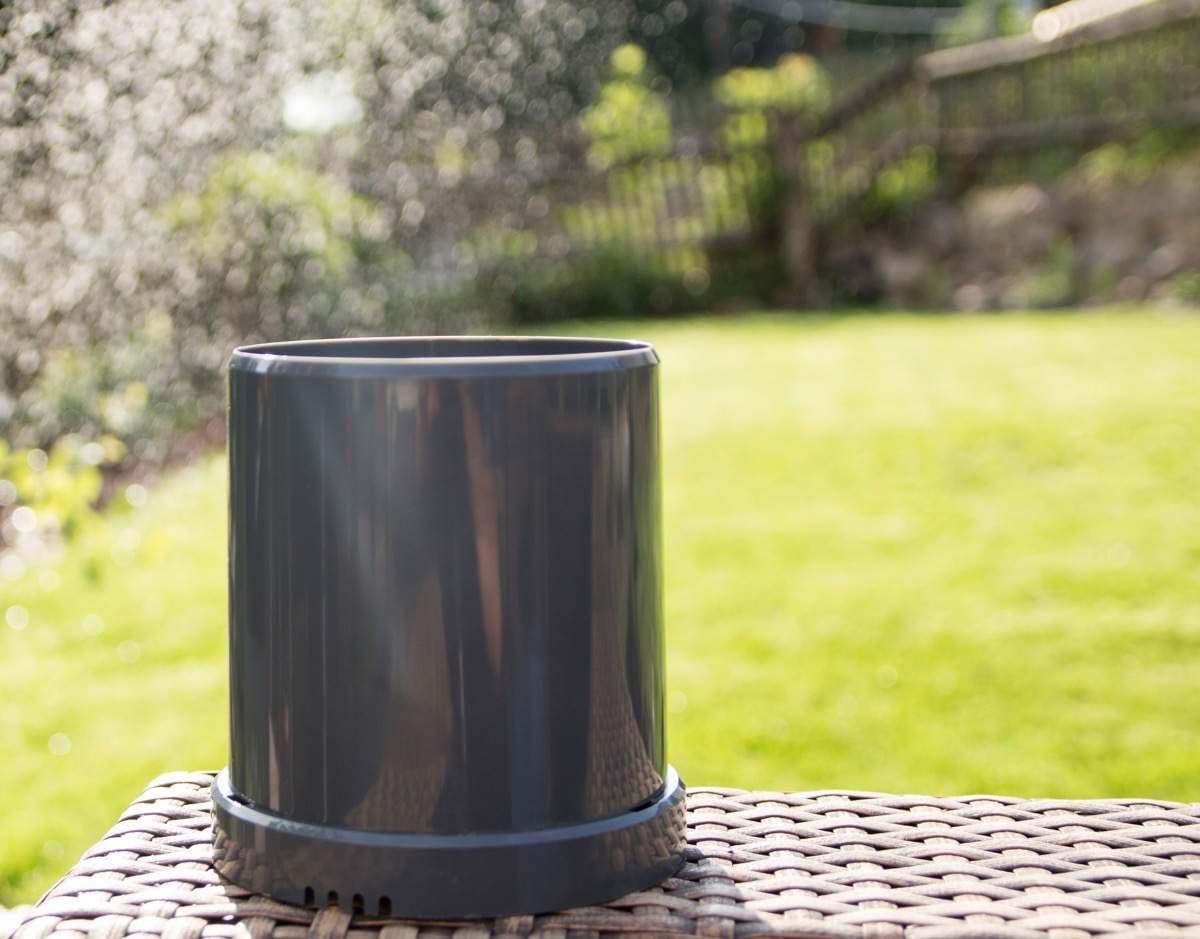
Image: The Z-Rain sensor positioned on a level outdoor surface, ready for rain measurement.
4.3. Z-Wave Inclusion (Pairing)
To integrate the Z-Rain sensor into your Z-Wave network:
- Put your Z-Wave controller into inclusion (pairing) mode. Refer to your controller's manual for specific instructions.
- With the batteries installed, the sensor will automatically attempt to join a Z-Wave network. Some controllers may require a manual trigger.
- To manually trigger inclusion, briefly press the internal button (often located near the battery compartment or tipping bucket mechanism).
- Confirm that your Z-Wave controller detects and adds the Z-Rain sensor to your network.
5. Operating
The Z-Rain sensor operates by collecting rainwater in a small tipping bucket mechanism. When a specific amount of water (e.g., 0.25 mm) fills one side of the bucket, it tips, emptying the water and bringing the other side into position. Each tip is detected by a Reed sensor and counted. This count is then translated into cumulative rainfall data.
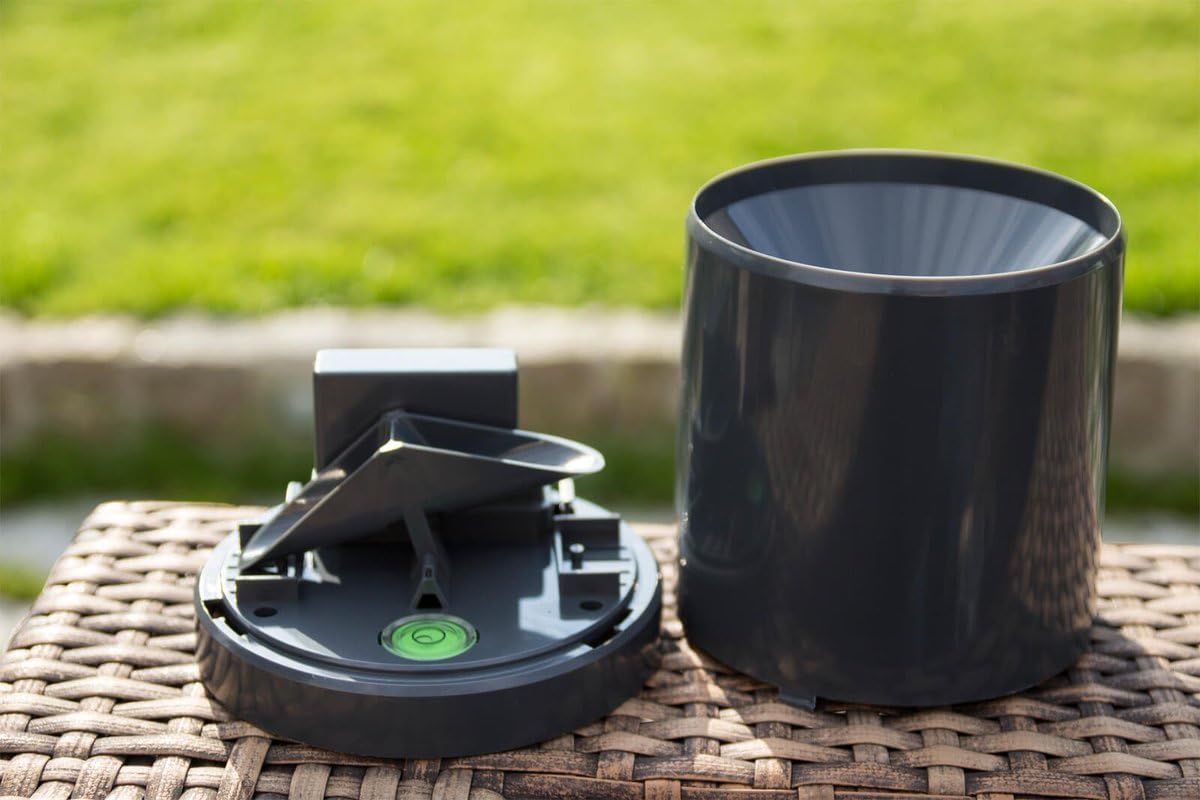
Image: The internal tipping bucket mechanism responsible for measuring rainfall.
The sensor reports cumulative rainfall values to your Z-Wave controller. This data can be used to:
- Monitor current and historical rainfall.
- Trigger automated actions (e.g., close windows, retract awnings, turn off irrigation) based on predefined rainfall thresholds.
- Receive notifications via push message or email when rain starts or reaches a certain intensity.

Image: The Z-Rain sensor actively measuring rainfall during a downpour.
6. Maintenance
6.1. Cleaning
To ensure accurate readings, periodically inspect and clean the sensor:
- Remove any leaves, debris, or insects from the collection funnel and the tipping bucket mechanism.
- Use a soft, damp cloth to wipe the exterior of the sensor. Avoid abrasive cleaners.
- Ensure the tipping bucket moves freely without obstruction.
6.2. Battery Replacement
The Z-Rain sensor's batteries (2x AAA) have an estimated life of up to 5 years. When the batteries are low, your Z-Wave controller should report a low battery warning. Replace the batteries as described in Section 4.1.
7. Troubleshooting
7.1. Device Not Pairing with Z-Wave Controller
- Check Batteries: Ensure batteries are correctly installed and have sufficient charge.
- Distance: The sensor might be too far from the Z-Wave controller or another Z-Wave repeater. Try moving it closer temporarily for pairing.
- Inclusion Mode: Verify that your Z-Wave controller is actively in inclusion mode.
- Reset: If issues persist, try excluding the device from your network (if it was previously included) and then re-including it. Refer to your controller's manual for exclusion steps.
7.2. No Rain Data or Inaccurate Readings
- Obstructions: Check for any physical obstructions (leaves, dirt, spiderwebs) in the collection funnel or tipping bucket that might prevent water from entering or the bucket from tipping.
- Level Placement: Ensure the sensor is perfectly level. An uneven surface can lead to inaccurate tipping.
- Battery Level: Low batteries can affect device performance and reporting. Replace if necessary.
- Z-Wave Communication: Verify that the sensor is communicating correctly with your Z-Wave controller. Check the signal strength or device status in your controller's interface.
8. Specifications
| Model Number | POPE700168 |
| Dimensions (L x W x H) | 13.2 x 13.2 x 13.9 cm (5.2 x 5.2 x 5.5 inches) |
| Weight | 200 grams (0.44 lbs) |
| Power Supply | 2 x AAA Batteries (included) |
| Wireless Technology | Z-Wave Plus |
| Protection Class | IP55 |
| Material | Plastic |
9. Warranty and Support
Specific warranty details are not available in the provided product information. For warranty claims, technical support, or further assistance, please contact your retailer or the manufacturer, Popp, directly. Retain your proof of purchase for any warranty-related inquiries.


