
1. Introduction
This manual provides essential information for the safe and efficient operation of your broncolor Siros 800S studio flash unit. The Siros 800S is a high-performance monobloc flash designed for professional photography, featuring 800Ws output, integrated Wi-Fi for app control, and RFS2.1 wireless transmission. It also incorporates Enhanced Color Temperature Control (ECTC) to maintain consistent color across its power range.
2. Safety Instructions
Please read and understand all safety instructions before using the broncolor Siros 800S. Failure to follow these instructions may result in electric shock, fire, or serious injury.
- Do not operate the unit with wet hands or in damp conditions.
- Ensure the unit is properly grounded.
- Do not attempt to open or repair the unit yourself. Refer all servicing to qualified personnel.
- Keep the unit away from flammable materials.
- Avoid direct eye exposure to the flash tube, as it can cause temporary vision impairment.
- Always disconnect the power cord before cleaning or when the unit is not in use.
- Use only broncolor approved accessories and power cables.
3. Product Overview
The broncolor Siros 800S is a compact and powerful studio flash. Familiarize yourself with its main components.

Figure 3.1: Front view of the broncolor Siros 800S studio flash unit, showing the flash tube and modeling lamp area, and the broncolor Siros branding.
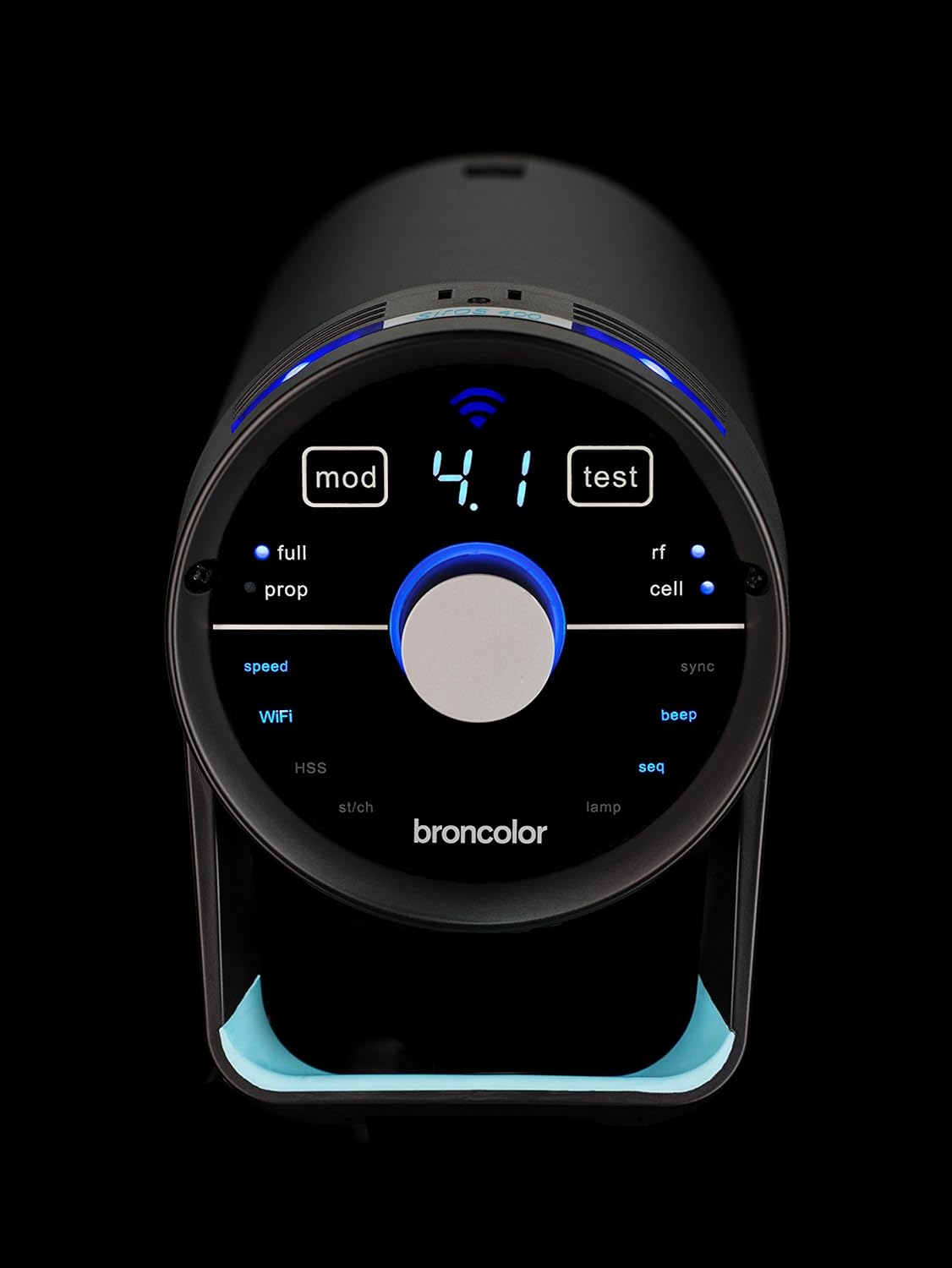
Figure 3.2: The Siros 800S unit with a standard reflector and a protective cap, demonstrating how accessories attach to the front of the unit.
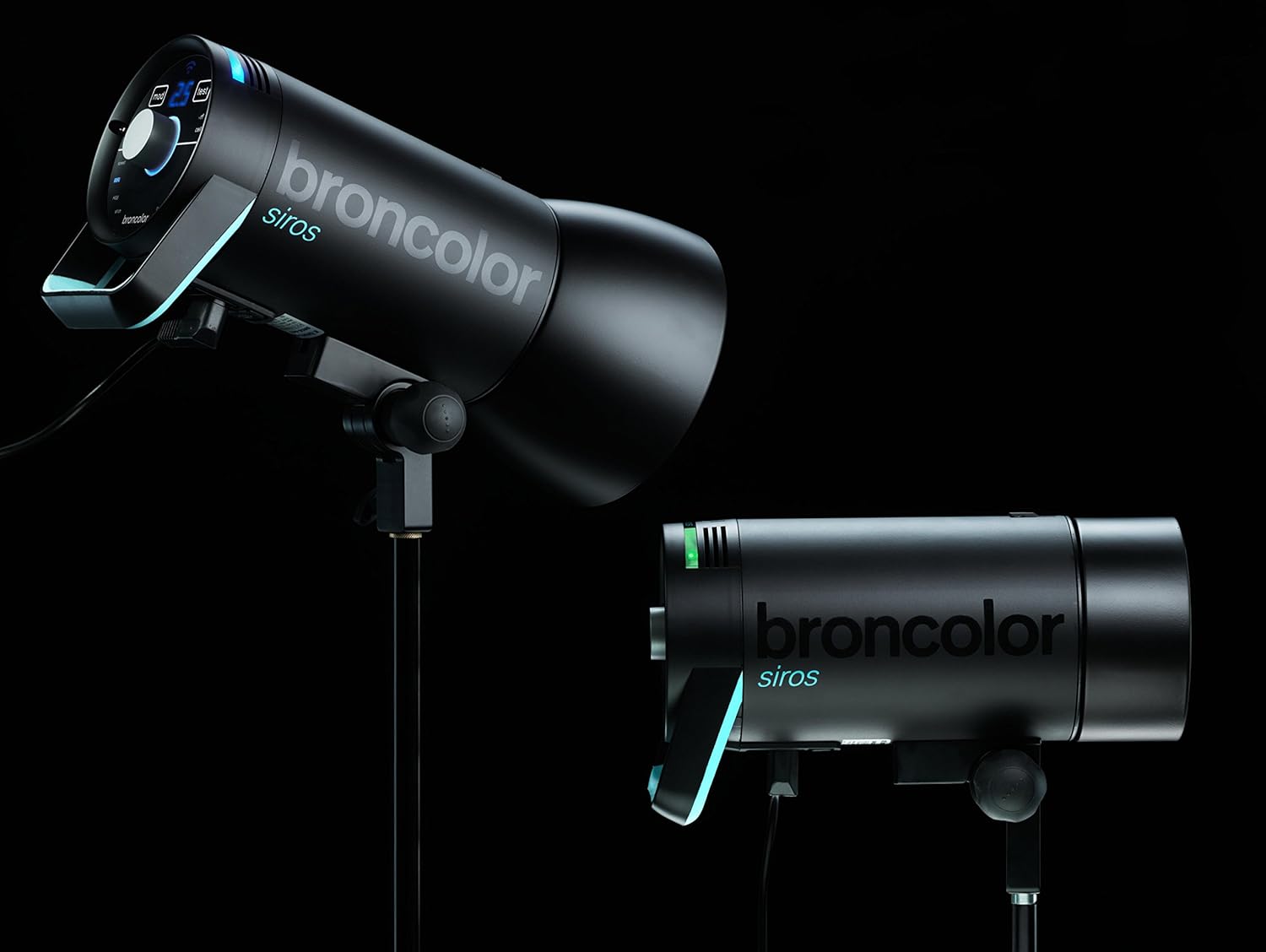
Figure 3.3: Close-up view of the Siros 800S control panel, featuring a central rotary knob, digital display, and various function buttons for mode, test, Wi-Fi, sync, and other settings.
4. Setup
4.1 Mounting the Unit
- Attach the Siros 800S to a sturdy light stand using the integrated stand adapter. Ensure the locking knob is securely tightened.
- Adjust the tilt angle of the unit as required and secure it with the tilt locking mechanism.
4.2 Connecting Power
- Connect the provided power cable to the power input socket on the rear of the Siros 800S.
- Plug the other end of the power cable into a suitable electrical outlet. Ensure the voltage matches the unit's requirements (e.g., 100V, 120V, or 230V).
4.3 Attaching Light Modifiers
The Siros 800S is compatible with a wide range of broncolor light modifiers. To attach a modifier:
- Align the modifier's mounting ring with the Siros bayonet mount.
- Twist the modifier clockwise until it locks securely into place.
- To remove, press the release button (if present on the modifier or unit) and twist counter-clockwise.
5. Operating Instructions
5.1 Powering On/Off
- To power on, press the main power switch located on the unit. The display will illuminate.
- To power off, press the main power switch again.
5.2 Adjusting Flash Output
The Siros 800S offers an output range of 4 to 800 Ws, adjustable over 9 f-stops in 1 or 1/10 f-stop increments.
- Use the central rotary knob on the control panel to increase or decrease the flash output.
- The current output level will be displayed digitally.
5.3 Wi-Fi Control (App)
The Siros 800S features integrated Wi-Fi for remote control via a dedicated broncolor app on your smartphone or tablet.
- Download the official broncolor app from your device's app store.
- Activate Wi-Fi on the Siros unit via the control panel.
- Connect your mobile device to the Siros Wi-Fi network.
- Open the app to control flash output, modeling light, and other settings remotely.

Figure 5.1: A tablet displaying the broncolor app interface, demonstrating remote control capabilities for multiple Siros units.
5.4 RFS2.1 Wireless Transmission
The integrated RFS2.1 system allows for wireless triggering and control using a compatible broncolor RFS transmitter.
- Ensure the RFS2.1 mode is active on the Siros unit.
- Set the desired channel and group on both the Siros unit and your RFS transmitter.
- The unit will now respond to commands from the RFS transmitter.
5.5 Enhanced Color Temperature Control (ECTC)
The ECTC feature ensures consistent color temperature across the entire power range of the Siros 800S, eliminating color shifts when adjusting flash output.
- This feature operates automatically. No manual adjustment is typically required for ECTC functionality.
5.6 Modeling Light
The modeling light assists in visualizing the light spread and shadows before firing the flash.
- Activate or deactivate the modeling light via the control panel or the broncolor app.
- Adjust the intensity of the modeling light as needed.
6. Maintenance
6.1 Cleaning
- Always disconnect the unit from power before cleaning.
- Use a soft, dry cloth to wipe the exterior of the unit.
- For stubborn marks, a slightly damp cloth with a mild cleaning solution can be used, ensuring no liquid enters the unit.
- Clean the flash tube and modeling lamp with a lint-free cloth and isopropyl alcohol if necessary, ensuring they are cool to the touch.
6.2 Storage
- Store the Siros 800S in a cool, dry place, away from direct sunlight and extreme temperatures.
- Use the protective cap to cover the flash tube when not in use to prevent damage.
7. Troubleshooting
If you encounter issues with your Siros 800S, refer to the following common problems and solutions.
- Unit does not power on:
- Check if the power cable is securely connected to both the unit and the electrical outlet.
- Verify that the electrical outlet is functional.
- Ensure the main power switch is in the 'On' position.
- Flash does not fire:
- Check the flash output setting; ensure it is not set to minimum or off.
- Verify that the unit is fully recycled (ready light illuminated).
- If using RFS2.1, ensure the transmitter and receiver are on the same channel and group.
- If using Wi-Fi app control, ensure the unit is connected and the app is sending trigger signals.
- Test with the 'Test' button on the unit.
- Wi-Fi connection issues:
- Ensure Wi-Fi is enabled on the Siros unit.
- Restart both the Siros unit and your mobile device.
- Check for interference from other wireless devices.
- Ensure you have the latest version of the broncolor app.
- Inconsistent color temperature:
- The Siros 800S features ECTC for stable color. If inconsistencies occur, ensure the unit is operating within its specified temperature range.
- If the issue persists, contact broncolor support.
8. Specifications
| Feature | Specification |
|---|---|
| Brand | broncolor |
| Model | Siros 800S |
| Product Model Number | 31.643.XA |
| Maximum Output | 800 Ws |
| Output Adjustment Range | 4-800 Ws (9 f-stops, 1 or 1/10 increments) |
| Flash Duration t0.1 (Min Output) | 1/4,000s (t0.5: 1/8000s) |
| Flash Duration t0.1 (Max Output) | 1/500s (t0.5: 1/1100s) |
| Recycling Time (100% @ 230V/50Hz) | 0.07-1.9 seconds |
| Recycling Time (100% @ 120V/60Hz) | 0.04-1.9 seconds |
| Recycling Time (100% @ 100V/50Hz) | 0.08-2.9 seconds |
| Connectivity | Wi-Fi, RFS2.1 |
| Control Method | App, Manual Controls |
| Item Weight | 3.6 kg |
| Package Dimensions (L x W x H) | 46.81 x 25.2 x 19.81 cm |
9. Warranty and Support
For warranty information, technical support, or service inquiries, please refer to the official broncolor website or contact your authorized broncolor dealer. Keep your proof of purchase for warranty claims.
Official broncolor website: www.broncolor.com
