
1. Introduction
Thank you for choosing the RED5 Titan Drone. This foldable HD First Person View (FPV) quadcopter is designed for an engaging flight experience, featuring Wi-Fi connectivity and a 2.4 GHz radio frequency remote control. It is equipped with a built-in 720p HD camera capable of live streaming and recording images securely via Wi-Fi to a compatible app on your smartphone.
The Titan Drone is packed with advanced features such as brushless motors and speed control, offering precise handling for both casual flying and advanced maneuvers. Its compact and lightweight design means that registration is not required in the UK for operation. This manual provides essential information for setting up, operating, maintaining, and troubleshooting your drone to ensure optimal performance and longevity.
Key Features:
- Foldable design for portability and easy storage.
- HD FPV Wi-Fi camera for live streaming and 720p video recording.
- Brushless motors for enhanced performance and durability.
- Integrated GPS for stable flight and advanced functions.
- Multiple flight modes including Altitude Hold, Auto Home, Gesture Control, and Headless Mode.
- Comes with two rechargeable drone batteries for extended flight time.
2. What's in the Box
Please check the contents of your package to ensure all items are present and in good condition:
- RED5 Titan Drone
- Remote Control
- 2 x Rechargeable Drone Batteries
- USB Charger
- User Manual (this document)

Image: The RED5 Titan Drone product packaging, illustrating the drone, remote control, and various features.
3. Setup Guide
3.1. Unfolding the Drone
Carefully unfold the drone arms until they click into place. Ensure all four arms are fully extended before flight. When open, the drone measures approximately 24 cm x 20 cm x 7 cm. To fold, gently collapse the arms back into the compact position (10 cm x 15.5 cm x 7.5 cm).
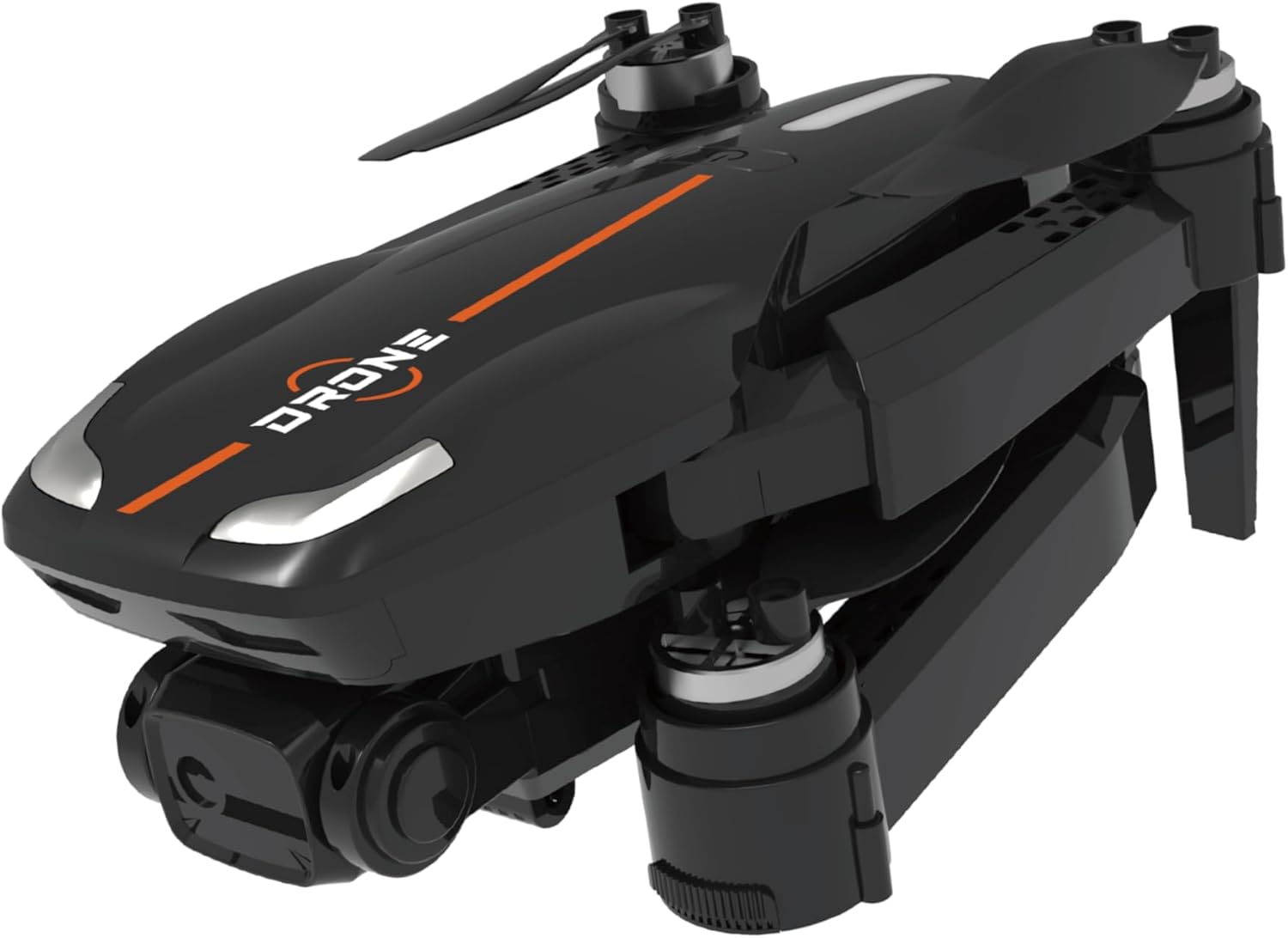
Image: The RED5 Titan Drone in its folded configuration, ready for transport or storage.

Image: The RED5 Titan Drone with its arms fully unfolded, prepared for operation.
3.2. Battery Installation and Charging
- Drone Batteries: The drone comes with two rechargeable batteries. Insert a fully charged battery into the drone's battery compartment, ensuring it clicks securely into place.
- Remote Control Batteries: The remote control requires 3 AA batteries (not included). Open the battery compartment on the back of the remote and insert the batteries, observing the correct polarity (+/-).
- Charging: Use the provided USB charger to charge the drone batteries. Connect the battery to the charger and plug the charger into a USB power source (e.g., computer USB port, USB wall adapter). The charging indicator light will show the charging status.
3.3. App Installation and Connection
To utilize the FPV and recording features, download the official RED5 Titan Drone app on your smartphone. The app is compatible with both Android and iOS devices. Search for the app name (usually found in the user manual or on the product packaging) in your device's app store.
- Once installed, turn on the drone and the remote control.
- On your smartphone, go to Wi-Fi settings and connect to the drone's Wi-Fi network (usually named something like