
1. Product Overview
The Yottamaster 3.5 Inch Portable HDD Case is designed to provide secure and protective storage for your 3.5-inch hard drives. It is also suitable for storing other small digital devices such as cameras, headphones, or mobile power banks. This case helps organize your workspace and protects your valuable data storage devices from environmental factors and physical damage.

Image 1.1: The Yottamaster 3.5 Inch Portable HDD Case, shown open with a 3.5-inch hard drive securely placed inside. The case features a gray exterior and a black interior lining.
Key features include:
- Multi-function Storage: Ideal for 3.5-inch hard drives and various digital devices.
- High-Quality Material: Constructed from high-strength ABS material with an EVA protective layer for enhanced durability.
- Multiple Protection: Offers anti-static, moisture-proof, dust-proof, and shock-proof properties.
- Ingenious Groove Design: Allows for easy and stable stacking of multiple cases.
- Practical Marking Label: Features a humanized marking label design for easy identification of stored drives.
- Easy to Use: Equipped with a strong snap lock for secure closure and effortless opening.

Image 1.2: A closed Yottamaster HDD case, illustrating its high-hardness ABS material and icons representing shock-proof, dust-proof, splash-proof, and moisture-proof capabilities.

Image 1.3: An open Yottamaster HDD case, detailing the thicker EVA protective layer designed to reduce shock and bumps, and provide anti-static protection.

Image 1.4: A visual representation of five Yottamaster 3.5 inch HDD protective boxes, showcasing the product in a multi-pack context.
2. Setup and Installation
This section guides you through the process of placing a 3.5-inch hard drive into the Yottamaster protective case.
- Open the Case: Locate the snap lock on the front of the case. Gently press the latch inward and lift the lid to open the case.
- Insert the Hard Drive: Carefully place your 3.5-inch hard drive into the designated slot within the case. Ensure it sits snugly within the EVA protective layer. The internal foam is designed to hold the drive firmly to prevent movement.
- Close the Case: Lower the lid until it aligns with the base. Press down firmly on the lid until you hear a click, indicating that the snap lock has engaged securely.

Image 2.1: A 3.5-inch hard drive being carefully inserted into the open Yottamaster protective case, demonstrating the snug fit provided by the internal padding.
Note: The case is designed for a tight fit to maximize protection. Do not force the hard drive if it does not fit easily. Ensure the hard drive is a standard 3.5-inch model. The QR code visible on some hard drives, such as http://qr.wdc.com/wdred, typically links to the drive manufacturer's product information.
3. Operating Instructions
The Yottamaster HDD case is designed for simple and effective use.
- Labeling: Utilize the integrated marking label on the top of the case to identify the contents. This allows for efficient organization and quick retrieval of specific hard drives. Use a permanent marker or a label sticker for clear identification.
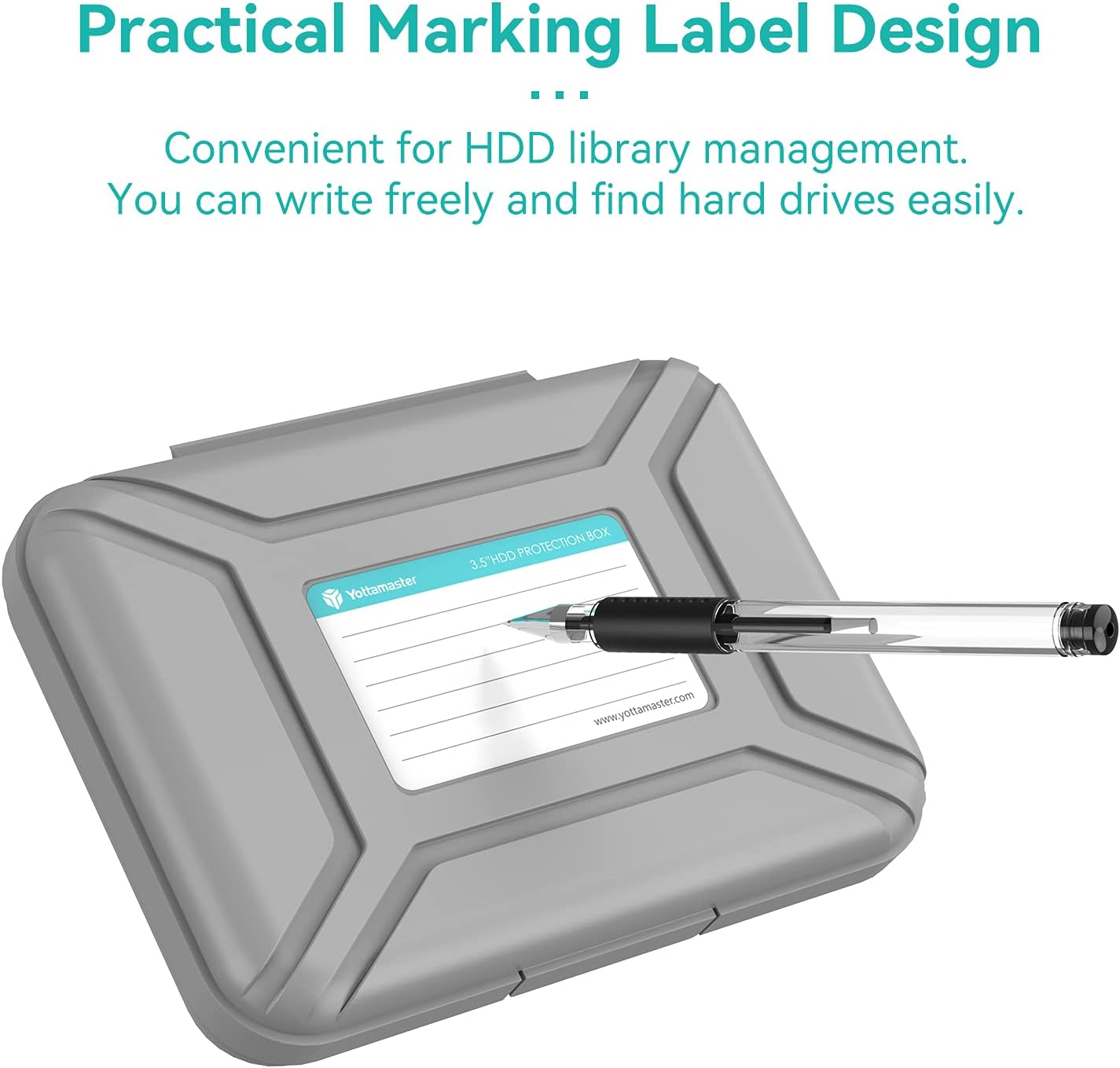
Image 3.1: A hand writing information onto the label area of the Yottamaster HDD case, highlighting the practical marking label design for content identification.
- Stacking: The cases feature an ingenious groove design on the top and bottom surfaces, allowing them to be securely stacked. This design helps save desktop space and maintains a tidy storage area.

Image 3.2: Three Yottamaster HDD cases are shown stacked vertically, demonstrating the interlocking groove design that ensures stability and efficient storage.
- Transportation: When transporting your hard drives, ensure the case is securely latched. The robust construction and internal padding provide protection against impacts and vibrations during travel.
4. Maintenance and Care
To ensure the longevity and effectiveness of your Yottamaster HDD case, follow these maintenance guidelines:
- Cleaning: Wipe the exterior of the case with a soft, damp cloth. Avoid using harsh chemicals or abrasive cleaners, as these may damage the ABS material.
- Internal Cleaning: If necessary, gently wipe the EVA foam interior with a dry, soft cloth to remove dust. Ensure the interior is completely dry before placing a hard drive back inside.
- Storage: Store the cases in a cool, dry place away from direct sunlight and extreme temperatures to prevent material degradation.
- Inspection: Periodically inspect the snap lock and hinges for any signs of wear or damage. Ensure the case closes securely to maintain its protective properties.
5. Troubleshooting
If you encounter any issues with your Yottamaster HDD case, refer to the following common solutions:
- Case is difficult to open: The snap lock is designed to be secure. To open, hold the case firmly, press the latch inward and lift the lid. Avoid excessive force. Some users find it easier to gently push on the lower half of the case while pulling up on the latch.
- Hard drive does not fit: Ensure your hard drive is a standard 3.5-inch model. The internal EVA foam provides a snug fit. If you are using an anti-static bag, ensure it is folded neatly around the drive to prevent obstruction. Do not force the drive into the case.
- Case does not close securely: Check for any obstructions around the edges of the case or within the snap lock mechanism. Ensure the hard drive is seated correctly and not protruding. Press firmly until you hear a distinct click.
- Cases do not stack properly: Verify that the cases are oriented correctly, aligning the grooves on the top of one case with the corresponding features on the bottom of another.
6. Specifications
| Feature | Detail |
|---|---|
| Product Dimensions | 7.09 x 5.16 x 1.57 inches (178mm x 128mm x 39mm) |
| Item Weight | 2.09 pounds (for 5-pack) |
| Manufacturer | Yottamaster Technology Co.,Ltd |
| Model Number | 8541664883 |
| Compatible Devices | 3.5-inch External Hard Drives |
| Form Factor | Case |
| Shell Type | Hard |
| Material | High-strength ABS, EVA protective layer |
| Protection Features | Anti-static, moisture-proof, dust-proof, shock-proof |

Image 6.1: A technical drawing illustrating the precise dimensions of the Yottamaster 3.5 inch HDD case in both millimeters and inches.
7. Warranty and Support
For warranty information and customer support, please refer to the official Yottamaster website or contact their customer service directly. Specific warranty terms may vary by region and retailer.
- Manufacturer: Yottamaster Technology Co.,Ltd
- Brand Website: www.yottamaster.com
- Product Link: Amazon Product Page
For any technical assistance or product inquiries, please reach out to Yottamaster customer support through their official channels.
