
1. Safety Information
Please read all instructions carefully before installation and use. Keep this manual for future reference.
- WARNING: Risk of electric shock. Disconnect power at the fuse or circuit breaker before installation or servicing.
- Installation should be performed by a qualified electrician or a person with electrical knowledge.
- Ensure the supply voltage is compatible with the light fixture (240 Volts as per specifications).
- Do not modify the fixture in any way.
- This product is not dimmable. Do not connect to a dimmer switch.
- Keep away from babies and children to avoid danger of suffocation from packaging materials.
2. Product Overview
The Lepro 8.7-inch 15W LED Flush Mount Ceiling Light is designed for various indoor applications, including bathrooms, kitchens, bedrooms, hallways, and laundry rooms. Its slim, waterproof, and dustproof design ensures durability and seamless integration into any interior style.
Key Features:
- IP54 Water Resistant and Dustproof: Sealed design protects against splashing water and dust, making it suitable for damp environments like bathrooms.
- Slim Design: Blends seamlessly with any interior, ideal for low or sloped ceilings.
- Long Lifespan: Integrated LED lights are rated for over 20,000 hours of operation.
- Warm White Light: Provides 3000 Kelvin soft warm white illumination.
- High Brightness & Energy Saving: 15 watts, 1500 lumens, equivalent to a 100-watt incandescent bulb, offering up to 88% energy savings.
- High Color Rendering Index (CRI > 80): Ensures colors appear natural and vibrant.
- Wide Illumination Range: Effectively illuminates an area of 9 to 12 square meters (95-130 sq. ft).
- Non-Dimmable: This light fixture is not compatible with dimmer switches.
Specifications:
| Brand | Lepro |
| Model Number | PR1500024-WW |
| Color | Warm White |
| Material | Plastic |
| Product Dimensions | 8.7"L x 8.7"W x 1.97"H (220mm x 220mm x 50mm) |
| Item Weight | 1.21 pounds (0.55 Kilograms) |
| Power Source | AC |
| Voltage | 240 Volts |
| Wattage | 15 Watts |
| Brightness | 1500 Lumens |
| Color Temperature | 3000 Kelvin |
| Color Rendering Index (CRI) | >80 (typically 85) |
| Average Life | 20,000 Hours |
| Water Resistance Level | IP54 (Waterproof) |
| Installation Type | Flush Mount |
| Special Feature | Not Dimmable |
3. Package Contents
Verify that all components are present and undamaged before beginning installation.
- LED Flush Mount Ceiling Light Fixture
- Mounting Bracket
- Mounting Hardware (screws, wall anchors)
- Anti-scratch pads (3 pieces)
- Instruction Manual

Image: Contents of the product package, showing the light fixture and mounting hardware.
4. Installation Instructions
Follow these steps carefully to install your Lepro LED Flush Mount Ceiling Light. Ensure power is OFF before starting.
Video Guide:
Video: Official installation guide for Lepro ceiling lights, demonstrating the step-by-step process.
- Step 1: Disconnect Power
Before starting any electrical work, turn off the power at the circuit breaker or fuse box to prevent electric shock.
Image: A hand switching off a wall light switch, emphasizing the importance of cutting power before installation.
- Step 2: Remove the Mounting Bracket from the Fixture
Locate the bracket lock on the back of the light fixture. Press the bracket lock to detach the mounting bracket from the lamp body.
Image: Diagram illustrating the removal of the mounting bracket from the light fixture by pressing a lock mechanism.
- Step 3: Install the Mounting Bracket
Measure the hole spacing on the mounting bracket. Depending on your ceiling type (wooden, cement, or junction box), use the appropriate screws and wall anchors to securely fix the mounting bracket to the ceiling. Ensure the bracket is flush against the ceiling.
Image: Diagram showing the mounting bracket installation process for various ceiling types, including drilling holes for cement ceilings and attaching to a junction box.
- Step 4: Apply Anti-scratch Pads
Paste the three provided anti-scratch pads to the back of the lamp body. These pads help protect the ceiling surface and ensure a snug fit.
Image: Diagram illustrating where to attach the anti-scratch pads on the rear of the light fixture.
- Step 5: Connect the Wires
Open the waterproof wires compartment on the light fixture. Insert the live (L) and neutral (N) wires from your ceiling into the corresponding polarities on the wire connector. Ensure a secure connection. Close the compartment.
Image: Diagram showing the electrical wiring connection process, highlighting the live (L) and neutral (N) terminals.
- Step 6: Attach the Light Fixture
Align the light fixture with the installed mounting bracket. Push the lamp body firmly against the ceiling and twist it clockwise until it locks securely into place. Ensure the light is flush with the ceiling.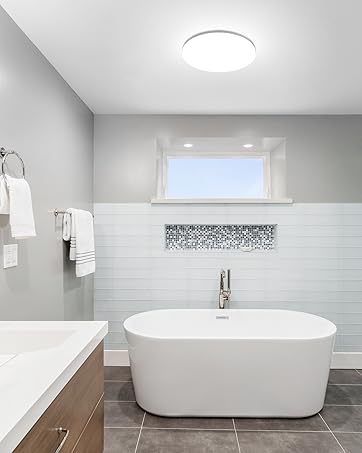
Image: Diagram showing the light fixture being attached to the mounting bracket on the ceiling.
- Step 7: Restore Power
Once the light fixture is securely installed, restore power at the circuit breaker or fuse box. Test the light to ensure it functions correctly.
5. Operation
This Lepro LED Flush Mount Ceiling Light is designed for simple operation. Once installed and powered, it functions as a standard on/off light fixture.
- Turning On/Off: Use your standard wall switch to turn the light fixture on or off.
- Non-Dimmable: This fixture provides a fixed brightness and cannot be dimmed. Do not use with dimmer switches.
6. Maintenance
To ensure the longevity and optimal performance of your light fixture, follow these maintenance guidelines:
- Cleaning: Disconnect power before cleaning. Wipe the fixture with a soft, dry or slightly damp cloth. Do not use harsh chemicals or abrasive cleaners.
- No Bulb Replacement: This fixture uses integrated LED lights that are designed to last for 20,000 hours. There are no user-replaceable bulbs.
- Inspection: Periodically check the fixture for any signs of damage or loose connections. If any issues are found, disconnect power and consult a qualified electrician.
7. Troubleshooting
If you encounter any issues with your light fixture, refer to the following troubleshooting steps:
| Problem | Possible Cause | Solution |
|---|---|---|
| Light does not turn on. | No power supply. Loose wiring connection. Faulty wall switch. | Check circuit breaker/fuse. Ensure wires are securely connected (power off first). Test the wall switch with another device. |
| Light flickers. | Loose wiring connection. Incompatible dimmer switch (if installed). | Check wiring connections (power off first). Ensure no dimmer switch is used, as this fixture is not dimmable. |
| Light is not bright enough. | Room size exceeds recommended illumination area. Dust accumulation on the diffuser. | Consider additional lighting for larger areas. Clean the diffuser (power off first). |
8. Warranty and Support
This Lepro LED Flush Mount Ceiling Light comes with a 3-Year Warranty from the date of purchase.
For warranty claims, technical support, or any questions regarding your product, please contact Lepro customer service through the retailer where you purchased the product or visit the official Lepro website for contact information.
Please retain your proof of purchase for warranty validation.

