
Introduction
The XTUGA RW2080 Wireless In-Ear Monitor System is designed to provide reliable and high-quality audio monitoring for musicians, performers, and presenters. Utilizing UHF band circuitry, this system offers stable signal transmission and clear sound, making it ideal for stage performances, studio recordings, and various live sound applications. This manual provides comprehensive instructions for setting up, operating, and maintaining your RW2080 system.

Figure 1: XTUGA RW2080 Wireless In-Ear Monitor System components, including the main transmitter unit and four bodypack receivers with earphones.
Package Contents
Please verify that all items listed below are included in your package:
- 1 x Transmitter Unit
- 4 x Bodypack Receivers
- 2 x Antennas
- 4 x Earphones
- 4 x Cable Lines
- 1 x Power Adapter
- 1 x User Manual (this document)
Product Features
- UHF In-Ear Monitor: Utilizes UHF band circuitry for delay-free operation and stable signal reception, avoiding interference.
- Wide Coverage: Offers a wireless range of up to 300 feet (approximately 90 meters) with a frequency range of 572MHz-599Mhz.
- Reliable Monitoring: Features 2*40 preset adjustable frequencies for arbitrary switching, supporting interference-free multi-set operation with up to 6+ IEM systems. Built-in Limiter circuitry helps eliminate distortion at excessive input levels.
- Durable Construction: The transmitter is constructed from sturdy whole metal, while the bodypack receivers are made from lightweight ABS material, ensuring durability and elegance.
- Clear Display: Equipped with a clear LCD display panel on both transmitter and receivers for easy monitoring of system details.
- Rackmount Kit: Includes a rackmount kit for professional installation and optimized signal transmission.
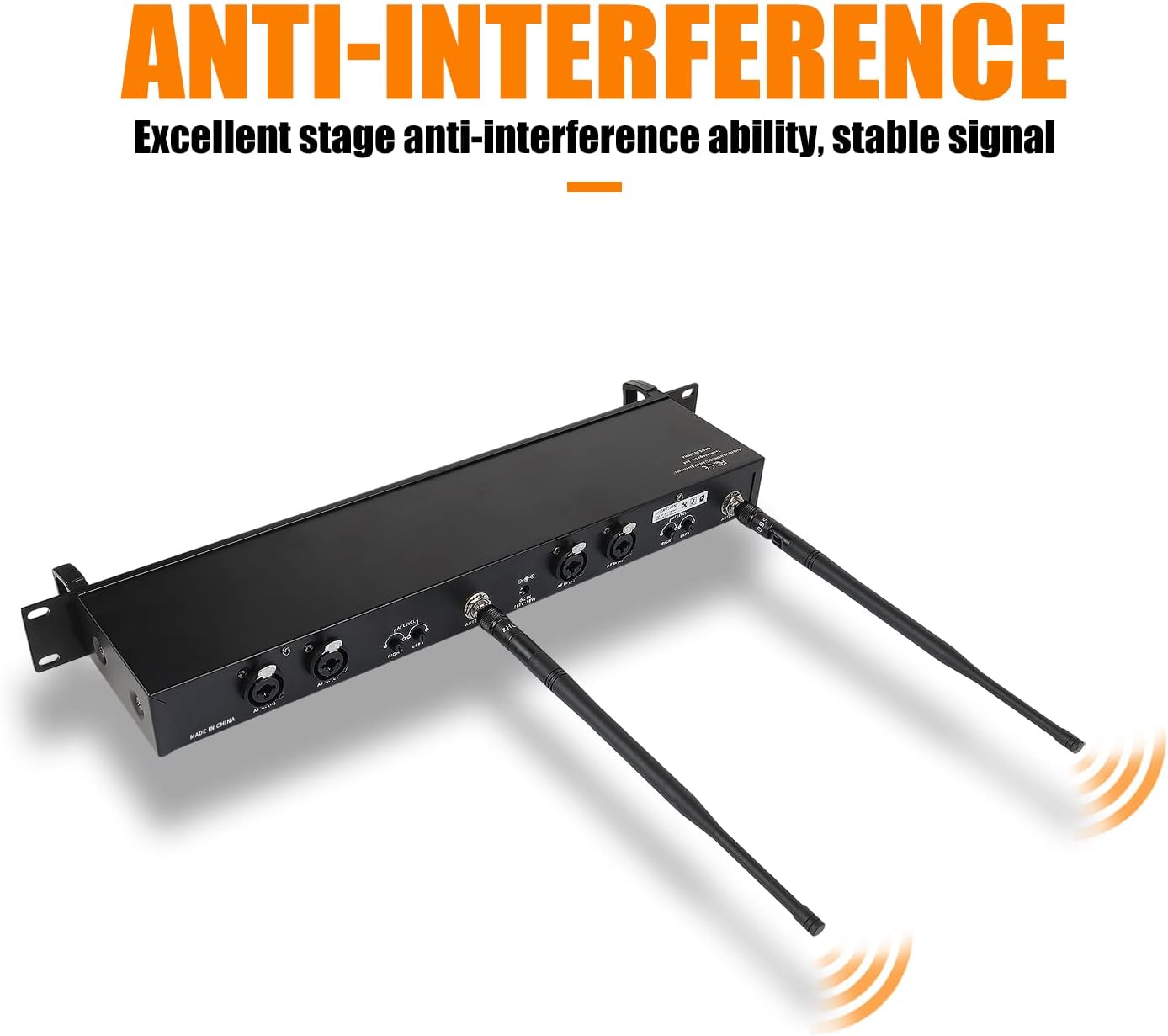
Figure 2: The transmitter unit showcasing its anti-interference design with dual antennas for stable signal.
Setup Guide
1. Transmitter Unit Setup
- Power Connection: Connect the provided power adapter to the DC power socket on the rear of the transmitter unit and plug it into a suitable power outlet.
- Antenna Installation: Screw the two antennas securely into the antenna ports on the rear of the transmitter. Ensure they are positioned vertically for optimal signal transmission.
- Audio Input: Connect your audio source (e.g., mixing console, audio interface) to the "AF INPUT" XLR/TRS combo jacks on the rear of the transmitter. The system supports both left and right channel inputs.

Figure 3: Detailed view of the wireless transmitter, highlighting its front panel controls (headphone output, volume, set selection, LED screen, power switch) and rear panel connections (channel inputs, DC power socket, antennas, volume control potentiometers).
2. Bodypack Receiver Setup
- Battery Installation: Open the battery compartment on the back of each bodypack receiver. Insert two AA batteries, ensuring correct polarity. The system requires 2 AA batteries.
- Earphone Connection: Plug the included earphones into the 3.5mm headphone output jack on the top of the bodypack receiver.

Figure 4: Detailed view of the RW2080 receiver, showing the antenna, LED screen, up/down selection buttons, headphone output, and switch/volume adjustment knob.

Figure 5: The included in-ear headphones feature an ergonomically inclined angle design for comfortable fit and effective sound isolation.
Operating Instructions
1. Powering On and Volume Adjustment
- Transmitter: Press the power button on the front panel of the transmitter to turn it on.
- Bodypack Receiver: Turn the "ON/OFF MAX VOLUME" knob on the bodypack receiver clockwise to power it on and adjust the volume. Start with a low volume and gradually increase it to a comfortable listening level.
Video 1: An official product video demonstrating the setup and basic operation of the XTUGA RW2080 Wireless In-Ear Monitor System, including powering on and connecting components.
2. Frequency Selection
The RW2080 system offers both automatic and manual frequency selection to ensure clear, interference-free operation.
- Automatic Frequency Scan: Press the "SET" button on the transmitter to automatically scan for and select an interference-free frequency. The bodypack receivers will automatically sync to the selected frequency.
- Manual Frequency Adjustment: Use the "UP/DOWN" selection buttons on the bodypack receiver to manually adjust the frequency if needed. Ensure the bodypack's frequency matches the transmitter's frequency for proper operation.

Figure 6: Illustration of the frequency selection process, demonstrating both the automatic "SET" button function and manual adjustment using the left/right controls.
3. Real-time Monitoring
The transmitter unit includes a 6.35mm monitor connector for real-time monitoring of the audio signal being sent to the bodypacks. This allows for direct audio verification without needing a bodypack receiver.

Figure 7: A headset connected to the transmitter's 6.35mm output for real-time audio monitoring.
Maintenance
- Cleaning: Use a soft, dry cloth to clean the exterior of the transmitter and bodypack receivers. Avoid using abrasive cleaners or solvents.
- Battery Care: Remove batteries from bodypack receivers if the system will not be used for an extended period to prevent leakage.
- Storage: Store the system in a cool, dry place away from direct sunlight and extreme temperatures.
- Antenna Care: Handle antennas with care to avoid bending or breaking.
Troubleshooting
| Problem | Possible Cause | Solution |
|---|---|---|
| No sound from bodypack receiver. |
|
|
| Interference or static in audio. |
|
|
| Audio distortion. |
|
|
| Limited bass response or slight hiss. |
|
|
Specifications
| Feature | Detail |
|---|---|
| Model Name | RW2080 |
| Connectivity Technology | Wireless (RF) |
| Frequency Range | 572-599MHz |
| Number of Frequencies | 2*40 adjustable frequencies |
| Wireless Range | Up to 300 feet (approx. 90 meters) |
| Noise Control | Sound Isolation |
| Headphones Jack | 3.5 mm Jack (for bodypack) |
| Transmitter Monitor Output | 6.35mm Jack |
| Material | Metal (Transmitter), ABS (Bodypack Receiver) |
| Power Source (Bodypack) | 2 AA batteries (required) |
| Impedance | 16 Ohm (earphones) |
| Product Dimensions | 22.44 x 3.74 x 12.99 inches (Transmitter) |
| Item Weight | 6.07 pounds |

Figure 8: Dimensions of the XTUGA RW2080 transmitter and bodypack receiver, including earphone cable length.
Warranty and Support
XTUGA is committed to providing high-quality electronic audio products and excellent customer service. For any product-related inquiries, technical support, or warranty claims, please contact XTUGA customer service. Our professional after-sales team aims to resolve any issues within 24 hours.
For more information and support, please visit the official XTUGA store: XTUGA Store on Amazon.


