
USARemote L2C0007T
USARemote Key Fob Remote Instruction Manual (Model L2C0007T)
For Buick, Oldsmobile, and Pontiac Vehicles (2001-2007)
Product Overview
This manual provides instructions for the USARemote Key Fob Remote, model L2C0007T. This key fob is designed as a replacement for original remotes in compatible Buick, Oldsmobile, and Pontiac vehicles manufactured between 2001 and 2007. It features four buttons for common functions: Lock, Unlock, Trunk Release, and Panic/Alarm.

Image: Two USARemote key fob remotes, displaying the four function buttons.
Compatibility
The USARemote Key Fob Remote (Model L2C0007T) is compatible with the following vehicle models and years. Please verify your vehicle's make, model, year, and original part number (P/N: L2C0007T) or FCC ID (L2C0007T) to ensure compatibility before proceeding with programming.
- Buick:
- Century: 2001-2005
- Regal: 2001-2004
- Rendezvous: 2002-2007
- Oldsmobile:
- Intrigue: 2001-2002
- Pontiac:
- Aztek: 2001-2005
- Grand Prix: 2001-2003

Image: Vehicle compatibility chart for USARemote key fobs.
Setup and Programming
This key fob is user-programmable, meaning you can program it to your vehicle without special tools or dealership assistance, provided you have at least one working key for your vehicle. Detailed step-by-step programming instructions are typically included with your purchase. If you do not have these instructions, please refer to the manufacturer's website or contact customer support.
General Programming Notes:
- Ensure your vehicle's battery is fully charged before attempting programming.
- Some vehicles may require all existing key fobs to be reprogrammed simultaneously.
- If you encounter difficulties, consult your vehicle's owner's manual or seek professional assistance.
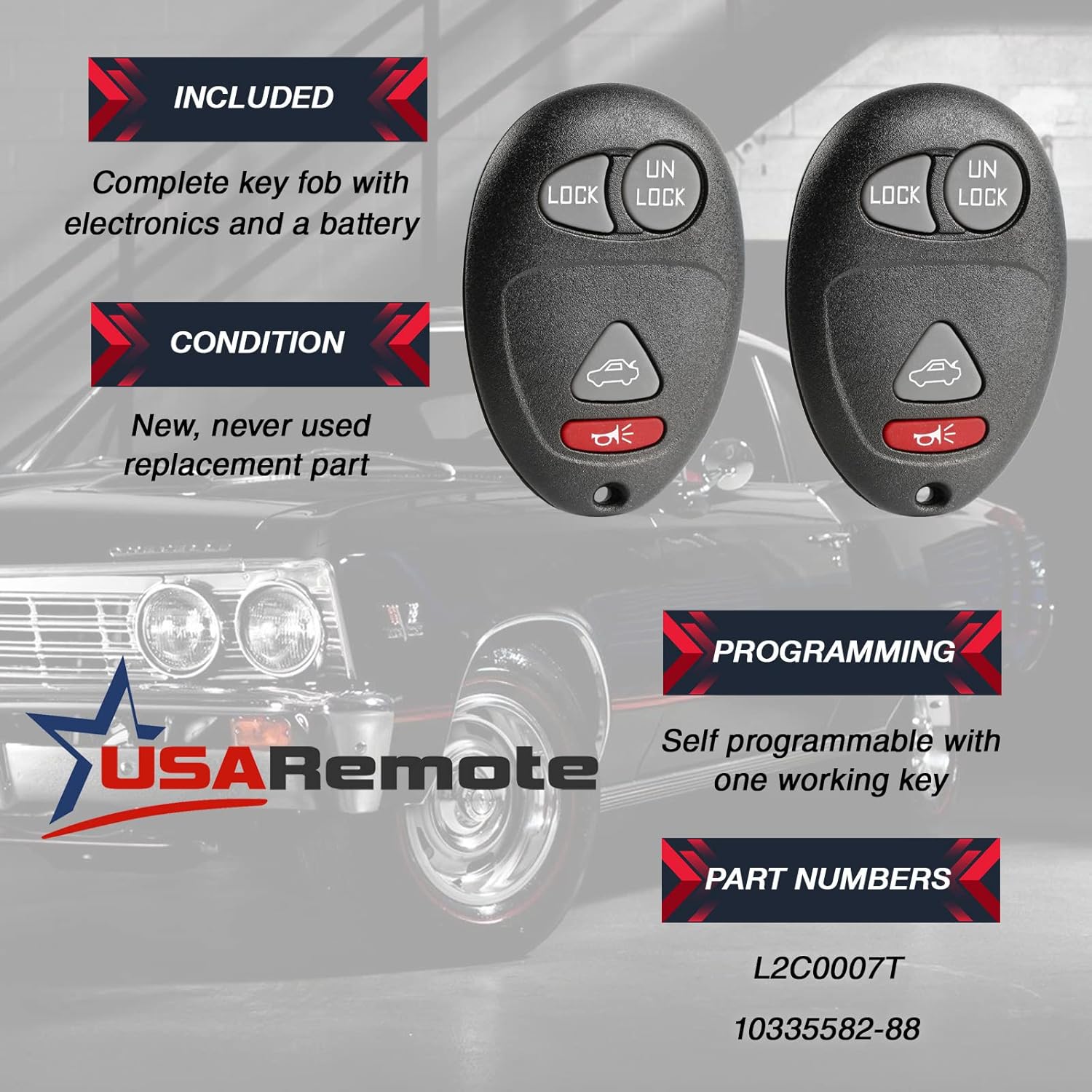
Image: Key fob features including self-programmability and part numbers.
Operating Instructions
Once successfully programmed, your key fob will provide convenient remote access to your vehicle's functions:
- Lock Button: Press once to lock all vehicle doors.
- Unlock Button: Press once to unlock the driver's door, press twice to unlock all doors.
- Trunk Release Button (Car icon): Press and hold to open the vehicle's trunk or liftgate.
- Panic/Alarm Button (Horn icon): Press and hold to activate the vehicle's alarm system. Press again to deactivate.
Maintenance
Your USARemote key fob is designed for durability. To ensure optimal performance:
- Battery Replacement: The key fob comes with a pre-installed battery. If the remote's range decreases or it stops responding, the battery may need replacement. Refer to the specific instructions provided with your key fob for battery type and replacement procedure.
- Care: Avoid exposing the key fob to extreme temperatures, moisture, or direct impact.
Troubleshooting
| Problem | Possible Cause | Solution |
|---|---|---|
| Key fob does not work after programming. | Incorrect programming steps, low vehicle battery, or faulty key fob. | Review programming instructions carefully. Ensure vehicle battery is charged. Attempt reprogramming. If issues persist, contact support. |
| Reduced operating range. | Weak key fob battery. | Replace the key fob battery. |
| Only some functions work (e.g., Lock/Unlock but not Trunk). | Incomplete programming or specific vehicle limitations. | Attempt reprogramming. Verify if your vehicle model supports all functions with aftermarket remotes. |
Specifications
- Model Number: L2C0007T (also g-4575)
- Manufacturer Part Number: g-4575
- OEM Part Numbers: 10335582, 10335582-88, 9364556-4575
- Number of Buttons: 4 (Lock, Unlock, Trunk, Panic)
- Material: Plastic
- Item Weight: Approximately 1 ounce
- Product Dimensions: Approximately 1.25 x 0.5 x 2 inches
- Automotive Fit Type: Vehicle Specific Fit
- Vehicle Service Type: Car
- UPC: 688946483202
Warranty Information
For specific warranty details regarding your USARemote key fob, please refer to the documentation included with your purchase or visit the official USARemote website. Warranty terms and conditions may vary.
Customer Support
If you require further assistance with programming, troubleshooting, or have any questions about your USARemote key fob, please contact USARemote customer support. Our technical support team is available to assist you.
For contact information, please visit the USARemote Store on Amazon or refer to the contact details provided with your product packaging.
Ask a question about this manual
Ask about setup, troubleshooting, compatibility, parts, safety, or missing instructions. Manuals+ will review the question and use this page’s manual context to help answer it.