
Peakeep MHP-3222-Aquamarine
Peakeep Ultra Small Travel Alarm Clock User Manual
Model: MHP-3222-Aquamarine
Product Overview
The Peakeep Ultra Small Travel Alarm Clock (Model: MHP-3222-Aquamarine) is a compact, battery-powered analog quartz alarm clock designed for portability and quiet operation. Its ultra-small size and lightweight design make it ideal for travel, fitting easily into suitcases or pockets. Key features include a silent sweep movement, a convenient top-mounted alarm switch, an easy-access snooze and light bar, and a manual-backlit illuminated dial for night viewing.

Image: Front view of the Peakeep Ultra Small Travel Alarm Clock in Aquamarine color.
Setup
Battery Installation
The Peakeep Travel Alarm Clock requires one (1) AA battery (not included) for operation. Follow these steps to install the battery:
- Locate the battery compartment on the back of the clock.
- Slide the battery compartment cover downwards to open it.
- Insert one AA battery, ensuring the positive (+) and negative (-) terminals align correctly with the indicators inside the compartment.
- Slide the battery compartment cover back into place until it clicks securely.

Image: Rear view of the clock with the battery compartment open, indicating where to insert the AA battery.
Operating Instructions
Setting the Time
To set the current time:
- Locate the "Time Knob" on the back of the clock (typically the right-hand knob when facing the back).
- Rotate the "Time Knob" clockwise or counter-clockwise until the hour and minute hands display the correct time.

Image: Back of the clock showing the alarm knob, time knob, alarm switch, and light button.
Setting the Alarm
To set the alarm time:
- Locate the "Alarm Knob" on the back of the clock (typically the left-hand knob when facing the back).
- Rotate the "Alarm Knob" to set your desired alarm time. The alarm hand will move independently of the time hands.
- To activate the alarm, slide the "Alarm Switch" located on the top of the clock upwards to the "ON" position (indicated by an alarm icon).
- To deactivate the alarm, slide the "Alarm Switch" downwards to the "OFF" position (indicated by a crossed-out alarm icon).
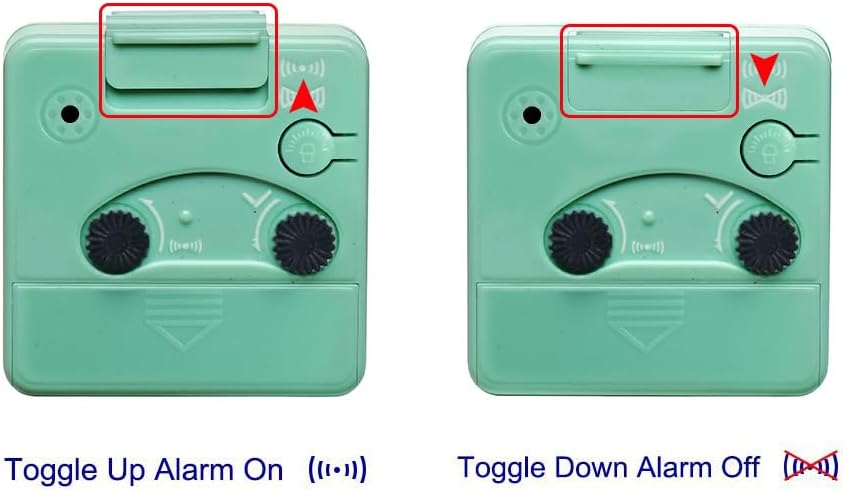
Image: Two diagrams showing the alarm switch in the "ON" (toggle up) and "OFF" (toggle down) positions.
Snooze and Backlight Function
The clock features a combined snooze and backlight button:
- Press the "Light Button" (located on the right side of the front, near the top) to illuminate the dial for night time viewing. The backlight will glow evenly across the entire dial.
- If the alarm is sounding, pressing this button will activate the snooze function, temporarily silencing the alarm. The alarm will sound again after approximately five minutes.
- The luminous hands will glow for a few minutes after exposure to light, allowing for brief visibility in the dark without pressing the button.

Image: The clock face illuminated by its manual backlight, showing clear visibility in low light.

Image: A close-up highlighting the snooze/light button on the top right of the clock face.
Alarm Sound Progression
The alarm features an ascending four-beep volume that increases in stages until it is turned off or the snooze bar is depressed. This gradual increase helps ensure you wake up without being startled.

Image: A graph illustrating the alarm volume increasing in stages from 50-60 dB to 80-90 dB over time.
Maintenance
- Keep the clock away from damp environments to prevent damage to internal components.
- If the clock will not be used for an extended period, remove the AA battery to prevent battery leakage and potential damage to the clock.
- Clean the clock with a soft, dry cloth. Avoid using abrasive cleaners or solvents.
Troubleshooting
Clock Not Functioning / Displaying Incorrect Time
- Check Battery: Ensure a fresh AA battery is installed correctly with the correct polarity (+/-).
- Replace Battery: If the clock stops or runs slowly, replace the battery.
- Environmental Factors: Extreme temperatures or humidity can affect quartz movement accuracy. Ensure the clock is in a suitable environment.
Alarm Not Sounding
- Alarm Switch Position: Verify the "Alarm Switch" on top of the clock is slid to the "ON" position.
- Alarm Time Set: Confirm the alarm hand is set to the desired wake-up time.
- Battery Level: A low battery might affect the alarm's ability to sound. Replace the battery if necessary.
Backlight Not Working
- Battery Level: Ensure the battery has sufficient power. Replace if low.
- Button Press: Confirm the "Light Button" is being pressed firmly.
Specifications
| Feature | Detail |
|---|---|
| Brand | Peakeep |
| Model Number | MHP-3222-Aquamarine |
| Color | Aquamarine |
| Display Type | Analog |
| Movement | Quartz (Silent Sweep) |
| Power Source | Battery Powered (1 AA battery required, not included) |
| Product Dimensions | 2.5"W x 2.5"H x 1.75"D (approx. 2.25 x 1.25 x 2.25 inches) |
| Item Weight | 2.24 ounces (0.14 Pounds) |
| Special Features | Ultra Small, Light Weight, Snooze, Manual Backlight, No Ticking |
| Material | Plastic |

Image: Diagram showing the dimensions of the clock: 2 1/2 inches wide, 2 1/2 inches high, and 1 3/4 inches deep.
Warranty and Support
Manufacturer's Warranty: Peakeep offers an unlimited warranty for 180 days from the purchase date.
For further assistance or inquiries, please refer to the contact information provided with your product packaging or visit the official Peakeep website.
Additional Information
Product Portability
The Peakeep Ultra Small Travel Alarm Clock is designed for maximum portability. Its compact size and light weight (2.2 oz) allow it to fit easily into a suitcase or even a pocket, making it a convenient companion for any journey.

Image: The clock held in a person's hand, demonstrating its ultra-small and portable design.
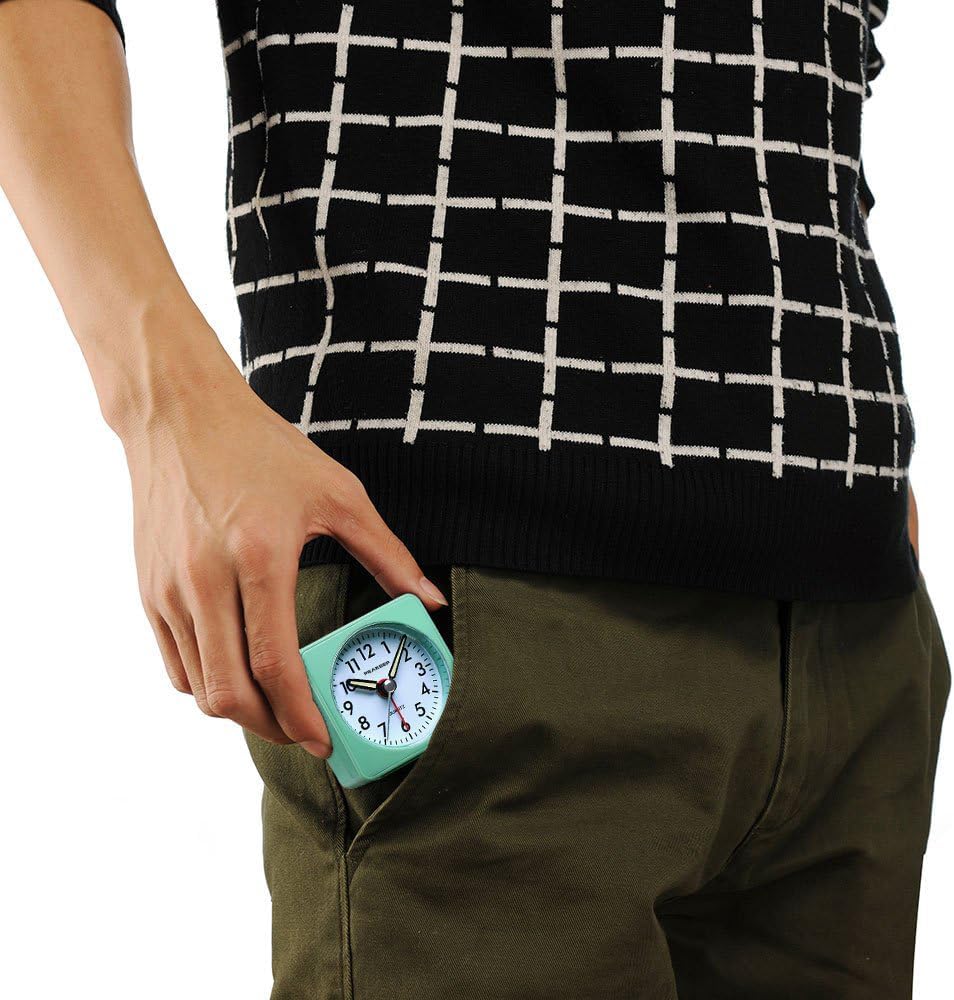
Image: The clock being slipped into a pant pocket, highlighting its extreme portability.
Quiet Operation
Equipped with a quiet sweep movement, the second hand moves smoothly without any ticking noise. This feature makes the clock ideal for restless sleepers or quiet environments where traditional ticking clocks might be disruptive.

Image: A composite image illustrating the "Mercifully Quiet Movement" of the clock, shown alongside sleeping individuals (baby, child, adult) to emphasize its silent operation.
Official Product Videos
There are no official product videos from the seller available for this product to embed in the manual.
Ask a question about this manual
Ask about setup, troubleshooting, compatibility, parts, safety, or missing instructions. Manuals+ will review the question and use this page’s manual context to help answer it.