1. Introduction
This manual provides comprehensive instructions for the setup, operation, and maintenance of your RM-Series replacement remote control, specifically designed for Kendo LED22FHD136SAT television models. This remote control is engineered to function as a direct replacement for your original Kendo remote, requiring no complex programming.
2. Setup
2.1 Installing Batteries
To begin using your RM-Series replacement remote control, batteries must be installed correctly.
- Locate the battery compartment cover on the back of the remote control.
- Slide the cover downwards or press the latch to open the compartment.
- Insert two AAA batteries (not included), ensuring the positive (+) and negative (-) terminals align with the markings inside the compartment.
- Replace the battery compartment cover, ensuring it clicks securely into place.
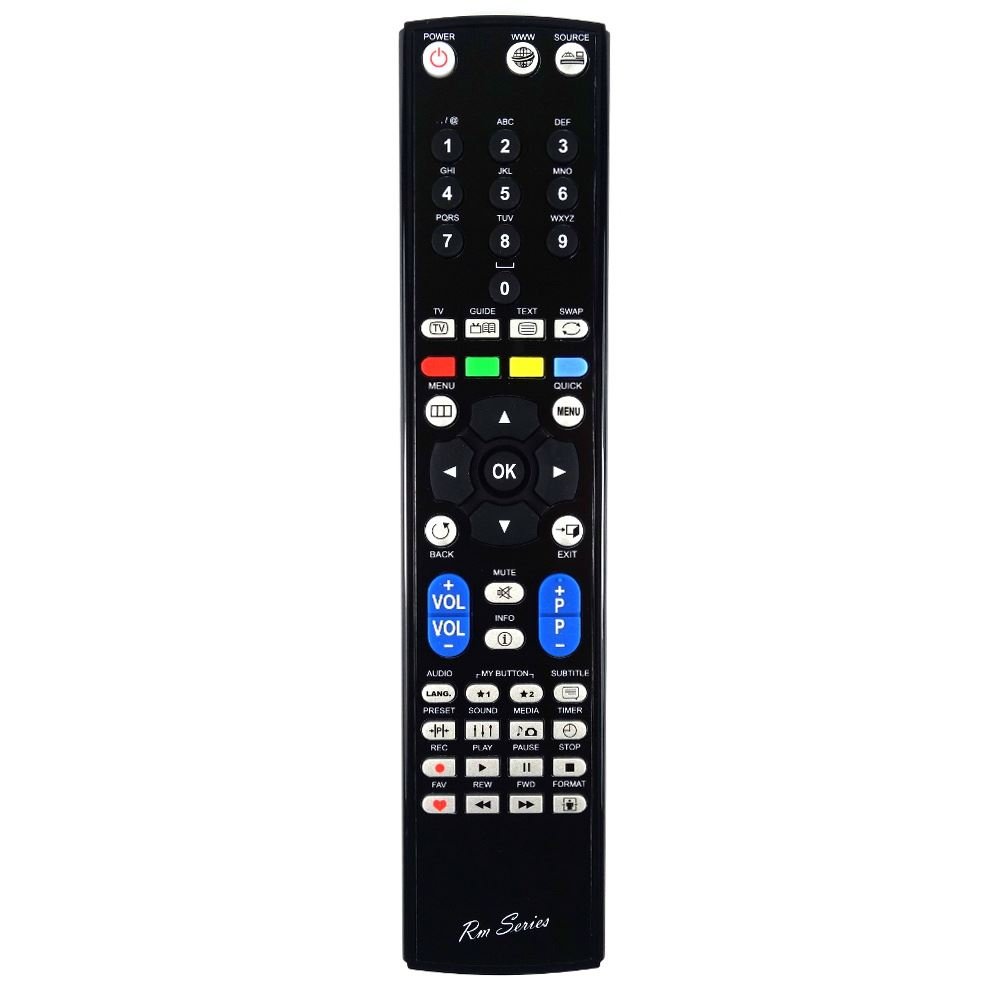
Image 1: Front view of the RM-Series replacement remote control. This image displays the layout of the buttons, including power, channel, volume, and navigation controls, typical for a television remote.
Once batteries are installed, the remote control is ready for immediate use with your Kendo LED22FHD136SAT TV. No additional programming or pairing is required.
3. Operating Instructions
3.1 Basic Functions
The RM-Series replacement remote control provides full functionality for your Kendo LED22FHD136SAT television. Point the remote directly at your TV's infrared receiver for optimal performance.
- Power Button: Press to turn the TV on or off.
- Volume Up/Down: Adjusts the audio volume.
- Channel Up/Down: Changes the television channel.
- Mute Button: Silences or restores the TV audio.
- Number Buttons (0-9): Directly select channels.
- Menu Button: Accesses the TV's main menu.
- Navigation Buttons (Up, Down, Left, Right, OK): Used to navigate through menus and confirm selections.
- Source/Input Button: Changes the input source (e.g., HDMI, AV).
- Exit/Back Button: Exits menus or returns to the previous screen.
4. Maintenance
4.1 Cleaning
To maintain the remote control's appearance and functionality, clean it periodically.
- Use a soft, dry cloth to wipe the surface of the remote control.
- For stubborn dirt, slightly dampen the cloth with water or a mild, non-abrasive cleaner. Avoid excessive moisture.
- Do not use harsh chemicals, solvents, or abrasive cleaning pads, as these can damage the remote's finish or internal components.
4.2 Battery Replacement
Replace batteries when the remote control's response becomes sluggish or stops functioning. Always replace both batteries simultaneously with new ones of the same type (AAA). Do not mix old and new batteries, or different types of batteries.
5. Troubleshooting
If you experience issues with your remote control, refer to the following table for common problems and solutions.
| Problem | Possible Cause | Solution |
|---|---|---|
| Remote not responding. | Dead or incorrectly installed batteries. | Replace batteries with new ones, ensuring correct polarity. |
| Remote works intermittently. | Weak batteries or obstruction between remote and TV. | Replace batteries. Ensure a clear line of sight to the TV's IR sensor. |
| Specific buttons not working. | Dirt or debris under the button. | Clean the remote control. If the issue persists, the button may be faulty. |
| Remote does not control TV. | Incorrect remote for TV model or TV's IR sensor is faulty. | Verify the remote is for Kendo LED22FHD136SAT. Test with another remote if possible to check TV sensor. |
6. Specifications
- Model: REMOTELED22FHD136SAT
- Brand: RM-Series
- Compatibility: Kendo LED22FHD136SAT TV models
- Power Source: 2 x AAA Batteries (not included)
- Transmission Type: Infrared (IR)
- Special Features: No programming required, direct replacement.
7. Warranty and Support
RM-Series products are designed for reliability and performance. For information regarding warranty coverage or technical support, please refer to the documentation provided at the time of purchase or contact your retailer. Keep your purchase receipt as proof of purchase for any warranty claims.


