
1. Product Overview
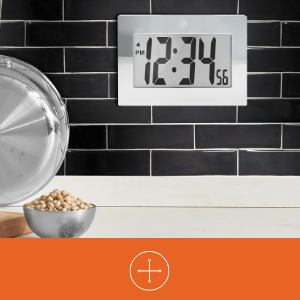
The MARATHON Large Digital Wall Clock (Model CL030064-BK-00-NA) is designed for clear time display with its high-contrast 7.5-inch LCD screen and large digits. This versatile clock can be used as a wall-mounted or desktop unit, suitable for various indoor environments such as offices, classrooms, labs, or homes. It includes an alarm function with snooze capability.

2. Safety Information
- Do not expose the clock to extreme temperatures, direct sunlight, or high humidity.
- Avoid dropping the clock or subjecting it to strong impacts.
- Keep batteries out of reach of children. If swallowed, seek medical attention immediately.
- Dispose of used batteries according to local regulations. Do not mix old and new batteries or different types of batteries.
- Clean the clock with a soft, dry cloth. Do not use abrasive cleaners or solvents.
3. Package Contents
- MARATHON Large Digital Wall Clock (Model CL030064-BK-00-NA)
- 3 x AAA Batteries (pre-installed or included separately)
4. Product Features
- Large Digital Display: High-contrast 7.5-inch LCD with 3.5-inch digits for easy readability.
- Versatile Placement: Integrated keyholes for wall mounting and a fold-out stand for desktop use.
- Alarm with Snooze: Features a loud, easy-to-set alarm with a snooze function.
- Battery Operated: Requires 3 AAA batteries (included).

5. Setup
5.1 Battery Installation
- Locate the battery compartment cover on the back of the clock.
- Remove the cover by sliding it down or lifting it off.
- Insert 3 new AAA batteries, ensuring the correct polarity (+ and -) as indicated inside the compartment.
- Replace the battery compartment cover.
5.2 Identifying Control Buttons
On the back of the clock, you will find the following buttons:
- MODE: Used to switch between time display, alarm setting, and other modes.
- ALARM ON/OFF (Bell Icon): Activates or deactivates the alarm.
- UP (Triangle Up): Increases values during setting.
- DOWN (Triangle Down): Decreases values during setting.
- SNOOZE: Located on the top or front, used to temporarily silence the alarm.
5.3 Setting the Time
- Press the MODE button once to enter time setting mode. The hour digits will flash.
- Use the UP or DOWN buttons to adjust the hour. Pay attention to AM/PM indicators.
- Press MODE again. The minute digits will flash.
- Use the UP or DOWN buttons to adjust the minutes.
- Press MODE a third time to confirm the time setting and return to normal display.
5.4 Setting the Alarm
- From the normal time display, press the MODE button twice to enter alarm setting mode. The alarm hour digits will flash, and an alarm icon (bell) may appear.
- Use the UP or DOWN buttons to adjust the alarm hour.
- Press MODE again. The alarm minute digits will flash.
- Use the UP or DOWN buttons to adjust the alarm minutes.
- Press MODE a third time to confirm the alarm setting.
- To activate the alarm, press the ALARM ON/OFF button. The alarm icon will remain visible on the display. Press it again to deactivate.
5.5 Mounting Options
The clock offers two convenient placement options:
- Wall Mount: Use the integrated keyholes on the back of the clock to hang it securely on a wall hook or screw.
- Desktop Placement: Extend the fold-out stand located on the back of the clock to place it on any flat surface.

6. Operating Instructions
6.1 Using the Alarm and Snooze
- When the alarm sounds, press the SNOOZE button (usually located on the top of the clock) to temporarily silence it. The alarm will sound again after a few minutes (typically 5-10 minutes).
- To turn off the alarm completely, press the ALARM ON/OFF button on the back of the clock. The alarm icon will disappear from the display.
7. Maintenance
7.1 Battery Replacement
When the display becomes dim or the clock stops functioning, it is time to replace the batteries. Follow the battery installation steps in Section 5.1.
7.2 Cleaning
Wipe the clock's surface with a soft, dry, or slightly damp cloth. Do not use chemical cleaners, as they may damage the finish or display.
8. Troubleshooting
| Problem | Possible Cause | Solution |
|---|---|---|
| Display is blank or dim. | Low or dead batteries. Incorrect battery installation. | Replace batteries with new AAA batteries, ensuring correct polarity. |
| Time is incorrect. | Time was not set correctly. | Refer to Section 5.3 to reset the time. |
| Alarm does not sound. | Alarm is not activated. Alarm time is incorrect. | Ensure the alarm icon is visible on the display (press ALARM ON/OFF button). Verify the alarm time setting (Section 5.4). |
| Snooze function not working. | Snooze button not pressed during alarm. | Press the SNOOZE button when the alarm is actively sounding. |
9. Specifications
| Feature | Detail |
|---|---|
| Brand | MARATHON |
| Model Number | CL030064-BK-00-NA |
| Display Type | Digital LCD |
| Display Size | 7.5-inch (diagonal) |
| Digit Height | 3.5 inches (9 cm) |
| Product Dimensions (W x H) | 9 inches x 6.5 inches (23 cm x 16.5 cm) |
| Power Source | 3 x AAA Batteries (included) |
| Mounting Type | Wall Mount, Desk Clock |
| Special Features | Alarm with Snooze, Integrated Keyholes, Fold-out Stand |
| Frame Material | Acrylonitrile Butadiene Styrene |
| Color | Black |
| Indoor/Outdoor Usage | Indoor |
| Item Weight | 11.2 ounces (318 grams) |

10. Warranty and Support
10.1 Warranty Information
This MARATHON product comes with a Limited Warranty. For specific details regarding the warranty period and coverage, please refer to the warranty card included with your purchase or contact MARATHON customer support.
10.2 Customer Support
If you encounter any issues or have questions about your MARATHON Large Digital Wall Clock that are not addressed in this manual, please contact MARATHON customer support. Contact information can typically be found on the product packaging or the official MARATHON website.