
Introduction
Thank you for choosing the Nulaxy KM20 Bluetooth FM Transmitter. This device allows you to stream music and make hands-free calls through your car's FM radio. It also features a voltmeter to monitor your car battery and a USB charging port. Please read this manual carefully before using the product to ensure proper operation and safety.
Safety Information
- Do not operate the device while driving. Always ensure your vehicle is stationary before making adjustments.
- Keep the device away from water, moisture, and extreme temperatures.
- Do not disassemble or attempt to repair the device yourself. This will void the warranty.
- Ensure the device is securely plugged into the car's cigarette lighter socket.
- Avoid prolonged exposure to direct sunlight, which may damage the LCD screen.
Package Contents
- Nulaxy KM20 Bluetooth FM Transmitter
- User Manual
- Auxiliary Audio Cable (if included in your package)
Product Overview

This image displays the Nulaxy KM20 Bluetooth FM Transmitter with various parts labeled for easy identification. Key components include the Display, TF Card slot, Frequency adjustment buttons (CH- / CH+), Mode button, Previous/Volume Down button, Play/Pause button, Next/Volume Up button, Phone button (for calls), USB Read Port, Aux input, and Charge Port.
- 1. Display: Shows FM frequency, Bluetooth status, song information, and car battery voltage.
- 2. TF Card Slot: For playing music directly from a MicroSD card.
- 3. CH- / CH+ Buttons: Short press to change FM frequency; long press for previous/next track.
- 4. Mode Button: Switches between Bluetooth, TF Card, and Aux input modes.
- 5. Play/Pause Button: Controls music playback.
- 6. Phone Button: Answers/ends calls, redials last number.
- 7. USB Read Port: For playing music from a USB flash drive.
- 8. Aux Input: For connecting external audio devices via a 3.5mm audio cable.
- 9. Charge Port (5V/2.1A): For charging mobile devices.
Setup
- 1. Plug In: Insert the Nulaxy KM20 into your car's cigarette lighter socket. The device will power on automatically and display the car battery voltage for a few seconds before showing the FM frequency.

Figure 2: Device Installation
This image shows the Nulaxy KM20 Bluetooth FM Transmitter securely plugged into a car's 12V power outlet, ready for operation. - 2. Adjust Angle: The flexible gooseneck allows you to adjust the device to a comfortable viewing and operating angle.
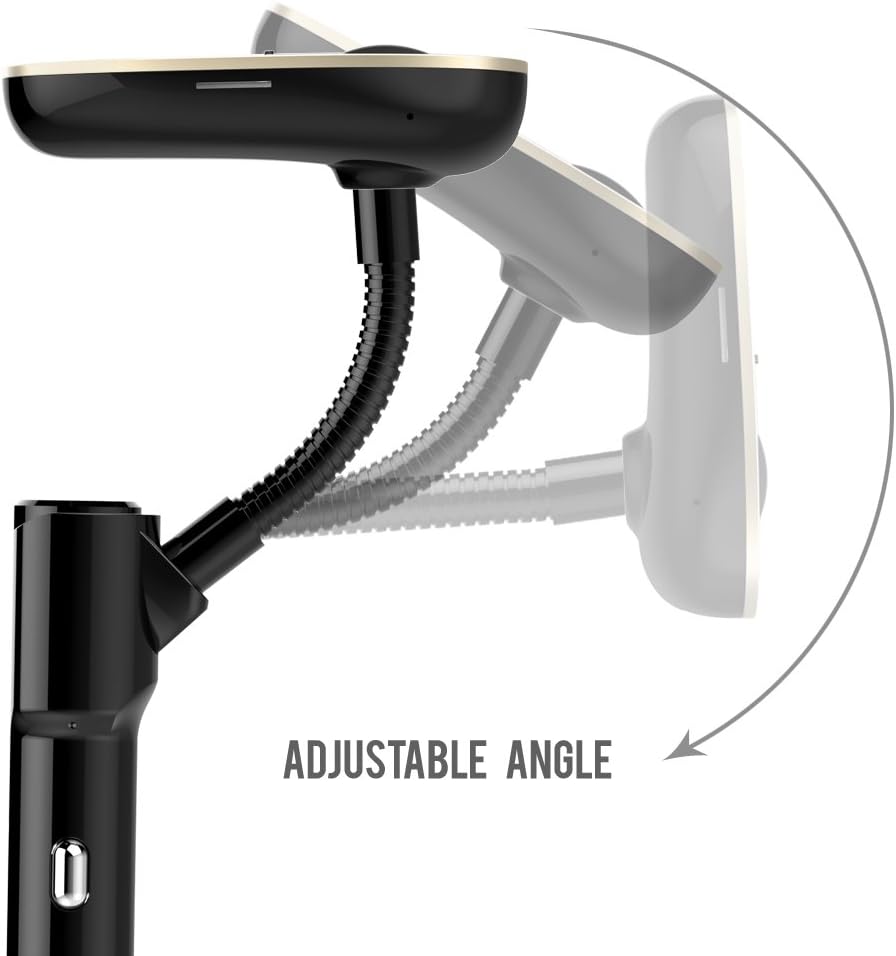
Figure 3: Adjustable Angle Feature
This image demonstrates the adjustable angle of the Nulaxy KM20, highlighting its flexible design for optimal positioning in the car. - 3. Set FM Frequency:
- Tune your car's FM radio to an empty frequency (one with no static or existing radio station).
- On the KM20, press the "CH-" or "CH+" buttons to match the FM frequency on the device with your car's radio. For best audio quality, choose a frequency that is completely clear.
Operating Instructions
Bluetooth Pairing
- Ensure the KM20 is powered on and in Bluetooth mode (indicated by a Bluetooth icon on the display). If not, press the "MODE" button to switch.
- On your mobile device, enable Bluetooth and search for available devices.
- Select "KM20" from the list of devices to pair. Once connected, the display will show "Bluetooth KM20 Connected".
- You can now stream audio from your mobile device to your car's speakers via the FM radio.
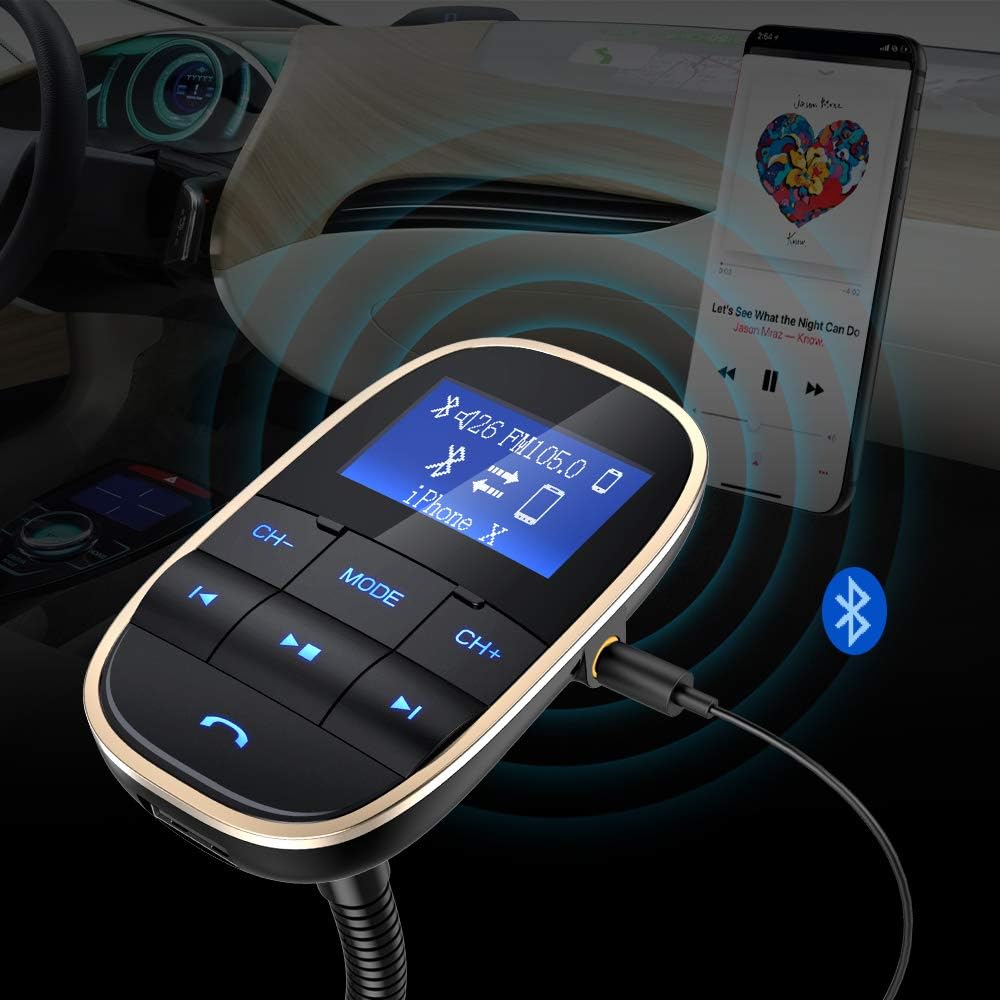
This image illustrates the Nulaxy KM20's ability to connect to a smartphone via Bluetooth for wireless audio streaming and also shows an auxiliary cable connection for wired audio input.
Music Playback
The KM20 supports multiple music playback sources:
- Bluetooth: Once paired, play music directly from your phone. Use the Play/Pause, Previous, and Next buttons on the KM20 to control playback.
- TF Card: Insert a MicroSD card (up to 32GB, FAT32 format) loaded with MP3/WMA/WAV/FLAC files into the TF card slot. The device will automatically switch to TF card mode and begin playing.
- USB Flash Drive: Insert a USB flash drive (up to 32GB, FAT32 format) loaded with MP3/WMA/WAV/FLAC files into the USB Read Port. The device will automatically switch to USB mode and begin playing.
- Aux Input: Connect your audio device (e.g., MP3 player) to the KM20's Aux input using a 3.5mm audio cable. Press the "MODE" button to switch to Aux mode.
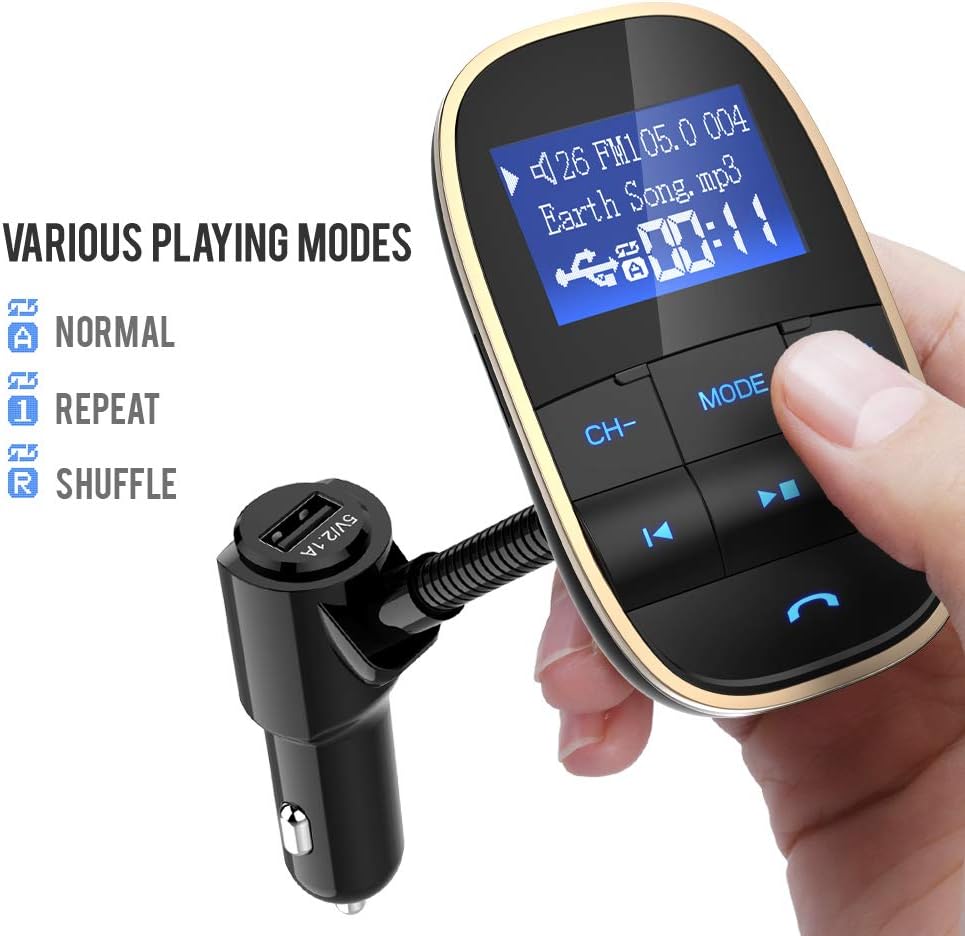
This image highlights the Nulaxy KM20's versatility, displaying options for Normal, Repeat, and Shuffle playback modes, indicating its capability to handle various audio sources.
Hands-Free Calling
- Answer Call: Press the "Phone" button once to answer an incoming call.
- End Call: Press the "Phone" button once during a call to hang up.
- Reject Call: Long press the "Phone" button to reject an incoming call.
- Redial: Double-press the "Phone" button to redial the last dialed number.
Voltmeter Function
The KM20 displays your car battery voltage upon startup. This feature helps you monitor the health of your car battery.
- Normal Voltage (Car On): 13.7V to 14.7V
- Normal Voltage (Car Off): 12.2V to 12.8V
- If the voltage is outside these ranges, it may indicate a battery issue.

This image shows the Nulaxy KM20's display indicating the car battery voltage, a key safety feature for monitoring vehicle electrical health.
Charging Devices
The KM20 features a 5V/2.1A USB charging port. Connect your mobile device's USB charging cable to this port to charge it while driving.
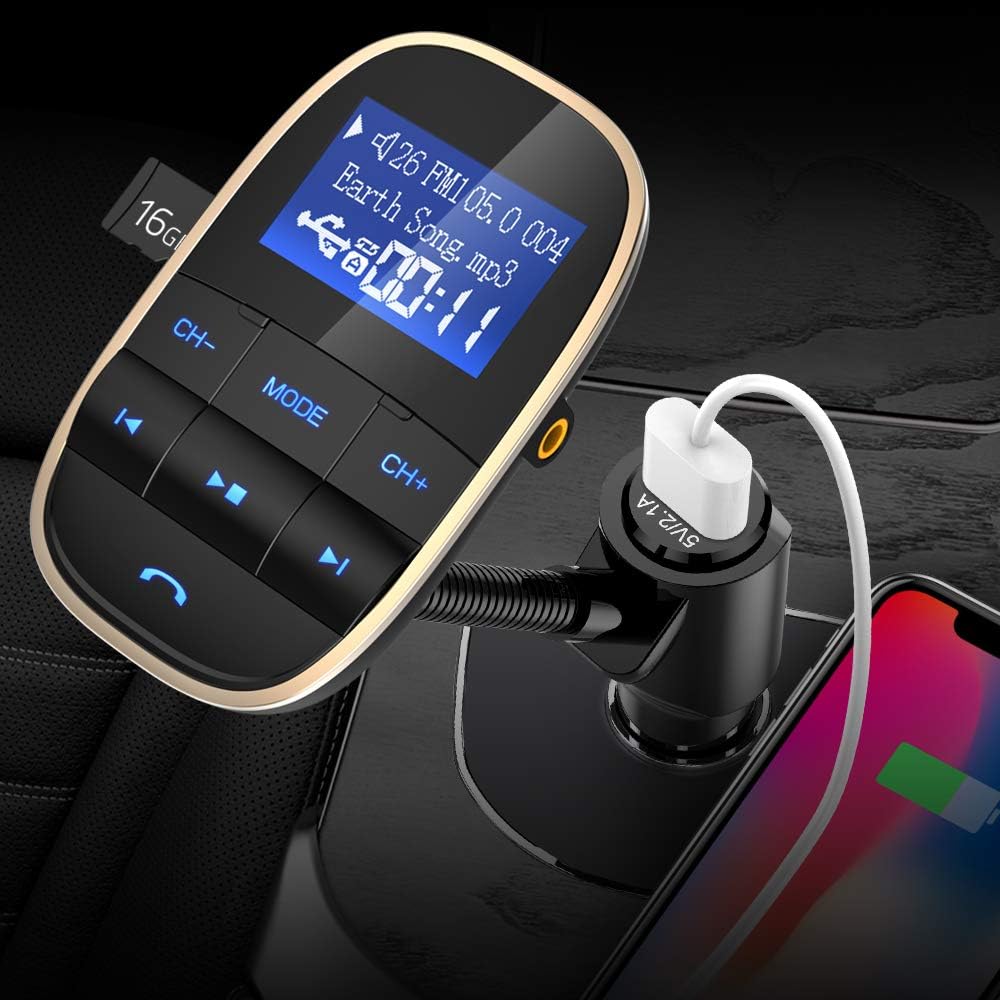
This image demonstrates the Nulaxy KM20's integrated USB charging port being used to charge a smartphone, highlighting its dual functionality.
Maintenance
- Clean the device with a soft, dry cloth. Do not use liquid cleaners or aerosols.
- Keep the device free from dust and debris, especially around the ports.
- Store the device in a cool, dry place when not in use for extended periods.
Troubleshooting
| Problem | Possible Cause | Solution |
|---|---|---|
| No power | Loose connection; Car cigarette lighter fuse blown. | Ensure the device is firmly plugged in. Check and replace car fuse if necessary. |
| Static/Poor audio quality | FM frequency interference; Volume too low/high. | Change to a clearer FM frequency. Adjust volume on both the device and car radio. |
| Cannot pair Bluetooth | Device not in pairing mode; Bluetooth not enabled on phone. | Ensure KM20 is in Bluetooth mode. Enable Bluetooth on your phone and search for "KM20". |
| Music not playing from TF card/USB | Incorrect file format; Card/drive not inserted correctly; Corrupted files. | Ensure files are MP3/WMA/WAV/FLAC. Reinsert card/drive. Try a different card/drive. |
Specifications
| Model Number | FBA KM20 Golden - 0001 |
| Product Dimensions | 7.49 x 4.57 x 16.51 cm |
| Item Weight | 172 g |
| Connectivity Technology | Bluetooth, USB |
| Power Source | DC (Car Cigarette Lighter) |
| USB Output | 5V/2.1A |
| Color | Gold |
Warranty and Support
Nulaxy products are designed and manufactured to the highest quality standards. For warranty information or technical support, please refer to the warranty card included with your purchase or visit the official Nulaxy website. Please retain your proof of purchase for warranty claims.
For further assistance, you may contact Nulaxy customer service through the contact information provided on their official website or through the retailer where you purchased the product.