
1. Product Overview
The Proster Turntable Stylus Force Tracking Scale is a precision instrument designed to accurately measure the tracking force of your turntable's stylus. Proper stylus force is crucial for optimal audio playback, minimizing record wear, and extending the life of your cartridge. This digital gauge provides highly sensitive measurements within a 5-gram range with 0.01g accuracy, suitable for various cartridge types including MM, MC, MI, and piezoelectric acoustical pickups.
Key features include a large LCD screen with backlight for easy reading, multiple weighing units, automatic power-off for battery conservation, and a compact design for portability.

Figure 1.1: The Proster Turntable Stylus Force Tracking Scale with its protective cover and a 5g calibration weight.
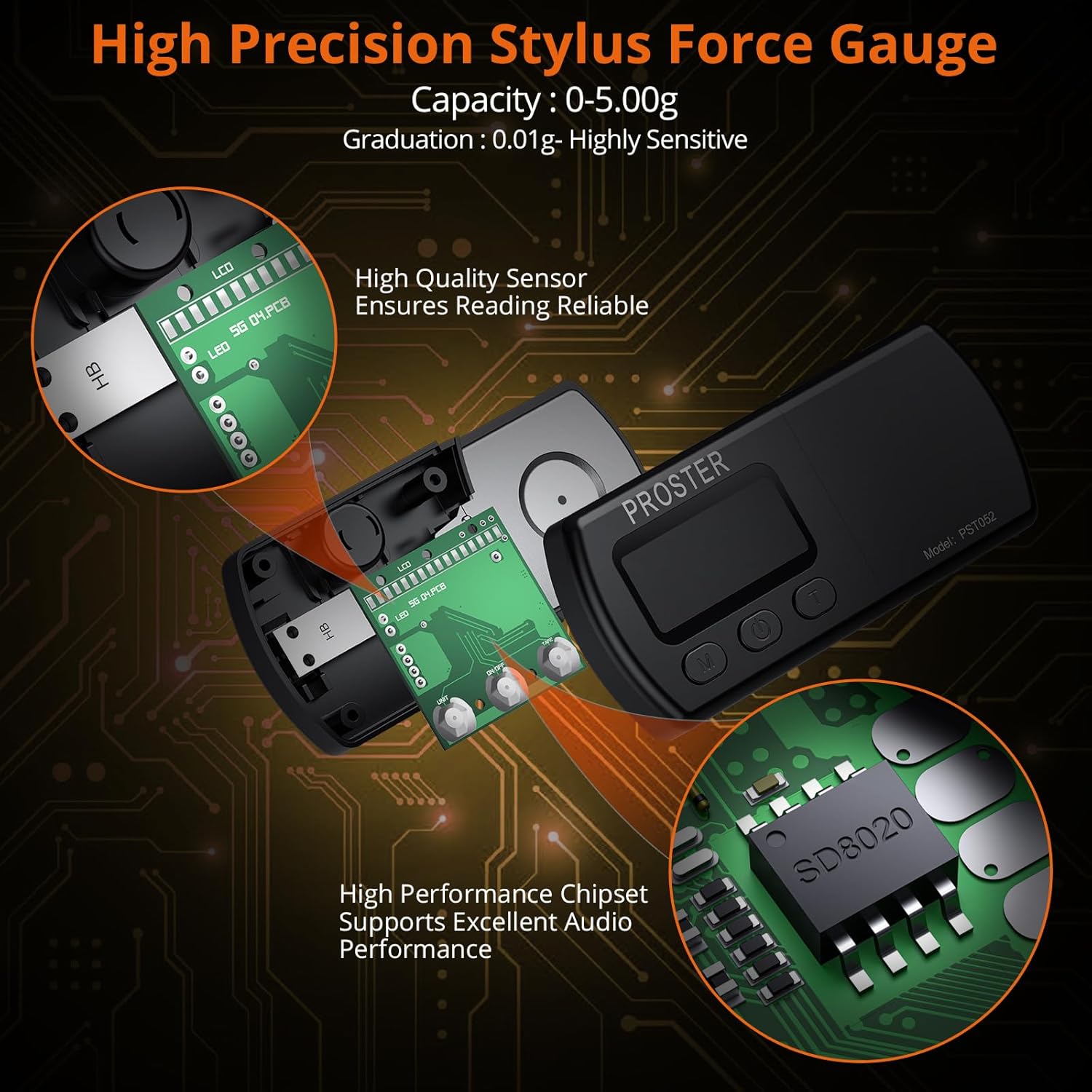
Figure 1.2: Internal view highlighting the high-quality sensor and high-performance chipset, ensuring reliable and accurate readings.
2. Setup
2.1 Package Contents
Before proceeding with setup, ensure all items are present in the package:
- 1 x Digital Stylus Force Scale Gauge
- 1 x 5g Calibration Weight
- 4 x 1.5V Button Batteries (Note: Some packaging may indicate 2 or 3 Lithium Cell Ag12 batteries; please refer to the actual batteries included.)
- 1 x Leatherette Protective Case
- 1 x User Manual
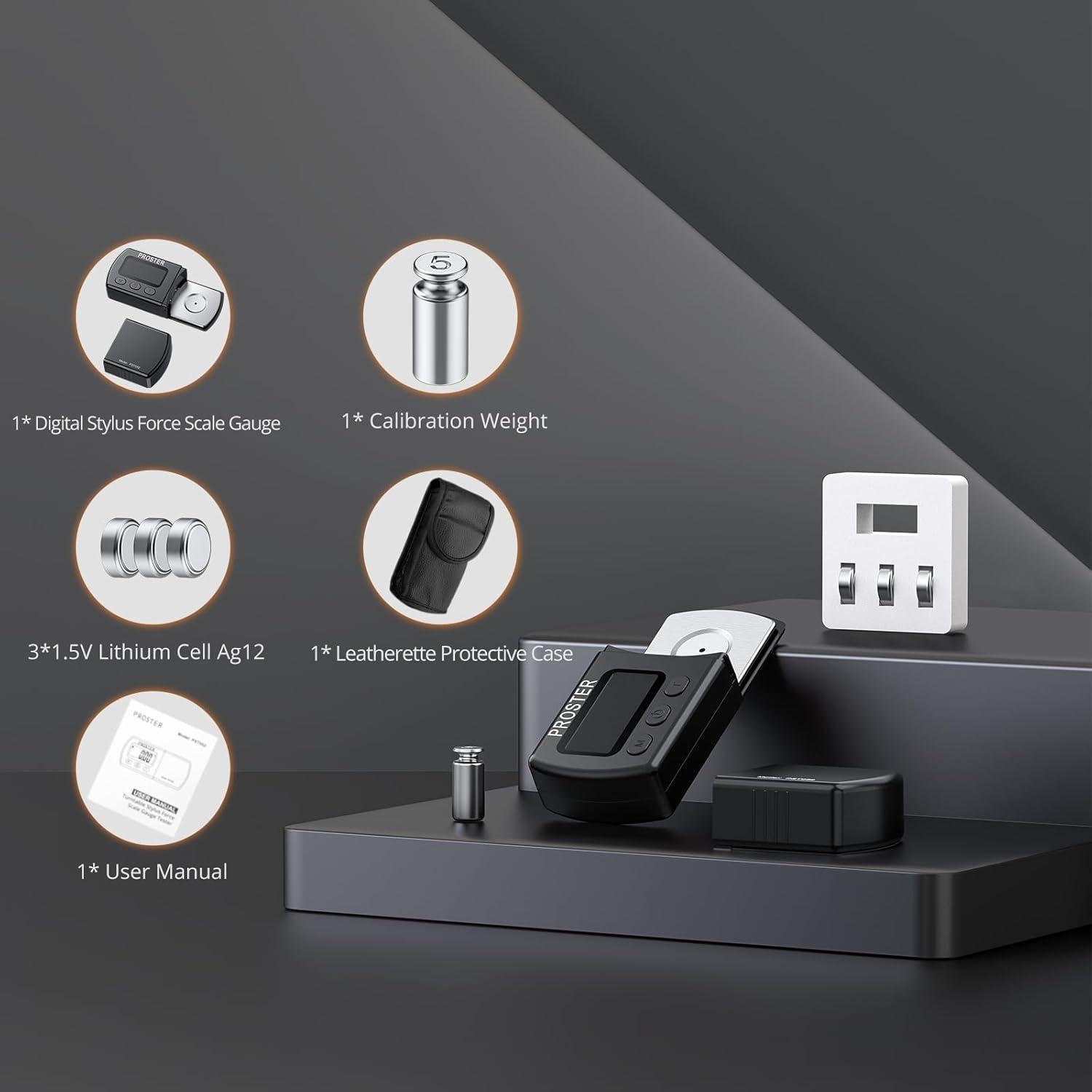
Figure 2.1: Illustration of the typical package contents.
2.2 Battery Installation
- Locate the battery compartment on the underside of the scale. Refer to Figure 2.2, item 6.
- Gently slide open the battery cover.
- Insert the 4 x 1.5V button batteries, ensuring correct polarity (+/-) as indicated inside the compartment.
- Close the battery cover securely.

Figure 2.2: Labeled components of the stylus force gauge, including the battery cover (6).
2.3 Calibration
For accurate measurements, it is recommended to calibrate the scale before first use and periodically thereafter.
- Place the scale on a stable, level surface.
- Press the ON/OFF button (Figure 2.2, item 2) to turn on the scale.
- Wait for the display to show "0.00g".
- Place the included 5g calibration weight precisely on the center of the weighing platform (Figure 2.2, item 4).
- The display should read "5.00g". If it does not, press and hold the T (Tare) button (Figure 2.2, item 3) for a few seconds until "CAL" appears, then release.
- The display will then show "5.00g". If it still doesn't, repeat the process.
- Remove the calibration weight. The display should return to "0.00g". The scale is now calibrated.

Figure 2.3: The 5g calibration weight is essential for maintaining measurement accuracy.
3. Operation
3.1 Basic Functions
- Power ON/OFF: Press the ON/OFF button (Figure 2.2, item 2) to turn the scale on or off. The scale will automatically turn off after 2 minutes of inactivity to conserve battery life.
- Unit Conversion: Press the M (Mode) button (Figure 2.2, item 1) to cycle through available weighing units: grams (g), ounces (oz), troy ounces (ozt), taels (TL), carats (ct), and grains (GN).
- Tare Function: Press the T (Tare) button (Figure 2.2, item 3) to reset the display to "0.00g". This is useful if you need to measure the stylus force with a protective cover or other accessory on the platform, allowing you to zero out its weight.
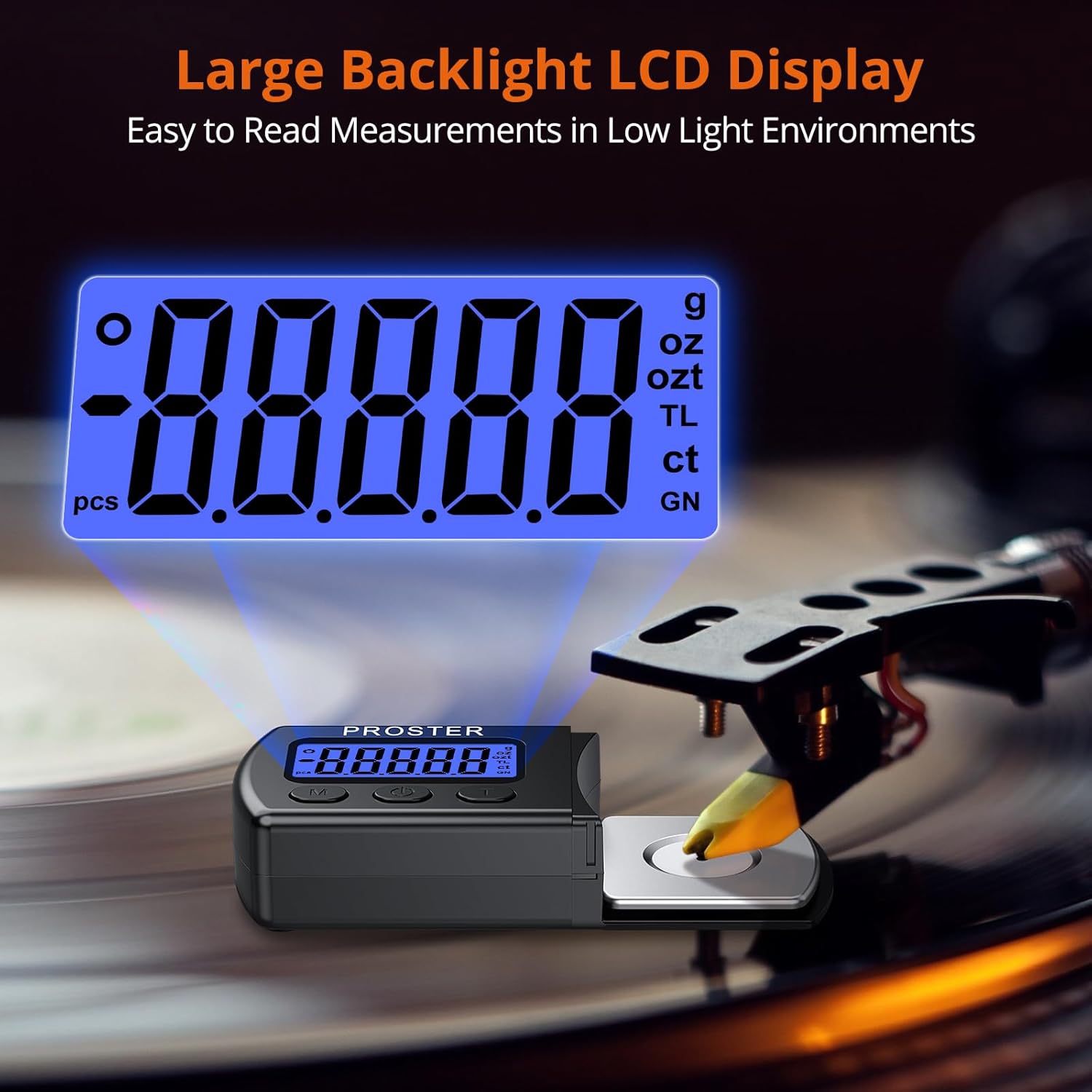
Figure 3.1: The large backlit LCD display provides clear readings in various lighting conditions.
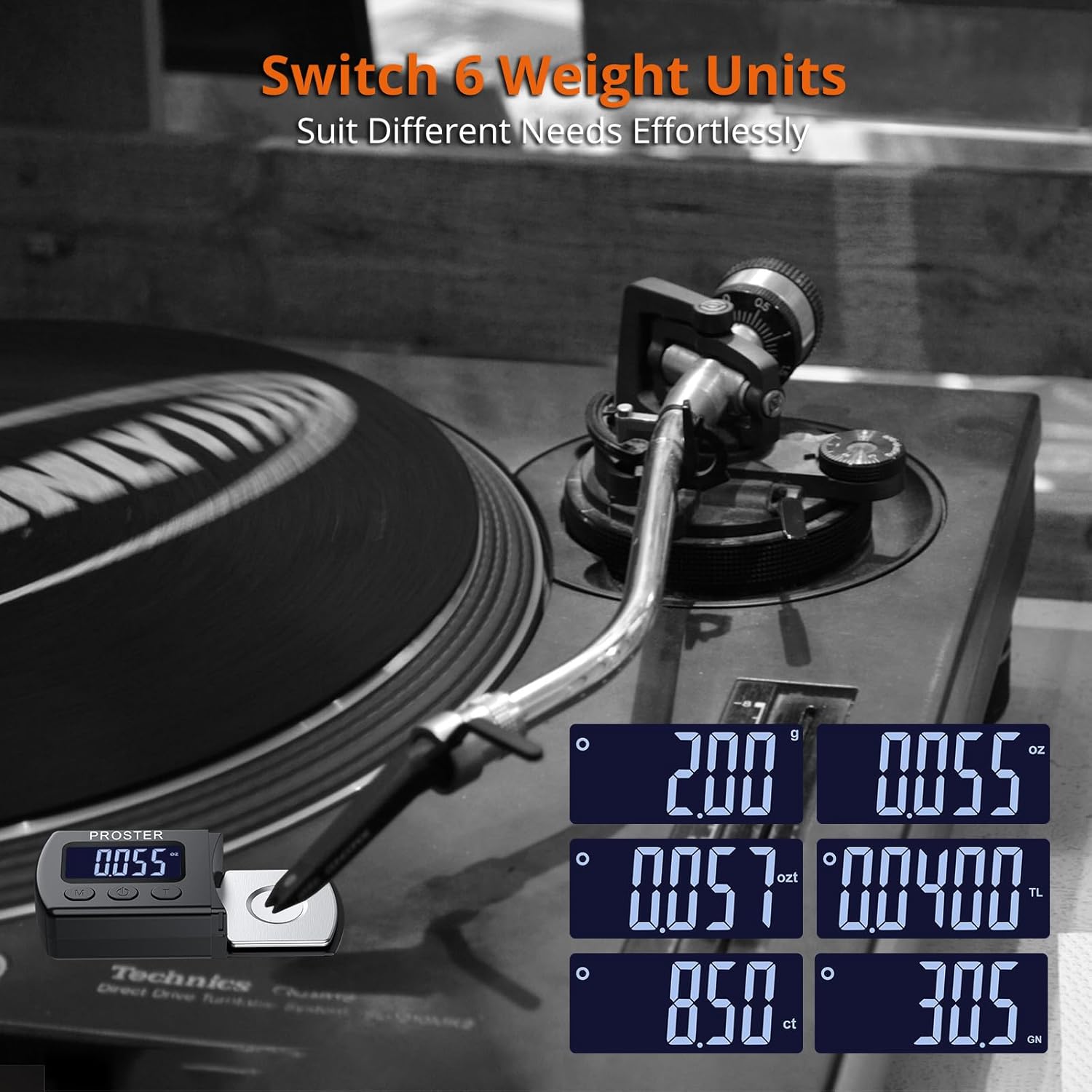
Figure 3.2: The scale supports multiple weight units for diverse measurement needs.
3.2 Measuring Stylus Tracking Force
Follow these steps to accurately measure your turntable's stylus tracking force:
- Ensure your turntable is powered off and the platter is stationary.
- Place the stylus force gauge on the turntable platter, ensuring it is level and stable. Position it so the weighing platform is directly under where the stylus will rest.
- Turn on the stylus force gauge by pressing the ON/OFF button. Wait for the display to show "0.00g".
- Carefully lower the turntable's tonearm so that the stylus tip rests gently on the center of the weighing platform. Ensure the stylus is not touching any other part of the scale or turntable.
- Read the measurement displayed on the LCD screen. This is your current stylus tracking force.
- Adjust your turntable's tonearm counterweight or anti-skate settings as needed to achieve the recommended tracking force for your specific cartridge. Refer to your cartridge manufacturer's specifications for the optimal tracking force range.
- Once adjusted, carefully lift the tonearm from the scale.
- Turn off the scale by pressing the ON/OFF button.

Figure 3.3: Proper placement of the stylus on the weighing platform for accurate measurement.
4. Maintenance
4.1 Cleaning
To ensure the longevity and accuracy of your stylus force gauge:
- Wipe the scale with a soft, dry cloth.
- Do not use abrasive cleaners or immerse the device in water.
- Keep the weighing platform clean and free of dust or debris, as this can affect accuracy.
4.2 Storage
When not in use, store the stylus force gauge in its provided leatherette protective case to prevent damage from dust, scratches, or impacts. Store in a cool, dry place away from direct sunlight and extreme temperatures.
Figure 4.1: The included leatherette case provides protection during storage and transport.
4.3 Battery Replacement
If the display becomes dim or the scale does not turn on, it may be time to replace the batteries. Follow the battery installation steps in Section 2.2.
5. Troubleshooting
| Problem | Possible Cause | Solution |
|---|---|---|
| Scale does not turn on. | Dead or incorrectly installed batteries. | Replace batteries, ensuring correct polarity. |
| Inaccurate readings. |
|
|
| Display shows "O-Ld" or "Err". | Overload or error. | Remove the weight immediately. Ensure the weight does not exceed 5g. |
| Display is dim or flickering. | Low battery power. | Replace batteries. |
6. Specifications
- Model Number: 4334354493
- Capacity: 0 - 5.00 g
- Graduation: 0.01 g
- Units: g, oz, ozt, TL, ct, GN
- Power: 4 x 1.5V Button Batteries (LR44/AG13 equivalent)
- Automatic Shut-off: 2 minutes of inactivity
- Item Weight: Approximately 3.17 ounces (90 grams)
- Package Dimensions: 5.2 x 4.17 x 0.98 inches (13.2 x 10.6 x 2.5 cm)
- Product Dimensions: 96 x 43 x 20 mm (3.78 x 1.69 x 0.79 inches)
- Display: LCD with blue backlight

Figure 6.1: Visual representation of product dimensions and package contents.
7. Warranty and Support
Specific warranty information for the Proster Turntable Stylus Force Tracking Scale is not provided in this manual. For warranty details, technical support, or customer service inquiries, please visit the official Proster website or contact their customer support directly.
You can often find support information on the product packaging or through the retailer where the product was purchased.
Proster Official Store: Visit Proster Store on Amazon