
1. Introduction and Overview
The Wildgame Innovations R12i20-7 is a 360-degree digital trail camera designed for comprehensive wildlife monitoring. It captures high-quality 12-megapixel images and 720p video with audio, featuring a rapid trigger speed of less than 1.5 seconds and a 70-foot infrared illumination range for clear night vision. The camera incorporates Lightsout Technology for undetectable operation and FlexTime+ Time Lapse for extended observation. Its durable, TRUbark textured housing is weather-resistant, making it suitable for various outdoor conditions.
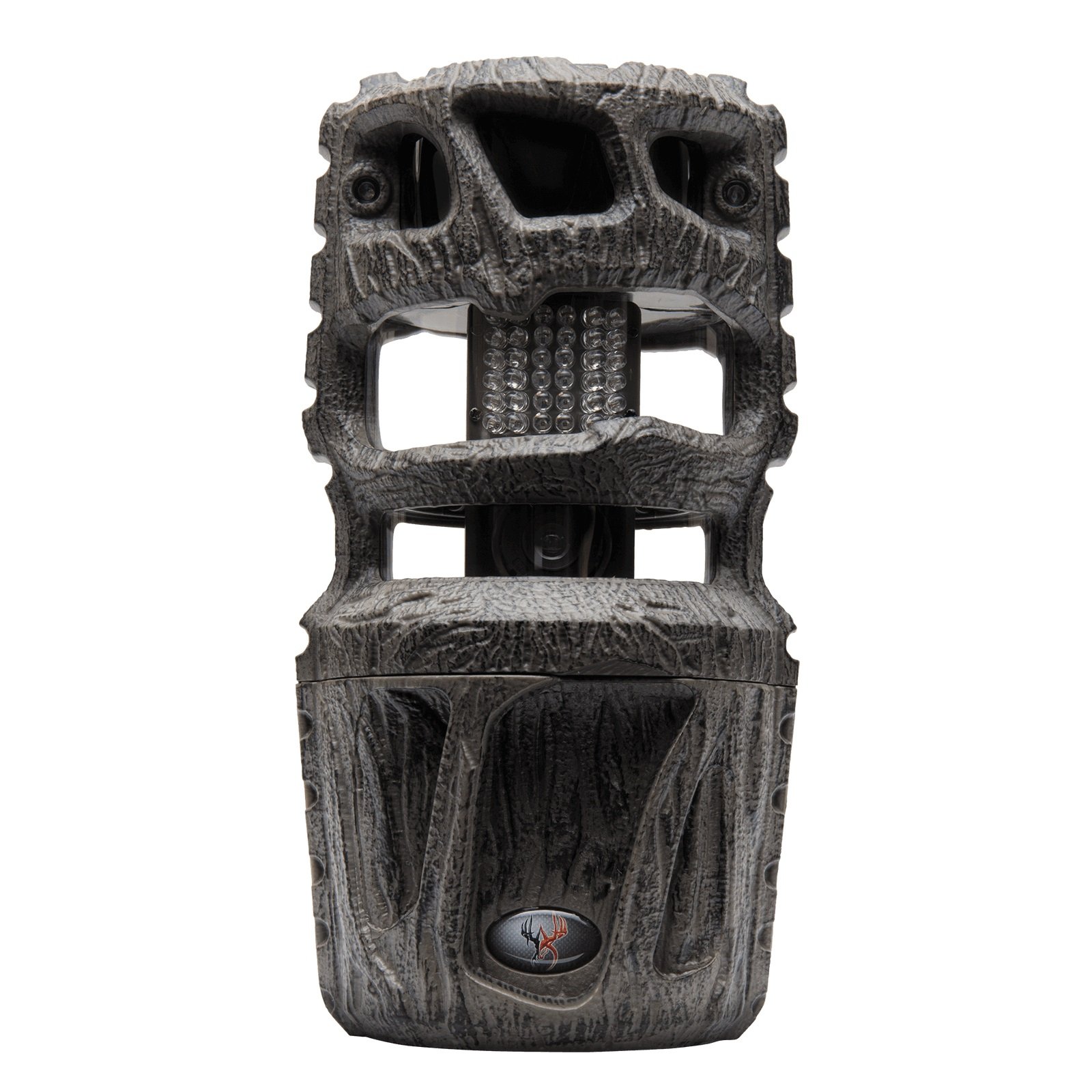
2. Setup
2.1 Battery Installation
The camera requires 8 AA batteries (not included) for operation. For optimal performance, use high-quality alkaline or lithium batteries.
- Open the battery compartment located on the side or bottom of the camera.
- Insert 8 AA batteries, ensuring correct polarity (+/-) as indicated inside the compartment.
- Securely close the battery compartment door to maintain weather resistance.
2.2 SD Card Installation
The camera supports SD/SDHC cards up to 32 GB. A memory card is essential for storing images and videos.
- Locate the SD card slot, typically near the battery compartment or behind the control panel.
- Insert the SD card with the metal contacts facing down until it clicks into place.
- To remove, push the card in gently until it springs out.
2.3 Mounting the Camera
The R12i20-7 offers versatile mounting options, including a custom T-post mounting bracket and an adjustable strap.
- T-Post Mounting: Attach the camera to a T-post using the provided bracket system. Ensure the camera is stable and pointed in the desired direction.
- Strap Mounting: Use the adjustable strap to secure the camera to a tree or fence post. Thread the strap through the designated slots on the camera's back and tighten it firmly.
- Position the camera at an appropriate height (typically 3-6 feet off the ground) to capture the target area effectively.

2.4 Initial Settings
After installing batteries and an SD card, power on the camera to configure basic settings.
- Turn the camera ON using the power switch.
- Access the menu via the control panel and set the current date and time. This ensures accurate timestamps on your captured media.
- Format the SD card through the camera's menu to ensure compatibility and clear any previous data.
3. Operating Instructions
The R12i20-7 offers various modes and features for capturing wildlife activity.
3.1 Powering On and Off
Use the designated power switch to turn the camera ON or OFF. Ensure the camera is OFF when performing maintenance or changing settings to prevent data loss or damage.
3.2 Navigating the Menu
The camera features a built-in color TFT viewer and a control panel with 'OK' and arrow buttons for menu navigation. Use these to adjust settings such as:
- PIR Mode: Set to Still (photos), Video, or Both.
- PIR Active: Choose 24 HR, Day, or Night.
- Exposure: Adjust for High, Medium, or Low light conditions.
- Still Resolution: Select 12 MP for high-quality images.
- Video Resolution: Set to 720p for HD video.
- Delay: Configure the time interval between triggers.
3.3 Photo and Video Modes
The camera captures 12-megapixel still images and 720p HD video with audio (up to 30-second clips). The 360-degree field of view ensures comprehensive coverage of the monitored area.
3.4 Lightsout Technology
This feature utilizes a super quiet infrared system with a 70-foot illumination range, allowing the camera to capture clear night images and videos without emitting visible light, thus remaining undetected by wildlife.
3.5 FlexTime+ Time Lapse
Utilize FlexTime+ for time-lapse photography, capturing images at set intervals over an extended period, providing a broad overview of activity in a specific location.
4. Maintenance
Proper maintenance ensures the longevity and optimal performance of your trail camera.
4.1 Battery Replacement
Regularly check battery levels via the camera's display. Replace all 8 AA batteries simultaneously when they are low to ensure consistent power. Do not mix old and new batteries or different battery types.
4.2 SD Card Management
Periodically format your SD card using the camera's menu to prevent data corruption and ensure maximum storage efficiency. Back up important photos and videos to a computer before formatting.
4.3 Cleaning and Care
Gently clean the camera lens and PIR sensors with a soft, lint-free cloth. Avoid using abrasive cleaners or solvents. Keep the camera free from dirt, dust, and debris, especially around seals and openings.
4.4 Weather Resistance
The R12i20-7 has an IP65 waterproof rating, indicating protection against dust and low-pressure water jets. Ensure all compartment doors are securely closed to maintain its weather-resistant properties.
5. Troubleshooting
If you encounter issues with your camera, refer to the following common solutions:
- Camera not powering on: Check battery installation and ensure batteries are fresh.
- No images/videos captured: Verify the SD card is inserted correctly and formatted. Check PIR mode settings and ensure the camera is armed.
- Poor image/video quality: Clean the lens and ensure adequate lighting or proper night vision settings. Check for obstructions in front of the camera.
- Short battery life: Use high-quality batteries. Reduce the frequency of captures or video length if possible.
- False triggers: Adjust camera placement to avoid moving branches or excessive sunlight. Adjust PIR sensitivity if available.
6. Specifications
| Feature | Specification |
|---|---|
| Model Number | R12i20-7 |
| Effective Still Resolution | 12 MP |
| Video Capture Resolution | 720p |
| Field Of View | 360 Degrees |
| Illumination Range | 70 ft. (Infrared) |
| Trigger Speed | Less than 1.5 seconds |
| Memory Type | SD/SDHC (up to 32 GB) |
| Power Source | 8 AA Batteries (not included) |
| Waterproof Rating | IP65 |
| Connectivity Technology | Wireless (Wi-Fi) |
| Control Method | Remote |
| Item Dimensions | 13 x 6.25 x 4.75 inches |
| Item Weight | 2 Pounds |
| Material | Polypropylene |
7. Warranty and Support
7.1 Warranty Information
The Wildgame Innovations R12i20-7 Trail Camera comes with a Limited Lifetime Warranty. Please refer to the official Wildgame Innovations website or your purchase documentation for specific terms and conditions of the warranty.
7.2 Customer Support
For further assistance, technical support, or warranty claims, please contact Wildgame Innovations customer service. Contact information can typically be found on the manufacturer's website or in the product packaging.