
1. Product Overview
The MARATHON Jumbo 12 Inch Analog Wall Clock is designed for clear timekeeping with added convenience features. It boasts a silent, continuous-sweep second hand, eliminating ticking sounds, and an auto-night light that illuminates the dial in low-light conditions. Its large, easy-to-read dial makes it suitable for various room types, including bedrooms.

Figure 1: Front view of the MARATHON Jumbo 12 Inch Analog Wall Clock, showcasing its large, clear dial and classic design.
Key Features:
- Silent Smooth Sweep: Engineered with a silent, continuous-sweep second hand quartz movement, ensuring no ticking sound.
- Auto-Night Light: An ambient light sensor automatically triggers a soft glow to illuminate the dial when placed in low light environments.
- Large Dial: Features an easy-to-read dial that can be viewed clearly from across a room.
- Dimensions: Measures 11.75 inches wide by 11.75 inches tall and 2 inches thick, making it a substantial presence.
- Batteries Included: Comes with one AA battery for the clock movement and two C batteries for the night light feature.
2. Setup
2.1 Battery Installation
The clock requires one AA battery for the timekeeping mechanism and two C batteries for the auto-night light feature. All required batteries are included with your purchase.
- Locate the battery compartments on the back of the clock. There is one compartment for the AA battery (for clock movement) and another for the two C batteries (for night light).
- Insert one AA battery into its designated slot, ensuring correct polarity (+/-).
- Insert two C batteries into their designated slot, ensuring correct polarity (+/-).
- Replace the battery compartment covers securely.
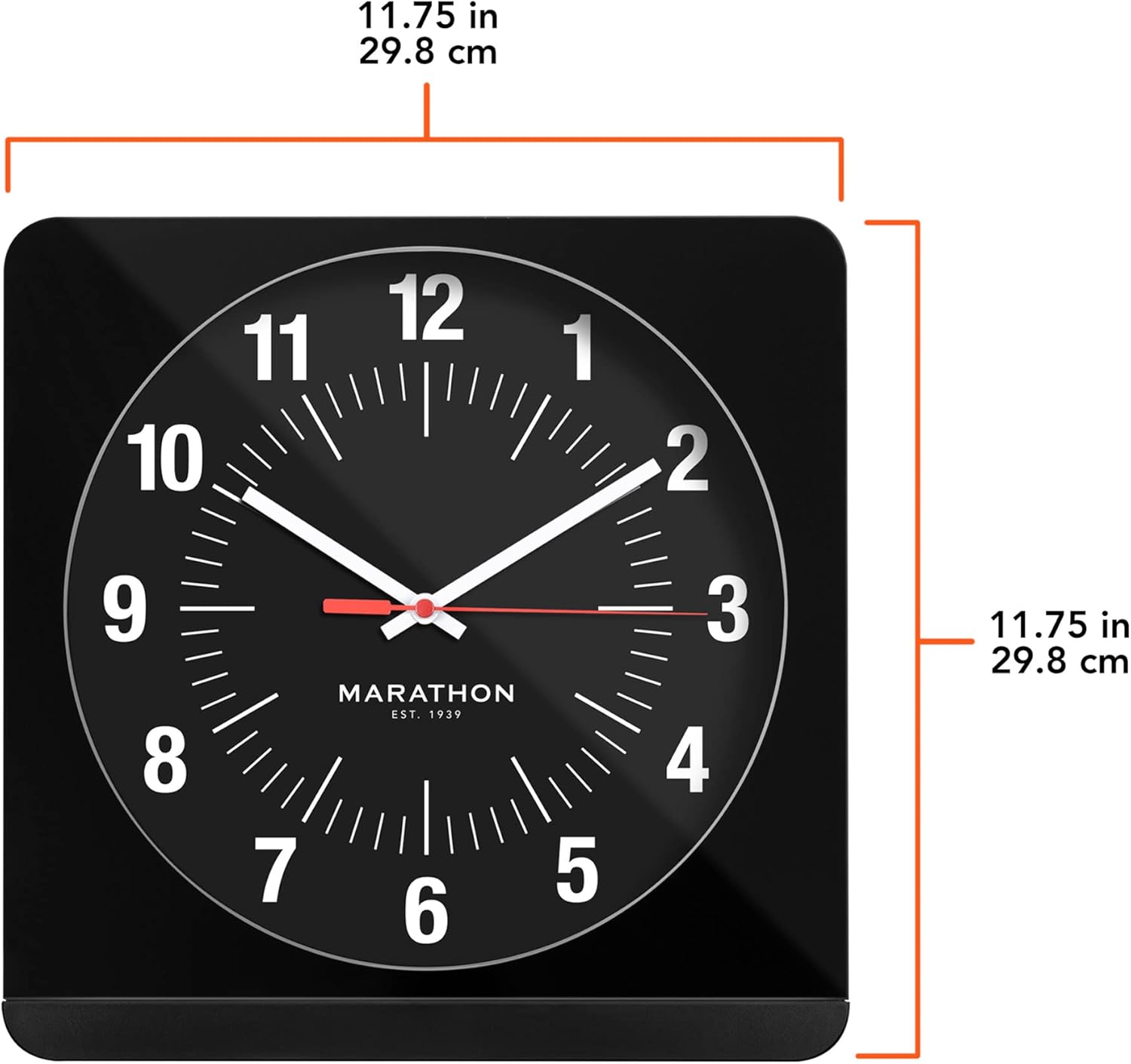
Figure 2: Rear view of the clock, illustrating the battery compartments and the wall mounting slot.
2.2 Setting the Time
To set the time, locate the time-setting knob on the back of the clock, typically near the AA battery compartment.
- Gently turn the time-setting knob clockwise or counter-clockwise until the hour and minute hands display the correct time.
- Ensure the second hand begins to sweep smoothly after setting the time.

Figure 3: Diagram highlighting the large dial, auto-night light, and silent sweep features, along with general ease of use.
2.3 Mounting Options
The MARATHON clock offers versatile placement options:
- Wall Mount: Use the integrated hanging slot on the back of the clock to securely mount it on a wall using a suitable screw or hook (not included).
- Desk/Surface Placement: The clock's design allows it to stand freely on any flat surface, such as a desk, shelf, or nightstand.

Figure 4: The clock displayed on a wall in a home office setting, demonstrating its wall-mounting capability.
3. Operating Instructions
3.1 Silent Sweep Movement
The clock features a continuous-sweep second hand, which moves smoothly without the traditional ticking sound. This ensures a quiet environment, ideal for bedrooms, offices, or any space where silence is preferred.
3.2 Auto-Night Light Function
The integrated ambient light sensor automatically activates a soft backlight on the clock face when the surrounding light levels are low. This allows for easy time reading in the dark without needing to manually turn on a light.
- The night light will automatically turn on as the room darkens and turn off as it brightens.
- Ensure the C batteries are properly installed for this feature to function.
- There is an On/Off switch for the night light feature located on the back of the clock, allowing you to disable it if not desired.

Figure 5: The clock's auto-night light feature providing soft illumination in a low-light environment.
4. Maintenance
4.1 Battery Replacement
To ensure optimal performance, replace batteries as needed. The clock movement (AA battery) and night light (C batteries) operate independently.
- If the clock stops keeping time, replace the AA battery.
- If the night light becomes dim or stops working, replace both C batteries.
- Always use fresh, high-quality batteries of the specified type.
- Dispose of old batteries responsibly according to local regulations.
4.2 Cleaning
To clean the clock, gently wipe the surface with a soft, dry cloth. Avoid using abrasive cleaners, solvents, or excessive moisture, as these can damage the finish or internal components.
5. Troubleshooting
| Problem | Possible Cause | Solution |
|---|---|---|
| Clock not keeping accurate time or stops. | Low or dead AA battery; mechanical issue. | Replace the AA battery with a fresh one. If the problem persists, contact customer support. |
| Night light is dim or not working. | Low or dead C batteries; night light switch is OFF; ambient light is too bright. | Replace the C batteries. Ensure the night light switch on the back is set to ON. Test in a darker environment. |
| Second hand stops intermittently. | Low AA battery; internal mechanism issue. | Replace the AA battery. If the issue continues, the clock may have a defect and should be replaced or serviced under warranty. |
| Time setting knob is loose or broken. | Physical damage. | This indicates a manufacturing defect or damage. Contact customer support for assistance. |
6. Specifications
| Feature | Detail |
|---|---|
| Brand | MARATHON |
| Model Number | CL030057-BK-BK-NA |
| Display Type | Analog |
| Movement Type | Quartz (Silent Sweep) |
| Dimensions (W x H x D) | 11.75" x 11.75" x 2" (29.8 cm x 29.8 cm x 5.08 cm) |
| Item Weight | 2.81 pounds (44.96 ounces) |
| Power Source | Battery Powered |
| Batteries Required | 1 x AA (for clock), 2 x C (for night light) |
| Material | Metal, Plastic |
| Color | Black & Black - Commercial Edition |
| Mounting Type | Wall Mount |
| Indoor/Outdoor Usage | Indoor |
Figure 6: Visual representation of the clock's dimensions.
7. Warranty and Support
7.1 Warranty Information
The MARATHON Jumbo 12 Inch Analog Wall Clock comes with a Limited Warranty from the manufacturer, MARATHON. Please refer to the warranty card included in your product packaging for specific terms, conditions, and duration of coverage.
7.2 Customer Support
For technical assistance, troubleshooting, or warranty claims, please contact MARATHON customer support:
- Website: www.MarathonWatch.com
- Phone: 1-800-822-4329
When contacting support, please have your product model number (CL030057-BK-BK-NA) and purchase information readily available.


