
1. Introduction
Thank you for choosing the ENEGON EN-EL14/EN-EL14a Replacement Battery and Rapid Charger Kit. This kit provides a reliable power solution for your Nikon DSLR camera, ensuring extended shooting and recording times. This manual will guide you through the setup, operation, and maintenance of your new battery and charger kit.
2. What's in the Box
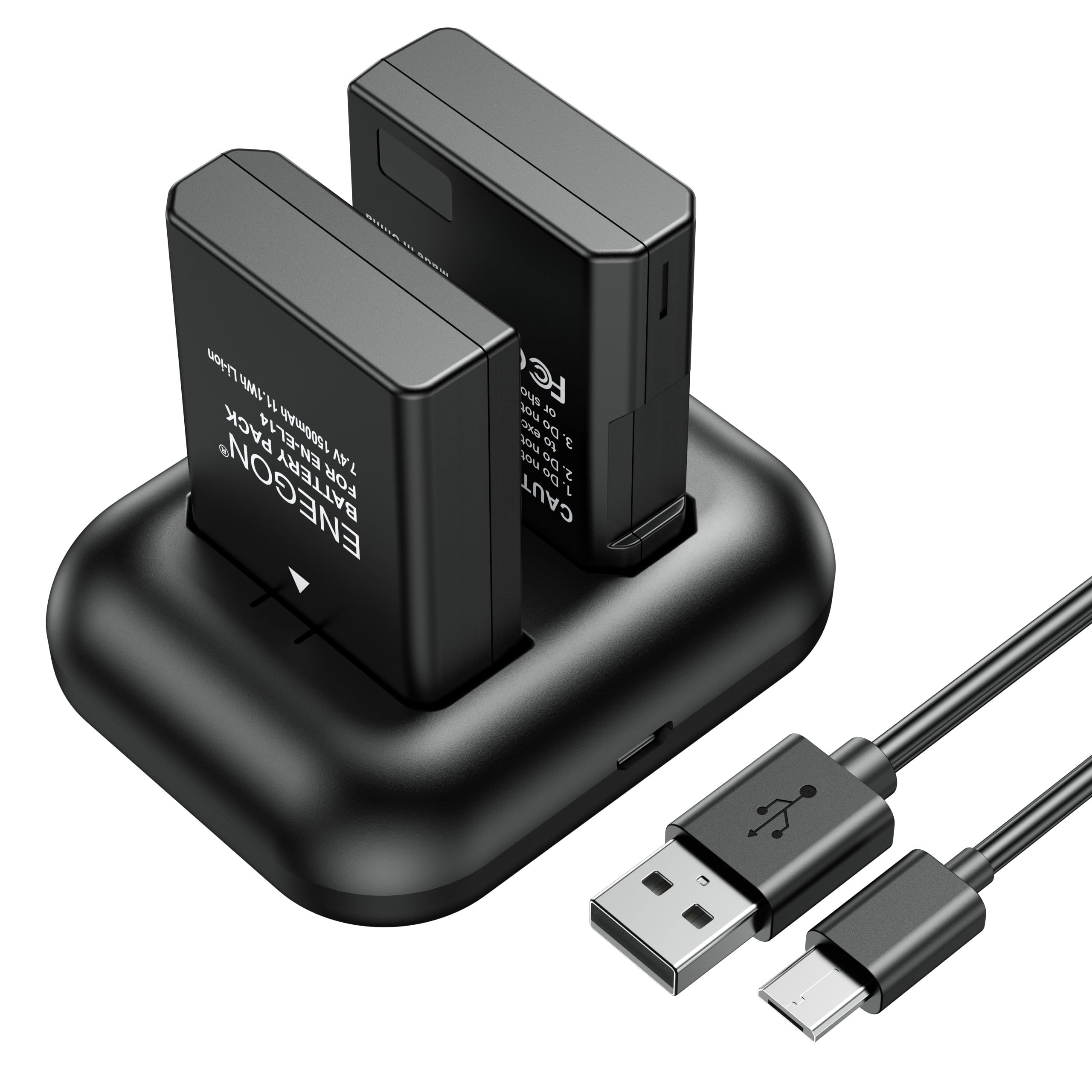
- 2 x ENEGON EN-EL14/EN-EL14a Replacement Batteries (1500mAh)
- 1 x Rapid Dual Battery Charger
- 1 x Micro-USB Cable
3. Setup
3.1 Installing Batteries into the Charger
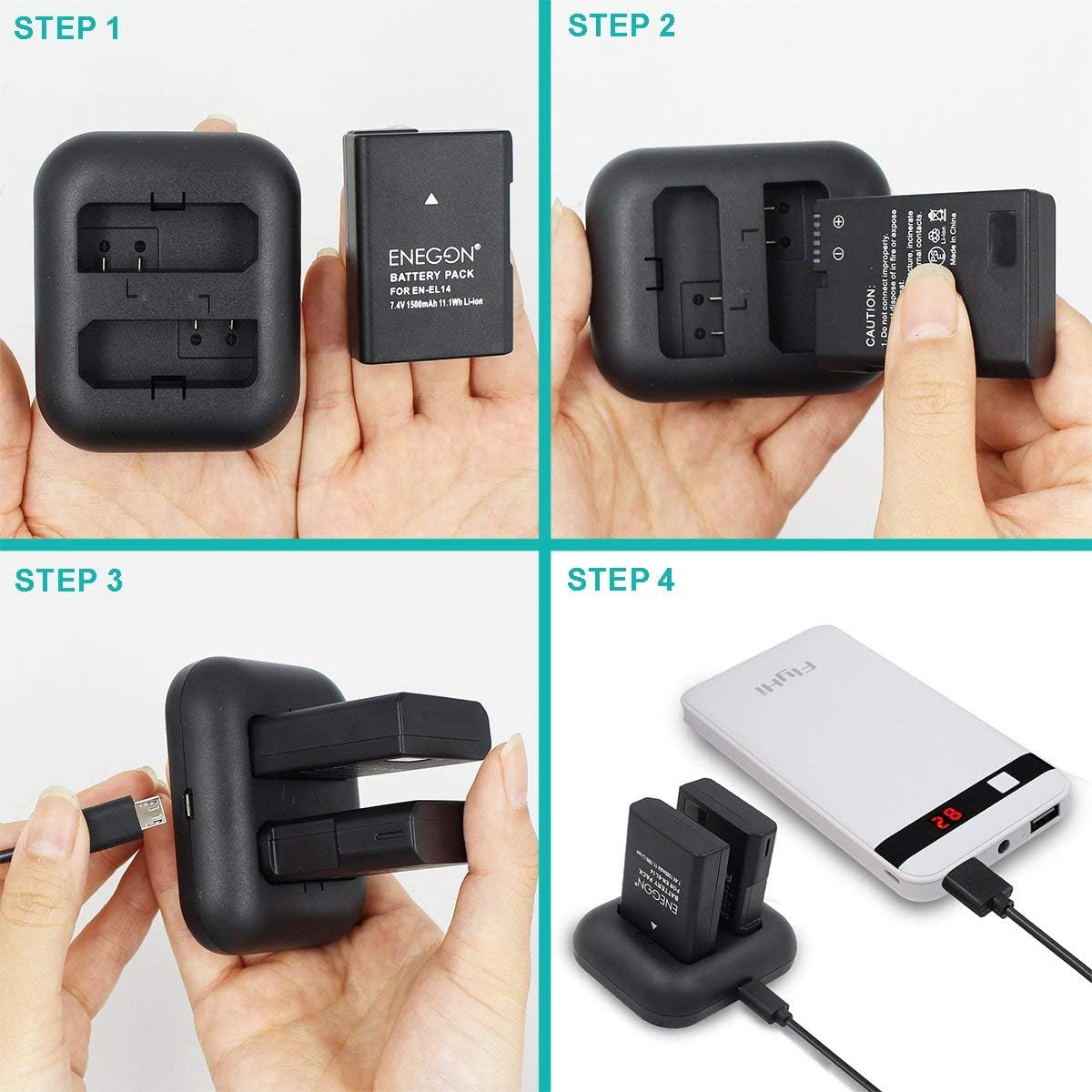
- Connect the Micro-USB cable to the charger's input port.
- Insert the ENEGON EN-EL14/EN-EL14a batteries into the designated slots on the dual charger. Ensure the battery contacts align correctly with the charger pins.
- Connect the USB cable to a power source (e.g., USB wall adapter, car charger, power bank, or computer USB port).
3.2 Initial Battery Charge
It is recommended to fully charge the batteries before their first use to optimize performance and lifespan.
4. Operating Instructions
4.1 Charging Process
The ENEGON Rapid Dual Charger is designed to charge two EN-EL14/EN-EL14a batteries simultaneously.
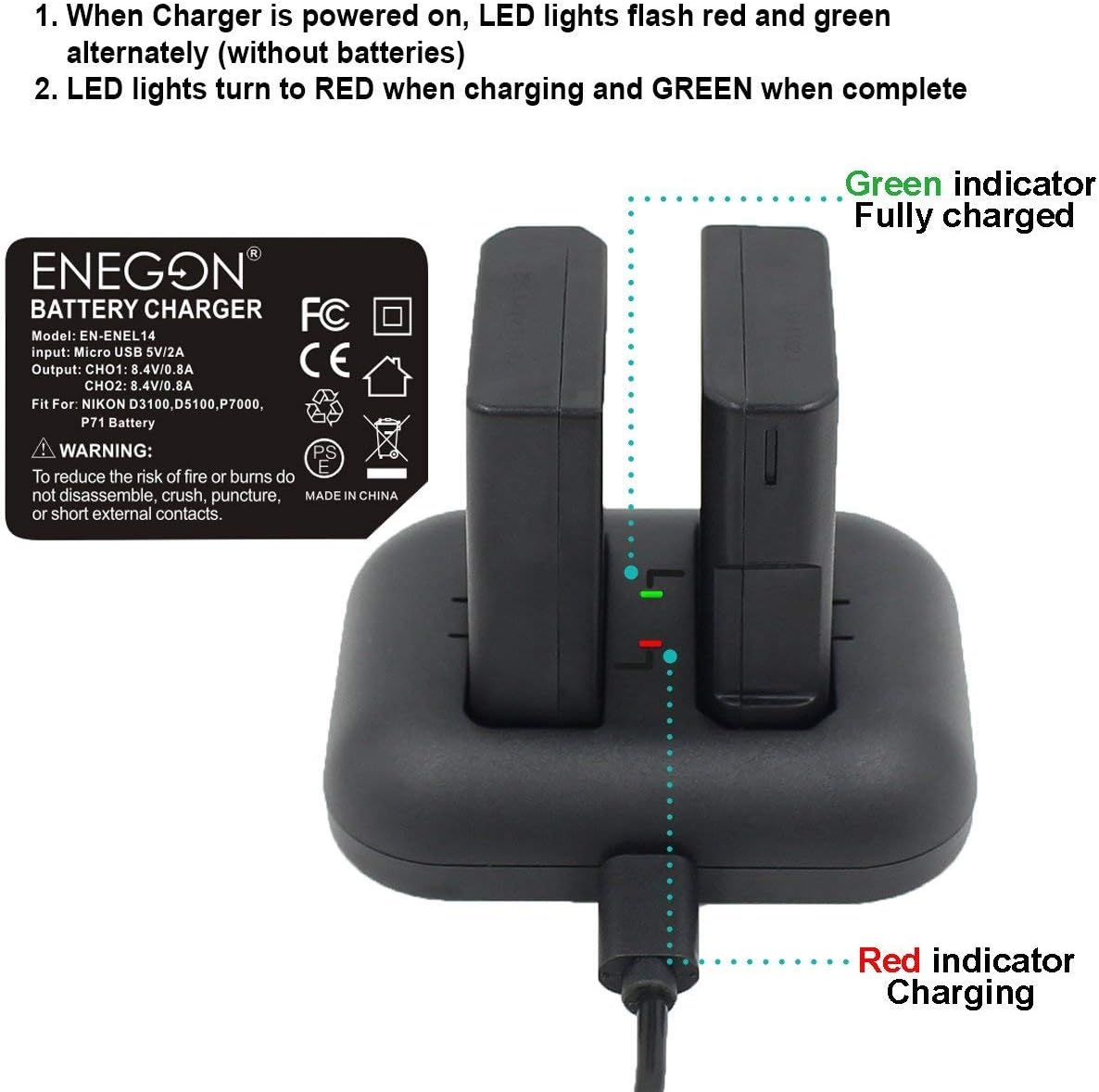
- When the charger is powered on without batteries, the LED lights will flash red and green alternately.
- When batteries are inserted and charging, the LED lights will turn RED.
- Once charging is complete, the LED lights will turn GREEN.
4.2 Multiple Charging Options
The charger supports various USB power sources for convenience:
- By Car Charger
- By PC Charging
- By Wall Charger
- By Power Bank

5. Compatibility
The ENEGON EN-EL14/EN-EL14a Replacement Batteries are fully compatible with the following Nikon camera models:
- Nikon D3100
- Nikon D3200
- Nikon D3300
- Nikon D3400
- Nikon D3500
- Nikon D5100
- Nikon D5200
- Nikon D5300
- Nikon D5500
- Nikon Coolpix P7000
- Nikon Coolpix P7100
- Nikon Coolpix P7700
- Nikon Coolpix P7800

6. Safety Guidelines
WARNING: To reduce the risk of fire or burns, please follow these instructions carefully.
- Do not connect improperly.
- Do not dispose of in fire or expose to excess heat.
- Do not crush, puncture, incinerate, or short circuit external contacts.
- Built-in multiple circuit protection (over-charging, short-circuit, high-temperature, and surge protection) and fire-resistant construction ensure safety.

7. Maintenance
- Store batteries in a cool, dry place when not in use.
- Avoid exposing batteries or charger to extreme temperatures or direct sunlight.
- Clean battery contacts and charger pins periodically with a dry, soft cloth to ensure optimal connection.
- Do not disassemble the batteries or charger.
8. Troubleshooting
| Problem | Possible Cause | Solution |
|---|---|---|
| Batteries not charging | Loose connection; faulty cable/power source; dirty contacts | Ensure cable is securely connected. Try a different USB cable or power source. Clean battery and charger contacts. |
| LED indicators not working | Charger not powered; faulty charger | Verify power connection. If still not working, contact customer service. |
| Short battery life in camera | Battery not fully charged; old battery; camera settings | Ensure batteries are fully charged (green LED). Consider replacing very old batteries. Check camera power-saving settings. |
9. Specifications
| Feature | Detail |
|---|---|
| Brand | ENEGON |
| Model | EN-EN-EL14 (Battery) |
| Battery Capacity | 1500 mAh |
| Battery Cell Composition | Lithium Ion |
| Charger Input | 5V/2A (Micro-USB) |
| Charger Output | 8.4V/0.8A*2 |
| Number of Charger Ports | 2 |
| Product Dimensions | 5 x 5 x 5 cm (approximate) |
| Product Weight | 130 g (approximate) |
10. Warranty & Support
This ENEGON product comes with an 18-month manufacturer warranty. For any questions, concerns, or support needs, please contact our customer service. We offer 24-hour customer service to assist you.
For more information or to contact support, please visit the official ENEGON Store: ENEGON Store on Amazon.


