
Bell+Howell 1436
Bell + Howell Light BAR User Manual
Model: 1436
Introduction
The Bell + Howell Light BAR is a versatile, rechargeable, and portable LED lamp designed to provide bright illumination for various situations. Featuring 60 LED bulbs and two brightness modes, it is ideal for power outages, camping, roadside emergencies, and general home use. Its lightweight design, built-in folding stand, and hanger offer convenient hands-free operation and portability.
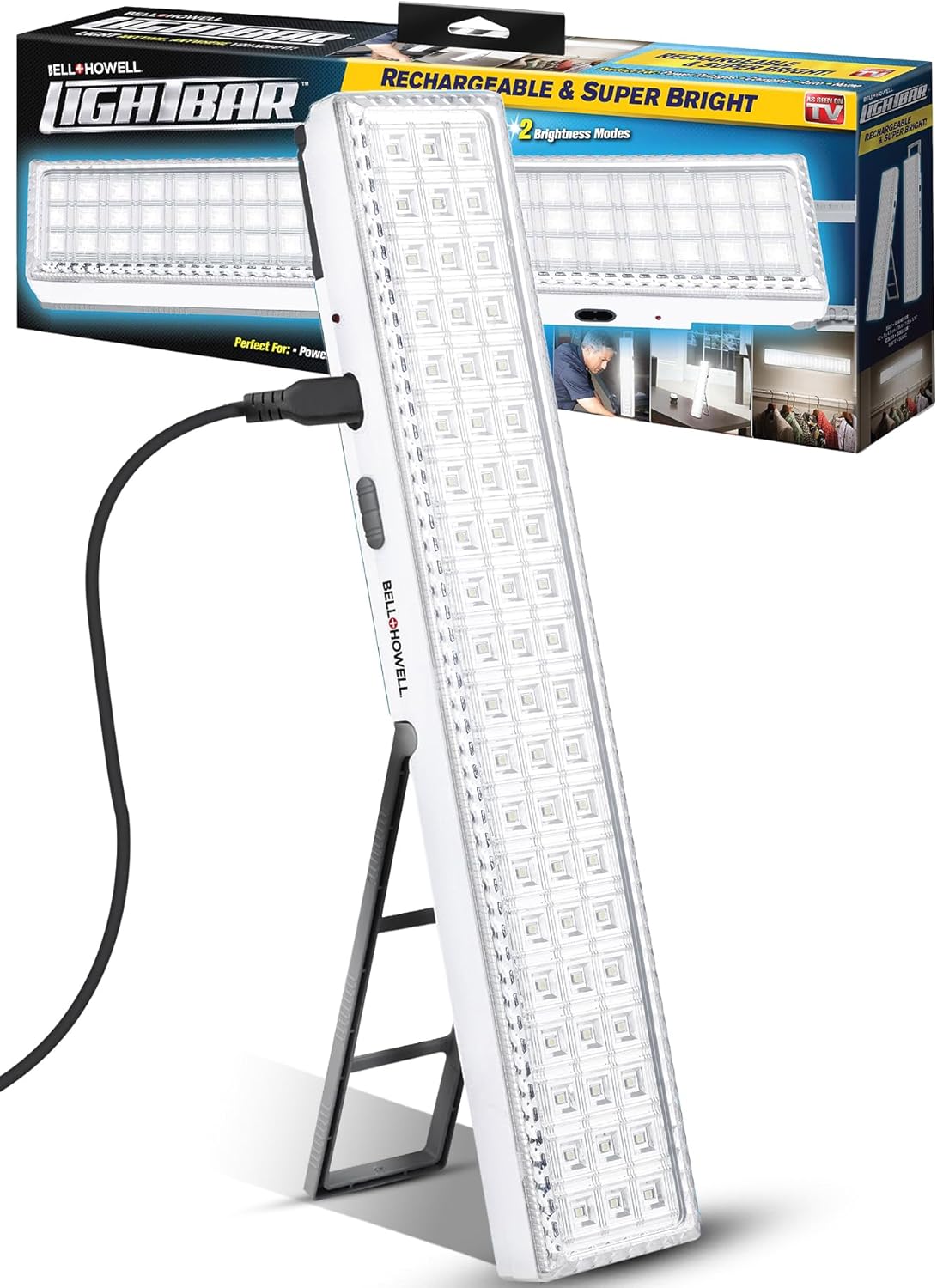
Image: The Bell + Howell Light BAR, showcasing its sleek design, charging port, and the included AC adapter. The product packaging is visible in the background, highlighting its key features.
Setup
Package Contents
- Bell + Howell Light BAR (16.5-inches, 720-Lumens, Built-in 60-LED Bulbs)
- AC Adapter for recharging
Initial Charging
Before first use, fully charge the Light BAR. Connect the included AC adapter to the Light BAR's outlet port and plug it into a standard wall outlet. The power indicator light will illuminate during charging. A full charge typically takes several hours. Ensure the unit is fully charged to maximize battery life and performance.
Setting Up the Stand and Hanger
The Light BAR features a built-in folding stand and a hanger for versatile placement. To use the stand, simply unfold it from the back of the unit until it locks into place, allowing the Light BAR to stand upright on a flat surface. For hanging, extend the integrated hanger at the top of the unit and suspend it from a hook or suitable fixture.

Image: A visual representation of the Bell + Howell Light BAR's collapsible stand and integrated hook, demonstrating its lightweight and portable design for various uses.
Operating Instructions
Powering On/Off and Brightness Modes
Locate the sliding dual-mode switch on the side of the Light BAR. Slide the switch to select your desired brightness mode:
- BRIGHT Mode: Provides standard illumination for general use.
- INSANE Mode: Activates the maximum 720-lumen output for greater visibility and intense brightness.
To turn the unit off, slide the switch to the 'Off' position.

Image: A detailed view of the Light BAR's controls, including the power indicator, charging port, and the sliding switch for selecting between Bright and Insane modes.
Automatic On/Off Sensor
The Light BAR is equipped with a built-in sensor that can automatically power it on during emergencies or power outages, ensuring you are never left in the dark. This feature is particularly useful for maintaining illumination when primary power sources fail.

Image: The Light BAR illuminating a kitchen during a simulated power outage, demonstrating its automatic activation feature and superior brightness compared to a standard flashlight.
Versatile Usage
The portable design and multiple features make the Light BAR suitable for various applications:
- Power Outages: Provides essential light when electricity is unavailable.
- Camping Trips: Offers bright, portable illumination for outdoor activities.
- Roadside Emergencies: Enhances visibility during unexpected vehicle breakdowns.
- Home Use: Ideal for work areas, closets, or as an auxiliary light source.

Image: The Light BAR being used in diverse environments, including illuminating a car engine, providing light during a camping trip, and serving as a general light source in a home.

Image: The Light BAR demonstrating its utility as a rechargeable work light in various settings, such as a workshop, near an electrical panel, during computer maintenance, and for reading.
Maintenance
Charging the Battery
To maintain optimal performance, recharge the Light BAR regularly. The built-in rechargeable battery can last for hours of use when fully charged. Always use the provided AC adapter for charging. The battery is designed for long-term storage, capable of holding a charge for years, ensuring it's ready when needed.
Cleaning
To clean the Light BAR, wipe it with a soft, damp cloth. Do not use abrasive cleaners or immerse the unit in water. Ensure the unit is dry before charging or storing.
Troubleshooting
Light BAR Not Turning On or Dim
- Check Battery Charge: Ensure the unit is fully charged. Connect the AC adapter and allow sufficient time for charging.
- Verify Power Outlet: Confirm that the wall outlet used for charging is functional.
- Switch Position: Make sure the sliding dual-mode switch is set to either 'BRIGHT' or 'INSANE' mode, not 'Off'.
Charging Indicator Light Stays On
In some instances, the charging indicator light may remain illuminated even after the battery is fully charged. This does not necessarily indicate a fault. If the unit has been charging for the recommended duration (e.g., 24 hours for initial charge), it is likely fully charged despite the light remaining on. Disconnect the charger and test the unit's operation.
Specifications
| Product Dimensions | 43.79 x 15.24 x 5.08 cm |
| Item Weight | 454 g |
| Model Number | 1436 |
| Bulb Type | LED (60 individual LEDs) |
| Lumen Output | 720 Lumens (Insane Mode) |
| Brightness Modes | 2 (Bright, Insane) |
| Power Source | Battery Powered (Rechargeable Lithium Metal battery) |
| Material | Plastic |
| Color | White |

Image: The Bell + Howell Light BAR emitting a powerful beam of light in a dark outdoor setting, illustrating its 720-lumen output and visibility from a distance.
Warranty and Support
For information regarding warranty coverage, product support, or service inquiries, please refer to the documentation included with your product packaging or contact Bell+Howell customer service directly. Contact details can typically be found on the manufacturer's official website or on the product's retail packaging.
Related documents1436


Ask a question about this manual
Ask about setup, troubleshooting, compatibility, parts, safety, or missing instructions. Manuals+ will review the question and use this page’s manual context to help answer it.