
3M 34784
3M 34784 260L Series Dust Free Abrasive Disc User Manual
Model: 34784 | Brand: 3M
1. Introduction
This manual provides instructions for the proper use and maintenance of the 3M 34784 260L Series Dust Free Abrasive Disc. This product is designed for achieving a high-quality finish on various surfaces, particularly in automotive applications.
The 3M Hookit purple finishing film abrasive disc 260L features an updated coating that levels surface defects on clear coat and greatly reduces pigtails. Its aluminum oxide abrasive cuts fast, lasts a long time, resists loading with or without hole pattern designs, and leaves a consistent, easy-to-polish finish. The 3M Hookit attachment system facilitates fast and easy disc change-outs.
2. Safety Information
Always wear appropriate personal protective equipment (PPE) including eye protection, dust masks, and gloves when using abrasive products. Ensure adequate ventilation in the work area. Refer to the safety data sheet (SDS) for complete safety information.
3. Setup
3.1 Unpacking
Carefully remove the abrasive discs from their packaging. Inspect the discs for any signs of damage before use.
3.2 Attaching the Disc
- Ensure your sanding tool is turned off and disconnected from its power source.
- Clean the backup pad of your sanding tool to ensure proper adhesion.
- Align the 3M 34784 Abrasive Disc with the backup pad. The Hookit attachment system allows for quick and secure fastening.
- Press the disc firmly onto the backup pad to ensure full contact and prevent slippage during operation.
Image: A 3M Hookit Abrasive Disc being attached to a sanding tool's backup pad, demonstrating the hook and loop system.
4. Operating Instructions
4.1 Surface Preparation
Ensure the surface to be sanded is clean and free from loose debris. For optimal results, start with a coarser grit if significant material removal is required, then progress to finer grits like P1500 for finishing.
4.2 Sanding Technique
- Connect your sanding tool to its power source.
- Start the sander before making contact with the workpiece.
- Apply light, even pressure. Excessive pressure can reduce disc life and lead to an inconsistent finish.
- Move the sander in a consistent pattern across the surface to ensure uniform sanding. Avoid dwelling in one spot.
- The P1500 grit is ideal for leveling orange peel, dust nibs, or paint runs in various automotive paints, preparing the surface for polishing.
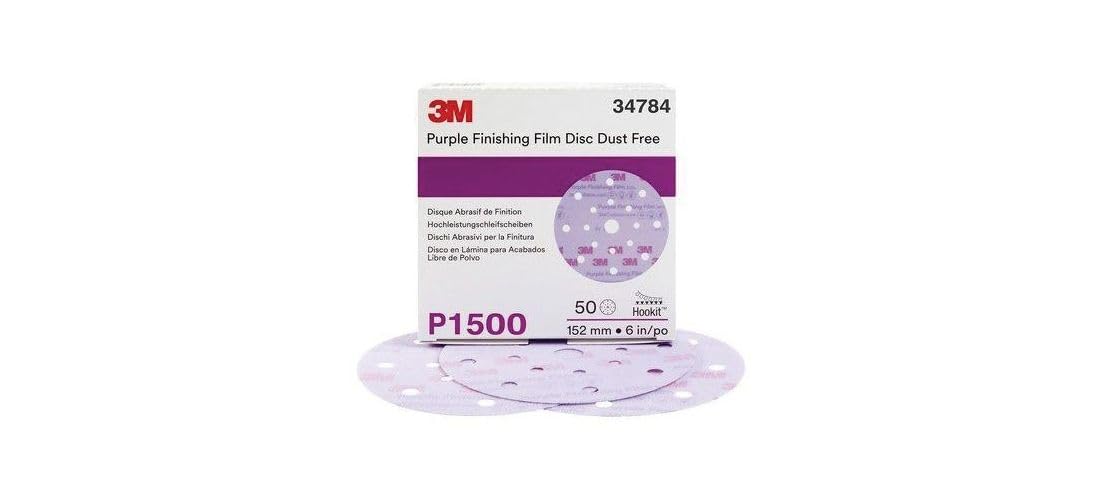
Image: A detailed view of the 3M 34784 Purple Finishing Film Abrasive Disc, highlighting its purple color and hole pattern for dust extraction.
5. Maintenance
5.1 Disc Cleaning and Storage
- Periodically inspect the abrasive disc for clogging. The dust-free design helps minimize loading, but fine dust can still accumulate.
- To extend disc life, gently clean the disc surface with a brush or compressed air if it becomes loaded with sanding residue.
- Store unused discs in their original packaging in a cool, dry place to prevent damage and maintain abrasive quality.
5.2 Disc Replacement
Replace the abrasive disc when it shows signs of wear, such as reduced cutting efficiency, uneven sanding, or damage to the abrasive surface. The Hookit system allows for quick and easy replacement.
6. Troubleshooting
- Issue: Inconsistent Finish / Swirl Marks
- Possible Cause: Uneven pressure, worn disc, or improper sanding technique.
Solution: Apply even pressure, replace the disc if worn, and ensure consistent movement of the sander. - Issue: Disc Not Adhering Properly
- Possible Cause: Dirty backup pad or worn Hookit backing on the disc.
Solution: Clean the backup pad. If the disc's Hookit backing is compromised, replace the disc. - Issue: Disc Loading / Clogging Quickly
- Possible Cause: Sanding soft materials, insufficient dust extraction, or excessive pressure.
Solution: Ensure proper dust extraction, use lighter pressure, and clean the disc periodically.
7. Specifications
| Attribute | Value |
|---|---|
| Brand | 3M |
| Model Number | 34784 |
| Series | 260L Series Dust Free |
| Diameter | 6 inches (152 mm) |
| Grit Number | P1500 |
| Grit Material | Aluminum Oxide |
| Attachment Type | Hook and Loop (Hookit) |
| Product Dimensions | 6"L x 6"W |

Image: A diagram illustrating the 6-inch diameter of the 3M 34784 Abrasive Disc.
8. Warranty and Support
For information regarding product warranty, please refer to the official 3M website or contact 3M customer support directly. Keep your purchase receipt for warranty claims.
3M Customer Support: For technical assistance or product inquiries, please visit the 3M Industrial Store on Amazon or the official 3M website.
Related documents34784


Ask a question about this manual
Ask about setup, troubleshooting, compatibility, parts, safety, or missing instructions. Manuals+ will review the question and use this page’s manual context to help answer it.