
1. Introduction
This manual provides essential instructions for the safe and effective use of the BORYLI 7R 230W Stage Lamp Bulb, model dgdsthc-100. This high-performance discharge lamp is specifically designed for professional moving head stage lighting fixtures, offering powerful and consistent illumination for entertainment and studio applications. Please read this manual thoroughly before installation and operation.
2. Safety Information
Improper handling or installation of this bulb can lead to serious injury or damage to equipment. Adhere to the following safety guidelines:
- High Temperature: The bulb operates at extremely high temperatures (up to 350°C). Allow the fixture to cool completely before handling or servicing.
- Electrical Hazard: Always disconnect power to the lighting fixture before installing, removing, or servicing the bulb.
- UV Radiation: This bulb emits ultraviolet (UV) radiation. Avoid direct exposure to eyes and skin. Ensure the fixture's protective filters are in place.
- Explosion Risk: Handle the bulb with care. Do not scratch, drop, or subject it to impact. A damaged bulb can rupture.
- Do Not Touch Glass: Oils from skin can create hot spots on the bulb, leading to premature failure. Always use clean gloves when handling the bulb.
- Qualified Personnel: Installation and replacement should only be performed by qualified technicians familiar with stage lighting equipment.
- Ventilation: Ensure the lighting fixture has adequate ventilation to prevent overheating of the bulb and internal components.
3. Product Components
The BORYLI 7R 230W Stage Lamp Bulb is a compact, high-intensity discharge lamp designed for precise light projection.

Image 3.1: The BORYLI 7R 230W Stage Lamp Bulb, showing its compact design and electrical contacts.
The bulb features a robust construction with specific electrical contacts for secure fitting into compatible moving head fixtures. Its design ensures optimal light output and beam control.

Image 3.2: The BORYLI 7R 230W bulb shown alongside a typical moving head stage light fixture, illustrating its intended application.
The bulb is typically supplied in protective packaging to prevent damage during transit and handling.

Image 3.3: The BORYLI 7R 230W bulb securely packaged in a cardboard box with foam inserts for protection.
4. Setup and Installation
Follow these steps carefully to install the BORYLI 7R 230W bulb into a compatible moving head fixture:
- Power Disconnection: Ensure the lighting fixture is completely powered off and disconnected from the mains electricity supply.
- Cool Down: Allow the fixture to cool down for at least 30 minutes if it has been recently in use. The bulb and internal components can remain extremely hot.
- Access Bulb Compartment: Open the bulb access panel on the moving head fixture according to the fixture's specific instruction manual.
- Remove Old Bulb (if applicable): If replacing an old bulb, carefully unclip or unscrew the retaining mechanism. Using clean, lint-free gloves, gently remove the old bulb and dispose of it according to local regulations for mercury-containing lamps.
- Handle New Bulb: Wearing clean, lint-free gloves, remove the new BORYLI 7R 230W bulb from its packaging. Do not touch the glass envelope with bare hands.
- Insert New Bulb: Align the bulb's electrical contacts with the socket in the fixture. Gently push the bulb into place until it is fully seated. Ensure a secure connection without excessive force.
- Secure Bulb: Re-engage the bulb's retaining mechanism (clips or screws) to hold it firmly in position.
- Close Compartment: Close and secure the bulb access panel on the fixture.
- Power On: Reconnect the fixture to the mains power supply.
5. Operating Instructions
Once installed, the BORYLI 7R 230W bulb operates as part of the moving head lighting fixture. Refer to your fixture's manual for specific operational controls.
- Initial Power-Up: Upon first power-up or after a bulb replacement, the fixture may perform a self-test or calibration.
- Warm-Up Time: Discharge lamps require a short warm-up period to reach full brightness and stable color temperature. This typically takes a few minutes.
- Cool-Down Period: To maximize bulb lifespan, avoid immediately restarting the bulb after turning it off. Allow a cool-down period of at least 10-15 minutes before re-igniting.
- Dimming: This bulb is designed for on/off operation and may not be suitable for continuous dimming without specific fixture features. Consult your fixture's manual.

Image 5.1: Example of white light beams produced by stage lighting fixtures using bulbs like the BORYLI 7R 230W.
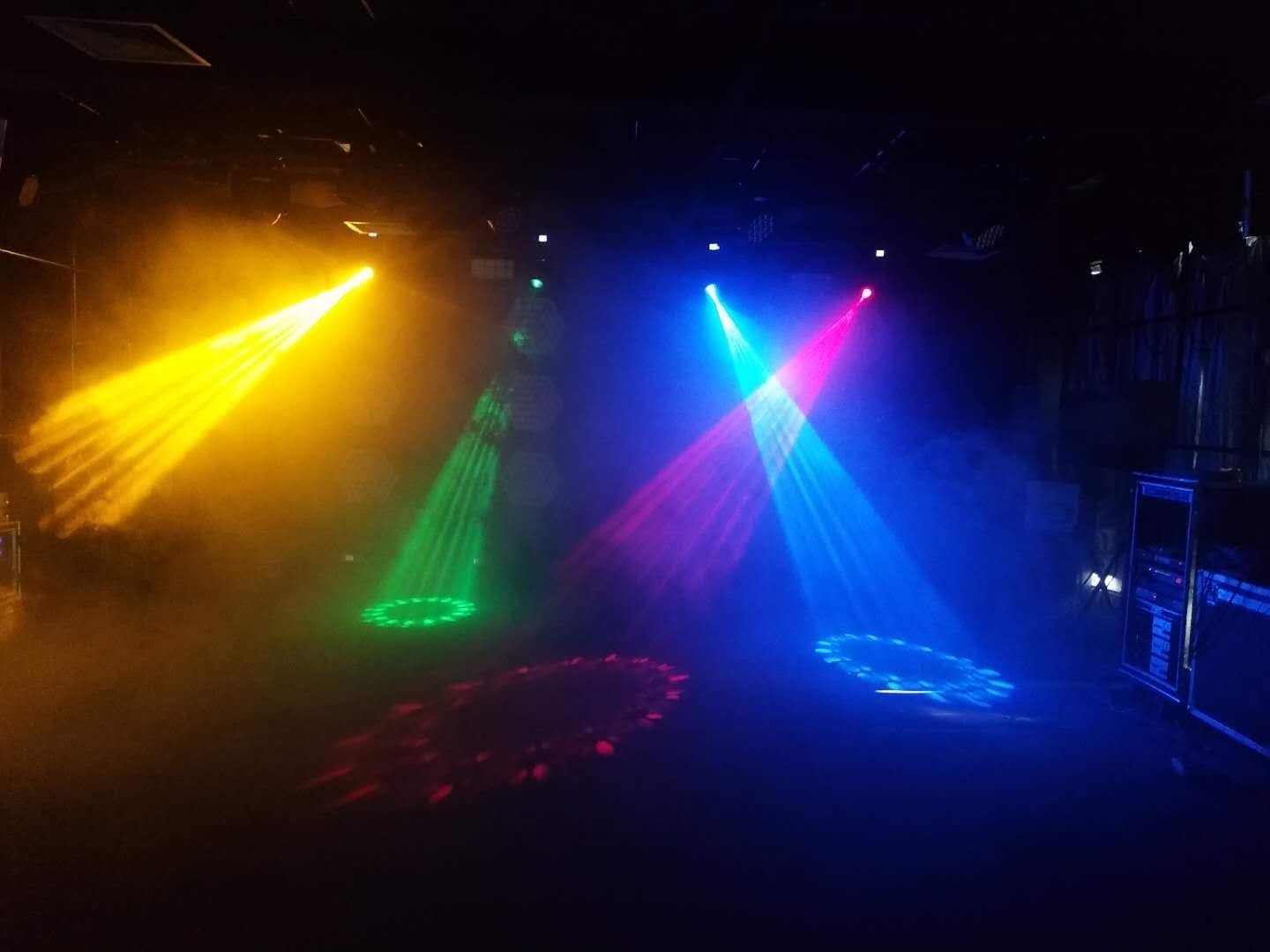
Image 5.2: Example of colored light beams produced by stage lighting fixtures, demonstrating the versatility of moving head lights with this bulb.
6. Maintenance
Proper maintenance helps ensure optimal performance and extends the lifespan of your BORYLI 7R 230W bulb.
- Fixture Cleaning: Regularly clean the exterior and interior of the lighting fixture, especially the optical path (lenses, reflectors), to prevent dust and debris buildup that can reduce light output and cause overheating. Always disconnect power before cleaning.
- Bulb Inspection: Periodically inspect the bulb for any signs of damage, discoloration, or excessive wear. Replace the bulb if any issues are observed.
- Air Filters: If your fixture has air filters, clean or replace them regularly to maintain proper airflow and cooling.
- Avoid Frequent On/Off Cycles: Minimize rapid power cycling, as this can significantly shorten the bulb's average lifespan.
7. Troubleshooting
If you encounter issues with your BORYLI 7R 230W bulb, consider the following common troubleshooting steps:
- Bulb Not Igniting:
- Check if the fixture is receiving power.
- Ensure the bulb is correctly seated in its socket and the retaining mechanism is secure.
- Verify the fixture's igniter and ballast are functioning correctly (consult fixture manual).
- The bulb may have reached the end of its lifespan and requires replacement.
- Dim or Flickering Light:
- Allow sufficient warm-up time for the bulb to reach full brightness.
- Check for dust or debris on the fixture's lenses or reflectors.
- Ensure adequate ventilation; overheating can affect bulb performance.
- The bulb may be nearing its end of life.
- Short Bulb Lifespan:
- Avoid frequent on/off cycling.
- Ensure the fixture's cooling system is operating effectively.
- Verify the bulb is installed correctly and not subjected to excessive vibration or impact.
- Confirm the fixture's ballast is compatible with a 230W 7R bulb.
If problems persist after attempting these steps, consult a qualified technician or the manufacturer of your lighting fixture.
8. Specifications
| Feature | Specification |
|---|---|
| Brand | BORYLI |
| Model Number | dgdsthc-100 |
| Bulb Type | 7R 230W Discharge Lamp |
| Wattage | 230W |
| Luminous Flux | 7800 Lumens |
| Color Temperature | 8000 Kelvin |
| Color Rendering Index (CRI) | 75 |
| Allowed Max Temperature | 350°C |
| Average Life | 2000 Hours |
| Bulb Base | B24S-3 (as per specifications, though often integrated) |
| Indoor/Outdoor Usage | Indoor |
| UPC | 763230793974 |
9. Warranty Information
Specific warranty terms for the BORYLI 7R 230W Stage Lamp Bulb may vary depending on the retailer and region of purchase. Please retain your proof of purchase and refer to the warranty documentation provided by your seller at the time of purchase. For detailed warranty claims or inquiries, contact the authorized BORYLI distributor or your original point of sale.
10. Support
For technical assistance, product inquiries, or support regarding the BORYLI 7R 230W Stage Lamp Bulb, please contact your authorized BORYLI dealer or the customer service department of the retailer from whom you purchased the product. When contacting support, please have your model number (dgdsthc-100) and proof of purchase readily available.