
1. Product Overview
The Culligan FM-15A Faucet Mount Water Filter provides filtered water directly from your kitchen faucet. It is designed to reduce chlorine, sediment, cysts, lead, lindane, and atrazine, improving the taste and quality of your drinking and cooking water.
This manual provides instructions for the proper installation, operation, and maintenance of your Culligan FM-15A water filter.
1.1 Package Contents
Verify that all components are present before beginning installation:
- Culligan FM-15A Faucet Mount Water Filter Unit
- One (1) Carbon Block Filter Cartridge
- Various Faucet Adapters (if applicable)
- Instruction Manual
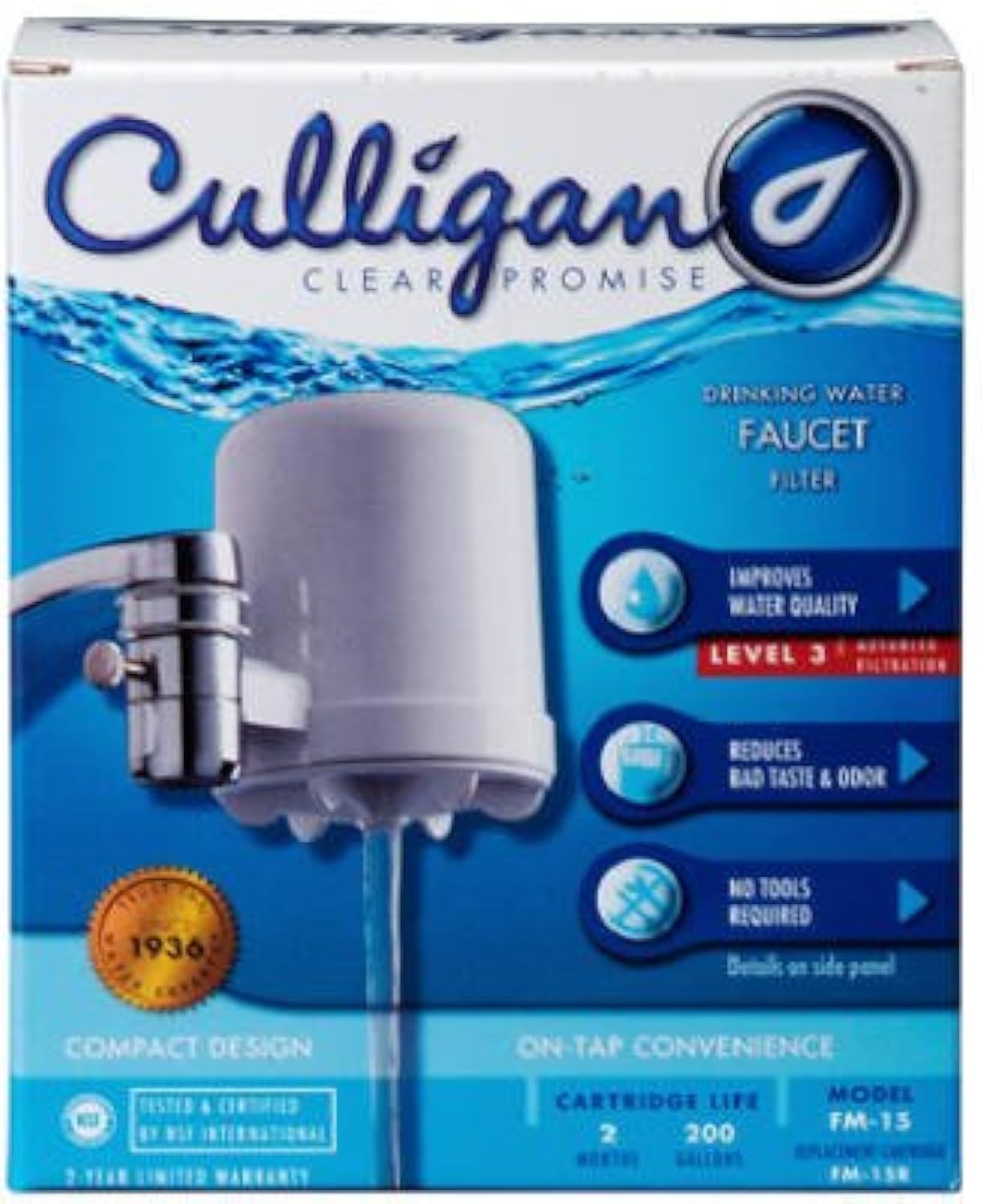
Figure 1: Culligan FM-15A Faucet Mount Water Filter packaging. The image displays the product box, highlighting the filter unit, the Culligan brand, and features such as improved water quality, reduction of bad taste and odor, and tool-free installation. It also indicates a cartridge life of 2 months or 200 gallons.
2. Important Safety Information
Please read and understand all safety warnings and instructions before installing or operating this product. Failure to do so may result in property damage or personal injury.
- Do not use with water that is microbiologically unsafe or of unknown quality without adequate disinfection before or after the system.
- Do not exceed the maximum operating temperature of 100°F (38°C).
- Ensure all connections are secure to prevent leaks.
- Keep out of reach of children.
3. Installation Instructions
The Culligan FM-15A is designed for easy, tool-free installation on most standard faucets. It can be attached in either a right-hand or left-hand orientation.
3.1 Preparing Your Faucet
- Remove the aerator from your existing faucet. This is the small screen at the end of the faucet spout.
- Clean any threads on the faucet spout to ensure a secure connection.
3.2 Attaching the Filter Unit
- Identify the correct adapter for your faucet. The filter unit comes with several common adapters.
- Thread the appropriate adapter onto your faucet spout. Hand-tighten only. Do not overtighten.
- Attach the Culligan FM-15A filter unit to the adapter. Ensure it is securely fastened. You may need to rotate the unit to achieve the desired orientation (right-hand or left-hand).
- Note: If none of the included adapters fit your faucet, you may need to purchase a specific adapter from a plumbing supply store.
3.3 Flushing the Filter
- Once installed, turn on the cold water faucet.
- Engage the filter's diverter valve to allow water to flow through the filter.
- Let water run through the filter for approximately 5 minutes to flush out any carbon fines and prepare the filter for use. The water may appear cloudy initially; this is normal.
4. Operating Instructions
The Culligan FM-15A features a diverter valve for easy switching between filtered and unfiltered water.
4.1 Using the Diverter Valve
- To obtain filtered water, push or pull the diverter tab (depending on the model) on the side of the filter unit. Water will flow through the filter cartridge.
- To obtain unfiltered tap water (for washing dishes, etc.), return the diverter tab to its original position. Water will bypass the filter.
Always use cold water when operating the filter. Hot water can damage the filter cartridge and reduce its effectiveness.
The maximum flow rate for filtered water is 0.6 gallons per minute (GPM).
5. Maintenance
Regular maintenance ensures optimal performance and longevity of your Culligan FM-15A water filter.
5.1 Filter Cartridge Replacement
The carbon block filter cartridge has a capacity of 200 gallons or approximately 2 months, whichever comes first. Replace the cartridge when you notice a significant drop in water flow or a return of unpleasant tastes or odors.
- Turn off the water supply to the faucet.
- Unscrew the filter housing from the faucet adapter.
- Remove the old filter cartridge and dispose of it properly.
- Insert a new Culligan FM-15A replacement cartridge (Model FM-15R) into the housing, ensuring it is seated correctly.
- Screw the filter housing back onto the faucet adapter. Hand-tighten only.
- Turn on the water supply and flush the new filter as described in Section 3.3.
5.2 Cleaning the Unit
Wipe the exterior of the filter unit with a damp cloth as needed. Do not use abrasive cleaners or solvents.
6. Troubleshooting
| Problem | Possible Cause | Solution |
|---|---|---|
| Water leaks from connections | Loose connections; missing or damaged O-rings/washers; incorrect adapter. | Ensure all connections are hand-tight. Check for proper seating of O-rings/washers. Verify correct adapter is used. |
| Slow water flow | Clogged filter cartridge; low water pressure. | Replace the filter cartridge. Check household water pressure. |
| Unpleasant taste or odor returns | Filter cartridge has reached its capacity. | Replace the filter cartridge. |
| Filter unit does not attach to faucet | Incorrect adapter or incompatible faucet type. | Try different included adapters. If none fit, consult a plumbing professional or supplier for a compatible adapter. |
7. Product Specifications
- Model: FM-15A
- Brand: Culligan
- Purification Method: Carbon Block
- Filter Capacity: 200 Gallons
- Filter Life: Approximately 2 Months
- Maximum Flow Rate: 0.6 Gallons Per Minute (GPM)
- Material: Resin
- Maximum Operating Temperature: 100°F (38°C)
- Supported Water TDS Level Maximum: 500 PPM
- Reduces: Chlorine, Sediment, Cysts, Lead, Lindane, Atrazine
8. Warranty Information
The Culligan FM-15A Faucet Mount Water Filter comes with a 2-Year Limited Warranty. This warranty covers defects in materials and workmanship under normal use and service. Please refer to the warranty card included with your product for full terms and conditions, or visit the official Culligan website for details.
9. Customer Support
If you have any questions, require assistance with installation, or need to troubleshoot an issue not covered in this manual, please contact Culligan Customer Support.
For further assistance, please visit the Culligan Store on Amazon or the official Culligan website.


