
1. Safety Information
The Gyrocopters 8FINITI All Terrain Hoverboard is designed for personal transportation and recreation. Adherence to safety guidelines is crucial for preventing accidents and ensuring a safe riding experience. This product is UL2272 Certified, indicating compliance with electrical safety standards.
General Safety Precautions:
- Always wear appropriate safety gear, including a helmet, knee pads, and elbow pads, when operating the hoverboard.
- Do not operate the hoverboard under the influence of alcohol or drugs.
- Ensure the hoverboard is fully charged and in good working condition before each use.
- Observe all local traffic laws and regulations.
- Avoid riding in heavy traffic, on uneven surfaces, or near obstacles.
- The maximum weight capacity is 264 lbs (119.75 kg), and the minimum weight is 35 lbs. Do not exceed these limits.
- The 'No Fall Technology' assists with balance but does not eliminate the risk of falling. Always maintain awareness and control.
- Avoid sudden turns or rapid acceleration/deceleration, especially at higher speeds.
2. Package Contents
Upon opening your Gyrocopters 8FINITI All Terrain Hoverboard package, please verify that all the following items are included:
- Gyrocopters 8FINITI All Terrain Hoverboard
- Power Adapter/Charger
- User Manual (this document)

Image: The Gyrocopters 8FINITI Hoverboard shown with its power adapter and various certification logos (RoHS, FC, CE).
3. Setup
3.1 Initial Charging
Before first use, fully charge your hoverboard. Connect the power adapter to the charging port on the hoverboard and then plug it into a standard electrical outlet. The charging indicator light on the hoverboard will change (e.g., from red to green) when charging is complete. Charging typically takes a few hours.
3.2 Calibration
If the hoverboard does not balance correctly or exhibits unusual behavior, a recalibration may be necessary:
- Ensure the hoverboard is powered off.
- Place the hoverboard on a flat, level surface.
- Press and hold the power button until the indicator lights begin to flash or a specific sound is heard (refer to the manufacturer's specific recalibration sequence if available, or contact support).
- Release the power button and power off the device.
- Power on the hoverboard again. It should now be recalibrated.
3.3 Bluetooth Pairing
The 8FINITI hoverboard features an integrated speaker. To connect your device:
- Ensure the hoverboard is powered on.
- Activate Bluetooth on your smartphone or compatible device.
- Search for available Bluetooth devices. The hoverboard should appear as '8FINITI' or a similar identifier.
- Select the hoverboard to pair. A confirmation sound may indicate a successful connection.
4. Operating Instructions
4.1 Powering On/Off
To power on the hoverboard, press the power button located on the device. To power off, press and hold the power button until the lights turn off.
4.2 Riding Basics
The 8FINITI hoverboard utilizes 'No Fall Technology' with enhanced gyro sensors to assist with balance. When stepping on, place one foot on a footpad, then quickly and smoothly place the second foot on the other footpad. Lean slightly forward to move forward, and lean backward to slow down or move in reverse. To turn, apply more pressure to the footpad on the side opposite the desired turning direction.

Image: Top view of the Gyrocopters 8FINITI Hoverboard, highlighting the textured footpads and central battery/status indicators.
4.3 Speed and Terrain
The hoverboard can reach speeds of approximately 10 km/h. The rugged all-terrain wheels are designed for various surfaces, including puddles, sand, ceramic, uphill inclines, and grass. However, always exercise caution and reduce speed when riding on challenging terrain.
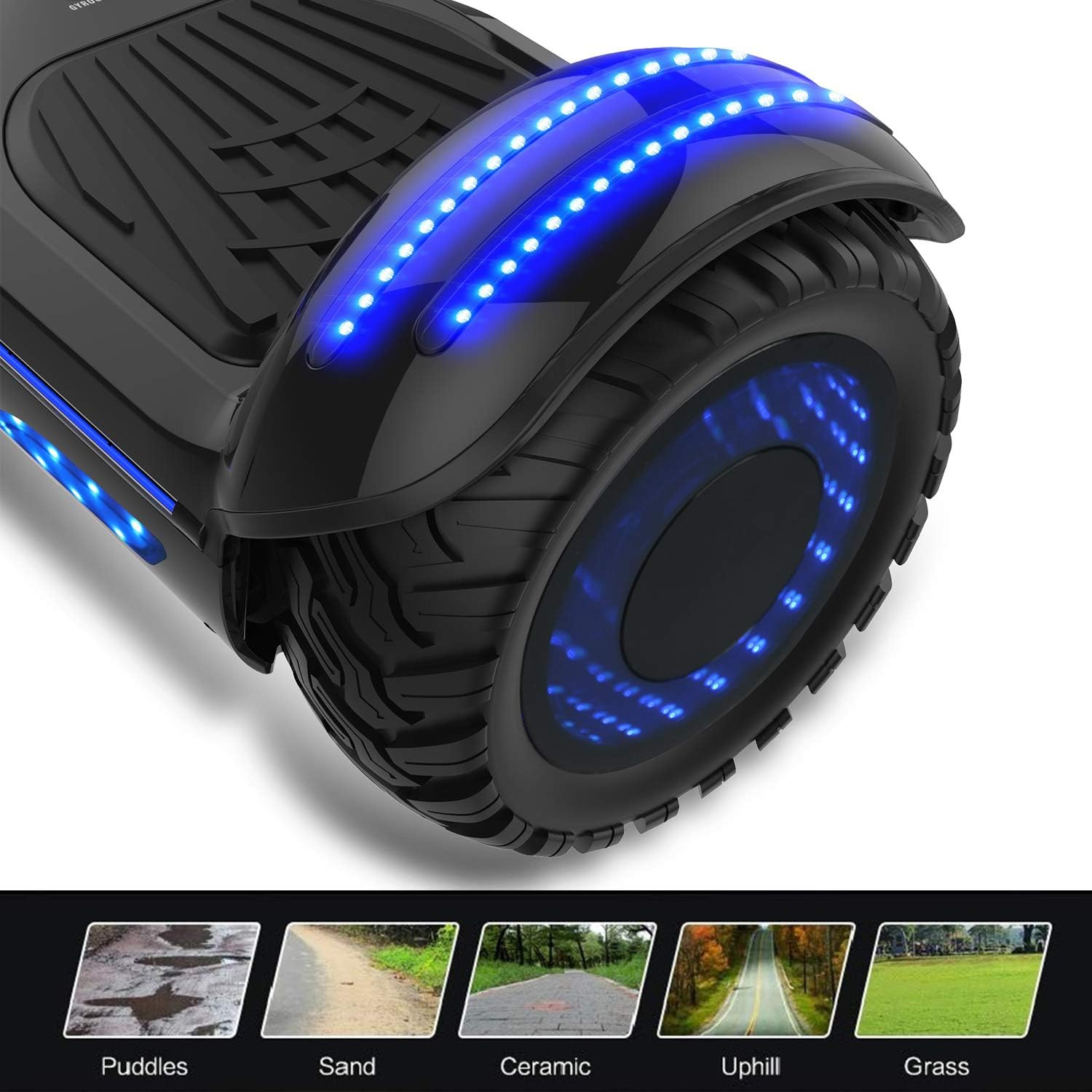
Image: A close-up of the hoverboard's wheel with blue LED lights, illustrating its suitability for various terrains such as puddles, sand, ceramic, uphill, and grass.
4.4 Mirror LED Wheels and Lights
The 8FINITI features Mirror LED wheels and additional LED lights for visibility and aesthetic appeal. These lights activate automatically when the hoverboard is in use.
5. Maintenance
5.1 Cleaning
Wipe the hoverboard with a damp cloth to remove dirt and dust. Do not use harsh chemicals or abrasive cleaners. Ensure the charging port and other openings are dry before charging or operating.
5.2 Storage
Store the hoverboard in a cool, dry place away from direct sunlight and extreme temperatures. If storing for an extended period, ensure the battery is partially charged (around 50%) and recharge it every few months to maintain battery health.
5.3 Battery Care
The hoverboard uses a Lithium Ion battery. Avoid completely draining the battery regularly. Always use the provided charger. Do not attempt to open or replace the battery pack yourself.
5.4 Water Resistance
The 8FINITI hoverboard is built to IPX4 standard specifications, meaning it is resistant to splashing water from any direction. It is not waterproof and should not be submerged in water or ridden in heavy rain.
6. Troubleshooting
If you encounter issues with your Gyrocopters 8FINITI hoverboard, please refer to the following common solutions:
- Hoverboard Beeping Continuously: This often indicates an imbalance or error. Power off the hoverboard, place it on a flat surface, and perform a recalibration as described in Section 3.2.
- Hoverboard Not Turning On: Ensure the battery is charged. If fully charged and still not turning on, contact customer support.
- Bluetooth Not Connecting: Ensure the hoverboard is powered on and Bluetooth is enabled on your device. Try restarting both devices.
- Uneven Riding/Difficulty Balancing: Perform a recalibration (Section 3.2).
For further assistance, please contact Gyrocopters customer support at sales@gyrocopters.ca. Many issues can be resolved with a simple reset or guidance from support.
7. Specifications
| Model Name | 8FINITI (EL-ES09F-E) |
| Brand | GYROCOPTERS |
| ASIN | B06XCNL6M4 |
| Manufacturer Reference | EL-ES09F |
| Colour | Dark Grey |
| Maximum Weight Recommendation | 119.75 kg (264 lbs) |
| Minimum Weight Recommendation | 35 lbs |
| Frame Material | Metal |
| Speed | Up to 10 Miles per Hour (approx. 16 km/h) |
| Brake Style | Regenerative braking, Foot brake |
| Batteries | 1 Lithium Ion battery (included) |
| Water Resistance | IPX4 Standard |
| Parcel Dimensions | 69 x 24.5 x 23.5 cm |
| Weight | 9.1 kg |
8. Warranty and Support
For any product-related issues or warranty inquiries, please contact Gyrocopters directly. Most issues can be resolved through their customer support.
Contact Information:
Email: sales@gyrocopters.ca
Place of Business: Mississauga, Ontario L4W1E4, CA
Please retain your proof of purchase for warranty claims.