Introduction
This manual provides detailed instructions for the safe and efficient operation of your TID TD-PD880 / DP880 UHF DMR Radio. Please read this manual thoroughly before using the radio to ensure proper function and to prevent damage. Keep this manual for future reference.
Product Overview
Familiarize yourself with the various parts and controls of your TID DMR radio.
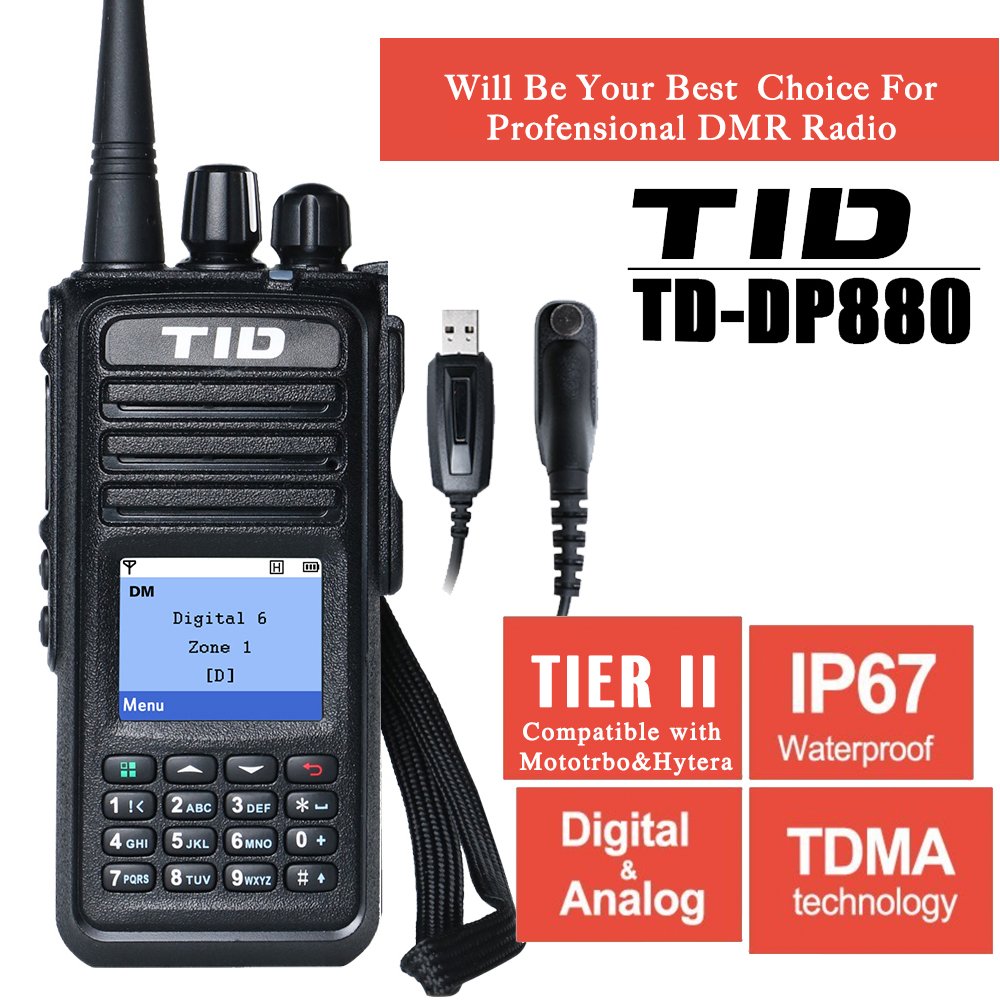
Figure 1: Radio Components. This image displays the front, side, and rear views of the TID TD-PD880 / DP880 radio, highlighting key components such as the Channel Selector, Power/Volume Switch, Programming Keys, PTT button, Battery Latch, Earphone/Data Cable Jack, Keypad, and Battery Pack.
- Channel Selector: Rotary knob to select communication channels.
- Power/Volume Switch: Rotary knob to turn the radio on/off and adjust audio volume.
- Programming Key: Customizable buttons for quick access to functions.
- PTT (Push-To-Talk) Button: Press and hold to transmit, release to receive.
- Battery Latch: Secures the battery pack to the radio body.
- Earphone/Data Cable Jack: Port for connecting accessories like earphones or programming cables.
- Keypad: For manual input, channel selection, and menu navigation.
- Battery Pack: Removable power source for the radio.
Package Contents
Verify that all items are present in your package before initial use.
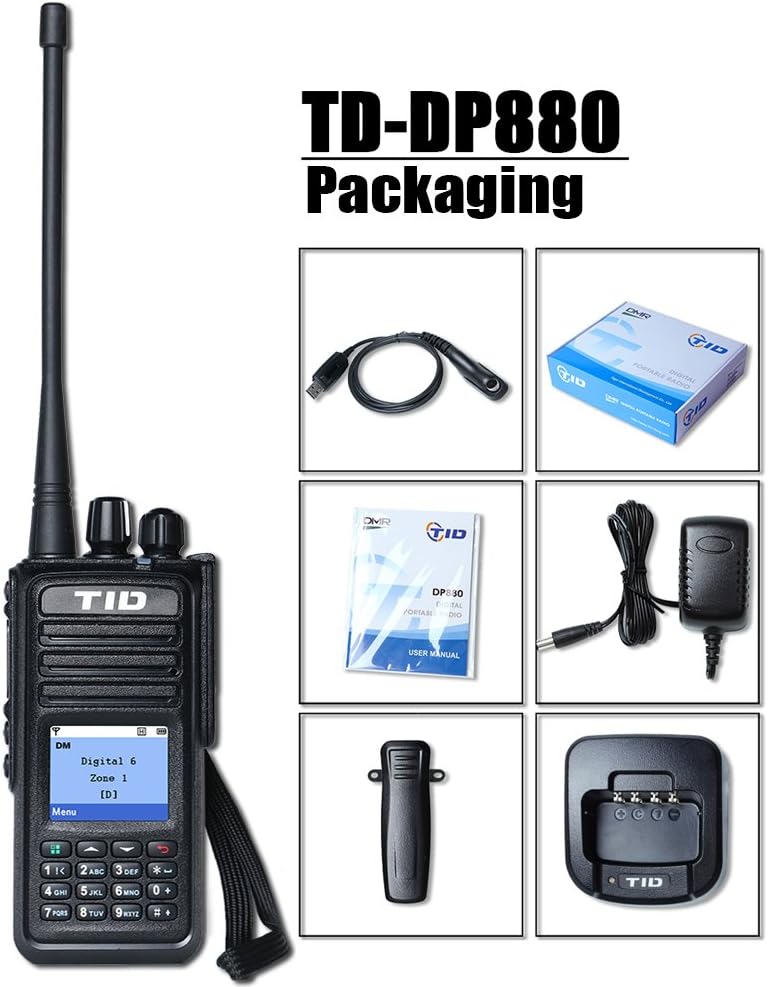
Figure 2: Package Contents. This image illustrates the radio unit along with its standard accessories: a USB programming cable, user manual, AC power adapter, charging dock, and belt clip.
Your TID TD-PD880 / DP880 package should include:
- TID TD-PD880 / DP880 UHF DMR Radio Unit
- Rechargeable Battery Pack
- Antenna
- Desktop Charging Dock
- AC Power Adapter for Charging Dock
- Belt Clip
- USB Programming Cable
- User Manual (this document)
Setup
1. Attaching the Battery Pack
Align the battery pack with the grooves on the back of the radio. Slide the battery upwards until the battery latch clicks into place, securing it firmly.

Figure 3: Battery Latch Detail. This image shows the battery contacts and the latch mechanism on the radio, indicating how the battery pack connects.
2. Attaching the Antenna
Screw the antenna clockwise into the connector on the top of the radio until it is finger-tight. Do not overtighten.
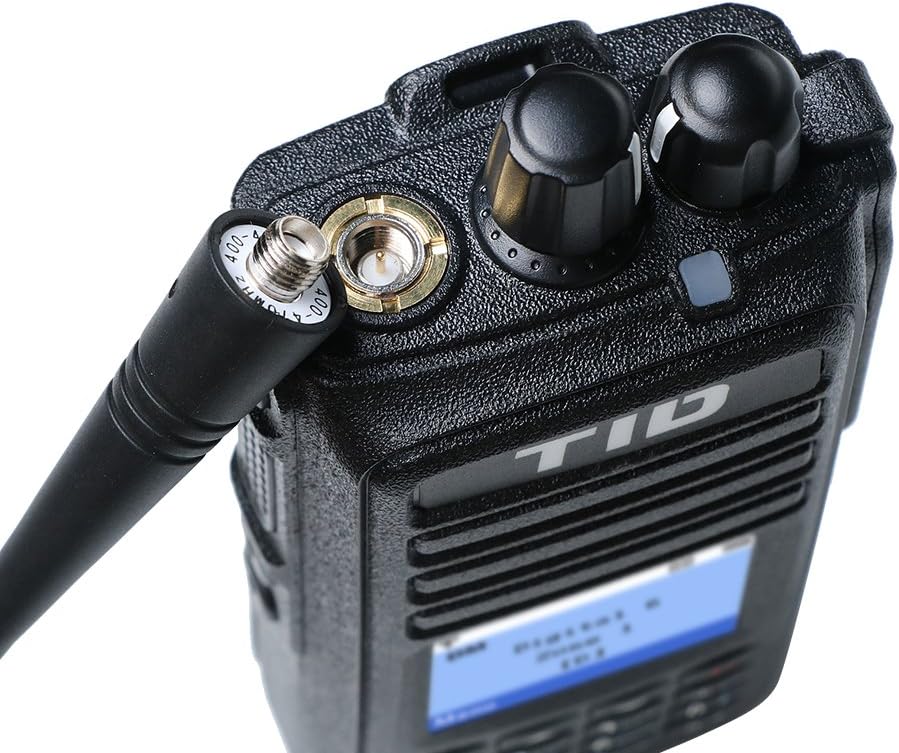
Figure 4: Antenna Connection. This image provides a detailed view of the antenna base and the radio's antenna port, illustrating the proper connection point.
3. Charging the Battery
Before initial use, fully charge the battery pack. Connect the AC power adapter to the charging dock, then plug the adapter into a wall outlet. Place the radio (with battery attached) into the charging dock. The charging indicator light on the dock will show the charging status (typically red for charging, green for fully charged).

Figure 5: Charging the Radio. This image shows the TID TD-PD880 / DP880 radio placed in its desktop charging dock, ready for battery charging.
4. Attaching the Belt Clip
Align the belt clip with the screw holes on the back of the radio (above the battery pack). Secure it with the provided screws.

Figure 6: Belt Clip Attachment. This image demonstrates how the belt clip is mounted on the rear of the radio for convenient carrying.
Operating Instructions
1. Power On/Off and Volume Adjustment
Rotate the Power/Volume Switch (top-left knob) clockwise to turn the radio on. Continue rotating clockwise to increase the volume. Rotate counter-clockwise to decrease volume and turn the radio off.
2. Channel Selection
Rotate the Channel Selector knob (top-right knob) to choose your desired communication channel. The selected channel will be displayed on the radio's screen.
3. Transmitting and Receiving (PTT)
To transmit, press and hold the PTT (Push-To-Talk) button located on the left side of the radio. Speak clearly into the microphone. Release the PTT button to stop transmitting and return to receive mode.
4. Keypad and Menu Navigation
Use the numeric keypad for direct channel input, accessing menu functions, and entering settings. The navigation buttons (up/down/menu) allow you to browse through the radio's features and options displayed on the screen.
5. Programming Keys
The radio features programmable keys (located on the side and below the PTT button). These keys can be customized via programming software to provide quick access to frequently used functions such as scan, monitor, or power level adjustment. Refer to the programming software manual for detailed customization instructions.
Maintenance
- Cleaning: Wipe the radio's surface with a soft, damp cloth. Do not use harsh chemicals or abrasive cleaners.
- Battery Care: To prolong battery life, avoid overcharging or completely discharging the battery frequently. Store the battery in a cool, dry place when not in use for extended periods.
- Antenna: Ensure the antenna is securely attached. Avoid bending or stressing the antenna, as this can affect performance.
- Water Resistance: The radio has an IP67 rating, meaning it is protected from dust and can withstand immersion in water up to 1 meter for 30 minutes. Ensure all covers (e.g., earphone/data jack cover) are securely closed before exposing the radio to water.
Troubleshooting
| Problem | Possible Cause | Solution |
|---|---|---|
| Radio does not power on. | Battery is low or not installed correctly. | Charge the battery. Ensure the battery pack is securely latched. |
| Cannot transmit or receive. | Incorrect channel selected, out of range, or antenna not connected. | Verify channel. Move closer to other radios. Check antenna connection. |
| Poor audio quality. | Low battery, weak signal, or volume too low/high. | Charge battery. Adjust volume. Ensure clear line of sight. |
| Keypad unresponsive. | Keypad lock enabled. | Refer to the programming guide or radio display for keypad unlock procedure. |
Specifications
| Feature | Detail |
|---|---|
| Model | TD-PD880 / DP880 |
| Frequency Band | UHF |
| Technology | DMR (Digital Mobile Radio) |
| Operating Voltage | 7.4 Volts |
| International Protection Rating | IP67 (Dust tight, immersion up to 1m for 30 min) |
| Dimensions (Package) | 25.7 x 21 x 6.4 cm |
| Weight (Package) | 726 g |
| UPC | 710627502749 |
| Manufacturer | TID |
Warranty and Support
For warranty information and technical support, please refer to the documentation provided at the time of purchase or contact your authorized TID dealer. Keep your purchase receipt as proof of purchase for warranty claims.


