
THE CIMPLE CO CMP-RFMOD-RCA
THE CIMPLE CO RF Modulator User Manual
Model: CMP-RFMOD-RCA | Brand: THE CIMPLE CO
Introduction
This user manual provides detailed instructions for setting up, operating, and maintaining your THE CIMPLE CO RF Modulator. This device converts RCA composite video and audio signals into an RF coaxial signal, allowing you to connect older devices like VCRs, DVD players, and retro gaming consoles to televisions that only have a coaxial input.
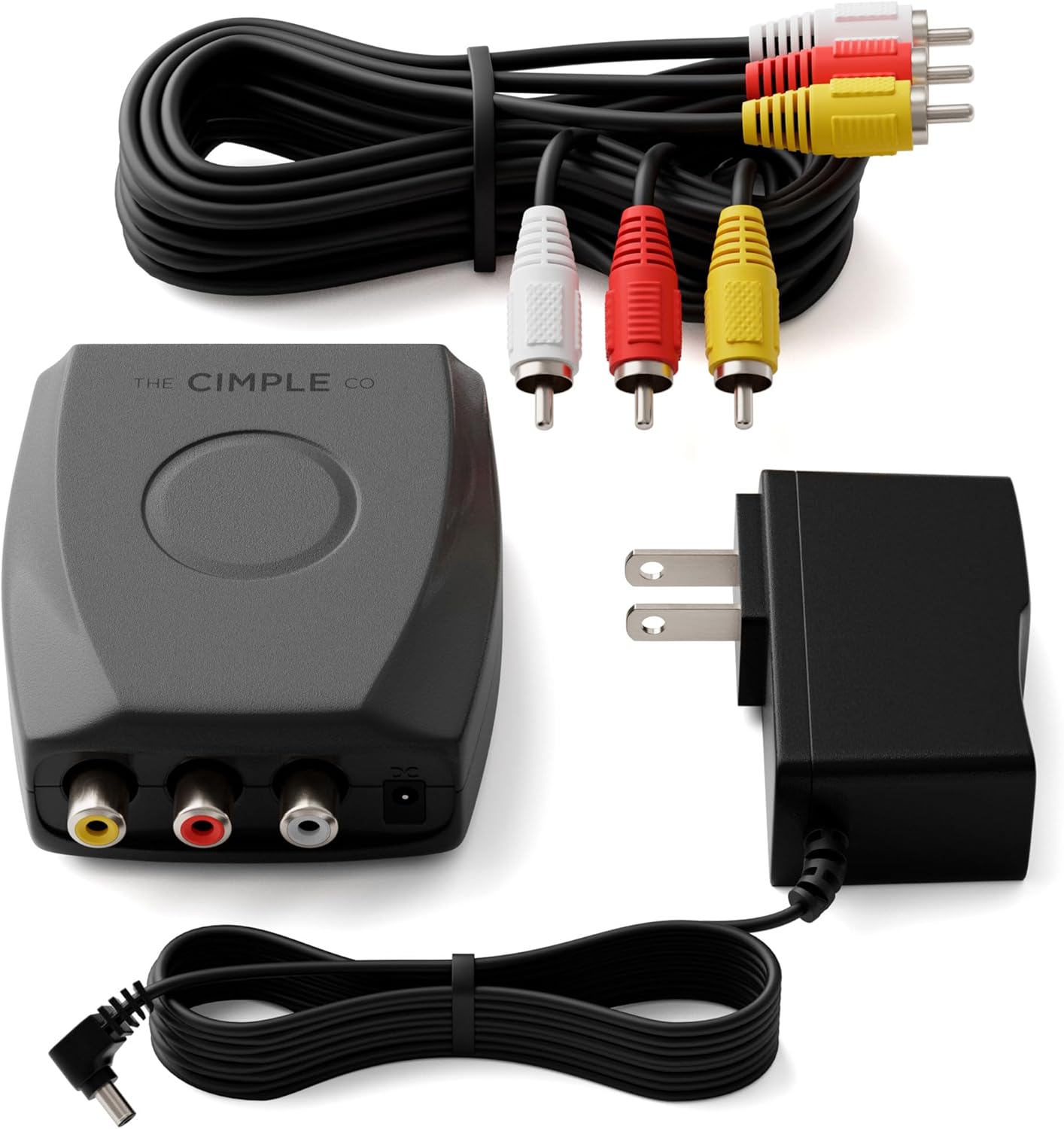
Figure 1: THE CIMPLE CO RF Modulator and accessories.
Included Components
Your THE CIMPLE CO RF Modulator package includes the following items:
- 1x RF Modulator Unit
- 1x Power Supply
- 1x RCA/Composite AV Cable

Figure 2: Complete RF Modulator Kit contents.
Setup Instructions
Follow these simple steps to connect your RF Modulator:
- Connect the RCA Input: Connect the RCA/Composite AV Cable from your source device (e.g., DVD player, VCR, game console) to the RCA input ports (Yellow for Video, White for Left Audio, Red for Right Audio) on the RF Modulator.

Figure 3: Connecting RCA input cables.
- Select Desired Channel: On the RF Modulator, move the switch to select either Channel 3 or Channel 4. For digital TVs, Channel 3 is generally recommended as Channel 4 may not work.

Figure 4: Selecting Channel 3 or 4.
- Connect Coaxial Output to TV: Connect a coaxial cable (not included) from the "TO TV" coaxial output on the modulator to the coaxial input on your television.

Figure 5: Coaxial connection to TV.
- Connect Power Supply: Plug the power supply into the DC input on the RF Modulator, then plug the power adapter into a standard electrical outlet.
Note: The barrel plug of the power supply may only enter the socket halfway. Do not try to force it all the way in.
- Select TV Channel: On your television, select the corresponding channel (Channel 3 or Channel 4) that you chose on the RF Modulator.
Setup Video Guide
For a visual guide on connecting your RF Modulator, please watch the official setup video:
Video 1: How to setup an RF Modulator with Coax and RCA cables. This video demonstrates the step-by-step connection process for the RF Modulator.
Operating Instructions
Once properly set up, operating the RF Modulator is straightforward:
- Ensure your source device (VCR, DVD player, game console, etc.) is powered on and playing content.
- Confirm your television is tuned to the correct channel (Channel 3 or 4) as selected on the modulator.
- The RF Modulator will automatically convert the standard definition (480i) RCA signals to an NTSC RF coaxial signal for display on your TV.
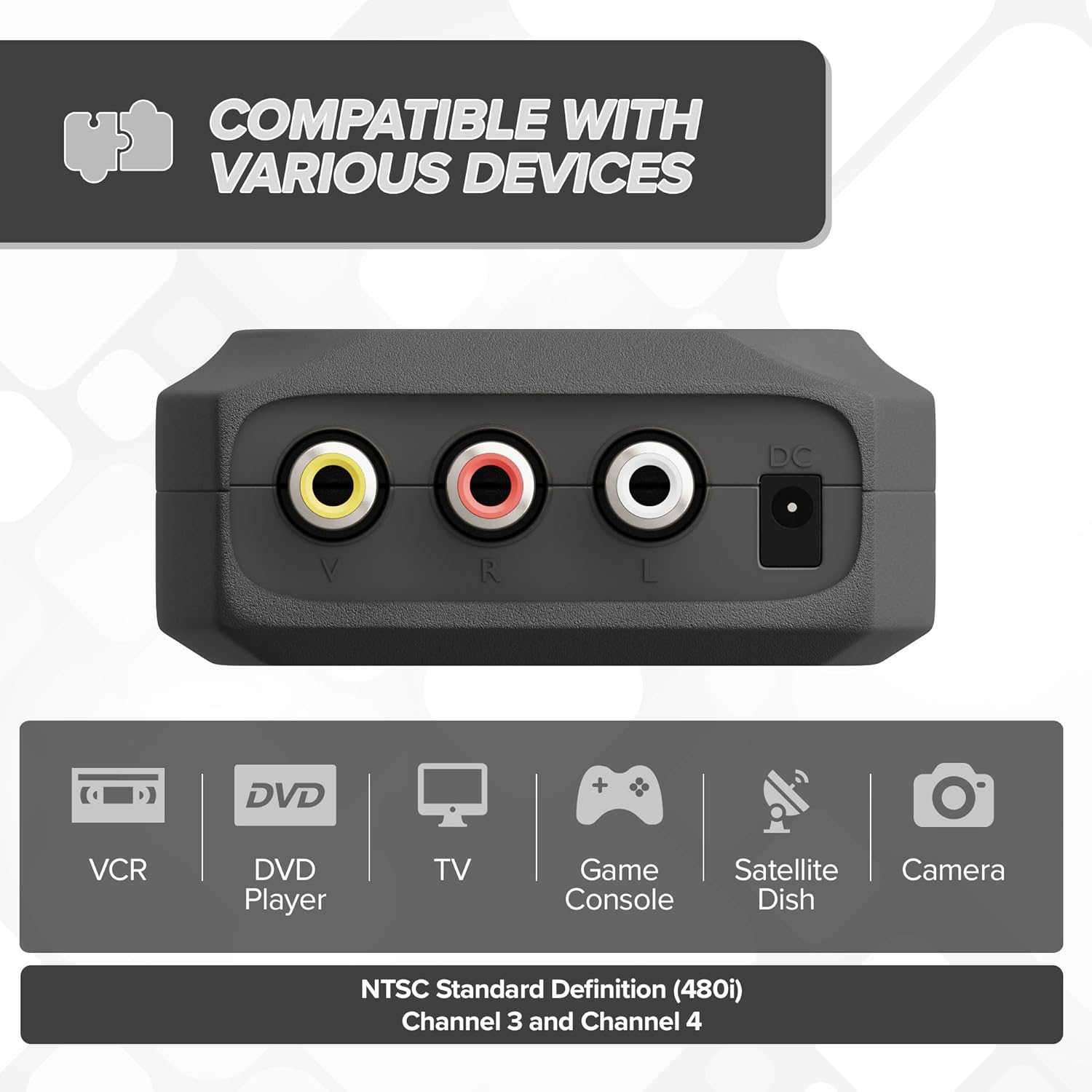
Figure 6: Diverse compatibility with various devices.
Maintenance
The RF Modulator requires minimal maintenance:
- Keep the unit in a dry, cool place away from direct sunlight and extreme temperatures.
- Clean the exterior with a soft, dry cloth. Do not use liquid cleaners or aerosols.
- Ensure all cable connections are secure to prevent signal loss or interference.
Troubleshooting
If you encounter issues with your RF Modulator, try the following solutions:
- No Picture/Sound:
- Verify all RCA and coaxial cables are securely plugged into the correct ports on both the modulator and your devices/TV.
- Ensure the power supply is properly connected to the modulator and a working electrical outlet.
- Confirm your television is tuned to the exact channel (Channel 3 or 4) that you selected on the modulator.
- Check that your source device (DVD, VCR, game console) is powered on and functioning correctly.
- Poor Picture Quality/Interference:
- Ensure the channel switch on the modulator is set to Channel 3 for digital TVs, as Channel 4 may cause issues.
- Avoid connecting the modulator to an antenna, as this can cause interference with the quality of the RCA source.
- Try adjusting the picture settings on your TV (brightness, contrast, color) to optimize the display.
- Ensure the coaxial cable is of good quality and not damaged.
- Power Supply Issue:
- If the power supply barrel plug does not fully insert, this is normal. Do not force it. Ensure it is seated halfway and providing power.
Specifications
| Feature | Detail |
|---|---|
| Brand | THE CIMPLE CO |
| Model Number | CMP-RFMOD-RCA |
| Interface Type | Coaxial |
| Number of Channels | 3 (Supports Channel 3, Channel 4, and NTSC) |
| Product Dimensions | 4.09 x 3.94 x 2.83 inches |
| Item Weight | 6.7 ounces |
| Mounting Type | Wall Mount |

Figure 7: Product Dimensions.
Warranty Information
THE CIMPLE CO is committed to providing outstanding electrical hardware solutions that stand the test of time. This product is backed by a 10-Year Promise, reflecting our confidence in the quality and durability of our materials.
For specific warranty claims or details, please refer to the official THE CIMPLE CO website or contact customer support.
Customer Support
For further assistance, technical support, or inquiries, please visit the official THE CIMPLE CO store or contact their customer service:
- Official Store: THE CIMPLE CO Amazon Store
- Additional contact information may be available on the product packaging or the official website.
Ask a question about this manual
Ask about setup, troubleshooting, compatibility, parts, safety, or missing instructions. Manuals+ will review the question and use this page’s manual context to help answer it.