
1. Introduction
This manual provides essential information for the safe and effective installation, operation, and maintenance of the Eaton HKD3400F Industrial Circuit Breaker. Please read this manual thoroughly before attempting any procedures involving this device. Proper understanding and adherence to these instructions are crucial for ensuring safety and optimal performance.
2. Product Overview
The Eaton HKD3400F is a high-performance industrial circuit breaker designed to protect electrical circuits from overcurrents and short circuits. This 3-pole device is rated for 400 Amperes and operates at 240 Volts, making it suitable for various industrial and commercial applications. Its robust design ensures reliable circuit protection.
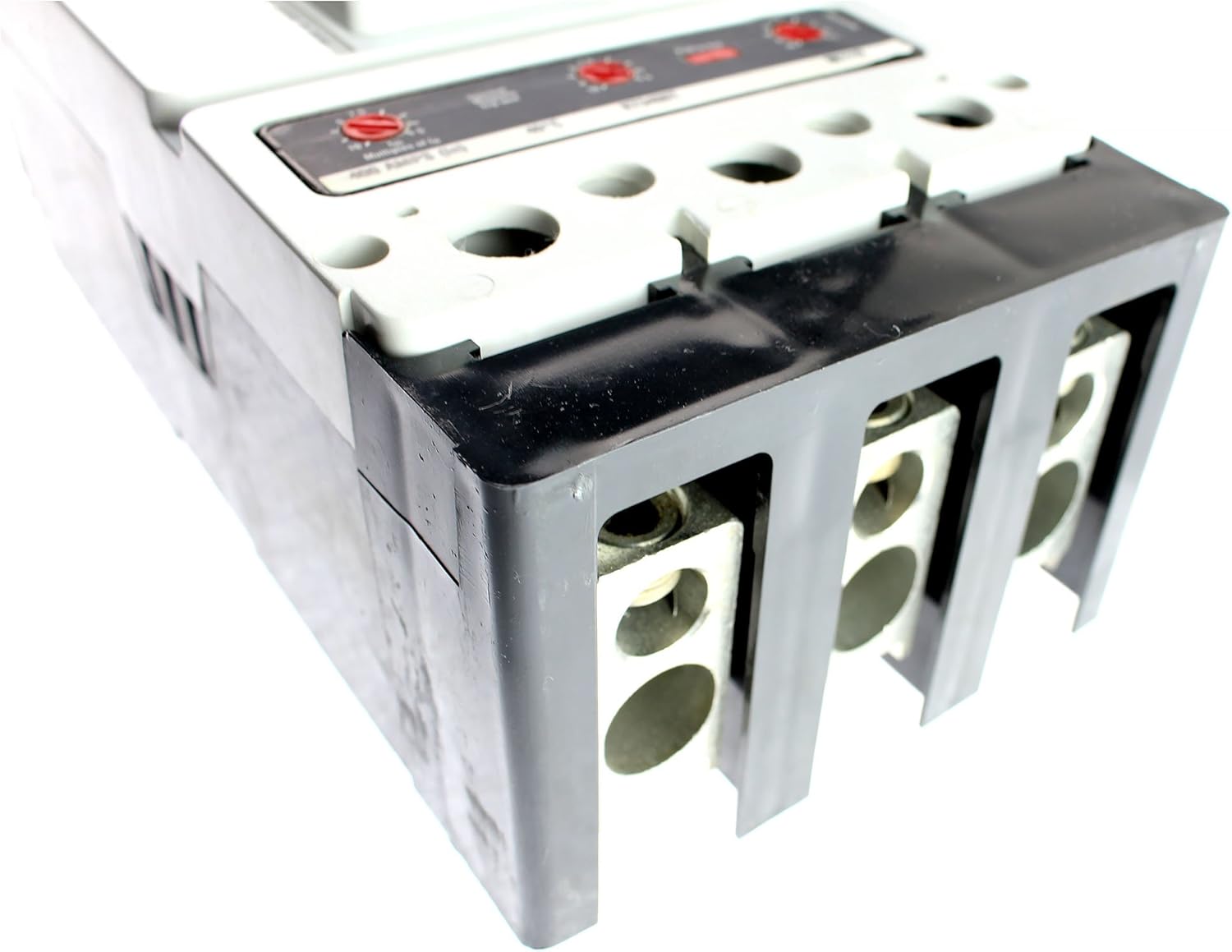
Figure 1: Eaton HKD3400F Industrial Circuit Breaker. This image shows a detailed view of the Eaton HKD3400F Industrial Circuit Breaker. Visible are the three main terminals for electrical connections, designed for 400A capacity. The top surface includes adjustment dials, likely for trip settings, indicating its industrial application.
3. Specifications
| Feature | Detail |
|---|---|
| Brand | Eaton |
| Model Number | HKD3400F |
| Current Rating | 400 Amps |
| Number of Poles | 3-Pole |
| Voltage Rating | 240 Volts |
| Circuit Breaker Type | Standard, Magnetic |
| Mounting Type | Wall Mount |
| UPC | 638183902318 |
4. Safety Information
WARNING: Electrical shock hazard. Improper installation or maintenance can result in serious injury or death. This device must be installed and serviced by qualified electrical personnel only, in accordance with all national and local electrical codes.
- Always disconnect power at the main service panel before working on or near the circuit breaker.
- Use appropriate personal protective equipment (PPE), including insulated gloves and eye protection.
- Ensure all connections are tight and secure to prevent overheating and arcing.
- Do not operate the circuit breaker if it appears damaged or has been exposed to moisture.
- Refer to the National Electrical Code (NEC) and local codes for specific requirements.
5. Installation and Setup
Installation of the Eaton HKD3400F Circuit Breaker should only be performed by a licensed electrician or qualified personnel. The following steps are general guidelines and do not replace professional expertise.
- Power Disconnection: Ensure all power to the electrical panel or distribution board is completely disconnected and locked out/tagged out before beginning installation. Verify with a voltage tester.
- Mounting: Securely mount the circuit breaker in the designated enclosure or panel using appropriate hardware. Ensure proper alignment and stability.
- Wiring Connections:
- Connect the incoming line conductors to the designated line terminals of the breaker.
- Connect the outgoing load conductors to the designated load terminals.
- Ensure all wire sizes comply with electrical codes for 400A capacity and are properly stripped and inserted into the terminals.
- Tighten all terminal screws to the manufacturer's specified torque settings to prevent loose connections and overheating.
- Verification: Double-check all connections for correctness and tightness. Ensure no bare wires are exposed.
- Enclosure Closure: Close and secure the electrical panel or enclosure cover.
- Power Restoration: Carefully restore power to the system.
6. Operation
The Eaton HKD3400F Circuit Breaker is designed for straightforward operation.
- Turning ON: Push the handle firmly to the "ON" position.
- Turning OFF: Push the handle firmly to the "OFF" position.
- Trip Indication: If an overcurrent or short circuit occurs, the breaker will automatically trip to the center position. To reset a tripped breaker, first push the handle completely to the "OFF" position, then push it to the "ON" position. If the breaker immediately trips again, do not attempt to reset it repeatedly. Investigate and resolve the cause of the trip.
7. Maintenance
Regular maintenance helps ensure the longevity and reliability of your circuit breaker. All maintenance should be performed by qualified personnel with power disconnected.
- Visual Inspection: Periodically inspect the breaker for any signs of physical damage, discoloration, or loose connections.
- Cleaning: Keep the breaker and surrounding area clean and free of dust and debris. Use a dry, non-conductive cloth.
- Connection Checks: Annually, or as required by local codes, verify the tightness of all electrical connections.
- Testing: Follow manufacturer recommendations for periodic testing of circuit breakers in critical applications.
8. Troubleshooting
If you encounter issues with your Eaton HKD3400F Circuit Breaker, consider the following common scenarios:
- Breaker Trips Immediately After Reset: This indicates a persistent overcurrent or short circuit condition. Do not force the breaker ON. Disconnect power and investigate the connected circuit for faults (e.g., damaged wiring, overloaded equipment).
- Breaker Does Not Stay ON: Similar to the above, a fault condition is likely present. Ensure all loads are disconnected from the circuit, then attempt to reset. If it still trips, the breaker itself may be faulty or there's an issue in the wiring to the breaker.
- Breaker Feels Hot: Excessive heat can indicate an overload, loose connection, or internal fault. Immediately disconnect power and have the system inspected by a qualified electrician.
- No Power to Circuit, Breaker is ON: Check the main service panel for a tripped main breaker or other upstream protection devices. Verify voltage at the breaker terminals with a multimeter (only by qualified personnel).
For complex issues or if troubleshooting steps do not resolve the problem, contact a qualified electrician or Eaton technical support.
9. Warranty and Support
Eaton products are manufactured to high-quality standards. For information regarding the warranty applicable to the HKD3400F Circuit Breaker, please refer to the official Eaton warranty statement available on their website or contact Eaton customer service directly. Keep your purchase receipt as proof of purchase.
For technical support, product inquiries, or service, please visit the official Eaton website or contact their customer support channels. Visit Eaton's Official Website


