
Coralife 100530107
Coralife LED BioCube 32 Gallon Aquarium Kit Instruction Manual
Model: 100530107
Introduction
This manual provides detailed instructions for the setup, operation, and maintenance of your Coralife LED BioCube 32 Gallon Aquarium Kit. Designed for both saltwater and freshwater environments, this all-inclusive system features integrated LED lighting and a compact filtration chamber. Please read these instructions thoroughly before beginning setup to ensure proper installation and optimal performance.
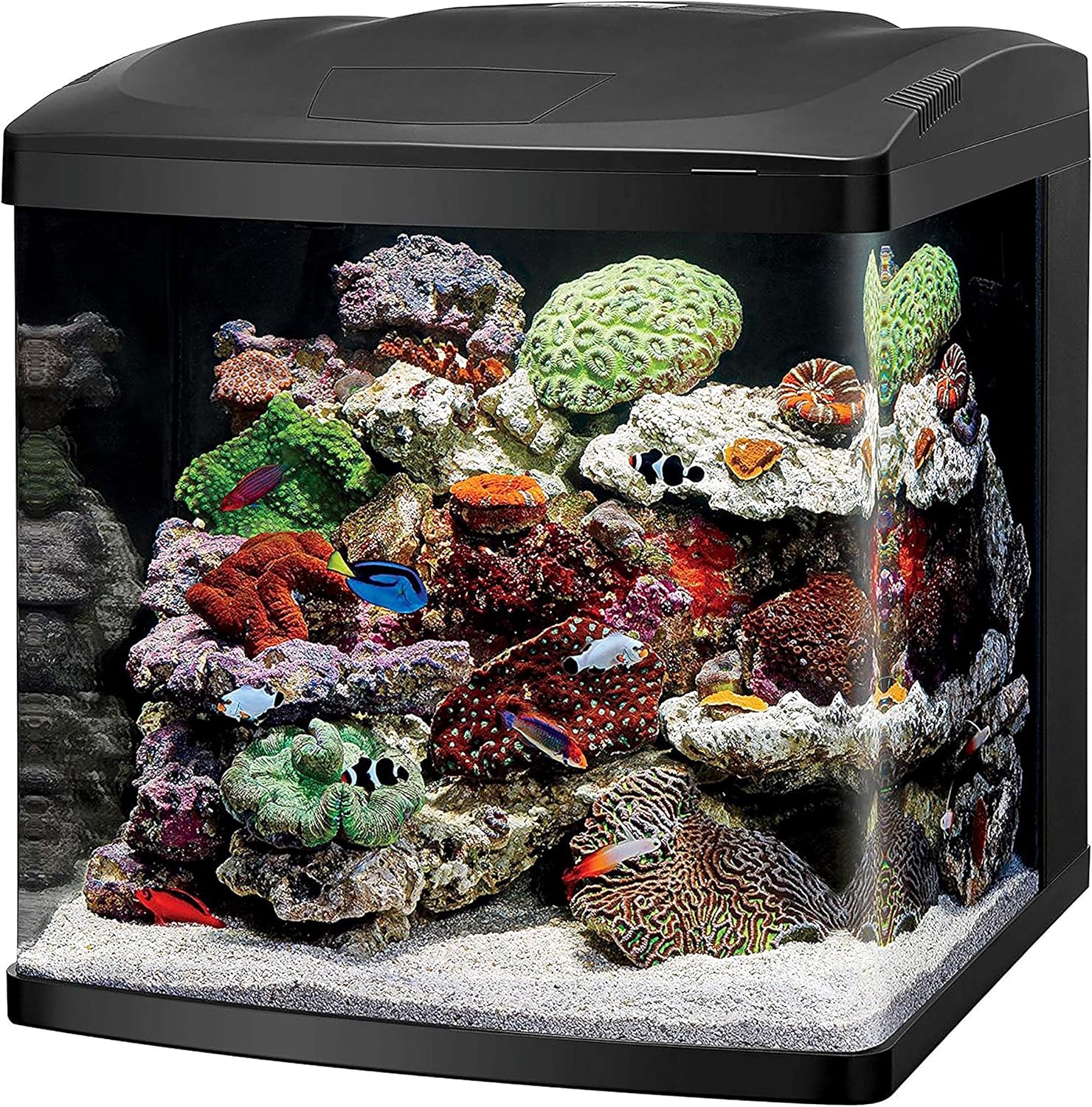
Image: The Coralife LED BioCube 32 Gallon Aquarium Kit, showcasing a vibrant marine environment with various corals and fish.
Safety Information
Always prioritize safety when handling electrical equipment and water. Follow these guidelines:
- Ensure all electrical connections are dry and away from water.
- Never operate damaged equipment.
- Unplug all electrical components before performing maintenance.
- Keep out of reach of children and pets.
- Do not use abrasive cleaners on the aquarium glass.
Package Contents
Verify that all components are present and undamaged before proceeding with setup:
- Glass aquarium
- LED canopy hood
- Integrated filtration system
- Built-in timer
- Filter cartridge
- Output discharge nozzle
- Flexible tubing
- Media tray
- Water pump
- Sponge filter

Image: The retail packaging for the Coralife LED BioCube 32 Gallon Aquarium Kit, illustrating the product and its key features.
Setup Instructions
- Placement: Select a sturdy, level surface capable of supporting the full weight of the aquarium when filled (approximately 300 lbs for 32 gallons of water plus equipment and substrate). Avoid direct sunlight and areas with extreme temperature fluctuations. Consider using the Coralife Designer BioCube Aquarium Stand Size 29/32 for optimal support and aesthetics.

Image: The Coralife LED BioCube 32 Gallon Aquarium Kit displayed on a compatible stand, illustrating proper placement.
- Rinsing: Thoroughly rinse the aquarium, filter media, and all internal components with clean, dechlorinated water. Do not use soap or detergents.
- Filtration Setup:
- Install the sponge filter and filter cartridge into the designated slots within the integrated filtration chamber at the back of the aquarium.
- Place the media tray in its position.
- Connect the flexible tubing to the water pump and then to the output discharge nozzle.
- Position the submersible pump in the final chamber of the filtration system.

Image: A view of the integrated backwall filtration chambers, showing the compartments for biological, mechanical, and chemical media, along with the submersible pump.
- Substrate and Decor: Add your chosen substrate (sand or gravel) and aquarium decorations. Ensure decor is stable and does not obstruct water flow or filtration components.
- Filling the Aquarium: Carefully fill the aquarium with dechlorinated water. For saltwater setups, use reverse osmosis (RO) water and marine salt mix according to manufacturer instructions.
- Canopy Installation: Place the LED canopy hood securely on top of the aquarium. Ensure all wires are routed safely and away from water.
- Power Connection: Plug in the water pump and LED lighting system. Do not add livestock until the aquarium has properly cycled.
Operating Instructions
LED Lighting System
The BioCube features a low-profile LED canopy with three independent light channels: bright white, sparkling blue, and color-enhancing LEDs. These are controlled by an integrated 24-hour timer.

Image: The Coralife LED BioCube 32 Gallon Aquarium Kit illuminated with blue LED lighting, simulating a nighttime or deep-water environment.
Timer Settings:
The integrated timer allows for customization of the lighting schedule, including automatic sunrise/sunset and moonrise/moonset functions.

Image: A close-up view of the LED BioCube timer control panel, displaying the current time and control buttons for setting light channels and cycles.
- Refer to the detailed instructions included with the LED canopy for specific programming steps.
- The automatic 30-minute sunrise/sunset and 60-minute moonrise/moonset functions replicate natural day/night cycles.
- Adjust light intensity and duration based on the needs of your aquatic inhabitants and plants/corals.
Filtration System
The compact and customizable filtration chamber provides mechanical, chemical, and biological filtration.
- The submersible pump ensures water circulation through the filter media.
- Dual intakes draw water into the filtration system.
- The adjustable return nozzle allows you to direct water flow within the aquarium.

Image: A diagram highlighting the submersible pump, dual intakes, and adjustable return nozzle components of the BioCube's integrated filtration system.
Maintenance
Regular Cleaning
- Water Changes: Perform regular partial water changes (e.g., 10-20% weekly or bi-weekly) to maintain water quality.
- Glass Cleaning: Use an aquarium-safe magnet cleaner or scraper to remove algae from the interior glass surfaces.
- Canopy Access: The hinged top allows for easy access to the aquarium for feeding and maintenance.

Image: The Coralife BioCube with its hinged top open, providing easy access to the aquarium interior for maintenance and feeding.
Filter Maintenance
- Filter Cartridge: Replace the filter cartridge every 2-4 weeks, or as needed, to ensure effective mechanical and chemical filtration.
- Sponge Filter: Rinse the sponge filter in old aquarium water during water changes to preserve beneficial bacteria. Replace when it shows signs of deterioration.
- Pump Cleaning: Periodically clean the submersible pump to remove any debris or mineral buildup that may reduce its efficiency.
Troubleshooting
| Problem | Possible Cause | Solution |
|---|---|---|
| Pump not running | Not plugged in; power outage; impeller jammed; pump failure. | Check power connection; restore power; clean impeller; replace pump. |
| Reduced water flow | Clogged filter media; dirty pump impeller; obstructed intake. | Clean or replace filter media; clean pump; clear intakes. |
| LED lights not working | Not plugged in; timer setting error; LED failure. | Check power; verify timer settings; contact support if LEDs are faulty. |
| Excessive noise | Vibrating pump; fan noise; loose components. | Ensure pump is properly seated; check for obstructions in fan; secure components. |
| Cloudy water | New tank syndrome; overfeeding; insufficient filtration; bacterial bloom. | Perform water changes; reduce feeding; check filter media; ensure proper cycling. |
Specifications
- Model Name: LED BioCube Aquarium Kit
- Model Number: 100530107
- Brand: Coralife
- Tank Volume: 32 Gallons
- Dimensions (LxWxH): 27.5" x 25.5" x 27"
- Item Weight: 62 Pounds
- Material: Glass
- Color: Black
- Included Components: Glass aquarium, LED canopy hood, integrated filtration, built-in timer, filter cartridge, output discharge nozzle, flexible tubing, media tray, water pump, sponge filter.
- Special Feature: LED Biocube Marine or Freshwater Aquarium Kit
- Country of Origin: China

Image: A 3D PAR (Photosynthetically Active Radiation) graph for the LED BioCube 32, measured at 12 inches, indicating light intensity across the aquarium for plant and coral growth.
Warranty Information
This Coralife LED BioCube Aquarium Kit comes with a Limited Warranty. For specific terms, conditions, and duration of the warranty, please refer to the warranty card included with your product or visit the official Coralife website. Keep your proof of purchase for warranty claims.
Customer Support
For further assistance, technical support, or to inquire about replacement parts, please contact Coralife customer service. You can typically find contact information on the product packaging, the official Coralife website, or through your retailer.
Online resources and FAQs may also be available on the Coralife website: Visit the Coralife Store on Amazon
Related documents100530107


Ask a question about this manual
Ask about setup, troubleshooting, compatibility, parts, safety, or missing instructions. Manuals+ will review the question and use this page’s manual context to help answer it.