
Introduction
This manual provides detailed instructions for the installation, setup, operation, and maintenance of your MOTORLINE TEC2 Wireless Backlit Keypad. Designed for secure and efficient access control, the TEC2 combines modern aesthetics with practical functionality, offering a reliable solution for various environments. Please read this manual thoroughly before using the product to ensure proper function and safety.
Product Overview and Features
- Modern and Functional Design: The TEC2 features a compact, backlit keypad, powered by a CR2450 3B DC/580 mAh battery at 433.92 ± 0.15 MHz, allowing control of up to two devices.
- Reliable and Durable: Its IP65 protection rating ensures resistance against dust and water, guaranteeing reliable performance even in adverse conditions. The reinforced aluminum frame makes it resistant to vandalism.
- Quick and Convenient Wireless Installation: Thanks to wireless technology, it installs easily even in areas with difficult wiring. An ideal solution for any environment, from outdoors to indoors.
- Compatibility with MOTORLINE Control Units: Configuration is intuitive and is only compatible with MOTORLINE control units and receivers.
- MOTORLINE PROFESSIONAL: A Portuguese brand, experienced and innovative, that develops and produces automation systems for residences, industries, and road control, aiming to simplify people's lives.
Safety Information
Please observe the following safety precautions to prevent damage to the product or injury to yourself and others:
- Read all instructions carefully before installation and use.
- Ensure the product is installed by qualified personnel if electrical connections are involved.
- Do not expose the device to extreme temperatures beyond its operating range.
- Keep the device away from children and pets.
- Do not attempt to disassemble or repair the device yourself. Contact qualified service personnel.
- Dispose of batteries according to local regulations.
Package Contents
Your MOTORLINE TEC2 Wireless Backlit Keypad package should include the following items:
- MOTORLINE TEC2 Wireless Backlit Keypad
- Mounting Screws and Wall Plugs
- User Manual (this document)
- CR2450 Battery (may be pre-installed or separate)
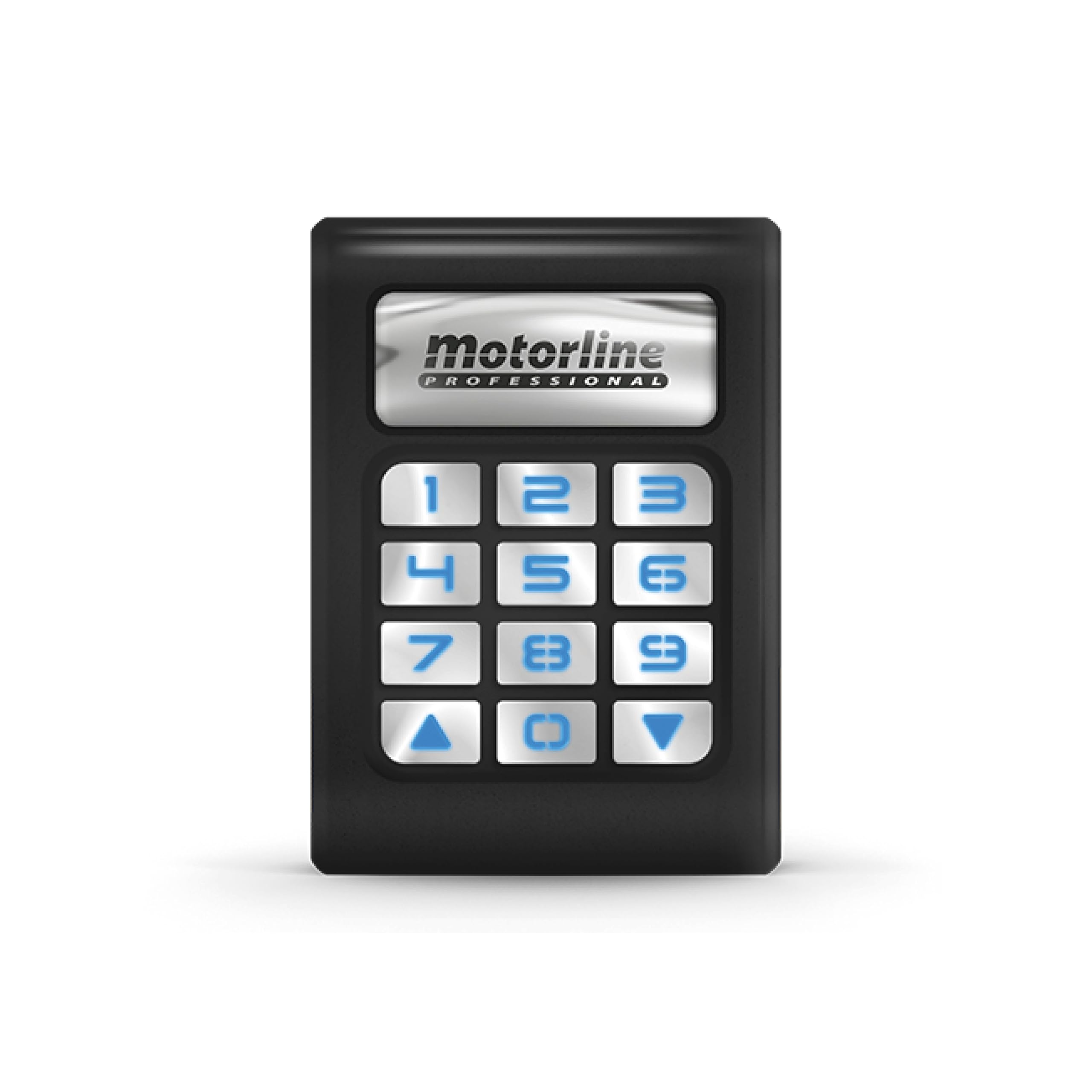
Image: Front view of the MOTORLINE TEC2 Wireless Backlit Keypad.
Installation
The MOTORLINE TEC2 keypad is designed for quick and convenient wireless installation. Its IP65 rating allows for both indoor and outdoor use.
Mounting the Keypad
- Choose a suitable location for the keypad, ensuring it is within range of your MOTORLINE control unit or receiver.
- Open the keypad casing to access the mounting holes.
- Mark the drilling points on the wall using the keypad as a template.
- Drill holes and insert wall plugs if necessary.
- Secure the keypad's backplate to the wall using the provided screws.
- Close the keypad casing securely.

Image: A hand interacting with the MOTORLINE TEC2 Keypad mounted on a wall, demonstrating its use in an access control scenario.
Wiring and Connections (for control unit)
While the keypad itself is wireless, it communicates with a MOTORLINE control unit or receiver. Refer to the specific instructions for your MOTORLINE control unit for wiring connections to integrate the keypad.
Video: This video demonstrates how to memorize a new remote control with a MOTORLINE system. This process is similar to how the TEC2 keypad would be integrated with a compatible MOTORLINE control unit for access control.
Setup
Battery Installation
The TEC2 keypad is powered by a CR2450 3B DC/580 mAh battery. Ensure the battery is correctly installed with the correct polarity. If the keypad is not responding, check or replace the battery.
Pairing with MOTORLINE Control Unit/Receiver
The TEC2 keypad must be paired with a compatible MOTORLINE control unit or receiver. The exact pairing procedure may vary slightly depending on your specific MOTORLINE unit. Generally, the process involves:
- Accessing the programming menu on your MOTORLINE control unit (often by pressing a 'CMD' or 'PROG' button).
- Selecting the desired function (e.g., full opening or pedestrian opening).
- Pressing a button on the TEC2 keypad to transmit its code to the control unit.
- Confirming the successful memorization on the control unit.
For detailed steps, refer to the instruction manual of your specific MOTORLINE control unit or receiver. The video below illustrates a similar process for memorizing a remote control, which can provide a general understanding.
Video: This video demonstrates how to memorize a new remote control with a MOTORLINE system. This process is similar to how the TEC2 keypad would be integrated with a compatible MOTORLINE control unit for access control.
Operating Instructions
Once your TEC2 keypad is successfully paired with your MOTORLINE control unit, you can use it to control up to two devices (e.g., a gate for full opening and a pedestrian gate for partial opening).
Entering Access Code
- The keypad features backlighting for easy visibility in low-light conditions.
- Enter your pre-programmed access code using the numeric keys.
- Press the designated confirmation key (e.g., '#' or a specific function key) to activate the command.
- The control unit will then activate the corresponding device (e.g., open the gate).
Controlling Multiple Devices
If configured to control two devices, you may have different access codes or a sequence of keys to select which device to activate. Consult your MOTORLINE control unit manual for specific programming of multiple device control.

Image: An angled view of the MOTORLINE TEC2 Keypad, highlighting its illuminated keys for use in various lighting conditions.
Maintenance
- Cleaning: Use a soft, damp cloth to clean the keypad surface. Avoid abrasive cleaners or solvents that could damage the finish or electronics.
- Battery Replacement: When the keypad's backlight dims or it becomes unresponsive, it may be time to replace the CR2450 battery. Carefully open the casing, replace the battery with a new one of the same type, ensuring correct polarity, and securely close the casing.
- Inspection: Periodically check the keypad for any signs of physical damage or wear. Ensure the mounting is secure.
Troubleshooting
| Problem | Possible Cause | Solution |
|---|---|---|
| Keypad not responding. | Low or dead battery. | Replace the CR2450 battery. |
| Keypad not activating the device. | Not correctly paired with control unit. | Re-pair the keypad with the MOTORLINE control unit/receiver. Refer to the "Setup" section. |
| Incorrect access code entered. | Ensure the correct code is entered. Check the control unit's programming for the correct code. | Verify the access code. |
| Backlight is dim or not working. | Low battery. | Replace the CR2450 battery. |
| Device activates intermittently. | Interference or range issues. | Ensure the keypad is within optimal range of the control unit. Check for sources of interference. |
Specifications
- Brand: Motorline PROFESSIONAL
- Model: TEC2 (also referred to as TEC1 in some specifications)
- Manufacturer: Portamatik
- Product Dimensions: 8.5 x 5.5 x 7.5 cm
- Product Weight: 300 g
- Compatible Devices: MOTORLINE control panels or receivers
- Battery Description: Alkaline (CR2450 3B DC/580 mAh)
- Keyboard Description: Wireless, Backlit
- Connectivity Technology: Bluetooth (Note: Wireless communication operates at 433.92 ± 0.15 MHz)
- Operating Frequency: 433.92 ± 0.15 MHz
- Maximum Supported Devices: 2
- Protection Rating: IP65 (Dust and water resistant)
- Country/Region of Origin: Portugal
Warranty and Support
For warranty information, technical support, or service inquiries regarding your MOTORLINE TEC2 Wireless Backlit Keypad, please contact Motorline PROFESSIONAL customer service or your authorized dealer. Keep your purchase receipt as proof of purchase for warranty claims.
You can find more information and contact details on the official Motorline PROFESSIONAL website or through your point of purchase.
