
1. Introduction
This manual provides essential information for the safe and correct installation, operation, and maintenance of the KING GATES Modus 280 SL self-locking swing gate operator. Please read this manual carefully before commencing any work with the product. Keep this manual in a safe place for future reference.
The Modus 280 SL is a replacement motor designed for Modus series swing gate automation systems. It is suitable for gates weighing up to 300 kg per leaf and comes complete with mechanical limit switches for precise operation.
2. Safety Instructions
WARNING: Failure to follow these safety instructions may result in serious injury or damage to property.
- Installation and maintenance must be performed by qualified personnel only.
- Ensure the main power supply is disconnected before performing any installation or maintenance procedures.
- Do not modify any components of the gate operator.
- Keep children and pets away from the gate area during operation.
- Regularly inspect the gate and operator for signs of wear or damage.
- Ensure all safety devices (e.g., photocells, safety edges) are correctly installed and functioning.
3. Package Contents
Verify that all components are present and undamaged before proceeding with installation.
- 1x KING GATES Modus 280 SL Gate Operator
- 1x Set of mounting brackets and hardware
- 1x Mechanical limit switch kit
- 1x User Manual (this document)
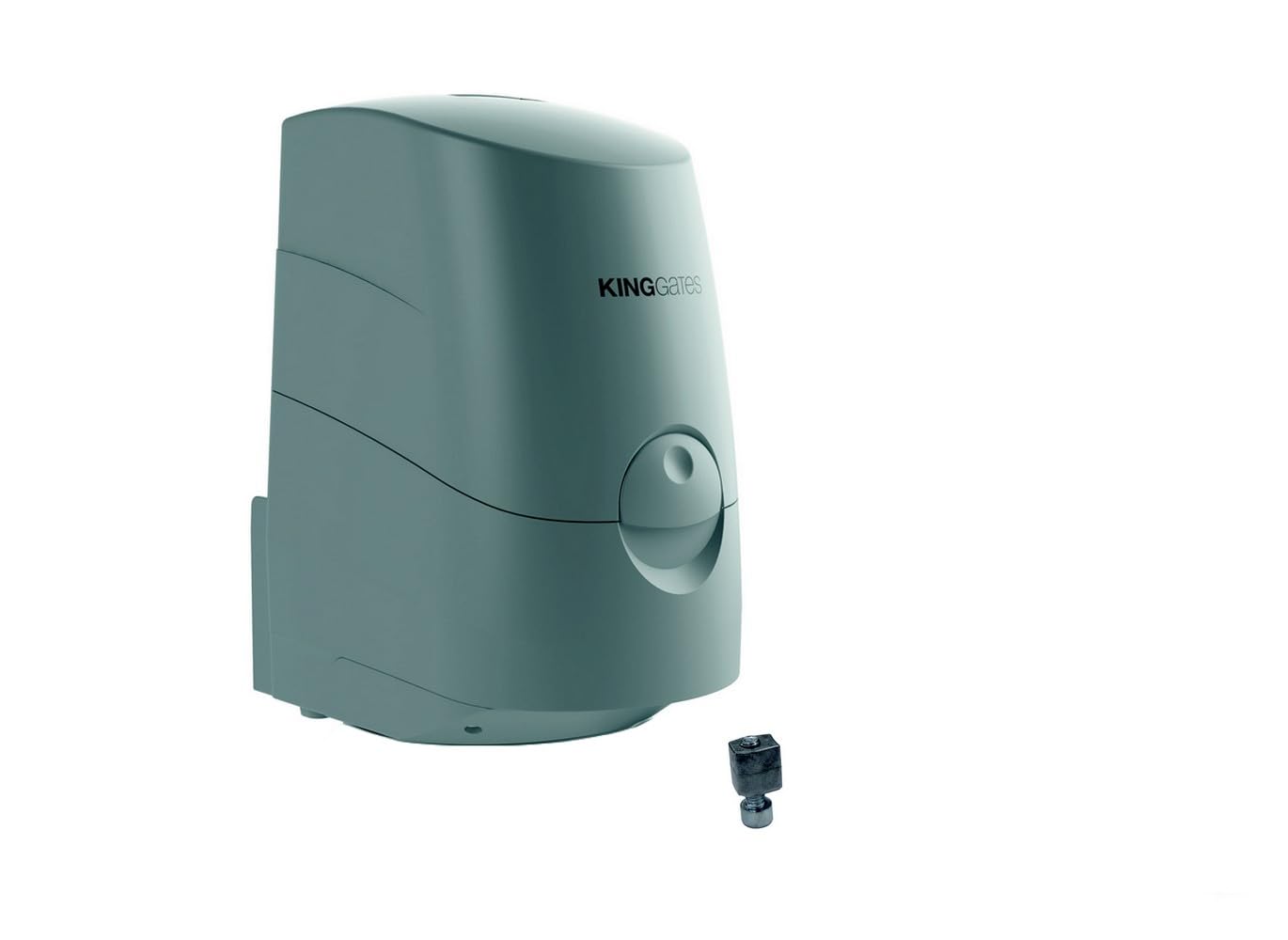
Figure 1: Main components of the Modus 280 SL operator. The image shows the motor unit with its housing and connection points.
4. Setup and Installation
This section outlines the general steps for installing the Modus 280 SL operator. Refer to the detailed wiring diagrams and specific mounting instructions provided in the separate installation guide for your gate type.
4.1. Pre-installation Checks
- Ensure the gate structure is robust and moves freely without friction.
- Verify that there is adequate space for the operator and its full range of motion.
- Confirm the power supply (230V AC) is available at the installation site and protected by a suitable circuit breaker.
4.2. Mounting the Operator
- Determine the optimal mounting position on the gate pillar and gate leaf, ensuring correct leverage and gate movement.
- Securely attach the rear mounting bracket to the gate pillar using appropriate fasteners.
- Attach the front mounting bracket to the gate leaf.
- Mount the Modus 280 SL operator onto the brackets, ensuring it is level and aligned.
4.3. Electrical Connections
All electrical connections must be made by a qualified electrician in accordance with local regulations.
- Connect the main power supply to the control unit (not included with operator, typically part of a complete kit).
- Connect the motor cables from the Modus 280 SL to the designated terminals on the control unit.
- Connect all safety devices (photocells, flashing light, etc.) to the control unit as per its specific manual.
- Install and connect the mechanical limit switches to the operator and control unit to define the gate's open and closed positions.
5. Operating Instructions
Once installed and configured, the Modus 280 SL operator works in conjunction with a control unit to automate your swing gate.
5.1. Initial Power-Up and Configuration
After completing all electrical connections, power up the control unit. Follow the control unit's specific manual for initial programming, learning gate travel, and setting parameters such as force, speed, and pause time.
5.2. Normal Operation
- Opening the Gate: Press the designated button on your remote control or wall switch. The gate will open to its fully open position, as defined by the limit switches.
- Closing the Gate: Press the designated button again. The gate will close to its fully closed position.
- Stop/Pause: During gate movement, pressing the button again will typically stop the gate. A subsequent press may reverse its direction or resume movement, depending on the control unit's programming.
5.3. Manual Release
In case of power failure or malfunction, the gate can be operated manually. Locate the manual release mechanism on the operator (refer to the operator's diagram). Insert the provided key or lever and turn it to disengage the motor, allowing the gate to be moved by hand.
WARNING: Only use the manual release when the gate is stationary and there is no risk of unintended movement.
6. Maintenance
Regular maintenance ensures the longevity and safe operation of your KING GATES Modus 280 SL operator. Perform these checks periodically.
6.1. Monthly Checks
- Check the gate's mechanical components (hinges, wheels, guides) for smooth operation and lubrication.
- Inspect the operator's mounting brackets and fasteners for tightness.
- Clean any debris from the operator's housing and around the gate area.
- Test all safety devices (photocells, safety edges) to ensure they are functioning correctly.
6.2. Annual Checks (by qualified technician)
- Inspect internal electrical connections and wiring for wear or damage.
- Check motor performance and current draw.
- Verify the correct functioning of limit switches and force settings.
- Lubricate moving parts as recommended by KING GATES.
7. Troubleshooting
This section provides solutions to common issues. For more complex problems, contact a qualified technician.
| Problem | Possible Cause | Solution |
|---|---|---|
| Gate does not move. | No power supply. Safety devices activated. Motor disengaged (manual release). |
Check power breaker. Clear obstruction from photocells. Re-engage motor. |
| Gate stops unexpectedly. | Obstruction detected. Safety device fault. Overheating. |
Remove obstruction. Check safety device wiring. Allow motor to cool down. |
| Gate opens/closes partially. | Limit switches incorrectly set. Mechanical friction. |
Adjust limit switch positions. Lubricate hinges, check gate alignment. |
8. Specifications
Technical specifications for the KING GATES Modus 280 SL operator.
- Model: Modus 280 SL
- Brand: KING GATES
- Max Gate Leaf Weight: 300 kg
- Type: Self-locking swing gate operator
- Limit Switches: Mechanical
- ASIN: B06X3WQ67S
9. Warranty and Support
KING GATES products are covered by a manufacturer's warranty against defects in materials and workmanship. For specific warranty terms and conditions, please refer to the documentation provided with your purchase or contact your local KING GATES distributor.
For technical support, spare parts, or service inquiries, please contact your installer or an authorized KING GATES service center. When contacting support, please have your product model (Modus 280 SL) and purchase details readily available.
Online Resources: For additional information and resources, visit the official KING GATES website: www.king-gates.com