
Introduction
The NITEYE by JETBeam BC20-GT is a high-performance tactical flashlight designed for daily use, camping, adventure, and outdoor hunting. It features a powerful 1080 lumen output, a long beam distance, and a durable, waterproof construction. This manual provides detailed instructions for the proper setup, operation, and maintenance of your BC20-GT flashlight.
Key Features
- Maximum output of 1080 lumens.
- Maximum beam distance of 260 meters.
- Maximum runtime of 14 hours.
- Utilizes a CREE XP-L HI LED with an SMO reflector.
- Compatible with 1 x 18650 or 2 x CR123A batteries.
- Special Strobe mode for tactical applications.
- Constant current circuit for stable brightness output.
- New generation IC-digital circuit for LED and battery protection.
- Scratch-resistant, super-transparent mineral glass with double-sided coating.
- Waterproof to IPX-8 standard (2 meters submersible).
- Built-in USB interface for convenient charging.
Specifications
| Parameter | Value |
|---|---|
| Model | BC20-GT |
| LED | CREE XP-L HI |
| Maximum Output | 1080 Lumens |
| Maximum Beam Distance | 260 meters |
| Maximum Beam Intensity | 16800 cd |
| Maximum Runtime | 14 hours |
| Compatible Batteries | 1 x 18650 or 2 x CR123A |
| Length | 143.7 mm (5.6 inches) |
| Head Diameter | 26 mm (1.02 inches) |
| Weight (excluding battery) | 134.3 g (0.29 lbs) |
| Material | Aluminum |
| Waterproof Rating | IPX-8 (2 meters submersible) |
| Color | Black |
Setup
1. Battery Installation
The BC20-GT flashlight operates with either one 18650 rechargeable Li-ion battery or two CR123A non-rechargeable lithium batteries. Ensure correct polarity during installation.
- Unscrew the tail cap of the flashlight counter-clockwise.
- Insert the battery(ies) with the positive (+) terminal facing towards the head of the flashlight.
- Screw the tail cap back on clockwise until it is securely tightened.
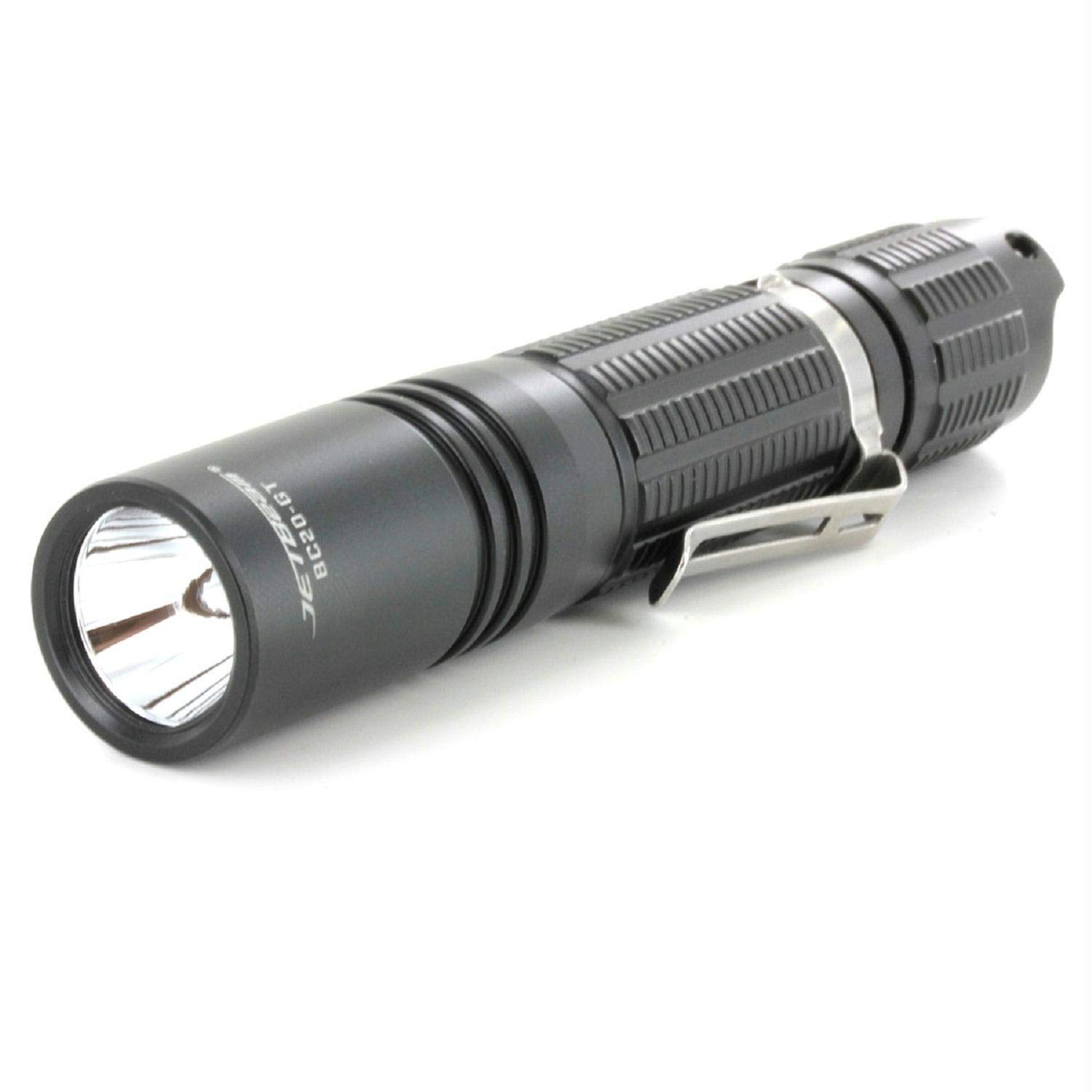
Image: The NITEYE by JETBeam BC20-GT flashlight, illustrating the battery compartment after removing the tail cap. This shows where to insert the battery.
2. Initial Charging (for 18650 battery)
If using a rechargeable 18650 battery, it is recommended to fully charge it before first use. The BC20-GT features a built-in USB charging interface.
- Locate the USB charging port on the flashlight body. It is usually covered by a rubber flap for waterproofing.
- Open the rubber flap and connect a standard USB charging cable (not included) to the port.
- Connect the other end of the USB cable to a power source (e.g., USB wall adapter, computer USB port).
- An indicator light will typically show the charging status (e.g., red for charging, green for fully charged).
- Once charging is complete, disconnect the cable and securely close the rubber flap to maintain waterproofing.
Operating Instructions
The BC20-GT flashlight is operated via a single tactical tail switch.
1. Power On/Off
- To turn on: Fully press the tail switch until a click is heard.
- To turn off: Fully press the tail switch again until a click is heard.
2. Mode Selection
The BC20-GT offers multiple brightness levels and a special Strobe mode. To cycle through modes:
- With the flashlight turned on, lightly tap the tail switch (without fully clicking) to cycle through the available brightness modes (e.g., Low, Medium, High).
- To activate the Strobe mode, rapidly tap the tail switch twice. Tap again to return to the previous brightness mode.
- The flashlight typically memorizes the last used brightness mode (excluding Strobe) when turned off and on again.
Maintenance
1. Cleaning
- Wipe the flashlight body with a clean, soft cloth.
- For stubborn dirt, use a slightly damp cloth. Avoid harsh chemicals or abrasive cleaners.
- Clean the threads of the tail cap and head regularly. Apply a thin layer of silicone grease to the O-rings to maintain waterproofing and smooth operation.
2. Battery Care
- Remove batteries if the flashlight will not be used for an extended period to prevent leakage and damage.
- Store batteries in a cool, dry place.
- Always use high-quality batteries from reputable brands.
- Do not mix old and new batteries, or different types of batteries.
Troubleshooting
| Problem | Possible Cause | Solution |
|---|---|---|
| Flashlight does not turn on. |
|
|
| Light is dim or flickers. |
|
|
| Flashlight gets hot quickly. |
|
|
Safety Information
- Do not shine the flashlight directly into eyes. The high lumen output can cause temporary vision impairment or permanent eye damage.
- Keep out of reach of children.
- Do not disassemble the flashlight head as this may damage the LED or internal components and void the warranty.
- Ensure proper battery polarity during installation. Incorrect installation can cause damage to the flashlight or battery.
- Do not dispose of batteries in fire. They may explode.
- Avoid exposing the flashlight to extreme temperatures or direct sunlight for prolonged periods.
Warranty and Support
For warranty information, technical support, or service inquiries, please refer to the official JETBeam website or contact your authorized retailer. Please retain your proof of purchase for warranty claims.


