
1. Introduction
The TP-Link AV1000 Powerline Ethernet Adapter Kit (TL-PA7010 KIT) extends your internet access to any room using your home's existing electrical wiring. This kit is designed to provide stable, high-speed wired connections for devices such as Smart TVs, streaming players, and game consoles, supporting applications like 4K HD video streaming and online gaming.
The AV1000 Powerline adapters utilize HomePlug AV2 technology to deliver data transfer rates of up to 1000 Mbps, making it suitable for bandwidth-intensive tasks. The setup process is straightforward, requiring no complex configuration.

Figure 1: TP-Link AV1000 Powerline Ethernet Adapter (Single Unit)
2. Package Contents
The TL-PA7010 KIT includes the following items:
- Two (2) Powerline Ethernet Adapters
- One (1) 6.5 ft. (2 m) CAT.5e Ethernet cable (RJ45)
- Quick Installation Guide

Figure 2: Two TP-Link AV1000 Powerline Ethernet Adapters included in the kit
3. Setup Instructions
Setting up your TP-Link AV1000 Powerline Ethernet Adapter Kit is a simple plug-and-play process. No software installation or complex configuration is required.
3.1 Basic Connection
- Connect the First Adapter: Plug one Powerline adapter into a wall socket near your internet router. Connect this adapter to your router's LAN port using the provided Ethernet cable.
- Connect the Second Adapter: Plug the second Powerline adapter into a wall socket in the room where you need internet access.
- Connect Your Device: Connect your internet-enabled device (e.g., computer, Smart TV, game console) to the second Powerline adapter using an Ethernet cable.
The adapters should automatically detect each other and establish a connection. Ensure both adapters are plugged directly into wall outlets, not power strips or extension cords, as these can interfere with Powerline performance.

Figure 3: Basic Powerline Network Setup Diagram
3.2 Pairing Additional Adapters (Optional)
If you purchase additional TP-Link Powerline adapters, you can add them to your existing secure Powerline network by pairing them. This ensures secure communication between all devices.
- Plug the new Powerline adapter into a wall socket near an existing adapter that is already part of your network.
- Press the Pair button on one of the existing adapters for one second. The Power LED will begin to blink.
- Within two minutes, press the Pair button on the new adapter for one second. The Power LED on the new adapter will also begin to blink.
- When the Power LED on both adapters turns solid, the pairing process is complete, and the new adapter is now part of your secure Powerline network.
4. Operation
Once set up, the Powerline adapters operate automatically, providing a stable wired network connection.
4.1 Gigabit Ethernet Port
Each TL-PA7010 adapter is equipped with a Gigabit Ethernet port, enabling high-speed wired connections. This port supports data transfer rates up to 1000 Mbps, ensuring optimal performance for demanding applications.

Figure 4: Gigabit Ethernet Port for Fast Connections
4.2 Power Saving Mode
The TL-PA7010 KIT features an automatic power-saving mode. If no data is transmitted or received over a certain period, the adapters will automatically reduce power consumption by up to 85%, contributing to energy efficiency.
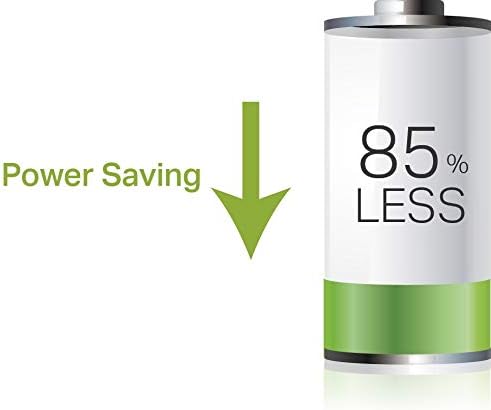
Figure 5: Power Saving Feature
4.3 Network Expansion
The Powerline network can be expanded throughout your home, providing wired internet access wherever there is an electrical outlet. This is particularly useful for areas where Wi-Fi signals are weak or inconsistent.

Figure 6: Example of a Home Powerline Network
5. Maintenance
To ensure optimal performance and longevity of your Powerline adapters, consider the following:
- Keep the adapters in a well-ventilated area to prevent overheating.
- Avoid placing adapters near sources of electrical noise, such as large appliances (refrigerators, washing machines), which can interfere with the Powerline signal.
- Periodically check for firmware updates on the TP-Link website to ensure the best performance and security.
- Clean the exterior of the adapters with a soft, dry cloth. Do not use liquid cleaners or aerosols.
6. Troubleshooting
If you encounter issues with your Powerline network, try the following troubleshooting steps:
- No Connection:
- Ensure both Powerline adapters are plugged directly into wall outlets, not power strips, surge protectors, or extension cords.
- Verify that the Powerline adapters are on the same electrical circuit. Performance may be reduced or connection lost if they are on different circuits or phases.
- Check that the Ethernet cables are securely connected to both the adapters and your devices/router.
- Try re-pairing the adapters as described in Section 3.2.
- Slow Speed:
- Interference from other electrical devices (e.g., motors, power supplies) can affect Powerline speed. Try moving the adapters to different outlets.
- Ensure the electrical wiring in your home is in good condition. Older or complex wiring can impact performance.
- Avoid plugging adapters into outlets that are part of a circuit with high power consumption devices.
- Adapter Unresponsive:
- Unplug the adapter from the wall outlet, wait a few seconds, and then plug it back in. This can resolve temporary issues.
7. Specifications
| Brand | TP-Link |
| Model Number | TL-PA7010 KIT |
| Series | TL-PA7010KIT |
| Hardware Interface | Ethernet |
| Data Link Protocol | Ethernet, Gigabit Ethernet, IEEE 802.3 |
| Data Transfer Rate | 1000 Megabits Per Second (AV1000) |
| Range | Up to 300 meters (984.25 feet) over electrical circuit |
| Power Saving | Automatically reduces power consumption by up to 85% |
| Security | 128-bit AES Data Encryption |
| Standards and Protocols | HomePlug AV2, HomePlug AV, IEEE 1901, IEEE 802.3, IEEE 802.3u, IEEE 802.3ab |
| Compatible Devices | Smart TV, Game Consoles, PCs, etc. |
| Operating System Support | Windows 2000, XP, 2003, Vista, 7, 8, 8.1, 10, Mac, Linux |
| Dimensions (LxWxH) | 1.2 x 4.8 x 2.7 inches (30 x 122 x 69 mm) |
| Item Weight | 13.7 ounces |
| Color | White |
8. Warranty and Support
TP-Link provides industry-leading support for the TL-PA7010 KIT, including:
- 2-Year Warranty: Your product is covered by a 2-year limited warranty.
- Free 24/7 Technical Support: For any questions or assistance, please contact TP-Link technical support.
Contact Information: support@tp-link.com
9. Legal Disclaimer
The terms “AV1000” and “1000Mbps” refer to the theoretical maximum physical-layer data transfer rate derived from applicable specifications. These terms are used on this product solely to indicate its compatibility with other “AV1000” or “1000Mbps” powerline devices. Actual data speeds vary and may be limited by the product’s Ethernet port and other network conditions such as data traffic, electrical noise, and wiring issues. For better performance, powerline devices should be deployed on the same electrical circuit and rated for the same HomePlug standard. A minimum of two powerline devices are required to establish a powerline connection. If you are uncertain about your network conditions, you should consult an IT professional to assist in selecting a networking product. Actual power saved varies based on network conditions and environmental factors.


