
1. Introduction and Overview
The Cheerwing Syma X20 Mini Drone is designed for kids and beginners, offering an easy-to-fly experience with stable hovering and fun 3D flip capabilities. Its compact size makes it suitable for indoor flight, while its intuitive controls ensure a smooth learning curve for new pilots.

Image: The compact white Syma X20 Mini Drone with red accents and propeller guards.
2. What's in the Box
Upon unboxing your Cheerwing Syma X20 Mini Drone, you will find the following components:
- Syma X20 Mini Drone (Aircraft)
- Remote Control (Transmitter)
- USB Charging Cable
- Screwdriver
- Spare Propellers (4 pieces)
- User Manual

Image: All components included in the Syma X20 Mini Drone package.
3. Setup Guide
3.1. Charging the Drone Battery
The Syma X20 Mini Drone features a built-in rechargeable battery. Use the provided USB charging cable to charge the drone. Connect the small end of the USB cable to the drone's charging port and the larger end to a USB power source (e.g., computer USB port, USB wall adapter). The charging time is approximately 45 minutes for about 5-7 minutes of flight time.
3.2. Propeller Installation
Ensure propellers are correctly installed. There are two types of blades, marked 'A' and 'B'. Match the blade type to the corresponding motor arm as indicated in the diagram below. Incorrect installation will prevent proper flight.

Image: Detailed view of the drone's propellers and their installation points.
3.3. Controller Setup and Binding
Insert 4 x AAA batteries (not included) into the remote control. To bind the drone with the remote control:
- Turn on the drone. The LED lights on the drone will flash.
- Place the drone on a flat, level surface.
- Turn on the remote control.
- Push the left joystick (throttle) all the way up, then all the way down. The drone's lights will become solid, indicating successful binding.
Video: Official operation tutorial for the Cheerwing X20 Pocket Drone, demonstrating setup and basic controls.
For a visual guide on setup and initial operation, please refer to the official 'Cheerwing X20 Pocket Drone Operation Tutorial' video provided by the seller.
4. Operating Instructions
4.1. One Key Take-off and Landing
After binding, simply press the One Key Take-off/Landing button on the remote control. The drone will automatically ascend to a stable hovering altitude or descend gently for landing. This feature is particularly helpful for beginners.

Image: Illustration of the One Key Take-off/Landing function.
4.2. Basic Flight Controls
Use the joysticks on the remote control to maneuver the drone:
- Left Joystick (Throttle): Push up to ascend, pull down to descend.
- Right Joystick (Directional): Push up for forward flight, pull down for backward flight, push left for left sideways flight, push right for right sideways flight.
4.3. Headless Mode
Headless Mode simplifies flight by eliminating the need to orient the drone. In this mode, the drone's forward direction is always relative to the pilot's perspective, regardless of the drone's actual orientation. To activate/deactivate, long press the top left button on the remote control.
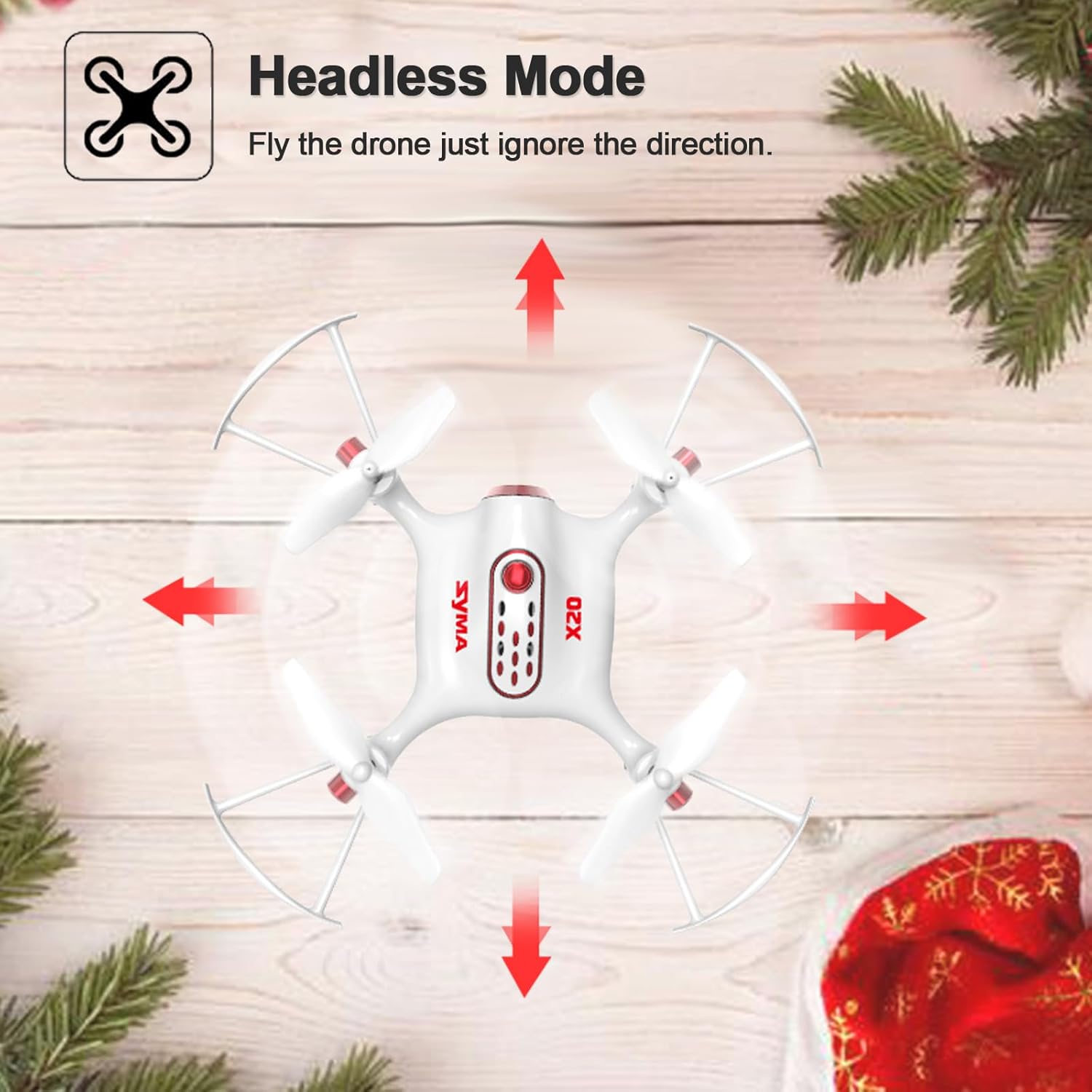
Image: Visual explanation of Headless Mode operation.
4.4. High & Low Speed Switch
The drone has two speed modes: low speed for stable, precise flight (ideal for beginners and indoor use) and high speed for more agile and faster maneuvers. Short press the top left button on the remote control to switch between speeds. You will hear a 'di' sound for low speed and 'di di' for high speed.
4.5. Trimming for Stable Flight
If the drone drifts in any direction during hover, use the trimming function to stabilize it. Press and hold the trimmer key (usually located near the joysticks) and then push the corresponding joystick in the opposite direction of the drift. Release the trimmer key to apply the adjustment. For a full trimming reset, long press the trimmer key and then restart the controller.
4.6. 3D Flips & Roll
Perform exciting 360° flips and rolls with ease. Press the rolling key (usually a dedicated button for flips) and then push the right joystick in the desired direction for the flip (forward, backward, left, or right). The drone will execute a continuous roll for a perfect action and wonderful performance.

Image: The drone performing a 3D flip, highlighting its acrobatic capabilities.
5. Features
The Cheerwing Syma X20 Mini Drone is packed with features to enhance your flying experience:
- Small Drone for Kids and Adults: Upgraded with multi-features, more stable and more suitable for kids and novice users. Ideal drone toy as a birthday or holiday gift.
- One Key Take-off and Landing Function: Allows beginners to easily fly the drone without any special skill. One Touch Down function is most important to protect the drone when it is out of control or low battery power; the drone will fly down slowly and land on the ground automatically before the motors stopping.
- Hover / Altitude Hold Mode: Drone altitude specified a flight mode. Beginners easy to manipulate.
- Headless Mode: Makes easier flight. Once the fuselage direction cannot be recognized, it can enter headless mode so as to continue the flight.
- One Key 360° Roll: Continuous roll for perfect action and wonderful performance.
- LED Lights: Designed LED lights are fitted for night flight possibilities, leaving a beautiful landscape in the night sky.

Image: The drone utilizing its Altitude Hold feature for stable flight.
6. Maintenance
Proper maintenance ensures the longevity and optimal performance of your drone:
- Propeller Replacement: If propellers are damaged, use the provided screwdriver to carefully remove the old ones and install new ones, ensuring correct 'A' and 'B' alignment.
- Cleaning: Gently wipe the drone with a dry, soft cloth to remove dust and debris. Avoid using water or harsh chemicals.
- Battery Care: Do not overcharge the battery. Disconnect the charger once charging is complete. Store the drone and battery in a cool, dry place away from direct sunlight and extreme temperatures.
7. Troubleshooting
| Problem | Possible Cause | Solution |
|---|---|---|
| Drone drifts during flight | Improper trimming; uneven surface during binding | Perform trimming adjustments (Section 4.5); ensure drone is on a flat surface during binding. |
| Short flight time | Battery not fully charged; old battery; windy conditions | Ensure full charge; consider battery replacement if old; avoid flying in strong winds. |
| Drone does not respond to remote | Not properly bound; low battery in remote or drone | Re-bind the drone (Section 3.3); check and replace batteries in remote and drone. |
| Propellers not spinning | Propeller obstruction; incorrect installation | Check for hair/debris; ensure propellers are securely and correctly installed. |
8. Specifications
- Brand: Cheerwing
- Model Name: Syma X20 Mini
- Color: White
- Skill Level: Beginner
- Item Weight: 6.4 Ounces
- Battery Capacity: 180 Milliamp Hours
- Product Dimensions: 4.13"L x 4.13"W x 0.98"H
- Maximum Range: 50 Meters
- Manufacturer Recommended Age: 14 years and up
9. Warranty and Support
For warranty information, technical support, or any inquiries regarding your Cheerwing Syma X20 Mini Drone, please visit the official Cheerwing website or contact their customer service directly. Keep your purchase receipt as proof of purchase for warranty claims.
You can visit the Cheerwing Store for more products and information: Cheerwing Store on Amazon


