
Introduction
This manual provides essential instructions for the proper use and care of your Transcend TS64GUSDU3M microSD card. This high-performance storage solution is designed for reliable data storage and fast transfer speeds across various compatible devices.
Package Contents
- Transcend TS64GUSDU3M microSD Card
- SD Card Adapter
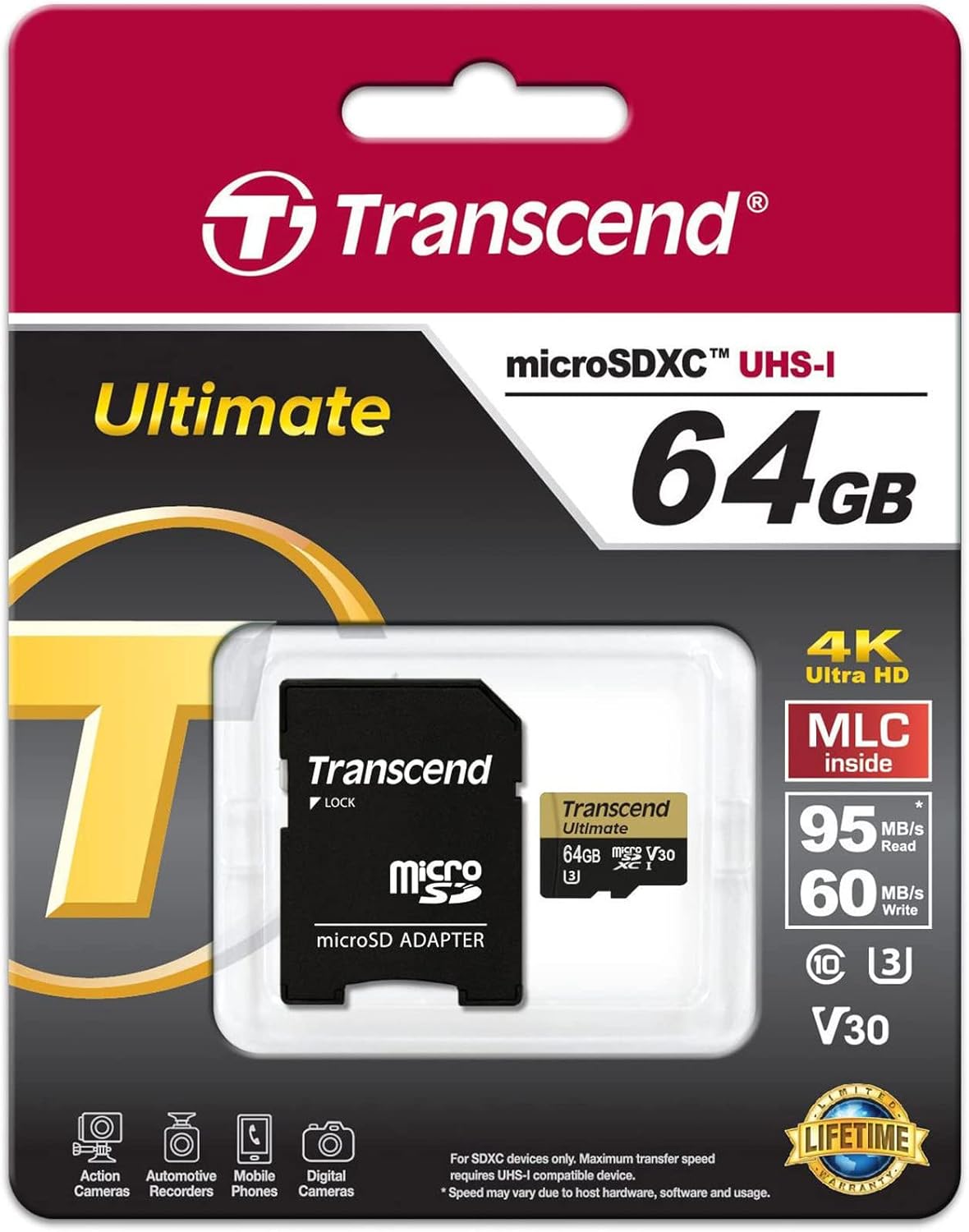
Image: Transcend microSD card and SD adapter as packaged.
Setup
- Inserting the microSD Card: Locate the microSD card slot on your compatible device (e.g., camera, smartphone, tablet). Ensure the card is oriented correctly according to the device's diagram. Gently push the card into the slot until it clicks into place.
- Using the SD Adapter: For devices that use standard SD card slots, insert the microSD card into the provided SD adapter. Then, insert the adapter into the device's SD card slot. Ensure the lock switch on the adapter is in the 'unlocked' position.
- Formatting: It is recommended to format the microSD card using your device's internal formatting function before first use. This ensures optimal compatibility and performance. Refer to your device's manual for specific formatting instructions. Formatting will erase all data on the card.

Image: Transcend microSD card and SD adapter, ready for use.
Operating
- Data Transfer: Once inserted and recognized, the microSD card functions as external storage. You can transfer files (photos, videos, documents) to and from the card using your device's file management system or by connecting the device to a computer.
- Speed Class: This card is rated UHS-I U3 and V30, indicating high-speed performance suitable for 4K Ultra HD video recording and fast continuous shooting. Ensure your device supports these speed classes for optimal performance.
- Compatibility: The card is compatible with devices supporting microSD, microSDHC, and microSDXC standards. Verify that your device supports the card's capacity (64GB) before use.
Maintenance
- Waterproof Feature: The card is designed to be waterproof, offering protection against accidental water exposure. However, avoid prolonged submersion.
- Handling: Always handle the card by its edges. Avoid touching the gold contacts to prevent data corruption or physical damage.
- Storage: Store the card in a protective case when not in use to prevent physical damage and exposure to extreme temperatures or static electricity.
Troubleshooting
- Card Not Recognized:
- Ensure the card is fully and correctly inserted into the device or adapter.
- Try inserting the card into another compatible device or a different card reader to rule out device-specific issues.
- If using the SD adapter, ensure the lock switch is in the 'unlocked' position.
- Check if your device's firmware is up to date.
- Slow Performance:
- Ensure your device supports UHS-I speeds. Older devices may not fully utilize the card's speed capabilities.
- Avoid filling the card to its maximum capacity, as this can sometimes affect performance.
- Regularly back up data and format the card to maintain optimal performance.
- Data Loss:
- Immediately stop using the card if data loss is suspected.
- Consult data recovery software or professional services if necessary.
Specifications
| Brand | Transcend |
| Model Name | TS64GUSDU3M |
| Flash Memory Type | Micro SD, SD (with adapter) |
| Memory Storage Capacity | 64 GB |
| Compatible Devices | Camera, Personal Computer, Smartphone |
| Additional Features | Waterproof |
| Read Speed | Up to 95 Megabytes Per Second |
| Hardware Connectivity | MicroSD |
| Secure Digital Association Speed Class | Class 10, UHS-I U3, V30 |
| Item Weight | 9.07 g |
| Color | Black |
Warranty
This Transcend microSD card comes with a limited warranty. For specific terms, conditions, and duration of the warranty, please refer to the official Transcend website or the warranty information included with your product packaging. Keep your proof of purchase for warranty claims.
Support
For further assistance, product registration, or to submit a warranty claim, please visit the official Transcend website. You can typically find detailed FAQs, driver downloads, and contact information for customer support there.
For more information, you may also visit the Transcend Store on Amazon.


