1. Introduction
This manual provides instructions for the safe and effective use of the Lanberg NT-0001 Insertion Tool. This tool is designed for terminating network cables into IDC (Insulation Displacement Connector) blocks, commonly found in patch panels, keystone jacks, and wall plates.
2. Safety Information
Always exercise caution when using hand tools. The Lanberg NT-0001 Insertion Tool contains sharp components. Keep fingers clear of the cutting blade during operation. Store the tool in a safe place, out of reach of children. Do not use the tool for purposes other than its intended design.
3. Package Contents
Verify that your package contains the following item:
- 1 x Lanberg NT-0001 Insertion Tool
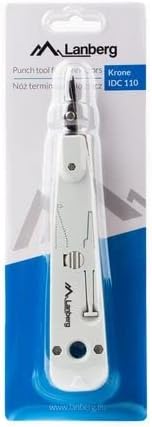
Figure 1: Lanberg NT-0001 Insertion Tool in its retail packaging, showing the tool's design and branding.
4. Product Overview
The Lanberg NT-0001 is a versatile insertion tool designed for efficient termination of network cables. It features a main body, an insertion head, and integrated auxiliary tools.
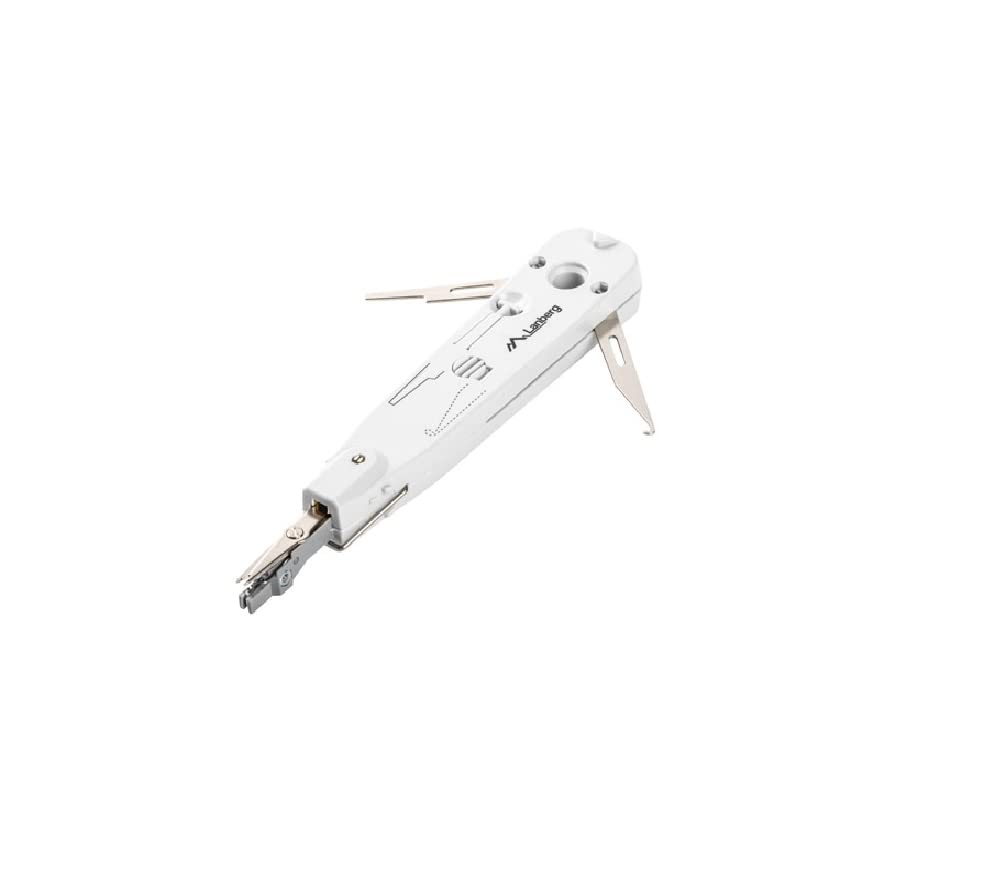
Figure 2: Top view of the Lanberg NT-0001 Insertion Tool, showing the main body, insertion head, and a diagram indicating wire stripping and cutting functions.

Figure 3: Side view of the Lanberg NT-0001 Insertion Tool, illustrating the retractable hook and spudger tools used for wire removal and manipulation.
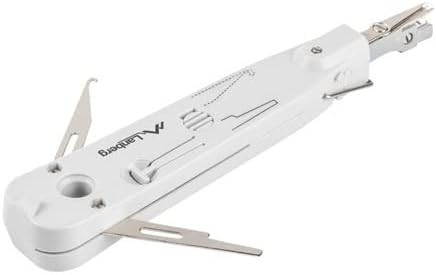
Figure 4: Angled view of the Lanberg NT-0001 Insertion Tool, highlighting the integrated hook and spudger, which can be deployed for various tasks during cable termination.
5. Setup
The Lanberg NT-0001 Insertion Tool is ready for use out of the package. No assembly is required. Ensure the cutting blade (if applicable to your model) is oriented correctly for the desired operation (cut-off or no cut-off).
- Blade Orientation: Some insertion tools feature a reversible blade. One side cuts the excess wire, the other side only seats the wire without cutting. Consult the markings on the tool to select the appropriate side for your task.
- Cable Preparation: Strip approximately 1-2 inches of the outer jacket from the network cable, exposing the twisted pairs. Untwist the pairs as needed for termination.
6. Operating Instructions
Follow these steps to terminate a network cable using the Lanberg NT-0001 Insertion Tool:
- Prepare the Wire: After stripping the cable jacket, untwist the wire pair you intend to terminate. Straighten the individual wire.
- Position the Wire: Place the individual wire into the appropriate slot on the IDC block (e.g., keystone jack, patch panel). Ensure the wire is aligned with the metal prongs of the IDC connector.
- Insert the Tool: Position the insertion tool's head directly over the wire and the IDC slot. The cutting blade should be on the side where you want the excess wire to be trimmed (if using the cutting function).
- Apply Pressure: Apply firm, even downward pressure on the tool's handle. The tool will click when the wire is fully seated into the IDC connector and, if the cutting blade is engaged, the excess wire will be trimmed.
- Verify Connection: Visually inspect the connection to ensure the wire is fully seated and the insulation is properly displaced by the IDC prongs. If using the cutting function, confirm the excess wire has been cleanly trimmed.
- Repeat: Repeat the process for all remaining wires.
The integrated hook and spudger (Figures 3 & 4) can be used to remove wires from IDC blocks or to manipulate wires during the termination process.
7. Maintenance
Proper maintenance ensures the longevity and performance of your insertion tool:
- Cleaning: After use, wipe the tool with a clean, dry cloth to remove any dust or debris. Do not use abrasive cleaners or solvents.
- Storage: Store the tool in a dry environment, away from direct sunlight and extreme temperatures.
- Blade Inspection: Periodically inspect the cutting blade for sharpness and damage. A dull blade can result in poor terminations.
8. Troubleshooting
| Problem | Possible Cause | Solution |
|---|---|---|
| Wire not seating properly | Insufficient pressure; misaligned wire; damaged IDC block. | Apply more firm, even pressure. Ensure wire is straight and correctly positioned. Inspect IDC block for damage. |
| Wire not cutting cleanly | Dull or damaged cutting blade; blade oriented incorrectly. | Inspect the blade and ensure it is sharp. Verify the blade is set to the cutting position. |
| Tool feels stiff or jammed | Debris inside the mechanism. | Clean the tool thoroughly, ensuring no small wire pieces or dust are obstructing movement. |
9. Specifications
| Feature | Detail |
|---|---|
| Model | NT-0001 |
| Brand | Lanberg |
| Compatibility | IDC 110, Krone |
| Integrated Tools | Hook, Spudger |
| Color | White |
10. Warranty and Support
For warranty information or technical support, please contact your retailer or visit the official Lanberg website. Keep your purchase receipt as proof of purchase.


