
Introduction
The Staples One-Touch Desktop Stapler is designed for efficient and comfortable stapling in office, school, or home environments. Featuring a smooth, low-effort mechanism, it can securely fasten up to 20 sheets of paper. This stapler holds a full strip of standard 1/4 inch staples, reducing the need for frequent reloads. Its compact and durable design ensures reliable, long-lasting performance.

Image: The Staples One-Touch Desktop Stapler, showcasing its full-strip capacity design in gray and black.
Setup
Loading Staples
- Open the Stapler: Gently press the release button or pull the top cover upwards to open the stapler. The staple channel will be exposed.
- Insert Staples: Place a full strip of standard 1/4 inch staples into the staple channel. Ensure the staples are facing the correct direction, with the pointed ends down.
- Close the Stapler: Push the top cover back down until it clicks securely into place.
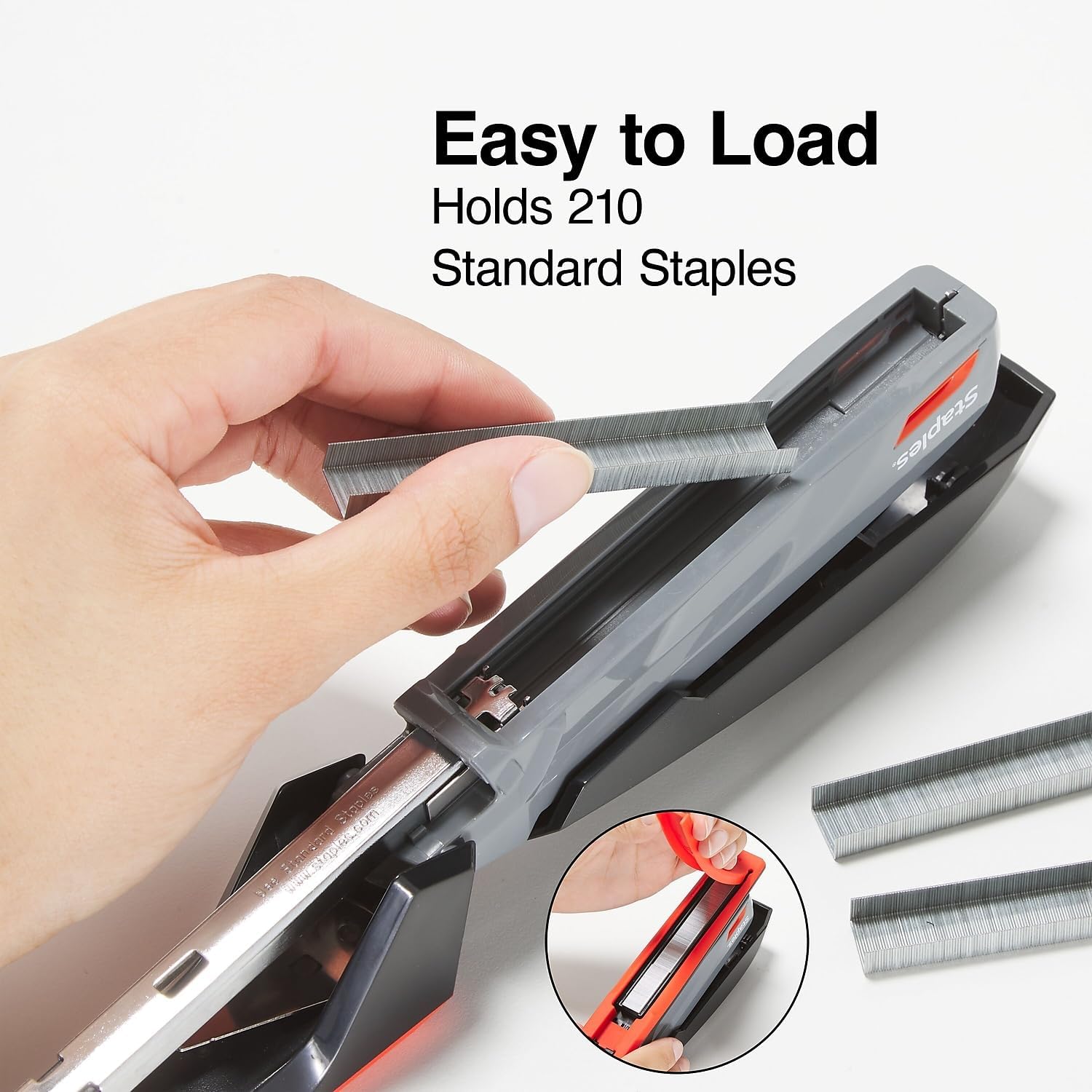
Image: A hand demonstrating how to easily load a strip of staples into the stapler's open channel.
The stapler comes with 420 standard staples, allowing immediate use.
Operating Instructions
Standard Stapling
- Prepare Documents: Align the papers you wish to staple, ensuring they are neatly stacked. The stapler can fasten up to 20 sheets.
- Position Papers: Insert the corner or edge of the paper stack into the stapler's opening, guiding it against the backstop for consistent staple placement.
- Staple: Press down firmly on the top of the stapler. The one-touch mechanism requires minimal effort to drive the staple through the paper.
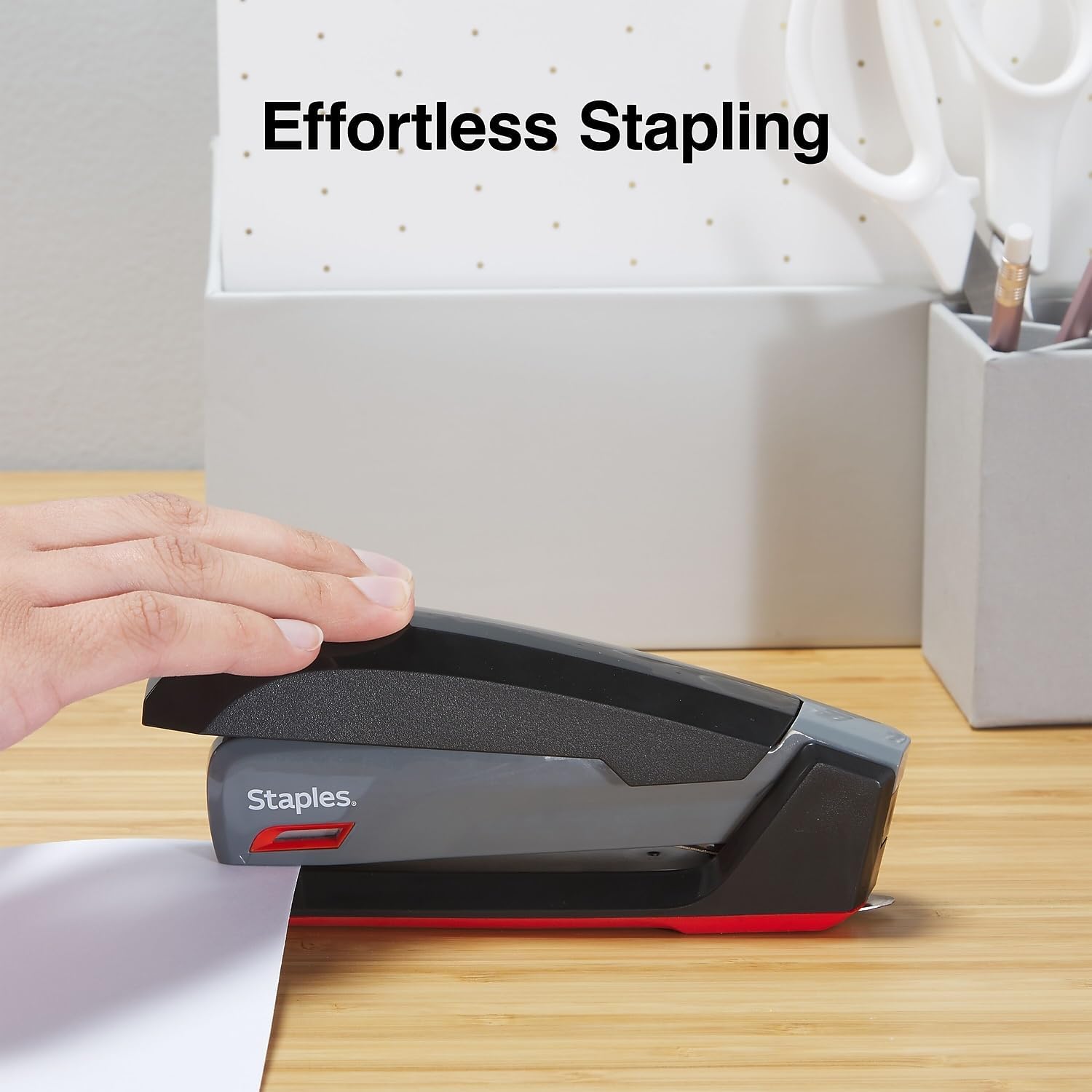
Image: A hand demonstrating the effortless stapling action of the device on a stack of papers.
Tacking Function
The stapler can be opened flat for tacking papers to bulletin boards or other surfaces.
- Open Flat: Fully open the stapler by lifting the top cover until it lies flat, exposing the staple path.
- Position: Place the paper over the desired surface (e.g., a bulletin board) and position the open stapler over the paper.
- Tack: Press down on the stapler to drive the staple through the paper and into the surface.

Image: The stapler shown in its open position, ready for tacking documents onto a bulletin board.
Maintenance
To ensure optimal performance and longevity of your Staples One-Touch Desktop Stapler, follow these simple maintenance guidelines:
- Cleaning: Periodically wipe the exterior of the stapler with a soft, dry cloth to remove dust and debris. Avoid using harsh chemicals or abrasive cleaners.
- Staple Quality: Always use standard 1/4 inch staples of good quality to prevent jams and ensure proper stapling.
- Storage: Store the stapler in a clean, dry environment when not in use.
Troubleshooting
If you encounter issues with your stapler, refer to the following common problems and solutions:
- Staples Not Penetrating All Sheets:
- Ensure you are not exceeding the 20-sheet capacity.
- Check that you are using standard 1/4 inch staples.
- Verify the stapler is fully closed after loading staples.
- Staples Jamming:
- Remove any jammed staples carefully.
- Ensure the staple channel is clear of debris.
- Use only one strip of staples at a time.
- Staples Not Bending Correctly (Underneath):
- Ensure the paper is fully inserted and flat against the stapler's base.
- Check for any obstructions in the clincher mechanism at the bottom of the stapler.
Specifications
| Brand | STAPLES |
| Model Number | ST44425/44425 |
| Color | Gray/Black/Red |
| Material | Plastic |
| Product Dimensions | 3.19"L x 1.3"W |
| Staple Capacity | Full Strip (210 standard 1/4 inch staples) |
| Sheet Capacity | Up to 20 sheets |
| Operation Mode | Manual, One-Touch |
Warranty and Support
This Staples One-Touch Desktop Stapler comes with a manufacturer's warranty. For specific details regarding warranty coverage, duration, and claims, please refer to the documentation included with your purchase or contact the manufacturer directly.
For further assistance, technical support, or to inquire about replacement parts, please visit the official Staples website or contact their customer service department.
Manufacturer: STAPLES
Warranty Description: Contact Manufacturer