
JETBeam SF-R26
JETBeam SF-R26 Rechargeable Flashlight User Manual
Model: SF-R26 (9005721) | Brand: JETBeam
Introduction
The JETBeam SF-R26 is a high-performance, rechargeable LED flashlight designed for a wide range of lighting needs. Built with military-grade quality, it offers exceptional brightness and durability, making it suitable for various applications. This manual provides essential information for the safe and effective operation, maintenance, and troubleshooting of your SF-R26 flashlight.

Figure 1: JETBeam SF-R26 Rechargeable Flashlight, showcasing its compact and robust design.
Safety Information
- Eye Safety: Do not shine the flashlight directly into eyes. The powerful beam can cause temporary vision impairment or permanent eye damage.
- Heat: The flashlight may become warm during prolonged use, especially on higher output modes. Handle with care.
- Battery Safety:
- Use only recommended battery types (1x 18650 or 2x CR123A).
- Do not mix old and new batteries, or different types of batteries.
- Ensure correct battery polarity during installation.
- Do not dispose of batteries in fire. They may explode.
- If the flashlight will not be used for an extended period, remove the batteries to prevent leakage.
- Water Resistance: While the SF-R26 is resistant to strong water jets, it is not designed for prolonged submersion. Ensure the USB port cover is securely closed when exposed to water.
- Children: Keep out of reach of children.
Package Contents
Upon opening the package, please verify that all the following items are included:
- JETBeam SF-R26 Flashlight
- Micro USB Charging Cable
- 18650 Rechargeable Battery (if included with specific package)
- Lanyard
- Spare O-rings
- User Manual (this document)

Figure 2: Contents typically included with the JETBeam SF-R26 flashlight, including the flashlight, battery, USB cable, and accessories.
Setup
1. Battery Installation
The SF-R26 can be powered by one 18650 rechargeable Li-ion battery or two CR123A batteries. Ensure the battery is inserted with the positive (+) end facing towards the head of the flashlight.
- Unscrew the tail cap of the flashlight.
- Insert the battery(ies) according to the polarity markings. For 18650, the positive end goes towards the head. For CR123A, both positive ends go towards the head.
- Screw the tail cap back on tightly to ensure proper contact and water resistance.
2. Charging (for 18650 battery)
The SF-R26 features a convenient micro USB charging port for internal recharging of an 18650 battery. CR123A batteries are NOT rechargeable via the flashlight's USB port.
- Locate the micro USB charging port on the side of the flashlight. It is usually covered by a rubber flap.
- Gently lift the rubber flap to expose the port.
- Connect the micro USB cable to the flashlight's port and the other end to a USB power source (e.g., computer, wall adapter).
- The side switch LED indicator will show charging status (e.g., red for charging, green for fully charged).
- Once charging is complete, disconnect the cable and firmly press the rubber flap back into place to maintain water resistance.

Figure 3: The micro USB charging port on the side of the SF-R26, shown with a charging cable connected.
Operating Instructions
1. Power On/Off (Tail Switch)
The tactical tail cap switch controls the main power of the flashlight.
- Momentary On: Half-press the tail switch to momentarily turn on the light. Release to turn off.
- Constant On/Off: Fully press the tail switch until it clicks to turn the light on or off.

Figure 4: The tactical tail switch of the SF-R26, used for power control.
2. Mode Selection (Side Switch)
With the flashlight turned on, use the side switch to cycle through different brightness levels and special modes.
- Brightness Levels: Short press the side switch to cycle through the available brightness modes (e.g., Low, Medium, High, Turbo). The SF-R26 offers 3 dimming outputs (10 lumens, 250 lumens) and a maximum output of 1200 lumens.
- Strobe Mode: Press and hold the side switch for approximately 1-2 seconds to activate the Strobe mode. Short press again to return to the previous brightness level.

Figure 5: The side switch of the SF-R26, used for cycling through brightness modes and activating strobe.
3. Power Indicator
The side switch also functions as an LED power indicator. It will flash slowly and then quickly to indicate when the battery charge is low and needs replacement or recharging.
Maintenance
- Cleaning: Clean the flashlight body with a soft, damp cloth. Do not use abrasive cleaners or solvents.
- Threads and O-rings: Periodically lubricate the threads and O-rings with silicone grease to maintain water resistance and smooth operation. Replace O-rings if they appear damaged or worn.
- Battery Care:
- Store batteries in a cool, dry place.
- If using rechargeable 18650 batteries, recharge them regularly, even if not fully depleted, to prolong battery life.
- Remove batteries from the flashlight if it will not be used for an extended period to prevent potential leakage and damage.
Troubleshooting
| Problem | Possible Cause | Solution |
|---|---|---|
| Flashlight does not turn on. |
|
|
| Light is dim or flickers. |
|
|
| Flashlight does not charge. |
|
|
Specifications
| Feature | Detail |
|---|---|
| Model | SF-R26 (9005721) |
| LED | CREE XP-L HI LED |
| Max Output | 1200 Lumens |
| Brightness Levels | 10 Lumens, 250 Lumens, 1200 Lumens + Strobe |
| Peak Beam Distance | 373 meters (1250 feet) |
| Peak Beam Intensity | 34796 cd |
| Power Source | 1 x 18650 rechargeable Li-ion battery OR 2 x CR123A batteries |
| Charging | Micro USB (for 18650 only) |
| Material | Aerospace-grade aluminum alloy with military-grade Type III hard-anodized finish |
| Dimensions | 14.2 x 2.54 x 3.4 cm (5.59 x 1.0 x 1.34 inches) |
| Weight | 108.86 grams (3.84 oz) |
| Color | Black |
| Water Resistance | Resistant to strong water jets (USB port cover must be closed) |
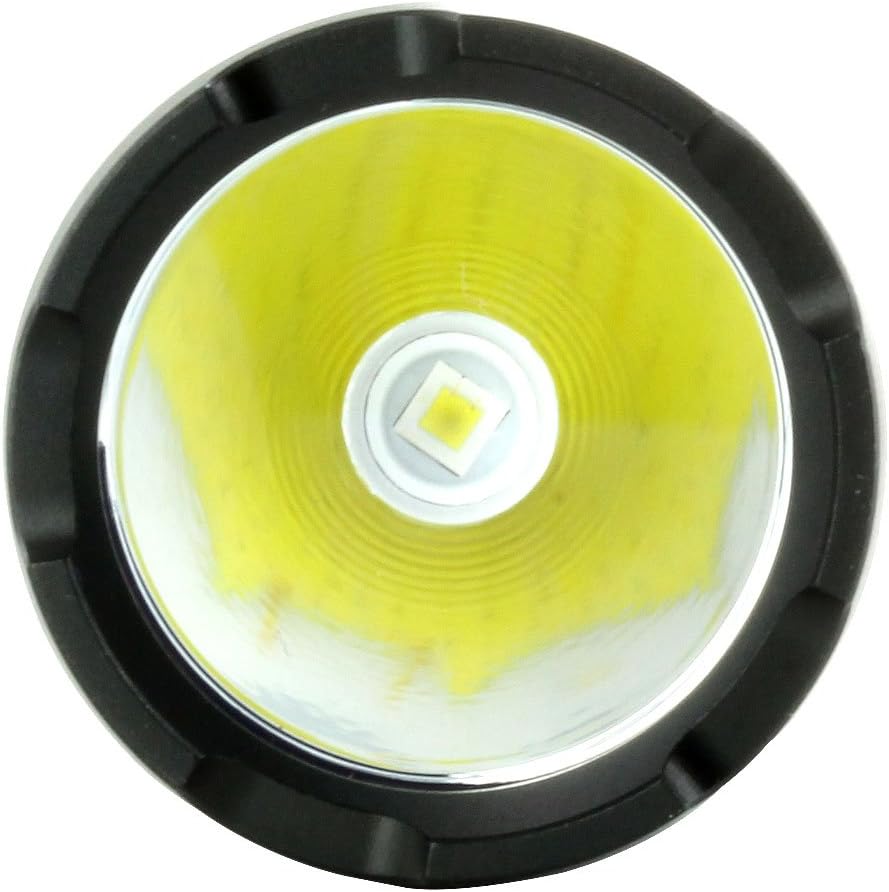
Figure 6: Close-up view of the CREE XP-L HI LED emitter, highlighting the light source.
Warranty and Support
JETBeam products are manufactured to high quality standards. For specific warranty details, please refer to the warranty card included with your product or visit the official JETBeam website. If you encounter any issues or require technical assistance, please contact JETBeam customer support or your authorized dealer.
Manufacturer: Sportsman Supply Inc.
Date First Available: February 24, 2017
Ask a question about this manual
Ask about setup, troubleshooting, compatibility, parts, safety, or missing instructions. Manuals+ will review the question and use this page’s manual context to help answer it.